
1. Introduction
The Yolco KL50D portable compressor refrigerator is designed to keep food and beverages fresh. It features high-quality insulation and an efficient compressor for rapid cooling. This appliance includes both a refrigeration compartment and a freezer compartment, equipped with separate temperature control (Dual-Zone). A removable freezer separator allows for increased cooling compartment capacity. The refrigerator can be powered by DC (12/24 V) or AC (100-240 V). AC power requires a connection via an AC/DC adapter (sold separately). It also includes vehicle battery discharge protection and sudden power surge protection. The control panel with an easy-to-read LED display provides intuitive control. Bluetooth 5.0 connectivity allows control via a mobile application (Android / iOS). Drawers and shelves are included for convenient content management.
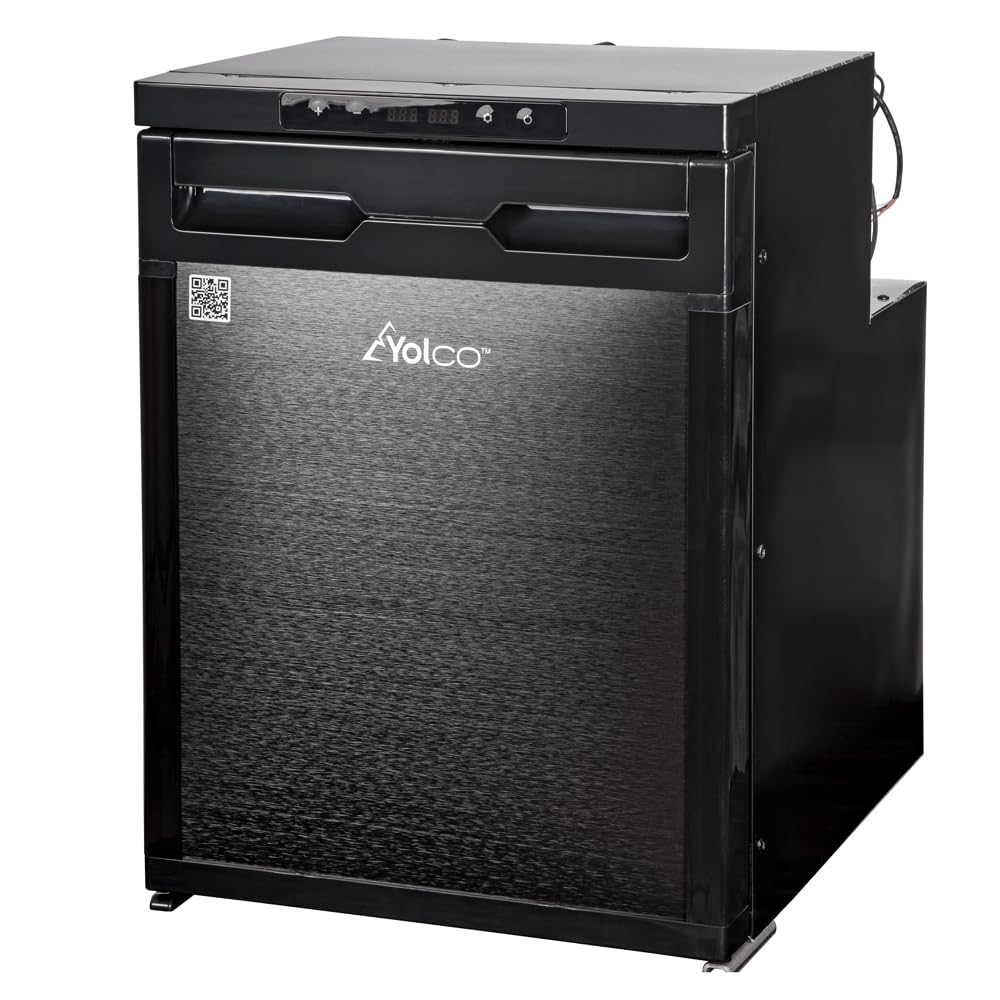
Image 1.1: Front view of the Yolco KL50D Portable Compressor Refrigerator.
2. Safety Information
Please read all safety instructions carefully before using the appliance. Failure to follow these instructions may result in electric shock, fire, or serious injury.
- Electrical Safety: Ensure the power supply voltage matches the appliance's requirements (DC 12/24V or AC 100-240V). Do not operate the appliance with a damaged power cord or plug.
- Ventilation: Ensure adequate ventilation around the appliance. Do not block ventilation openings.
- Flammable Materials: Do not store explosive substances such as aerosol cans with a flammable propellant in this appliance.
- Water Exposure: Do not expose the appliance to rain or excessive moisture.
- Children: This appliance is not intended for use by persons (including children) with reduced physical, sensory or mental capabilities, or lack of experience and knowledge, unless they have been given supervision or instruction concerning use of the appliance by a person responsible for their safety.
- Maintenance: Any repairs should only be performed by qualified personnel.
- Disposal: Dispose of the appliance according to local regulations for electrical and electronic waste.
3. Package Contents
Verify that all items are present and undamaged upon unpacking.
- Yolco KL50D Portable Compressor Refrigerator
- AC/DC Adapter with 100-240V Power Cord (EU/UK)
- User Manual
4. Setup
4.1 Placement
Place the refrigerator on a stable, level surface. Ensure there is sufficient space around the unit for proper ventilation (at least 10 cm on all sides). Avoid direct sunlight or heat sources.

Image 4.1: Side view of the refrigerator with the door open, showing internal layout.
4.2 Power Connection
The refrigerator can be powered in two ways:
- DC Power (12V/24V): Connect the DC power cable to the appropriate port on the refrigerator and to a 12V or 24V vehicle power outlet (e.g., cigarette lighter socket). The appliance features vehicle battery discharge protection.
- AC Power (100-240V): Use the provided AC/DC adapter. Connect the adapter to the refrigerator's AC input and then plug the adapter into a standard 100-240V wall outlet.

Image 4.2: Rear view of the refrigerator, highlighting the power input area.
4.3 Initial Cleaning
Before first use, wipe the interior and exterior surfaces with a damp cloth and mild detergent. Dry thoroughly.
5. Operating Instructions
5.1 Powering On/Off
Press and hold the power button on the control panel to turn the unit on or off. The LED display will illuminate when the unit is on.

Image 5.1: Close-up of the control panel with LED display and buttons.
5.2 Temperature Control (Dual-Zone)
The KL50D features Dual-Zone temperature control, allowing separate temperature settings for the refrigeration and freezer compartments. Use the '+' and '-' buttons on the control panel to adjust the desired temperature for each zone. Refer to the LED display for current settings. The refrigeration compartment temperature range is 0°C to +8°C (32°F to 46.4°F). The freezer compartment temperature range is -20°C to -12°C (-4°F to 10.4°F).

Image 5.2: Control panel showing temperature display and interior LED light.
5.3 Removable Freezer Separator
The freezer compartment includes a removable separator. To increase the capacity of the cooling compartment, carefully remove this separator. Ensure it is properly re-inserted if you wish to use the freezer function.

Image 5.3: Interior view showing the shelves and the area for the removable separator.
5.4 Bluetooth Connectivity
The refrigerator is equipped with Bluetooth 5.0 for remote control via a mobile application.
- Download the official Yolco app from your mobile device's app store (Android / iOS).
- Ensure Bluetooth is enabled on your mobile device.
- Open the app and follow the on-screen instructions to pair with your KL50D refrigerator.
- Once paired, you can monitor and adjust settings from your mobile device within a range of up to 10 meters.
6. Maintenance
6.1 Cleaning
Regular cleaning helps maintain the appliance's efficiency and hygiene.
- Always unplug the refrigerator before cleaning.
- Clean the interior with a soft cloth, warm water, and a mild, non-abrasive detergent.
- Wipe down exterior surfaces with a damp cloth.
- Do not use harsh chemicals, abrasive cleaners, or sharp objects that could damage the surfaces.
- Ensure all parts are dry before reconnecting power.
6.2 Defrosting
The Yolco KL50D features an automatic defrosting system. Manual defrosting is generally not required. If excessive ice buildup occurs, turn off the unit, empty its contents, and allow the ice to melt naturally. Wipe away any melted water.
6.3 Storage
If storing the refrigerator for an extended period, ensure it is clean and dry. Leave the lid slightly ajar to prevent odors and mold growth. Store in a dry, well-ventilated area.
7. Troubleshooting
Before contacting customer support, please refer to the following common issues and solutions:
| Problem | Possible Cause | Solution |
|---|---|---|
| Appliance does not turn on. | No power supply; power cord not connected; fuse blown. | Check power connection; ensure outlet is functional; check vehicle fuse or household circuit breaker. |
| Appliance is not cooling effectively. | Poor ventilation; door not closed properly; ambient temperature too high; too much food loaded; temperature setting too high. | Ensure proper ventilation; check door seal; move to a cooler environment; reduce load; lower temperature setting. |
| Unusual noise. | Appliance not level; objects inside rattling; compressor noise (normal). | Place on a level surface; secure items inside; compressor noise is normal during operation. |
| Bluetooth connection issues. | Bluetooth not enabled; app not installed; device out of range. | Ensure Bluetooth is on; install the Yolco app; move device closer to the refrigerator (within 10m). |
8. Specifications
| Feature | Detail |
|---|---|
| Brand | Yolco |
| Model Number | KL50D |
| Total Capacity | 44 L (9.7 gal) |
| Total Capacity (Freezer partition removed) | 46 L (10.1 gal) |
| Cooling Compartment Net Capacity | 41 L (9.0 gal) |
| Freezer Compartment Net Capacity | 3 L (0.7 gal) |
| Power Specifications | DC 12V/5A, 24V/2.5A; AC 100-240V (via adapter) |
| Number of Compartments | 2 (Dual-Zone) |
| Refrigeration Temperature Range | 0°C to +8°C (32°F to 46.4°F) |
| Freezer Temperature Range | -20°C to -12°C (-4°F to 10.4°F) |
| Power Consumption | 60 W |
| Climate Class | SN, N, ST, T |
| Ambient Temperature Range | +10°C to +43°C (+50°F to +109.4°F) |
| Sound Power Level | 48 dB |
| Refrigerant | R1234yf (26g) |
| GWP | 4 |
| Connectivity | Bluetooth 5.0 (working range up to 10 m) |
| Frequency Range | 2402 MHz – 2480 MHz |
| Max RF Power | 2 dBm |
| Dimensions (L x H x D) | 380 x 532 x 479 mm (15.0" x 20.9" x 18.9") |
| Net Weight | 14.1 kg (31.1 lb) |
| Gross Weight | 17.6 kg (38.8 lb) |
| Defrost System | Automatic |
| Adjustable Temperature Control | Yes |

Image 8.1: Close-up view of the compressor unit.
9. Warranty & Support
9.1 Warranty Information
For detailed warranty information, please refer to the warranty card included with your product or visit the official Yolco website. Keep your purchase receipt as proof of purchase for warranty claims.
9.2 Customer Support
If you encounter any issues not covered in this manual or require further assistance, please contact Yolco customer support. Contact details can typically be found on the official Yolco website or on the product packaging.
When contacting support, please have your model number (KL50D) and purchase date ready.


