
1. Product Overview
The RCA Wave-68 True Wireless Earbuds provide a high-quality audio experience with advanced features such as Hi-Res Audio, Deep Bass, Transparency Mode, and Bluetooth 5.2 connectivity. Designed for comfort and extended use, these earbuds offer up to 20 hours of battery life with the charging case, making them suitable for various activities.
Package Contents
- RCA Wave-68 True Wireless Earbuds (Left and Right)
- Charging Case
- USB Charging Cable
- User Manual
- Customizable Ear Tips (various sizes)
Component Identification

Figure 1.1: The RCA Wave-68 True Wireless Earbuds shown with their charging case. The earbuds feature an over-ear hook design for a secure fit, and the charging case includes a digital display for battery status.
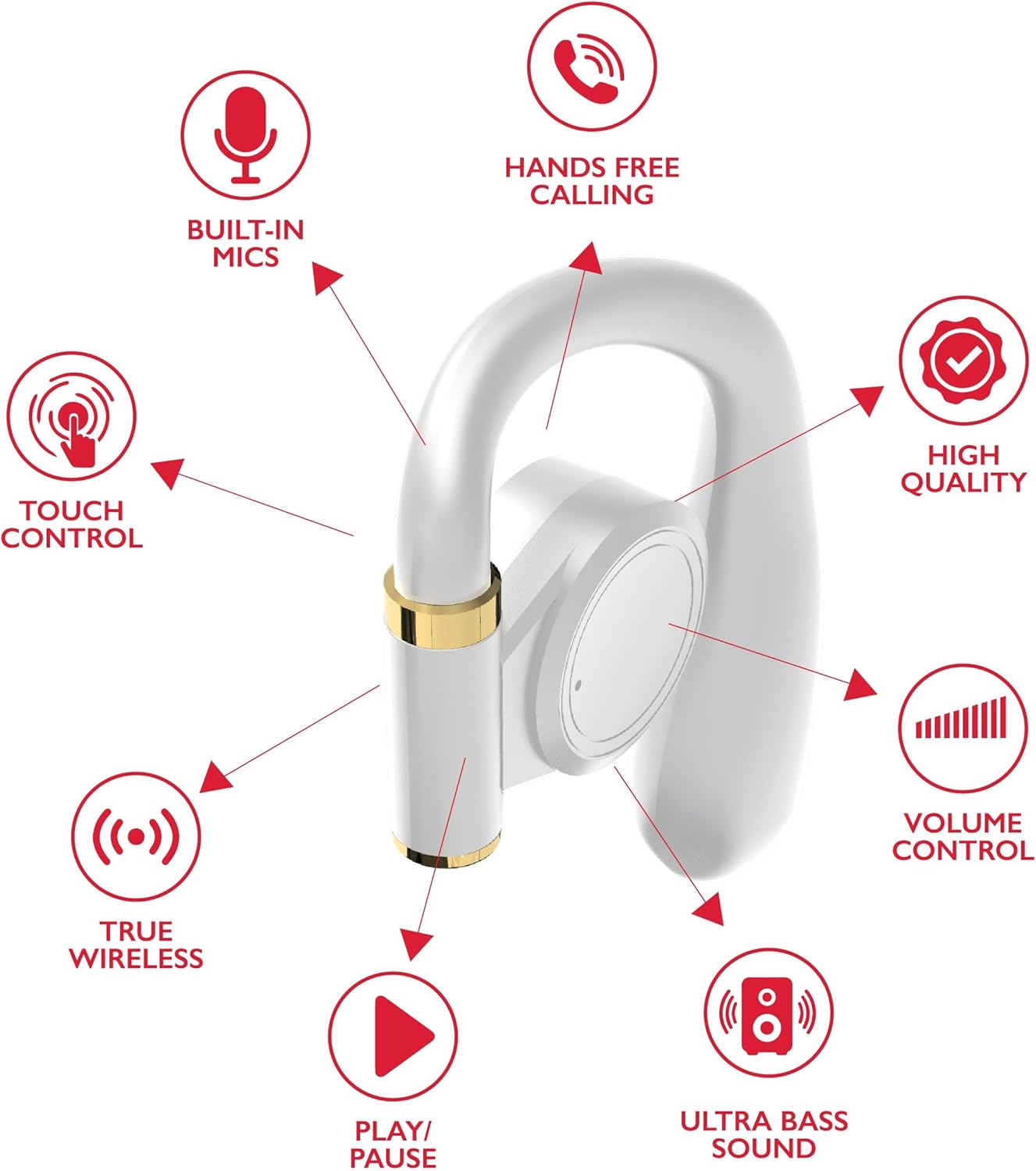
Figure 1.2: Detailed diagram highlighting key features of a single RCA Wave-68 earbud, including built-in mics, hands-free calling, touch control, true wireless connectivity, play/pause function, ultra bass sound, volume control, and high-quality audio.
2. Setup
2.1 Charging the Earbuds and Case
Before first use, fully charge the earbuds and the charging case. The charging case provides additional power for the earbuds on the go.
- Connect the provided USB charging cable to the charging port on the case and to a USB power source (e.g., computer, wall adapter).
- The digital display on the charging case will show the battery level. Allow the case to charge until the display indicates 100%.
- Place the earbuds into their respective slots in the charging case. Ensure they are properly seated. The earbuds will begin charging automatically.
- The earbuds' indicator lights will show their charging status (refer to the indicator light section for details).

Figure 2.1: The RCA Wave-68 earbuds placed inside their charging case with the lid open, showing the digital battery display.
2.2 Pairing with a Bluetooth Device
The earbuds will automatically enter pairing mode when removed from the charging case for the first time or when disconnected from a previously paired device.
- Ensure the earbuds are charged and removed from the charging case. They will automatically power on and enter pairing mode.
- On your device (smartphone, tablet, laptop), enable Bluetooth.
- Search for available Bluetooth devices.
- Select "RCA Wave-68" from the list of found devices.
- Once connected, you will hear an audible confirmation, and the earbud indicator lights will change (refer to the indicator light section for details).
- The earbuds will automatically reconnect to the last paired device when removed from the case, if Bluetooth is enabled on the device.
3. Operating Instructions
The RCA Wave-68 earbuds feature intuitive touch controls for managing audio playback, calls, and voice assistant functions.
3.1 Power On/Off
- Power On: Remove the earbuds from the charging case. They will power on automatically. Alternatively, press and hold the touch control area on both earbuds for 3 seconds.
- Power Off: Place the earbuds back into the charging case. They will power off automatically. Alternatively, press and hold the touch control area on both earbuds for 5 seconds.
3.2 Music Playback

Figure 3.1: Visual guide to the touch controls on the RCA Wave-68 earbuds for functions like Play/Pause, Answer Phone Call, Volume adjustment, and Voice Assistant activation.
- Play/Pause: Single tap on either earbud.
- Next Track: Double tap on the right earbud.
- Previous Track: Double tap on the left earbud.
- Volume Up: Triple tap on the right earbud.
- Volume Down: Triple tap on the left earbud.
3.3 Call Management
- Answer/End Call: Single tap on either earbud during an incoming call or active call.
- Reject Call: Press and hold the touch control area on either earbud for 2 seconds during an incoming call.
3.4 Voice Assistant
- Activate Voice Assistant (Siri/Google Assistant): Press and hold the touch control area on the left earbud for 2 seconds.
3.5 Transparency Mode
Transparency Mode allows you to hear your surroundings while listening to audio, enhancing awareness in environments like commuting or exercising outdoors.
- Toggle Transparency Mode: Press and hold the touch control area on the right earbud for 2 seconds. Repeat to switch back to normal mode.
4. Maintenance
4.1 Cleaning
- Regularly clean the earbuds and charging case with a soft, dry, lint-free cloth.
- Do not use abrasive cleaners, alcohol, or chemical solvents.
- Gently remove any earwax or debris from the ear tips and speaker mesh using a small, soft brush or cotton swab.
- Ensure charging contacts on both earbuds and the case are clean and dry.
4.2 Storage
- When not in use, always store the earbuds in their charging case to protect them and keep them charged.
- Store in a cool, dry place, away from extreme temperatures and direct sunlight.
5. Troubleshooting
| Problem | Possible Solution |
|---|---|
| Earbuds not powering on. | Ensure the earbuds are charged. Place them in the charging case for a few minutes, then remove them. |
| Cannot pair with device. |
|
| No sound or low volume. |
|
| Earbuds disconnect frequently. |
|
| One earbud has no sound. |
|
6. Specifications
| Feature | Detail |
|---|---|
| Model Name | Wave-68 |
| Connectivity Technology | Wireless (Bluetooth) |
| Bluetooth Version | 5.3 |
| Battery Life | Up to 20 Hours (with charging case) |
| Audio Driver Type | Dynamic Driver |
| Frequency Range | 20Hz - 20kHz |
| Water Resistance Level | Water Resistant |
| Control Method | Remote (Touch Control) |
| Special Features | Built-In Voice Assistant, Smart Button, Transparency Mode |
| Compatible Devices | Laptops, Smart Speakers, Smartphones, Tablets |
| Dimensions | 4.06 x 2.87 x 0.79 inches |
| Item Weight | 1 pound |
7. Warranty and Support
RCA products are designed for reliability and performance. For specific warranty information regarding your RCA Wave-68 True Wireless Earbuds, please refer to the warranty card included in your product packaging or visit the official RCA website.
For technical support, troubleshooting assistance, or to inquire about replacement parts, please contact RCA customer service through their official website or the contact information provided in your product documentation.
Online Resources:
- RCA Official Store on Amazon
- RCA Official Website (General) (Note: Specific product support pages may vary)


