
Introduction
Welcome to the RCA Wave-80 True Wireless Earbuds user manual. These earbuds are designed to provide an exceptional audio experience with extended battery life, high-resolution sound, deep bass, and a convenient Transparency Mode. Their ergonomic design ensures a comfortable and secure fit for all-day listening.
What's in the Box
- RCA Wave-80 True Wireless Earbuds (Left and Right)
- Charging Case
- USB Charging Cable
- User Manual (this document)

Image: The RCA Wave-80 True Wireless Earbuds nestled in their open charging case, displaying a full 100% charge on the digital indicator. The earbuds are white, matching the case.
Setup
1. Charging the Earbuds and Case
Before first use, fully charge the earbuds and the charging case.
- Place both earbuds into the charging case.
- Connect the USB charging cable to the charging port on the case and to a power source.
- The digital indicator on the case will show the charging progress. A full charge provides up to 20 hours of playtime.

Image: An angled view of the RCA Wave-80 charging case, with one earbud removed, highlighting the compact design and the digital battery display on the front.
2. Bluetooth Pairing
The RCA Wave-80 earbuds feature Smart Instant Pairing for quick and easy connection.
- Open the charging case. The earbuds will automatically enter pairing mode.
- On your device (smartphone, laptop, tablet), enable Bluetooth and search for "RCA Wave-80".
- Select "RCA Wave-80" from the list of available devices to connect.
- Once paired, the earbuds will automatically reconnect to your device every time you open the case.

Image: A visual representation of the smart instant pairing process, showing a smartphone screen with "Bluetooth Connected" and the RCA earbuds in their open charging case, indicating a successful connection.
Operating the Earbuds
Touch Controls
The RCA Wave-80 earbuds feature intuitive touch controls for easy management of your audio and calls.
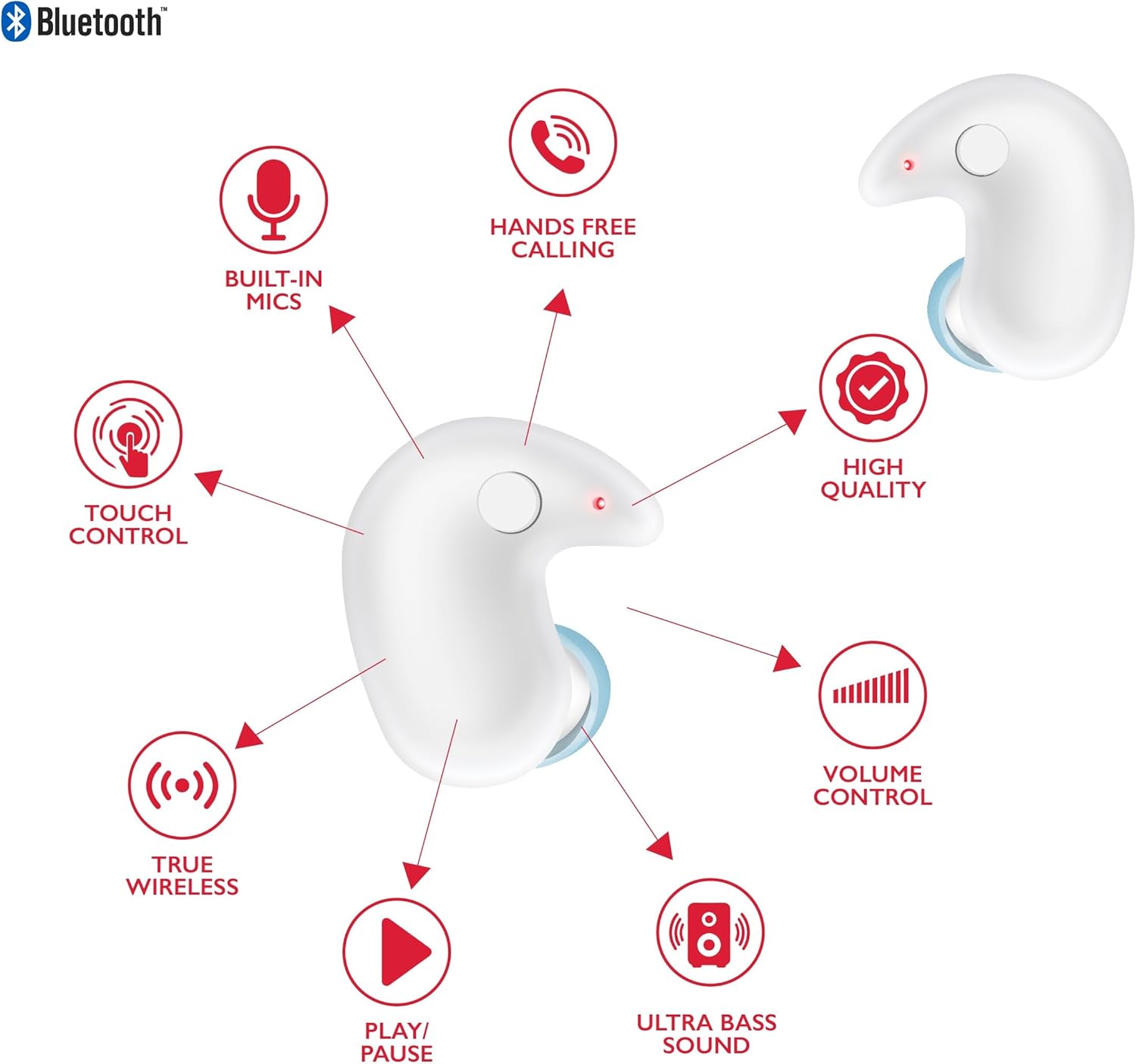
Image: A detailed diagram highlighting the various features and touch controls of the RCA Wave-80 earbuds, including built-in mics, hands-free calling, touch control, high quality audio, volume control, ultra bass sound, true wireless connectivity, and play/pause functionality.
| Action | Function |
|---|---|
| Single Tap | Play/Pause Music, Answer/End Call |
| Double Tap (Left Earbud) | Volume Down |
| Double Tap (Right Earbud) | Volume Up |
| Triple Tap (Left Earbud) | Previous Track |
| Triple Tap (Right Earbud) | Next Track |
| Long Press (2 seconds) | Activate Voice Assistant (Siri, Google Assistant) |
| Long Press (3 seconds) | Toggle Transparency Mode |
Transparency Mode
Transparency Mode allows you to hear your surroundings while still enjoying your audio. This is ideal for situations where situational awareness is important, such as walking in a city or listening for announcements.

Image: A woman wearing the RCA Wave-80 earbuds in a public setting, with visual cues indicating the activation of Transparency Mode, allowing her to hear ambient sounds while listening to music.
Maintenance
- Clean the earbuds and charging case regularly with a soft, dry cloth.
- Avoid using abrasive cleaners or solvents.
- Keep the charging contacts on both the earbuds and the case clean to ensure proper charging.
- Store the earbuds in their charging case when not in use to protect them and maintain battery life.
- Avoid exposing the earbuds to extreme temperatures, humidity, or liquids. Note: These earbuds are not water resistant.
Troubleshooting
| Problem | Possible Cause | Solution |
|---|---|---|
| Earbuds not pairing | Out of range, low battery, pairing mode not active | Ensure earbuds are charged and in pairing mode. Move closer to the device. Restart Bluetooth on your device. |
| No sound | Volume too low, not connected, incorrect audio output selected | Increase volume on both earbuds and device. Reconnect Bluetooth. Check device's audio output settings. |
| One earbud not working | Low battery, not properly seated in case, connection issue | Ensure both earbuds are charged. Place both back in the case, close, then reopen to reset connection. |
| Charging issues | Dirty charging contacts, faulty cable/adapter | Clean charging contacts. Try a different USB cable and power adapter. |
| Poor sound quality | Earbuds not properly seated, interference, low quality audio source | Adjust earbud fit. Move away from sources of interference. Try a different audio source. |
Specifications
- Model Name: Wave
- Connectivity Technology: Wireless
- Wireless Communication Technology: Bluetooth 5.4
- Battery Life: Up to 20 Hours (with charging case)
- Audio Driver Type: Dynamic Driver
- Frequency Range: 20 Hz - 40 kHz
- Control Method: Remote (Touch Controls)
- Water Resistance Level: Not Water Resistant
- Compatible Devices: Smartphones, Laptops, Tablets, Smart Speakers
- Ear Placement: In Ear
- Form Factor: In Ear
- Noise Control: Adaptive Noise Cancellation (Transparency Mode)
- Product Dimensions: 2.44 x 0.79 x 2.44 inches
- Manufacturer: RCA
- UPC: 850068964451
Warranty & Support
For warranty information and customer support, please refer to the official RCA website or contact their customer service directly. Keep your proof of purchase for any warranty claims.
RCA Official Store: Visit the RCA Store on Amazon


