
TIQLAB 47*24 Maple
TIQLAB Electric Standing Desk User Manual
Model: 47*24 Maple
Brand: TIQLAB
Important Safety Information
Always follow the assembly instructions carefully. Keep fingers and other body parts away from the moving parts when adjusting the desk height. Do not exceed the weight limit of 220 lbs. Ensure the desk is properly anchored to the floor to prevent tipping.
Product Overview
The TIQLAB Electric Standing Desk is designed to enhance your workspace with its versatile features and ergonomic benefits. This adjustable height desk allows you to seamlessly switch between sitting and standing positions, promoting healthier posture and increased productivity. It integrates smart storage solutions and a robust lift system for a quiet and stable operation.

Overall view of the TIQLAB Electric Standing Desk with two drawers and a monitor shelf.
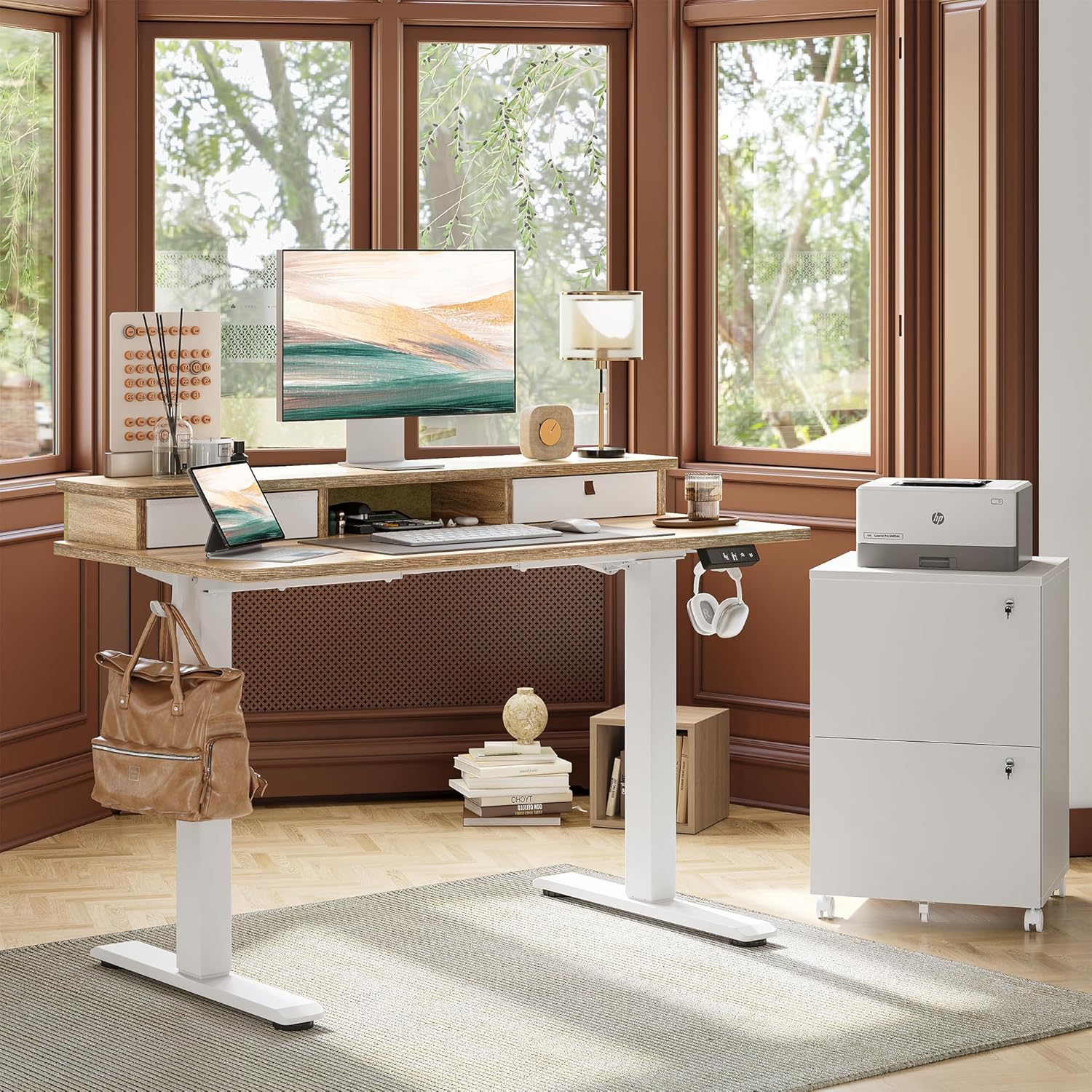
The TIQLAB Electric Standing Desk in a home office setting, showcasing its adjustable height and integrated storage.
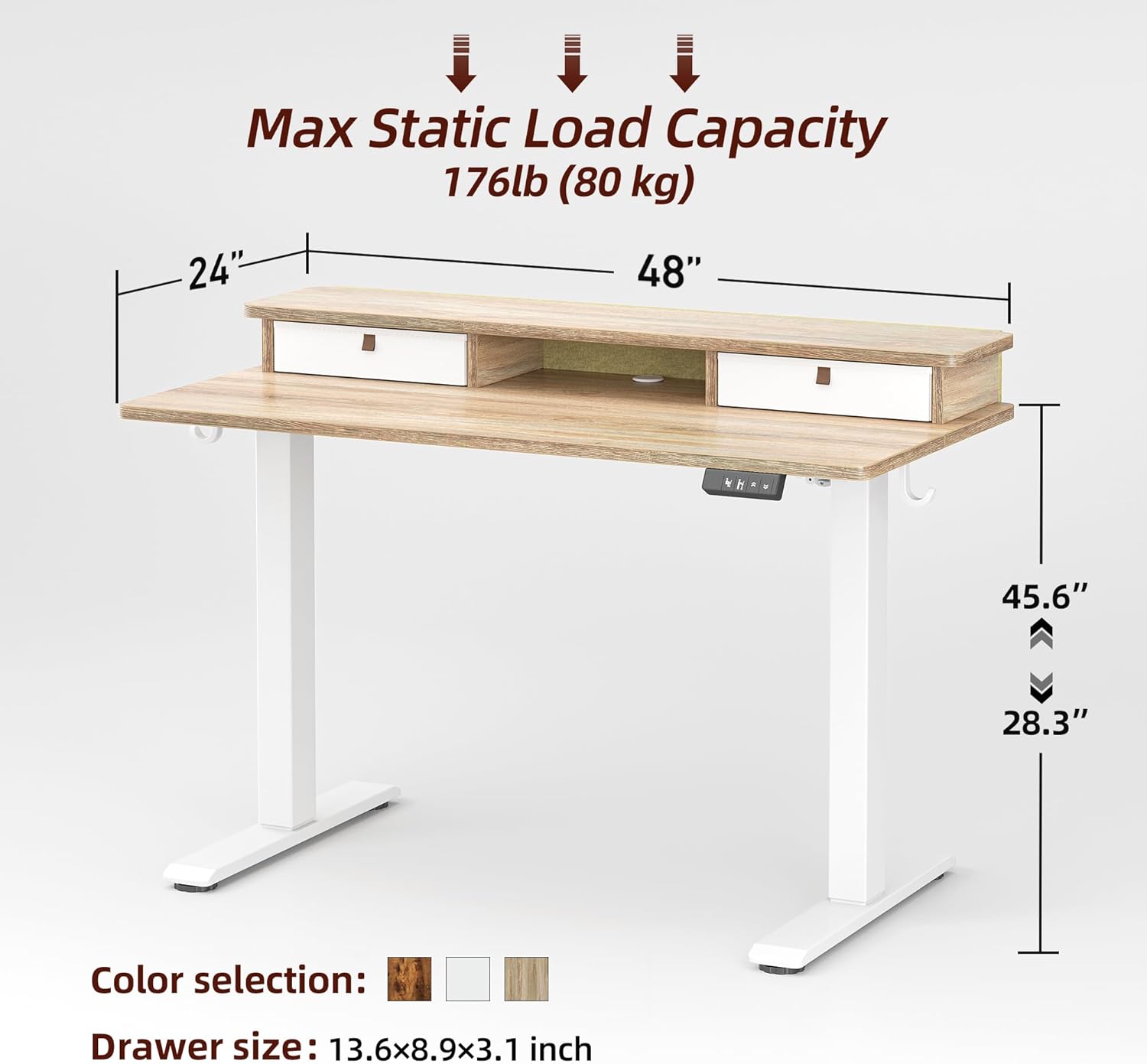
Dimensions of the TIQLAB Electric Standing Desk, highlighting the 48-inch width, 24-inch depth, and height adjustment range from 28.3 to 45.6 inches.
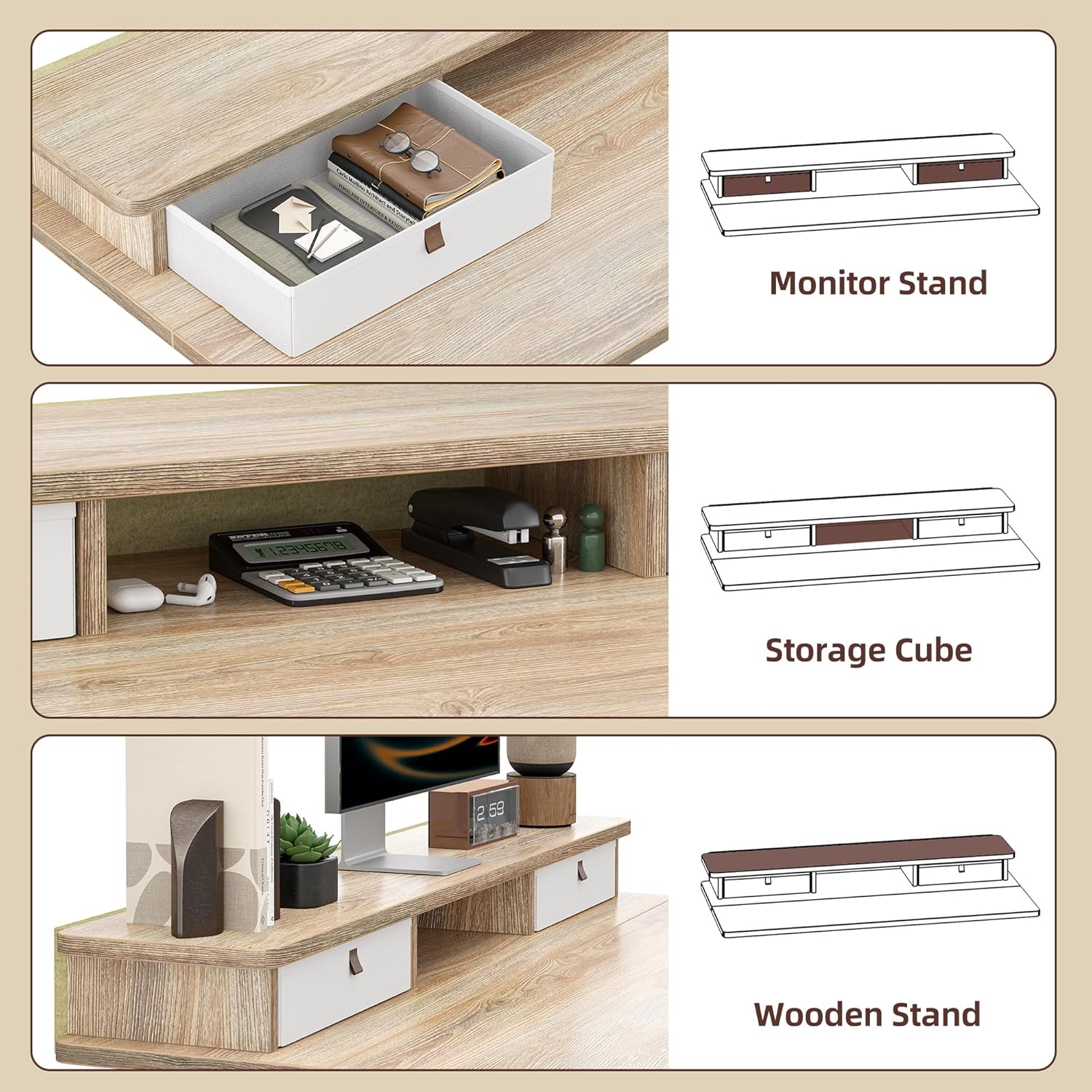
Detailed view of the integrated storage solutions, including a monitor stand, a central storage cube, and two fabric drawers.

Close-up view of the desk's features, including a cable hole, adjustable foot pads, and two desk hooks for accessories.
Specifications
| Feature | Detail |
|---|---|
| Brand | TIQLAB |
| Product Dimensions | 24"D x 47"W x 29"H |
| Color | Maple |
| Style | Modern |
| Base Material | Adjustable Desk |
| Finish Type | Electric Standing Desk |
| Special Feature | Stand Up Desk |
| Mounting Type | Freestanding |
| Furniture Finish | Maple |
| Size | 47*24 |
| Included Components | Desk, Keyboard Tray, Monitor Arm |
| Product Grade | New |
| Manufacturer | TIQLAB |
| Item Height | 75 centimeters |
| Top Material Type | Engineered Wood |
| Drawer Type | Two Drawer |
| Base Type | Metal |
| Storage Options | 2 drawers |
| Number of Drawers | 2 |
| Number Of Shelves | 1 |
| Tabletop Thickness | 1.5 Inches |
| Maximum Height | 47.2 Inches |
| Minimum Height | 28.3 Inches |
| Required Assembly | Yes |
| Maximum Weight Recommendation | 220 Pounds |
| Warranty Type | Limited |
| Includes All Assembly Tools | Yes |
Setup and Assembly
The TIQLAB Electric Standing Desk is designed for straightforward assembly, typically taking approximately 45 minutes. The package includes step-by-step instructions, clearly labeled parts, and a specialized L-shaped allen wrench to facilitate the process. Follow the provided manual for detailed assembly steps.

The desk's electric lift mechanism operates smoothly and quietly, ensuring minimal disruption during adjustments.
Operating Instructions
The desk features an electric height adjustment system, allowing seamless transitions between sitting and standing positions. The height can be adjusted from a minimum of 28.3 inches to a maximum of 47.2 inches.
Control Panel Functions:
- Up/Down Movement: Use the arrow buttons (^ and V) on the control panel to manually raise or lower the desk to your desired height.
- Memory Presets: The panel includes four programmable memory presets (1, 2, 3, 4) to save your preferred sitting and standing heights. To save a preset, adjust the desk to the desired height, then press and hold one of the numbered preset buttons (1-4) until the display confirms the setting is saved.
- LED Screen Display: An integrated LED screen displays the current height of the desk in inches.
- Anti-collision Technology: For safety, the desk is equipped with anti-collision technology, which automatically stops movement if an obstruction is detected during height adjustment.

The multifunctional controller allows for easy height adjustments and saving of preferred settings.
Integrated Storage:
- Drawers: The desk features two spacious fabric drawers for organizing office supplies, documents, and personal items.
- Cable Management: A dedicated cable hole is provided to route and organize power cords and other cables, keeping your workspace tidy.
- Desk Hooks: Two convenient desk hooks are included for hanging headphones, bags, or other accessories.
Maintenance and Care
To ensure the longevity and optimal performance of your TIQLAB Electric Standing Desk, follow these maintenance guidelines:
- Cleaning: Wipe the desk surface and frame with a soft, damp cloth. Avoid using harsh chemicals, abrasive cleaners, or solvents, as these may damage the finish.
- Inspection: Periodically check all screws and connections to ensure they are tight. Retighten if necessary.
- Cable Management: Ensure cables are properly routed and not pinched or tangled, which could affect desk operation or cause damage.
- Weight Distribution: Distribute weight evenly across the desk surface to prevent strain on the lift mechanism.
Troubleshooting
If you encounter any issues with your TIQLAB Electric Standing Desk, refer to the following common troubleshooting tips:
- Desk Not Moving:
- Check if the power cord is securely plugged into both the desk and a working power outlet.
- Ensure no obstructions are blocking the desk's movement.
- If the control panel displays an error code, consult the full user manual for specific instructions.
- Uneven Height:
- Perform a reset procedure (refer to your full manual for specific steps, often involving holding down certain buttons).
- Ensure the desk is on a level surface.
- Unusual Noises:
- Minor motor sounds are normal during adjustment. If you hear grinding or loud noises, stop operation and contact customer support.
For more detailed troubleshooting or issues not listed here, please contact TIQLAB customer support.
Warranty and Support
The TIQLAB Electric Standing Desk comes with a Limited Warranty. For specific warranty details, coverage, and to make a claim, please refer to the warranty documentation included with your product packaging. It is recommended to retain your proof of purchase for warranty purposes.
For customer support inquiries, technical assistance, or to purchase replacement parts, please visit the TIQLAB Store on Amazon or refer to the contact information provided in your product packaging. TIQLAB is committed to providing excellent customer service and support.
Ask a question about this manual
Ask about setup, troubleshooting, compatibility, parts, safety, or missing instructions. Manuals+ will review the question and use this page’s manual context to help answer it.