
Product Overview
The EONON P5 is a versatile portable car stereo system designed to enhance your in-car entertainment and navigation experience. It features an 8.95-inch IPS display that supports both portrait and landscape orientations, offering flexibility for various uses like GPS navigation and media playback. Key functionalities include wireless Apple CarPlay and Android Auto, 1080P backup camera support, and multiple audio output options. This manual provides detailed instructions for setup, operation, and maintenance of your EONON P5 device.

Image: The EONON P5 portable car stereo screen shown in portrait mode, with a backup camera accessory. The screen displays various app icons for music, CarPlay, Android Auto, Airplay, Super Link, Audio Output, and Settings. A faint landscape view of the screen is visible in the background.
Package Contents
Before beginning installation, please verify that all components listed below are present in your package:

Image: A visual representation of the EONON P5 package contents, including the main panel (223mm x 123mm), backup camera, cigarette lighter power cable, AUX adapter cable, screws, suction cup, magnetic mounting bracket, suction cup mounting bracket, pry tool, cable clips, adhesive pads for camera, and the user manual.
- Panel (Main Unit) x1
- Magnetic Variable Bracket x1
- Suction Cup Holder x1
- Cigarette Lighter Power Cord x1 (3.4 meters)
- Rear Lens (Backup Camera) x1 (7 meters)
- AUX Cable x1 (1.5 meters)
- Pry Bar x1
- Cable Clip x4
- Instruction Manual x1
- Disk for Suction Cup x1
- Screws x4
- Fixing Adhesive x2
Setup and Installation
Wiring Diagram
Proper connection of the power and camera cables is essential for the device's functionality.
Image: A diagram illustrating the wiring connections for the EONON P5. It shows the main unit mounted on a suction cup bracket, with three numbered cables: 1. Cigarette Lighter Power Cable, 2. AUX Adapter Cable, and 3. Backup Camera (7m).
- Connect the Cigarette Lighter Power Cable to your vehicle's 12V power outlet.
- Connect the AUX Adapter Cable to the AUX input of your vehicle's audio system for sound output.
- Connect the Backup Camera cable to the designated input on the P5 unit and route it to the rear of your vehicle for installation.
Installation Methods
The EONON P5 offers two primary installation methods: magnetic and suction cup. Choose the method that best suits your vehicle and preference.
Method 1: Magnetic Installation
Image: A five-step visual guide for magnetic installation. Steps include cleaning the car surface, bringing the device close to the magnetic bracket for automatic installation, adjusting the support arm angle, tearing off adhesive film and sticking the bracket, and finally adjusting the screen angle.
- Clean the car surface where the magnetic bracket will be attached.
- Bring the device close to the magnetic bracket; it will automatically attach.
- Adjust the support arm angle according to your desired installation location.
- Tear off the adhesive film from the magnetic bracket and firmly stick the bracket to the cleaned car surface.
- Adjust the screen angle for optimal viewing.
Method 2: Suction Cup Installation
Image: A five-step visual guide for suction cup installation. Steps include cleaning the car surface, aligning the bracket with the unit, pressing the suction cup part onto the car surface to remove air bubbles, pressing the lock switch to fix the suction cup, and adjusting the screen to the best viewing angle.
- Clean the car surface (e.g., dashboard, windshield) where the suction cup will be attached.
- Align the bracket with the hole on the unit and install it.
- Press the suction cup part of the bracket onto the car surface, ensuring no air bubbles are present for a secure seal.
- Press the lock switch to firmly fix the suction cup in place.
- Adjust the screen to the best viewing angle.
Operating Instructions
Wireless CarPlay & Android Auto
Connect your smartphone wirelessly via Bluetooth to access Apple CarPlay or Android Auto. This allows for hands-free control of navigation, music, calls, and messages using voice commands (Siri or Google Assistant).

Image: The EONON P5 screen displaying the Apple CarPlay interface within a car dashboard. Voice command prompts like "Hey Siri, Call Amy." and "Hi Google, Navigate Home." are shown, indicating voice control functionality.
Landscape & Portrait Mode
The 8.95-inch IPS display can be rotated to switch between portrait and landscape orientations. Portrait mode is ideal for navigation, providing a clearer view of routes, while landscape mode is better suited for media consumption.

Image: Two views of the EONON P5 screen mounted in a car. The top image shows the screen in portrait mode displaying a navigation map. The bottom image shows the screen in landscape mode displaying the Apple CarPlay interface with various app icons.
Audio Output Modes
The P5 offers multiple ways to output audio to your vehicle's sound system:
- Built-in Speakers: For direct audio output from the unit.
- AUX Out: Connect via the provided AUX cable to your car's AUX input.
- FM Transmitter: Transmit audio wirelessly to your car's FM radio by tuning to a specific frequency.
- Bluetooth: Stream audio directly to your car's Bluetooth-enabled audio system.

Image: A visual guide illustrating the four audio output modes of the EONON P5: Bluetooth connection to a phone, sound from built-in speakers, AUX out connection, and FM transmitter functionality displayed on the screen.
Wireless Screen Mirroring (Airplay & SuperLink)
Mirror your smartphone's screen onto the P5 display for enhanced functionality.
- Airplay Connect: For iOS devices, mirror your iPhone screen to the P5.
- Super Link: For Android devices, connect via Super Link to display content while allowing your phone to perform other tasks.
Image: An illustration showing an iPhone mirroring its screen content (a soccer game) to the EONON P5 car screen via Airplay.
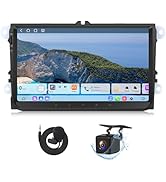
Image: An illustration showing an Android phone connected to the EONON P5 via Super Link, displaying a game on the car screen while the phone is also in use.
1080P Rear Camera
The included 1080P rearview camera provides clear visibility when reversing. It features automatic reverse warning lines to assist with parking and maneuvering.

Image: A split image showing the functionality of the 1080P rear camera. The left panel displays a "Live Rear View" from the camera, while the right panel shows "Parking Assistant" with dynamic guidelines on the screen, aiding in parking maneuvers. A car with the camera installed is also depicted.
Maintenance
Online Software Update (OTA)
The EONON P5 supports Over-The-Air (OTA) software updates. This allows for convenient updates to the device's firmware, fixing issues, and enhancing security without manual downloads.
Image: The EONON P5 screen next to a smartphone displaying a "Firmware Update" notification, indicating the availability of an online software update.
General Care
- Keep the screen clean using a soft, lint-free cloth. Avoid abrasive cleaners.
- Ensure all cables are securely connected to prevent signal loss or damage.
- Avoid exposing the unit to extreme temperatures or direct sunlight for prolonged periods.
Troubleshooting
This section addresses common issues you might encounter with your EONON P5 unit. For more complex problems, please refer to the support section.
| Problem | Possible Cause | Solution |
|---|---|---|
| No power to the unit. | Cigarette lighter power cable not connected or vehicle's power outlet is faulty. | Ensure the cigarette lighter power cable is fully inserted. Test the vehicle's power outlet with another device. |
| No audio output. | Incorrect audio output mode selected or AUX cable not connected properly. | Verify the selected audio output mode (Bluetooth, AUX, FM Transmitter). Check AUX cable connection. Ensure car stereo is on the correct input. |
| CarPlay/Android Auto not connecting. | Bluetooth not enabled on phone/unit, or phone not paired. | Ensure Bluetooth is active on both the P5 and your smartphone. Re-pair the devices if necessary. Check phone settings for CarPlay/Android Auto permissions. |
| Backup camera not displaying. | Camera cable loose or improperly connected. | Check the connection of the backup camera cable to the P5 unit. Ensure the camera is receiving power (if applicable). |
Specifications
| Feature | Detail |
|---|---|
| Brand | Eonon |
| Model | P5 |
| Screen Size | 8.95 Inches |
| Display Type | IPS |
| Display Resolution | 1280x800 |
| Connectivity Technology | Bluetooth, Wi-Fi |
| Compatible Devices | Mobile Phone |
| Item Weight | 1.32 Kilograms |
| Mounting Hardware Included | Panel, Magnetic variable bracket, Suction cup holder, Cigarette lighter power cord, Rear Lens (Backup Camera), AUX cable, Pry bar, Cable Clip, Instruction manual, Disk for suction cup, Screws, Fixing adhesive |
Warranty and Support
Eonon is committed to providing excellent customer service and support for its products.
- Quick Reply: Support available within 24 hours (excluding weekends).
- Returns: 30-Day Free Returns.
- Replacement: Replacement available within 90 days.
- Warranty: Warranty available within 2 years.
- After-sales Service: Lifelong after-sales service.
For further assistance, you can visit the official Eonon store on Amazon: Eonon Amazon Store.


