
ZZB WP-03C
ZZB WP-03C Bluetooth Speaker User Manual
Model: WP-03C
1. Introduction
Thank you for purchasing the ZZB WP-03C Bluetooth Speaker. This portable wireless speaker is designed to deliver clear, loud stereo sound with dynamic lighting effects, suitable for various indoor and outdoor environments. It features IPX5 water resistance, Bluetooth 5.3 connectivity, and multiple playback options.
2. Package Contents
Please check the package for the following items:
- ZZB WP-03C Bluetooth Speaker
- Power Cable
- User Manual (this document)
3. Product Overview
Familiarize yourself with the speaker's components and controls.

Figure 3.1: Front view of the ZZB WP-03C Bluetooth Speaker, showcasing its compact design and integrated light bar.

Figure 3.2: The speaker demonstrating its IPX5 water resistance, with water splashing around it.
3.1 Controls and Ports
- Power Button: Press and hold to turn on/off.
- Volume Up/Next Track Button: Short press for volume up, long press for next track.
- Volume Down/Previous Track Button: Short press for volume down, long press for previous track.
- Play/Pause Button: Press to play or pause music, answer/end calls.
- Mode Button: Press to switch between Bluetooth, FM Radio, AUX, and TF/SD card modes.
- Light Button: Press to cycle through light modes or turn lights off.
- Charging Port: USB-C port for charging.
- AUX-in Port: 3.5mm audio input for wired connections.
- TF/SD Card Slot: For playing music directly from a memory card.
- Microphone: For hands-free calls.
4. Setup
4.1 Charging the Speaker
- Connect the provided power cable to the speaker's charging port.
- Connect the other end of the cable to a USB power adapter (not included) or a computer's USB port.
- The charging indicator light will illuminate. It will turn off or change color once fully charged.
- A full charge typically takes approximately 2-3 hours.
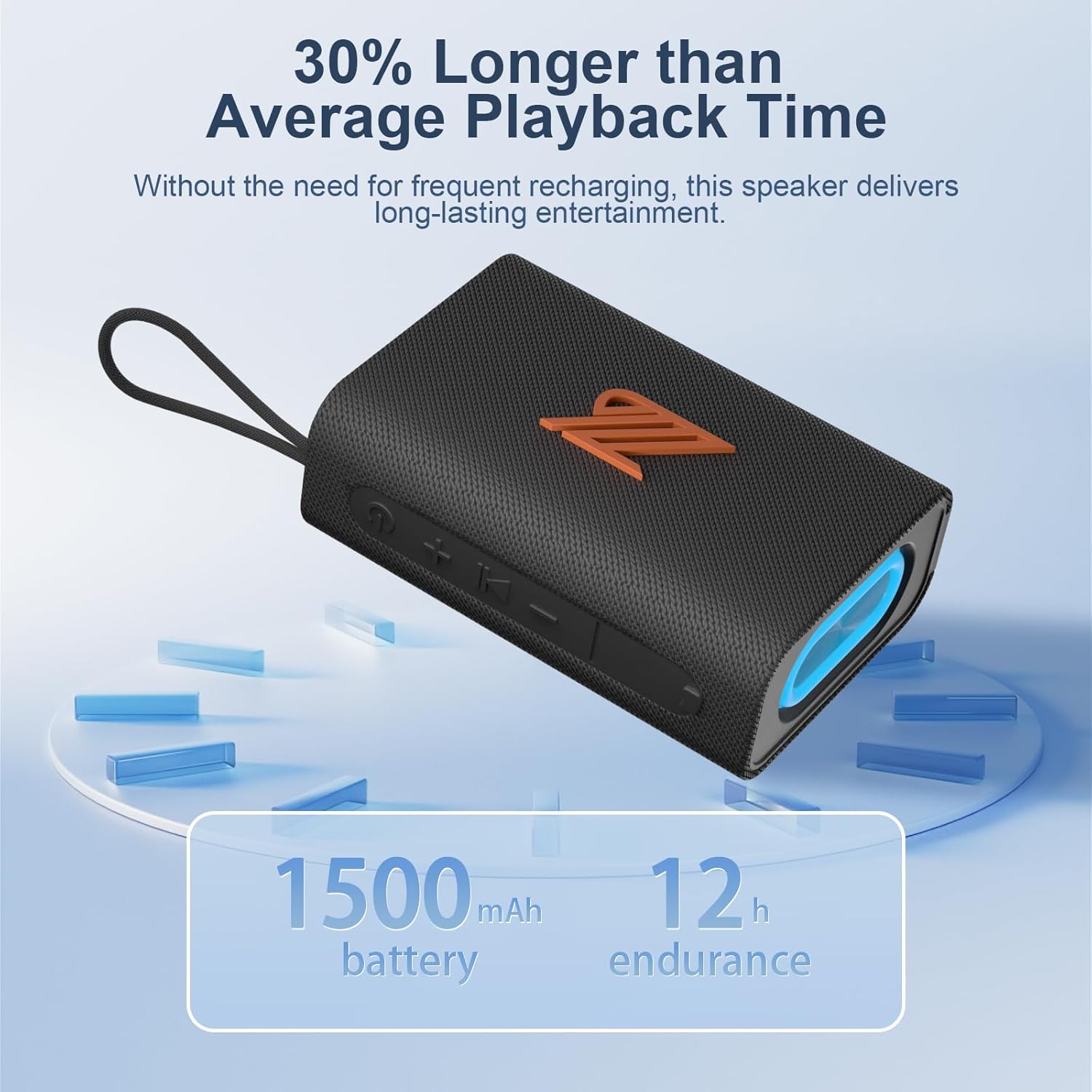
Figure 4.1: The speaker highlighting its 1500mAh battery, providing up to 12 hours of playback.
4.2 Powering On/Off
- To Power On: Press and hold the Power button for 2-3 seconds until you hear an audible prompt and the indicator light turns on.
- To Power Off: Press and hold the Power button for 2-3 seconds until you hear an audible prompt and the indicator light turns off.
5. Operating Instructions
5.1 Bluetooth Pairing
- Ensure the speaker is powered on and in Bluetooth mode (indicated by a flashing blue light). If not, press the Mode button to switch to Bluetooth mode.
- On your device (smartphone, tablet, etc.), enable Bluetooth and search for available devices.
- Select "ZZB WP-03C" from the list of devices.
- Once paired, the speaker will emit an audible confirmation, and the blue indicator light will stop flashing and remain solid.
- The speaker will automatically reconnect to the last paired device when powered on, if the device's Bluetooth is active and within range.

Figure 5.1: Demonstrating Bluetooth connection between a smartphone and the ZZB WP-03C speaker for music playback.
5.2 True Wireless Stereo (TWS) Pairing
To achieve a true stereo sound experience, you can pair two ZZB WP-03C speakers together.
- Ensure both speakers are powered on and not connected to any Bluetooth device.
- On one speaker (this will be the primary speaker), double-press the Power button (or a dedicated TWS button if available, refer to physical controls). You will hear a prompt indicating TWS pairing mode.
- The primary speaker will search for the secondary speaker. Once connected, both speakers will emit a confirmation sound.
- Now, connect your device to the primary speaker via Bluetooth as described in Section 5.1.
- Audio will now play in stereo through both speakers.

Figure 5.2: Two ZZB WP-03C speakers positioned to illustrate True Wireless Stereo (TWS) functionality.
5.3 Playing Music from TF/SD Card
- Insert a TF/SD card (with MP3 audio files) into the designated slot on the speaker.
- The speaker will automatically switch to TF/SD card mode and begin playing music. If not, press the Mode button to select TF/SD card mode.
5.4 AUX-in Mode
- Connect one end of a 3.5mm audio cable (not included) to the speaker's AUX-in port.
- Connect the other end to the audio output jack of your non-Bluetooth device.
- The speaker will automatically switch to AUX-in mode. If not, press the Mode button to select AUX-in mode.
5.5 FM Radio Mode
- Press the Mode button repeatedly until you enter FM Radio mode.
- To auto-scan and save available stations, press the Play/Pause button. The speaker will scan and store stations.
- Use the Volume Up/Down buttons (short press) to navigate between saved stations.
- For better reception, ensure the speaker is in an open area.
5.6 Call Function
- When connected via Bluetooth, incoming calls will be announced.
- Answer Call: Press the Play/Pause button once.
- End Call: Press the Play/Pause button once during a call.
- Reject Call: Press and hold the Play/Pause button for 2 seconds.
- Redial Last Number: Double-press the Play/Pause button.
5.7 Light Modes
The speaker features dynamic LED lights. Press the Light button to cycle through different light patterns or to turn the lights off.
6. Maintenance
- Cleaning: Wipe the speaker with a soft, damp cloth. Do not use abrasive cleaners or solvents.
- Water Resistance: The speaker is IPX5 water-resistant, meaning it can withstand splashes and light rain. Do not submerge the speaker in water. Ensure the charging port cover is securely closed when exposed to water.
- Storage: Store the speaker in a cool, dry place away from direct sunlight and extreme temperatures.
- Battery Care: To prolong battery life, fully charge the speaker before first use and recharge it at least once every three months if not used regularly.
7. Troubleshooting
| Problem | Possible Cause | Solution |
|---|---|---|
| Speaker does not turn on. | Low battery. | Charge the speaker fully. |
| Cannot pair via Bluetooth. | Bluetooth not enabled on device; speaker not in pairing mode; too far from device. | Ensure Bluetooth is on; put speaker in pairing mode; move device closer (within 40 feet). |
| No sound. | Volume too low; incorrect mode selected; device not playing. | Increase volume; check mode (Bluetooth, AUX, TF/SD); ensure device is playing. |
| Poor FM radio reception. | Weak signal; interference. | Move speaker to an open area; try rescanning stations. |
| TWS pairing fails. | Speakers already paired to another device; too far apart. | Disconnect speakers from other devices; ensure speakers are close to each other during TWS pairing. |
8. Specifications
| Model Name: | WP-03C |
| Brand: | ZZB |
| Connectivity: | Bluetooth 5.3, AUX-in, TF/SD Card |
| Audio Output Mode: | Stereo |
| Speaker Output Power: | 20 Watts |
| Water Resistance: | IPX5 |
| Battery Capacity: | 1500 mAh Lithium Ion |
| Playback Time: | Up to 12 hours (at moderate volume) |
| Charging Input: | 5 Volts |
| Bluetooth Range: | Up to 40 feet (12 meters) |
| Product Dimensions: | 4.92"D x 3.34"W x 1.77"H (12.5cm x 8.5cm x 4.5cm approx.) |
| Item Weight: | 0.34 Kilograms (12 ounces) |
| Included Components: | Power Cable |
9. Warranty Information
The ZZB WP-03C Bluetooth Speaker comes with a limited warranty. Please refer to the warranty card included in your package or contact customer support for details regarding warranty coverage and terms.
10. Customer Support
If you encounter any issues or have questions regarding your ZZB WP-03C Bluetooth Speaker, please contact our customer support team. Contact information can typically be found on the product packaging or on the official ZZB website.
Ask a question about this manual
Ask about setup, troubleshooting, compatibility, parts, safety, or missing instructions. Manuals+ will review the question and use this page’s manual context to help answer it.