
Introduction
This manual provides instructions for the safe and efficient use of your TriPole Mini Desk Fan, Model KW59P. This USB-powered portable fan features three-speed settings, a 180-degree adjustable head, and a compact design suitable for various environments.
Package Contents
Verify that all items are present in the package:
- 1 x TriPole USB Desk Fan (Model KW59P)
- 1 x USB Charging Cord (3.3 ft)
- 1 x User Manual

Image: Contents of the TriPole Mini Desk Fan package, showing the fan, USB cable, and user manual.
Setup
- Unpack the Fan: Carefully remove the fan and all accessories from the packaging.
- Position the Fan: Place the fan on a stable, flat surface. The fan features a foldable base for desktop use or can be hung.
- Connect Power: Insert the small end of the provided USB cable into the USB port on the fan. Connect the larger end of the USB cable to a compatible USB power source (e.g., laptop, power bank, USB wall adapter, car charger).
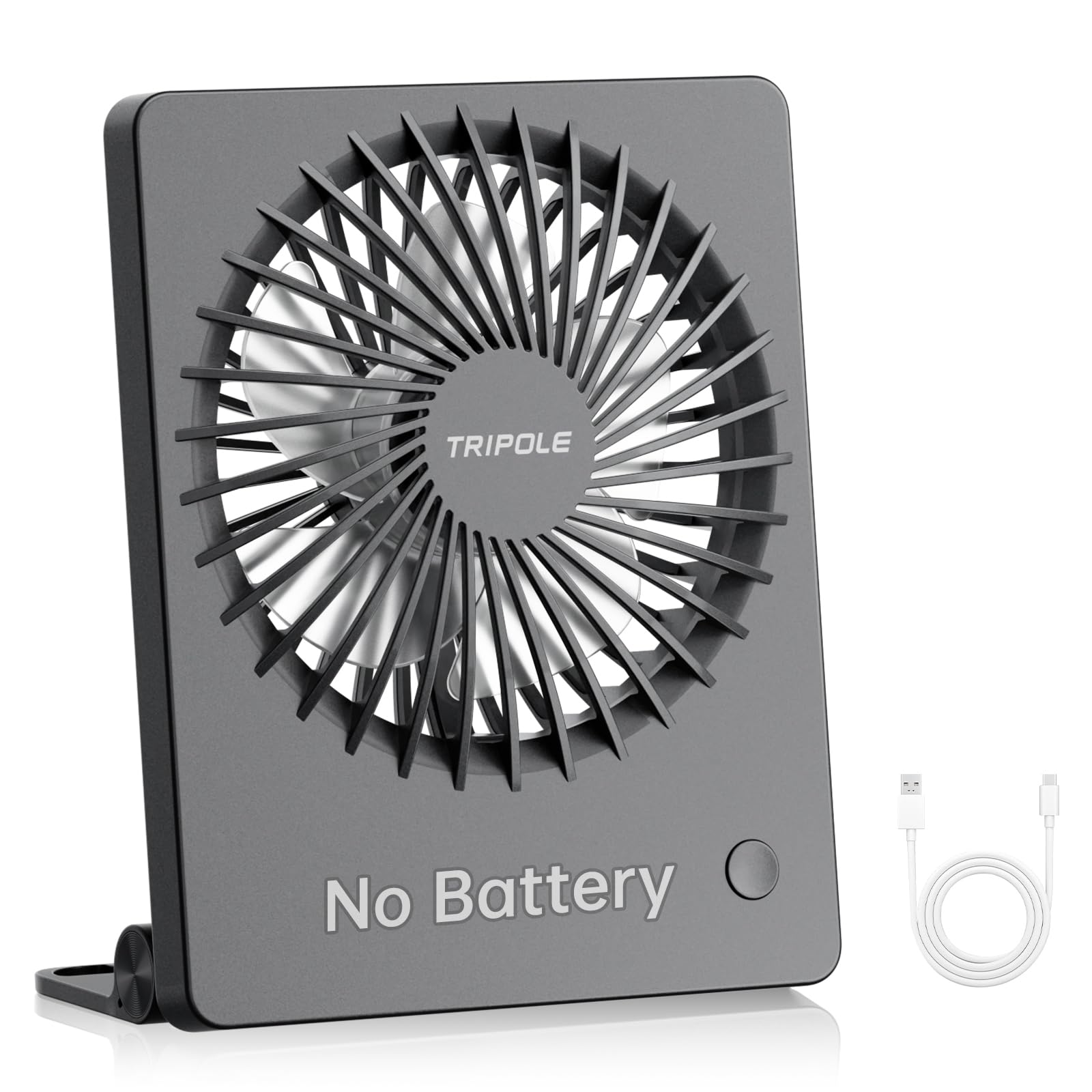
Image: The TriPole Mini Desk Fan connected via USB cable, illustrating its compact design.

Image: Illustration of multiple power methods for the fan, including laptop, power bank, wall socket, computer, and car charger.
Video: An unboxing and initial setup demonstration of the TriPole Mini Desk Fan.
Operating Instructions
- Power On/Off: With the fan connected to a power source, press the power button located on the side of the fan to turn it on.
- Adjust Fan Speed: Press the power button repeatedly to cycle through the three available speed settings:
- First press: Low speed (Soft wind - 2.4 m/s, 2500 rpm)
- Second press: Medium speed (Cool wind - 3.6 m/s, 3200 rpm)
- Third press: High speed (Strong wind - 4.6 m/s, 4000 rpm)
- Fourth press: Turn off the fan.
- Adjust Air Direction: The fan head can be manually rotated vertically up to 180 degrees to direct airflow as needed.

Image: Visual representation of the three fan speed settings and their respective airflow and RPMs.

Image: The fan demonstrating its 180-degree adjustable tilt feature, allowing for flexible air direction.
Maintenance
To ensure optimal performance and longevity of your TriPole Mini Desk Fan, follow these maintenance guidelines:
- Cleaning: Disconnect the fan from its power source before cleaning. Use a soft, dry cloth to wipe the exterior of the fan. Do not use liquid cleaners or immerse the fan in water.
- Dust Removal: Periodically use a soft brush or compressed air to gently remove dust from the fan blades and grille.
- Storage: When not in use, store the fan in a cool, dry place, away from direct sunlight and extreme temperatures.
Troubleshooting
| Problem | Possible Cause | Solution |
|---|---|---|
| Fan does not turn on. | No power supply or loose connection. | Ensure the USB cable is securely connected to both the fan and a working USB power source. Try a different USB port or power adapter. |
| Fan airflow is weak. | Fan is on a low speed setting or obstructed. | Press the power button to increase the fan speed. Check for any obstructions blocking the fan grille and remove them. |
| Fan is noisy. | Dust accumulation or fan operating at high speed. | Clean the fan blades and grille to remove dust. Operating at higher speeds will naturally produce more noise; consider a lower speed setting if noise is a concern. |
Specifications
| Feature | Detail |
|---|---|
| Brand | TriPole |
| Model Name | KW59P |
| Color | Black |
| Power Source | USB Powered |
| Number of Speeds | 3 |
| Noise Level | Less than 45 Decibels |
| Wattage | 5 watts |
| Product Dimensions (D x W x H) | 1.38"D x 4.37"W x 5.5"H |
| Item Weight | 0.17 Kilograms |
| Special Feature | 180-degree Adjustable Tilt |
| Control Method | Touch Button |
| Material | Plastic |
Warranty and Support
For warranty information and customer support, please refer to the documentation included with your product or visit the official TriPole brand store.
Official TriPole Store: TriPole Store on Amazon