
Monster E26
Monster Open Ear AC500 Clip-on Earbuds User Manual
Model: E26
Introduction
Thank you for choosing the Monster Open Ear AC500 Clip-on Earbuds. These open-ear headphones are designed to provide a comfortable and secure fit, allowing you to enjoy high-fidelity sound while remaining aware of your surroundings. Featuring Bluetooth 5.3 technology, IPX5 waterproofing, and extended playtime, the AC500 earbuds are ideal for various activities including running, walking, and workouts.

Image: The Monster Open Ear AC500 Clip-on Earbuds shown with their charging case. The earbuds are black with gold Monster logos, and the case is a sleek, dark grey oval shape with a flip-open lid.
What's in the Box
- Monster Open Ear AC500 Clip-on Earbuds (Left and Right)
- Wireless Charging Case
- User Manual (this document)
- Charging Cable
Product Features
-
Open Ear Design & Stable Fit
The AC500 earbuds feature an open ear clip-on cuff design that securely fits the ear without easily falling off. This design allows you to stay connected with your surroundings, seamlessly integrating your music experience with environmental awareness. Ideal for activities like running, bicycling, and climbing, ensuring you are aware of your surroundings while enjoying audio.

Image: A person wearing the Monster Open Ear AC500 Earbuds, demonstrating the secure and comfortable clip-on design that allows for environmental awareness.
-
Pure Monster Sound
Equipped with 13mm diameter speaker technology, these open-ear earbuds are scientifically tuned to reduce sound leakage and enhance bass. They provide a balanced reproduction of medium and high sound ranges, delivering high-quality audio for an immersive listening experience.

Image: An exploded diagram illustrating the internal components of the Monster earbud speaker, highlighting the 13mm dynamic driver responsible for sound production.
-
Ultra Lightweight and Comfortable
Designed with human body engineering in mind, these clip-on earbuds are lightweight and feature a flexible, soft C-bridge design made of skin-friendly materials. They adapt effortlessly to various ear shapes, ensuring comfortable and pressure-free wear for extended periods.

Image: A person wearing the Monster earbuds, with inset images highlighting the lightweight design, flexible and soft material, and comfortable fit.
-
Crystal-Clear Call
A dual-microphone design enhances voice clarity and cancels background noise, ensuring your voice is heard clearly on the other end. This feature allows for clear conversations even in noisy environments like busy offices or city streets.
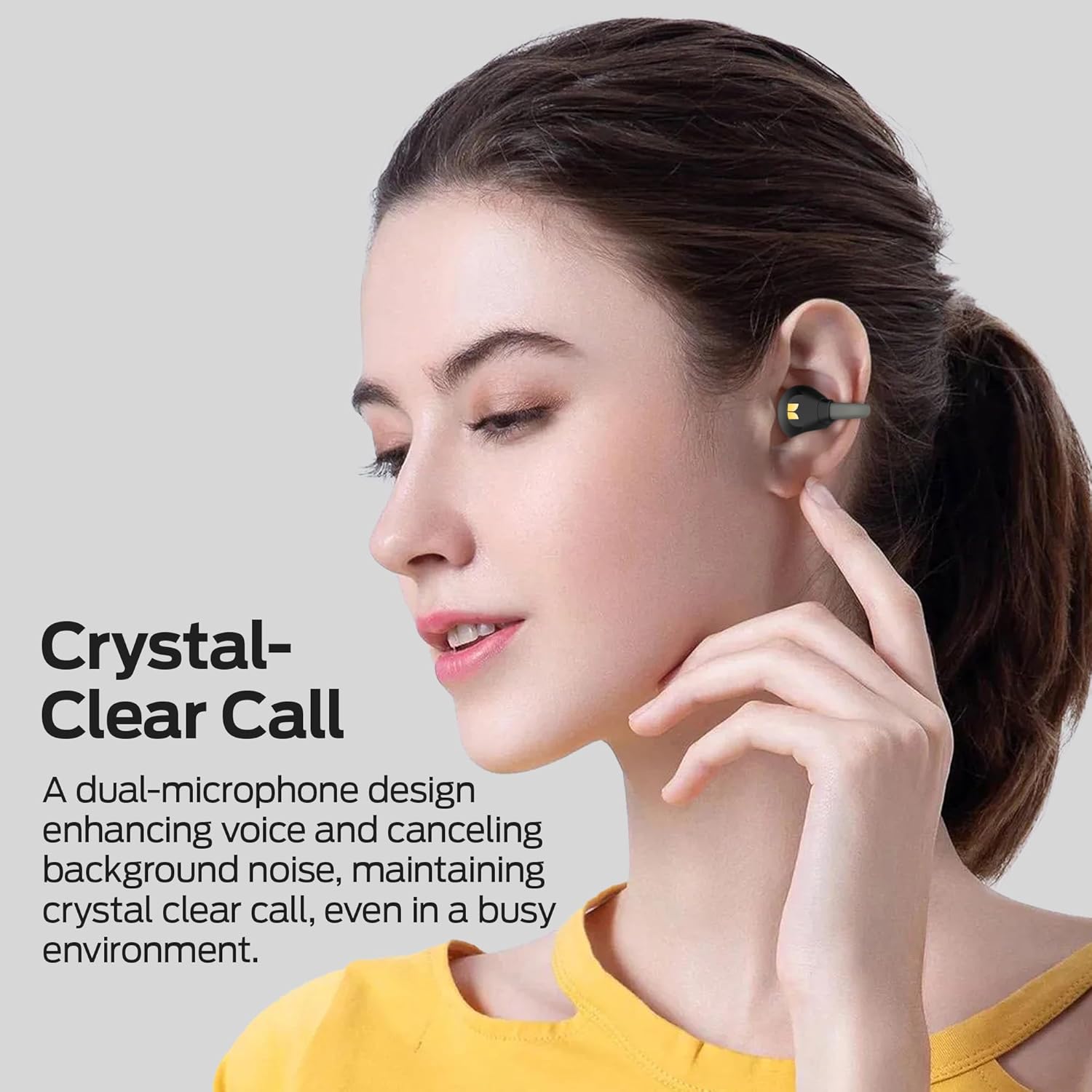
Image: A person engaged in a phone call while wearing the Monster Open Ear AC500 Earbuds, illustrating the clear call quality provided by the dual-microphone system.
-
Upgraded Bluetooth 5.3 Technology
The Monster wireless headphones utilize upgraded Bluetooth 5.3 technology, providing a stable connection and synchronized audio-video playback. The innovative pairing technology allows for instant and hassle-free connection, with automatic pairing and re-connection after the initial setup.

Image: A visual representation of the Monster Open Ear AC500 Earbuds and their charging case next to a smartphone and laptop, demonstrating seamless Bluetooth 5.3 connectivity.
-
IPX5 Waterproof & 30H Playtime
An IPX5 waterproof rating effectively prevents damage from sweat and raindrops, making them suitable for workouts and outdoor activities. Enjoy up to 30 hours of total battery life with the charging case, ensuring your audio needs are met throughout the day without frequent recharging. A single charge provides approximately 6 hours of playtime.

Image: The Monster Open Ear AC500 Earbuds shown with water droplets, illustrating their IPX5 waterproof and sweatproof capabilities.

Image: A graphic displaying the battery life of the Monster Open Ear AC500 Earbuds, indicating 6 hours of playtime on a single charge and up to 30 hours with the charging case.
-
Easily Touch Control
Enhanced touch sensitivity provides quick feedback for touch commands, offering a better control experience. Easy touch controls allow you to effortlessly manage your music and answer calls, providing safety and convenience during driving, exercising, and running.
Setup
1. Charging the Earbuds and Case
Before first use, fully charge the earbuds and the charging case. Use a compatible USB charging cable to connect the charging case to a power source.
- Place the earbuds into the charging case. Ensure they are correctly seated; the indicator lights on the earbuds or case will show charging status.
- Connect the charging case to a USB power adapter or computer.
- The charging case indicators will show the charging progress. Once fully charged, the indicators will change or turn off.
2. Bluetooth Pairing
Follow these steps to pair your Monster Open Ear AC500 Earbuds with your device:
- Ensure the earbuds are charged and placed in the charging case.
- Open the charging case lid. The earbuds will automatically enter pairing mode, and an indicator light on the earbuds will flash.
- On your smartphone, tablet, or other Bluetooth-enabled device, go to the Bluetooth settings.
- Turn on Bluetooth.
- Search for available devices. You should see "Monster Open Ear AC500" or "Monster Open Ear E26" appear in the list.
- Select the earbuds from the list to connect. Once connected, a voice prompt will confirm the connection, and the indicator light will stop flashing.
- After the initial pairing, the earbuds will automatically re-connect to the last paired device when taken out of the case and Bluetooth is enabled on your device.
Operating Instructions
Wearing the Earbuds
Gently clip the earbuds onto your ears, ensuring the speaker part is positioned correctly over your ear canal and the clip securely holds the earbud in place. Adjust for a comfortable and stable fit. The flexible C-bridge design allows for adaptation to various ear shapes.
Touch Controls
The Monster Open Ear AC500 Earbuds feature intuitive touch controls on each earbud. The enhanced sensitivity provides quick feedback for your commands.
| Action | Function |
|---|---|
| Single Tap (Left/Right) | Play/Pause Music, Answer/End Call |
| Double Tap (Right Earbud) | Next Track |
| Double Tap (Left Earbud) | Previous Track |
| Triple Tap (Left/Right) | Activate Voice Assistant |
| Long Press (Left/Right) | Reject Call |
| Long Press (Right Earbud) | Volume Up |
| Long Press (Left Earbud) | Volume Down |
Note: Specific touch control functions may vary slightly based on firmware version or connected device. Refer to the official Monster support website for the latest information.
Maintenance
Cleaning
To maintain optimal performance and hygiene, regularly clean your earbuds and charging case:
- Use a soft, dry, lint-free cloth to wipe the earbuds and charging case.
- For stubborn dirt, slightly dampen the cloth with water or a mild, non-abrasive cleaner. Avoid getting liquid into any openings.
- Do not use harsh chemicals, alcohol, or abrasive cleaners.
- Ensure the charging contacts on both the earbuds and the case are clean and free of debris to ensure proper charging.
Storage
When not in use, store the earbuds in their charging case to protect them from dust, dirt, and physical damage. Store the case in a cool, dry place away from direct sunlight and extreme temperatures.
Troubleshooting
If you encounter issues with your Monster Open Ear AC500 Earbuds, try the following solutions:
- Earbuds not charging:
- Ensure the earbuds are correctly seated in the charging case.
- Check if the charging case itself has power or is connected to a power source.
- Clean the charging contacts on both the earbuds and the case.
- No sound or intermittent sound:
- Ensure the earbuds are properly paired with your device.
- Check the volume level on both the earbuds (via touch control) and your connected device.
- Move closer to your device to avoid Bluetooth interference.
- Try re-pairing the earbuds with your device.
- Earbuds not pairing:
- Ensure Bluetooth is enabled on your device.
- Make sure the earbuds are in pairing mode (open the case lid).
- Turn off Bluetooth on other nearby devices that might be trying to connect.
- Forget the device from your phone's Bluetooth settings and try pairing again.
- Poor call quality:
- Ensure the microphones are not obstructed.
- Move to a quieter environment if possible.
- Check your device's network connection.
- Touch controls not responding:
- Ensure your fingers are clean and dry.
- Try restarting the earbuds by placing them in the case and closing the lid, then taking them out again.
If the issue persists, please refer to the official Monster support resources.
Specifications
| Feature | Detail |
|---|---|
| Model Name | E26 |
| Brand | Monster |
| Ear Placement | Open Ear |
| Connectivity Technology | Bluetooth, Wireless |
| Bluetooth Version | 5.3 |
| Control Method | Touch |
| Water Resistance Level | IPX5 Water Resistant |
| Audio Driver Type | Dynamic Driver (13mm) |
| Playtime (Single Charge) | Up to 6 hours |
| Total Playtime (with Case) | Up to 30 hours |
| Material | Silicone |
| Color | Black |
| Item Weight | 4.9 ounces |
| Compatible Devices | Smartphones, Tablets, Laptops, Desktops, Vehicles |
| UPC | 810079703401 |
Warranty and Support
Monster products are designed and manufactured to the highest quality standards. For information regarding warranty coverage, technical support, or service, please visit the official Monster website or contact their customer service department. Keep your purchase receipt as proof of purchase.
Official Monster Store: Monster Store on Amazon
Related documentsE26


Ask a question about this manual
Ask about setup, troubleshooting, compatibility, parts, safety, or missing instructions. Manuals+ will review the question and use this page’s manual context to help answer it.