
1. Important Safety Information
Please read and understand all instructions before beginning installation. Failure to follow these instructions may result in electric shock, fire, or personal injury.
- Ensure power is disconnected at the circuit breaker before installation or maintenance.
- The outlet box and ceiling support joist must be securely mounted and capable of supporting at least 100 pounds.
- If you lack electrical installation experience, consult a qualified electrician.
- Do not use this fan with a dimmer switch.
2. What's in the Box
Verify all components are present before beginning installation:
- 1 Ceiling Fan
- 1 LED Light Kit
- Remote Control
- 5 Blades
- Instruction Manual

Image: All components of the Vaczon 52-inch Matte White Ceiling Fan neatly packaged in the box.
3. Setup and Installation
Follow these steps for proper installation of your ceiling fan. It is recommended to have two people for installation.
3.1 Mounting the Bracket
Securely attach the mounting bracket to the ceiling outlet box. Ensure all screws are tightened.
3.2 Assembling the Fan Motor and Downrod
Connect the downrod to the fan motor assembly. Carefully feed the electrical wires through the downrod.
3.3 Wiring Connections
Connect the fan's electrical wires to your household wiring according to the wiring diagram in the included instruction manual. Ensure all connections are secure and insulated.
3.4 Attaching the Blades
Attach each of the five fan blades to the motor housing using the provided screws and washers. Ensure they are firmly secured.

Image: Dimensions of the 52-inch fan and recommended room sizes (12ft x 12ft - 18ft x 18ft) for optimal performance in bedrooms, dining rooms, and living rooms.
3.5 Installation Video Guide
Video: A step-by-step guide demonstrating the easy installation process of the Vaczon ceiling fan with lights.
4. Operating Instructions
Your Vaczon ceiling fan is controlled by the included remote control.
4.1 Remote Control Functions
The remote allows full control over fan speed, light settings, and timer functions.
- Power On/Off: Turns the fan and light on or off.
- Fan Speed: Select from 6 adjustable fan speeds (Levels 1-2 for gentle breeze, 3-4 for natural wind, 5-6 for high cooling air).
- Light On/Off: Controls the integrated LED light.
- Color Temperature Adjustment: Cycle through 3 color temperatures (3000K Warm, 4500K Neutral, 6500K Cool).
- Timer Settings: Set the fan to turn off automatically after 1, 2, 4, or 8 hours.
- Reversible Motor: Switch between summer (downward airflow) and winter (upward airflow) modes.

Image: Visual representation of the 6 wind speed adjustments, from gentle breeze to high cooling air, suitable for various occasions.
4.2 Fan Modes (Summer & Winter)
The reversible DC motor allows for year-round comfort and energy efficiency. Use the remote to switch between modes:
- Summer Mode: Downward airflow creates a cooling effect.
- Winter Mode: Upward airflow circulates warm air, reducing heating costs.

Image: Demonstrates the reversible DC motor, providing cooler air in summer and circulating warm air in winter for energy efficiency.
4.3 Light Settings
The integrated LED light offers three adjustable color temperatures to suit your preference:
- 3000K (Warm White): Ideal for relaxing or bedtime.
- 4500K (Neutral White): Suitable for dining or general relaxation.
- 6500K (Cool White): Best for working or reading.
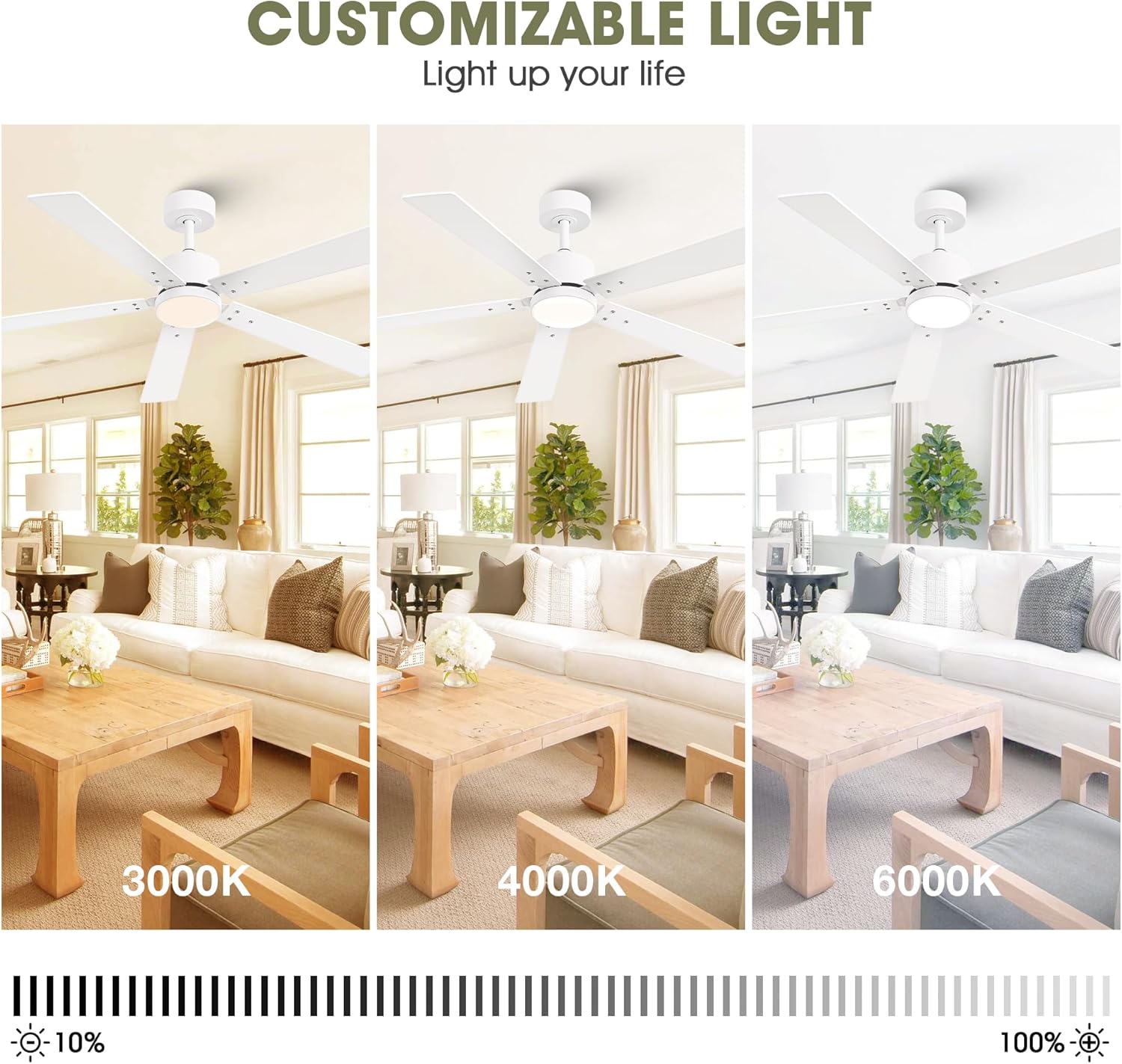
Image: Illustrates the customizable light feature with 3000K (warm), 4000K (neutral), and 6000K (cool) color temperatures.
4.4 Timer Function
Utilize the timer function to automatically turn off the fan after a set period, preventing unnecessary operation.

Image: A visual guide to the convenient timer settings, allowing the fan to turn off after 1, 2, 4, or 8 hours.
4.5 Product Features Overview
Video: An overview of the Vaczon ceiling fan's key features, including its quiet operation, reversible motor, and adjustable light settings.
5. Maintenance
Regular maintenance ensures optimal performance and longevity of your fan.
- Cleaning: Use a soft, damp cloth to clean the fan blades and motor housing. Do not use abrasive cleaners or solvents.
- Blade Balance: If the fan wobbles, check that all blade screws are tight. A balancing kit is included if further adjustment is needed.
- Light Kit: The LED light kit is designed for long-term use and does not require bulb replacement.
6. Troubleshooting
If you encounter issues, refer to the following common problems and solutions:
| Problem | Possible Cause | Solution |
|---|---|---|
| Fan does not operate | No power to the fan; loose wiring connection; remote control battery low. | Check circuit breaker; verify wiring connections; replace remote control batteries. |
| Light does not work | Loose wiring connection to light kit; remote control battery low. | Check light kit wiring; replace remote control batteries. |
| Fan is noisy | Loose screws on fan blades or motor housing; fan not properly balanced. | Tighten all screws; use the included balancing kit to balance the blades. |
| Remote control not responding | Low or dead batteries; remote not paired correctly. | Replace batteries; refer to the full manual for remote pairing instructions. |
7. Product Specifications
| Feature | Specification |
|---|---|
| Brand | Vaczon |
| Model Name | VCZ002WH |
| Color | Matte White |
| Size | 52 Inch |
| Material | Aluminum, Copper, Iron |
| Style | Modern |
| Room Type | Bedroom, Dining Room, Home Office, Kitchen, Living Room |
| Indoor/Outdoor Usage | Indoor, Outdoor |
| Power Source | DC |
| Installation Type | Semi Flush Mount |
| Special Feature | LED Light, Remote Controlled, Safety Certified, Timer |
| Control Method | Remote |
| Light Source Type | LED |
| Finish Type | Matte |
| Number of Light Sources | 1 |
| Light Color | Adjustable White (3000K, 4500K, 6500K) |
| Number of Blades | 5 |
| Air Flow Capacity | 3784 Cubic Feet Per Minute |
| Wattage | 33 watts |
| Brightness | 800 Lumen |
| Efficiency | Highly Efficient |
| Product Dimensions | 52 x 52 x 13.78 inches |
| Item Weight | 13.47 pounds |
| UPC | 646414815580 |
| Certifications | DOE, ETL, FCC |
8. Warranty and Support
For warranty information and customer support, please refer to the contact details provided in the original packaging or visit the official Vaczon website. Keep your purchase receipt for warranty claims.