1. Introduction
Thank you for choosing the FITUEYES Soundbar Support. This product is designed to seamlessly integrate your soundbar with FITUEYES Zen and Cantor series TV stands, providing a clean and organized entertainment setup. This manual provides detailed instructions for safe installation and proper use.

Image 1.1: Overview of the FITUEYES Soundbar Support.
2. Safety Information
Please read all instructions carefully before installation. Failure to follow these instructions may result in property damage, serious injury, or death. If you do not understand these instructions, or have doubts about the safety of the installation, please contact customer service.
- Ensure the mounting surface (TV stand) can safely support the combined weight of the soundbar support and your soundbar.
- Do not exceed the maximum load capacity of 6.5 kg (14.3 lbs).
- Use only the provided hardware. If any parts are missing or defective, contact FITUEYES for replacement.
- Keep children away from the assembly area during installation. Small parts may be a choking hazard.
- Periodically check that the support is securely fastened and stable.
3. Package Contents
Verify that all components are present and undamaged before beginning installation. If any parts are missing or damaged, please contact FITUEYES customer support.
- Soundbar Support Bracket (Main Unit)
- Removable Soundbar Mounting Brackets (2 pcs)
- Anti-slip EV Pads
- Mounting Hardware Kit (Screws, washers, nuts)
- Instruction Manual
4. Setup and Installation
This soundbar support is specifically designed for FITUEYES Zen and Cantor series TV stands. It offers two primary installation methods to accommodate various soundbar designs.
4.1 Compatibility Requirements
- Compatible with FITUEYES Zen and Cantor series TV stands.
- Soundbar hole spacing (horizontal): 100-600mm.
- Soundbar vertical distance (from mounting point to bottom): 86-155mm.

Image 4.1: Illustrates the soundbar support mounted on a TV stand, showing approximate dimensions and placement.
4.2 Installation Methods
Choose the method that best suits your soundbar's design.
- Direct Mounting (via soundbar's rear holes):
- Attach the main soundbar support bracket to your FITUEYES TV stand using the provided hardware. Ensure it is level and securely tightened.
- Align the mounting holes on the back of your soundbar with the slots on the soundbar support bracket.
- Secure the soundbar to the bracket using appropriate screws from the hardware kit.
- Apply the anti-slip EV pads to the contact points between the soundbar and the support to prevent scratches and reduce vibration.
- Using Removable Brackets:
- Attach the main soundbar support bracket to your FITUEYES TV stand.
- Attach the two removable soundbar mounting brackets to the main support bracket, adjusting their position to match the width of your soundbar.
- Place your soundbar onto the removable brackets.
- Apply the anti-slip EV pads to the top surface of the removable brackets where the soundbar will rest. This protects the soundbar and minimizes vibrations.
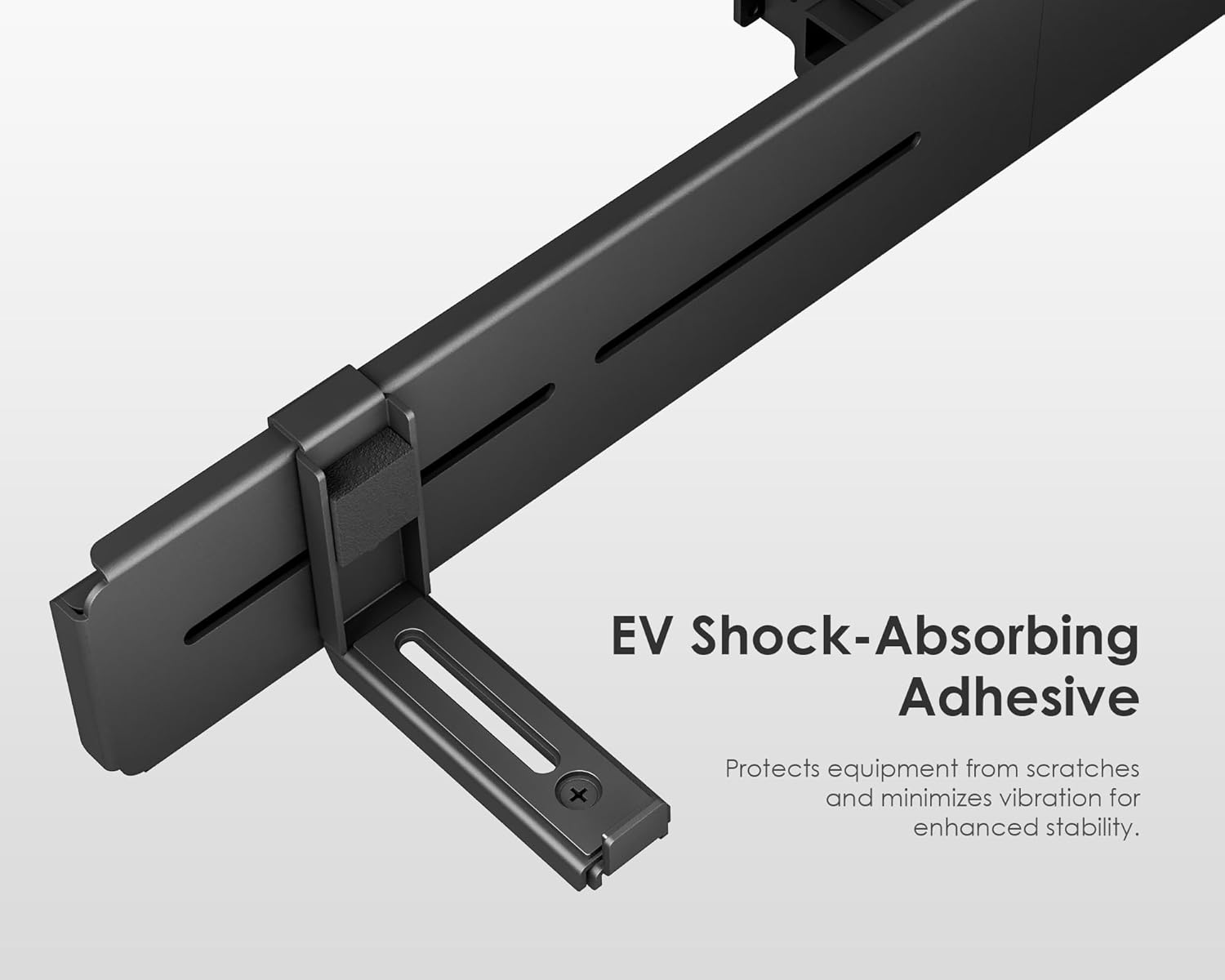
Image 4.2: Detail of the EV shock-absorbing adhesive pads, which protect equipment from scratches and minimize vibration.
4.3 Cable Management
The design of the FITUEYES TV stands, in conjunction with this soundbar support, allows for effective cable management. Route your soundbar's cables through the designated channels or pillars of your TV stand to maintain a clean and tidy appearance.
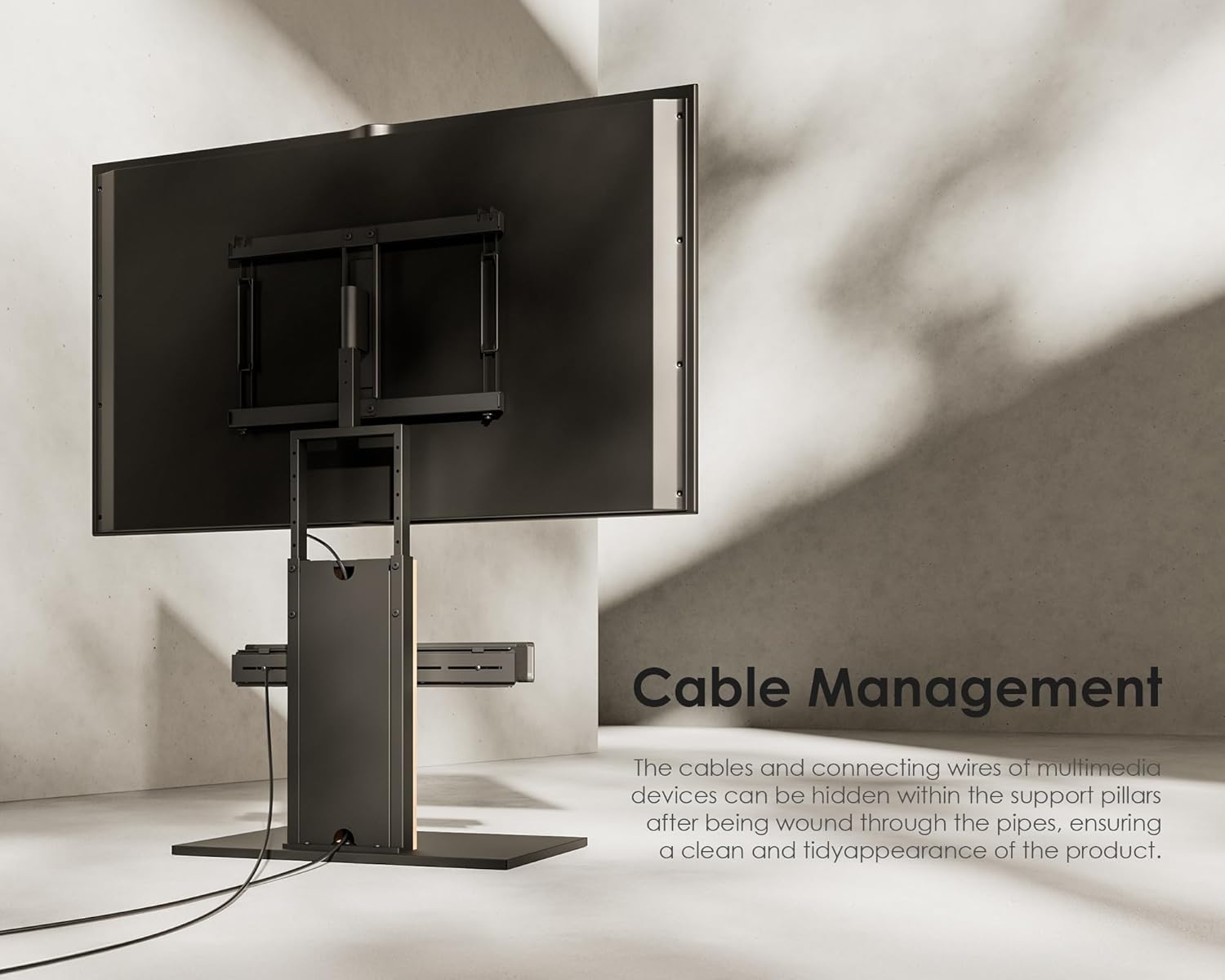
Image 4.3: Illustration of integrated cable management, showing how cables can be hidden for a clean setup.
5. Operating
Once installed, the FITUEYES Soundbar Support provides a stable and aesthetically pleasing platform for your soundbar. No active operation is required for the support itself. Ensure your soundbar is securely seated and all cables are properly managed.
6. Maintenance
To ensure the longevity and continued performance of your soundbar support, follow these simple maintenance guidelines:
- Cleaning: Wipe the support with a soft, dry cloth. Avoid abrasive cleaners or solvents that could damage the finish.
- Inspection: Periodically check all screws and connections to ensure they remain tight and secure. Re-tighten if necessary.
- Weight Limit: Do not place items heavier than 6.5 kg on the support.
7. Troubleshooting
If you encounter any issues with your soundbar support, refer to the following common solutions:
- Instability: Ensure all mounting screws are fully tightened. Verify that the soundbar's weight does not exceed the 6.5 kg limit. Check if the support is correctly aligned with the TV stand.
- Soundbar not fitting: Re-check the compatibility requirements for soundbar hole spacing (100-600mm) and vertical distance (86-155mm). Ensure you are using the correct installation method for your soundbar.
- Scratches on soundbar: Ensure the anti-slip EV pads are correctly applied to all contact points between the soundbar and the support.
If problems persist, please contact FITUEYES customer support for assistance.
8. Specifications
| Brand | FITUEYES |
| Material | Metal |
| Color | Black |
| Load Capacity | 6.5 kg (14.3 lbs) |
| Soundbar Hole Spacing | 100-600mm |
| Soundbar Vertical Distance | 86-155mm |
| Compatibility | FITUEYES Zen and Cantor Series TV Stands |
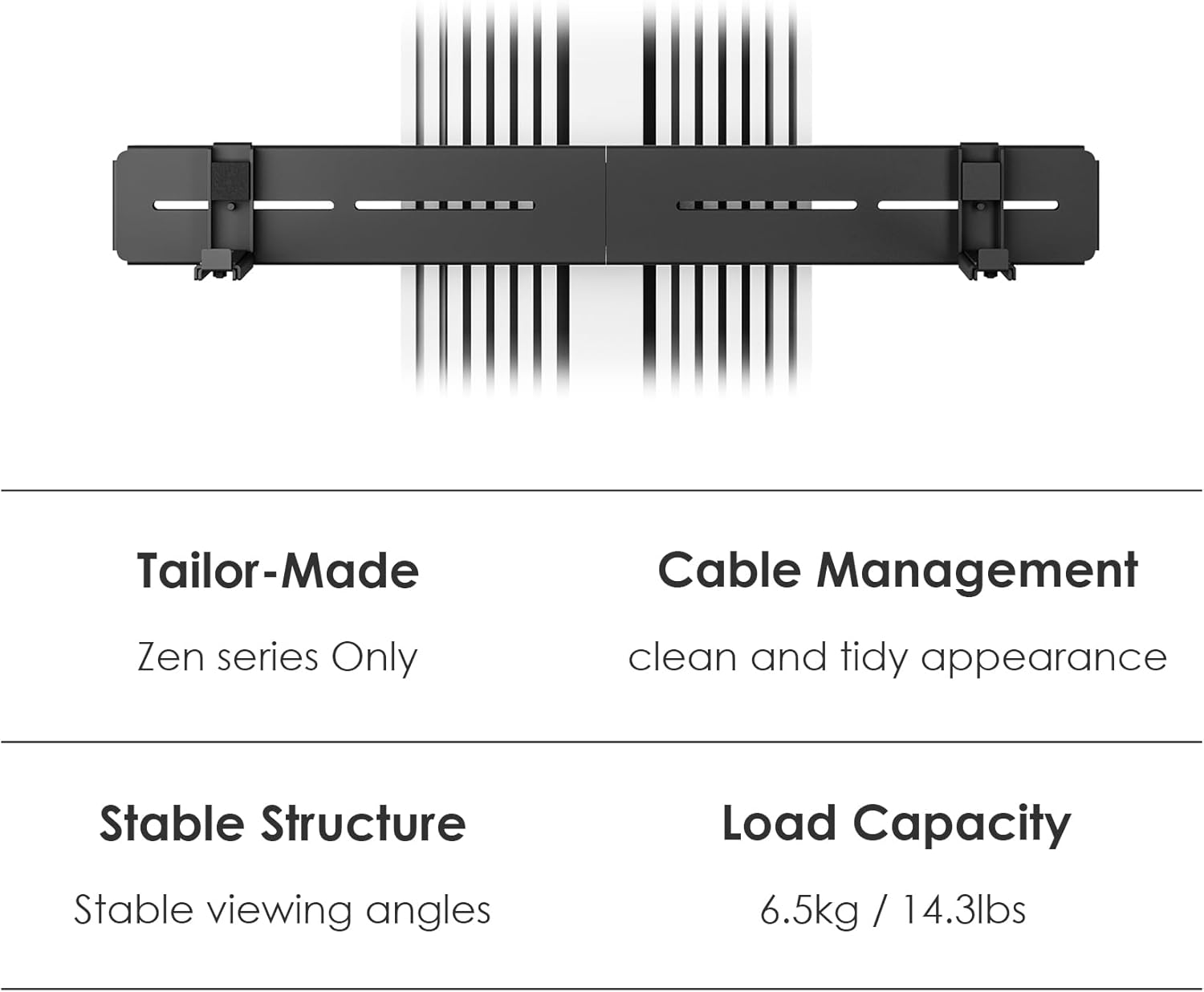
Image 8.1: Summary of key product features and specifications.
9. Warranty and Support
FITUEYES products are manufactured with quality and durability in mind. For warranty information, product support, or to report missing/damaged parts, please refer to the warranty card included with your purchase or visit the official FITUEYES website. Please have your product model and purchase details ready when contacting support.
For further assistance, please contact FITUEYES customer service through their official channels.


