
1. Product Overview
The ROSPE 3-in-1 MFi Certified USB Flash Drive is a versatile external storage solution designed for seamless data transfer and storage expansion across multiple devices. Featuring Lightning, USB Type-C, and USB 3.0 interfaces, it provides broad compatibility with Apple iOS devices, Android smartphones/tablets, and personal computers.

Image: The ROSPE 3-in-1 USB Flash Drive, showcasing its compact design and blue light finish.
Key Features:
- MFi Certified: Ensures full compatibility and reliable performance with Apple iPhone and iPad devices.
- 3-in-1 Connectivity: Equipped with Lightning, USB Type-C, and USB 3.0 connectors for universal device support.
- High-Speed Data Transfer: Facilitates quick and efficient transfer of large files, photos, and videos.
- One-Click Backup: Simplifies the process of backing up photos, videos, and contacts from your mobile device.
- Secure Data Protection: Offers password and Touch ID encryption for sensitive files within the dedicated app (for iOS).
- Durable Design: Constructed with an aluminum alloy casing for rapid heat dissipation and enhanced wear resistance.

Image: Visual representation of the flash drive's 3-in-1 compatibility with iOS, Type-C, and standard USB devices, highlighting its versatility.
2. Setup and Installation
For iPhone/iPad Devices:
- Download the App: For iPhone and iPad users, download the official "ROSPE" application from the Apple App Store. This app is essential for managing files and utilizing the drive's features.
- First Connection: Upon connecting the flash drive for the first time, your device will prompt you to "Allow" the ROSPE app to communicate with the FlashDrive. Please grant this permission.
- Security Setup (Optional): Within the ROSPE app, you can set up a password or use Touch ID to encrypt and protect your files stored on the flash drive.

Image: A visual guide demonstrating the steps to install the ROSPE app on an iOS device and initiate file transfers.
For Android Devices:
- OTG Function: Ensure your Android device supports the OTG (On-The-Go) function. No dedicated application download is required for Android devices.
- Plug and Play: Simply plug the flash drive into your Android device's Type-C port. The device should recognize the drive automatically.
For PC/Laptop:
- Plug and Play: Connect the flash drive to your computer's USB port. No driver installation or special software is needed. The drive will appear as a removable disk.
3. Operating Instructions
Data Transfer:
- One-Click Backup (iOS): Within the ROSPE app, you can easily back up photos, videos, and contacts from your iPhone/iPad with a single tap.
- Direct Saving (iOS): You can configure your device to directly save new photos or videos captured to the flash drive, freeing up internal storage.
- Copying Files: When transferring data from your phone to the flash drive for the first time, always select the "Copy" option instead of "Cut." This ensures that your original files remain on your device until you have confirmed the successful transfer to the flash drive.

Image: Two individuals using the ROSPE flash drive to instantly capture and save photos and videos directly from their iPhone, illustrating the 'Preserve Precious Moments' feature.
High-Speed Performance:
The flash drive offers efficient data transfer speeds, suitable for daily storage and sharing needs.
- Lightning/Type-C Ports:
- Read Speed: Up to 20 MB/s
- Write Speed: Up to 10 MB/s - USB 3.0 Port:
- Read Speed: Up to 40 MB/s
- Write Speed: Up to 20 MB/s
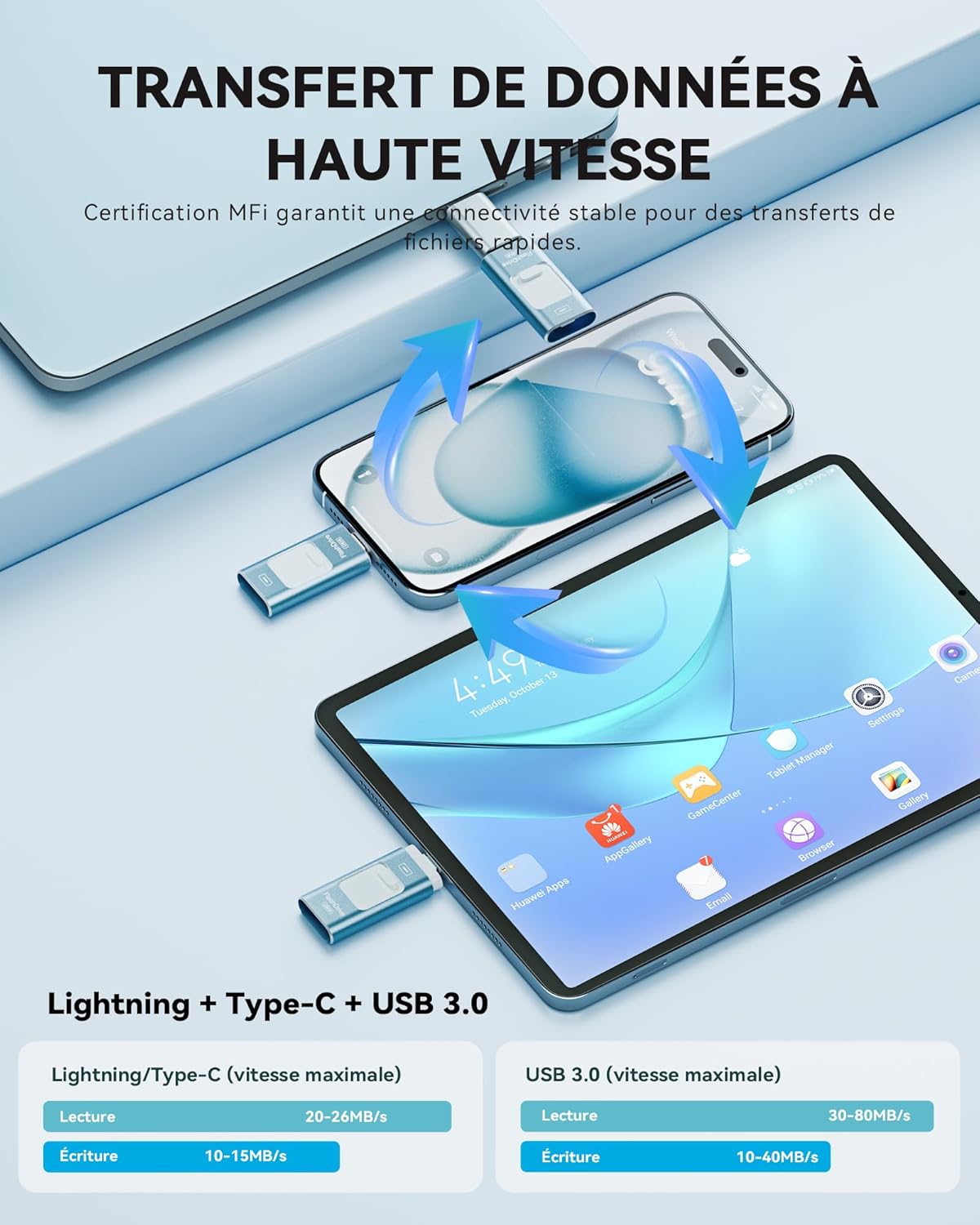
Image: A dynamic graphic depicting the high-speed data transfer capabilities of the flash drive between a smartphone, tablet, and laptop, with speed specifications for Lightning/Type-C and USB 3.0 connections.
Supported File Formats:
The ROSPE flash drive supports a wide range of file formats for photos, videos, music, and documents, allowing you to transfer files anywhere, anytime, without an internet connection.

Image: A comprehensive table listing the various photo, video, music, and document file formats supported by the flash drive.
| Category | Formats |
|---|---|
| Photo | BMP, JPEG, JPG, HEIC, NEF, GIF, PNG, TIF, TIFF |
| Video | AVI, MOV, MP4, VOB, WMV, RMVB, 3GP, FLV, MPG, M4V, RM, MKV, MVB, DIVX, TS |
| Music | MP3, AAC, WAV, M4A, M4R, OGG, FLAC, AIFF, APE, ACE |
| Document | DOC, DOCX, XLSX, HTML, KEY, TXT, NUMBERS, PAGES, PPT, PPTX, XLS, PDF |
4. Data Security
For Apple users, the ROSPE flash drive offers advanced data protection technology. You can set a password or use Touch ID within the dedicated app to secure your files. This ensures that your personal data remains protected even if the flash drive is lost.
Note: Special features and security measures developed for iOS devices are not compatible with Android devices.

Image: A smartphone displaying file encryption options within the ROSPE app, with the flash drive connected, emphasizing the data protection feature.
5. Maintenance and Care
The ROSPE flash drive features an elegant and portable design with an aluminum alloy casing, which ensures rapid heat dissipation and resistance to wear. To maintain optimal performance and longevity of your device, please follow these general care guidelines:
- Keep Dry: Avoid exposing the flash drive to water or high humidity.
- Temperature: Store and use the device within recommended temperature ranges. Avoid extreme heat or cold.
- Handle with Care: While durable, avoid dropping the device or subjecting it to strong impacts.
- Cleanliness: Keep the connectors clean and free of dust or debris. Use a soft, dry cloth for cleaning if necessary.
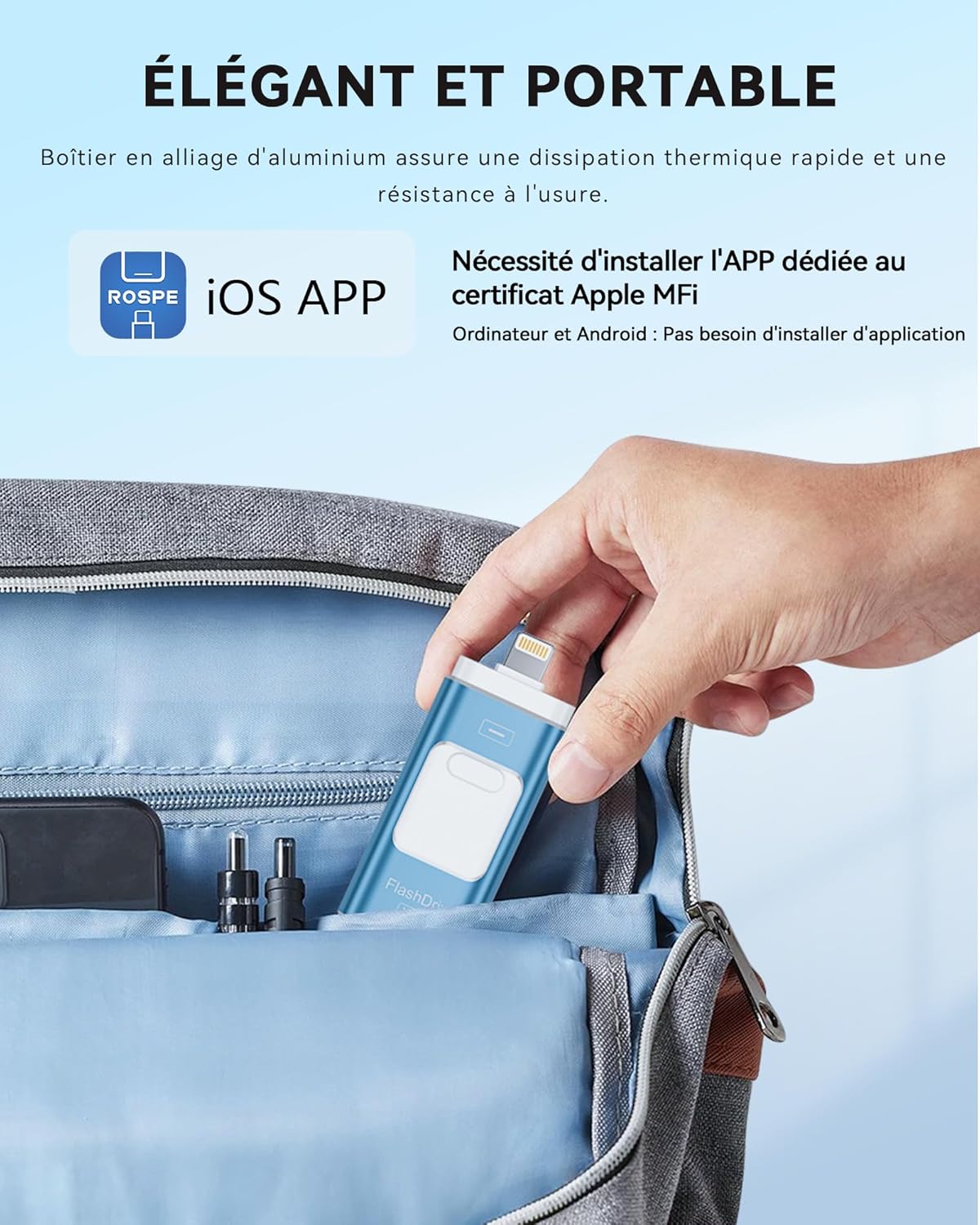
Image: A hand placing the compact ROSPE flash drive into a backpack pocket, highlighting its elegant and portable design.
6. Troubleshooting
- Flash Drive Not Recognized (iOS):
- Ensure the "ROSPE" app is installed and updated.
- Verify that you have granted permission to the app when prompted upon first connection.
- Try disconnecting and reconnecting the flash drive. - Flash Drive Not Recognized (Android):
- Confirm that your Android device supports and has its OTG function enabled in settings.
- Try restarting your device and reconnecting the flash drive. - Flash Drive Not Recognized (PC):
- Try connecting the flash drive to a different USB port on your computer.
- Ensure your computer's USB drivers are up to date.
- Test the flash drive on another computer to rule out a device-specific issue. - Data Loss During Transfer:
- Always use the "Copy" function instead of "Cut" when moving files from your device to the flash drive, especially for the first transfer. This prevents accidental data loss if the transfer is interrupted. - Compatibility with iPhone 16 (2024 Model):
- While the product is listed as compatible with iPhone 16, some users have reported issues. If you experience problems, ensure your iOS is updated and the ROSPE app is the latest version. If issues persist, please contact customer support.
7. Specifications
| Feature | Detail |
|---|---|
| Model | ROSPE 3-in-1 USB Flash Drive |
| Capacity | 128 GB |
| Interfaces | Lightning, USB Type-C, USB 3.0 (Type-A) |
| Dimensions (L x W x H) | 55 x 25 x 10 mm |
| Lightning/Type-C Read Speed | Up to 20 MB/s |
| Lightning/Type-C Write Speed | Up to 10 MB/s |
| USB 3.0 Read Speed | Up to 40 MB/s |
| USB 3.0 Write Speed | Up to 20 MB/s |
| Special Features | MFi Certified, Dual-chip design |
| Compatible iOS Devices | iPhone 16/15/14/13/12/11/X/8/7/6/5 series (Mini, Plus, Pro, Pro Max), iPad/iPad Air/iPad mini/iPad Pro |
| Compatible Android Devices | Samsung Galaxy, Google Pixel, Xiaomi, Huawei, and other Android phones with OTG function |
| Compatible Computers | MacBook Air/Pro, iMac, HP, Dell, Lenovo, Asus, Acer, Toshiba, Samsung, LG, Microsoft, etc. |

Image: A visual representation of the 128GB storage capacity, illustrating its equivalence to approximately 3000 files, 9000 photos, 105 videos, and 7300 music tracks. Actual storage capacity may vary based on file type, size, and format.
8. Warranty and Support
ROSPE is committed to providing high-quality products and excellent customer service. Your satisfaction is our priority.
- 12-Month Warranty: We offer 12 months of support. In case of any quality issues within this period, we will provide a solution.
- Product Replacement: If confirmed defects are found, we will provide a replacement product.
- Customer Satisfaction: If you are not satisfied with your purchase, we are committed to providing a satisfactory resolution.
- PDF Manual: If the font size of this manual is too small, a PDF version is available on the USB drive or can be provided upon request.

Image: The ROSPE product packaging, highlighting the 12-month support, replacement policy, and customer satisfaction guarantee.