
Homirxan 45UB
Homirxan 3.0 Cuft Digital Fireproof Safe User Manual
Model: 45UB
1. Introduction
This manual provides essential instructions for the safe and effective use of your Homirxan 3.0 Cuft Digital Fireproof Safe, Model 45UB. Please read this manual thoroughly before operating the safe and retain it for future reference. This safe is designed to protect your valuables from theft and offers fire-resistant properties for documents and other items.
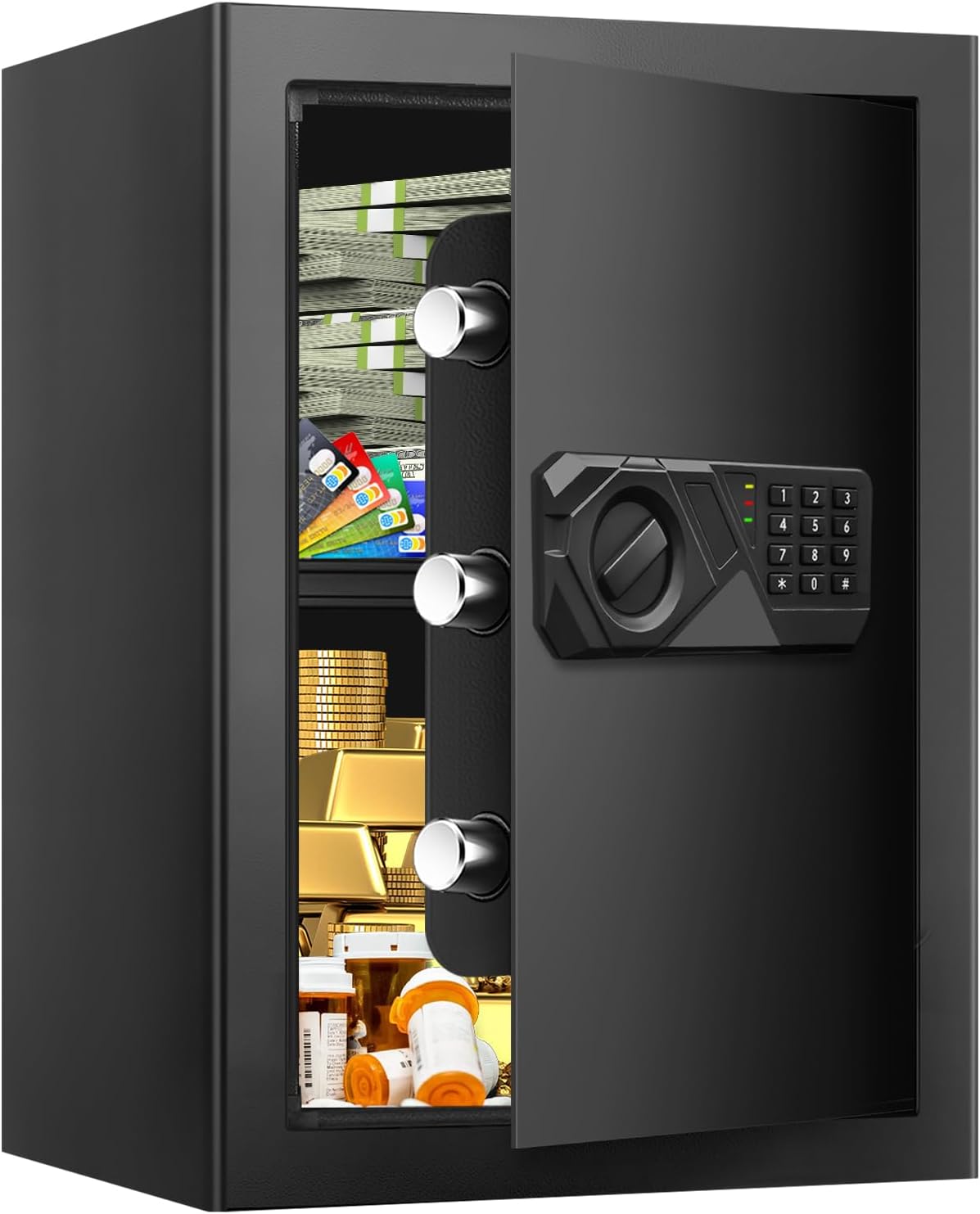
Image 1.1: Homirxan 3.0 Cuft Digital Fireproof Safe, open view.
2. Safety Information
- Emergency Keys: Always store emergency keys outside the safe in a secure, accessible location. Do not store them inside the safe.
- Battery Replacement: Replace batteries promptly when the low battery indicator appears to ensure continuous operation.
- Mounting: For enhanced security, it is highly recommended to anchor the safe to a wall or floor using the provided expansion screws.
- Fire Resistance: While designed with fire-resistant properties, extreme or prolonged exposure to fire may still cause damage. Consider additional fireproof pouches for highly sensitive documents.
- Water Resistance: This safe is designed to offer some protection against water, but it is not fully waterproof. Avoid submerging the safe in water.
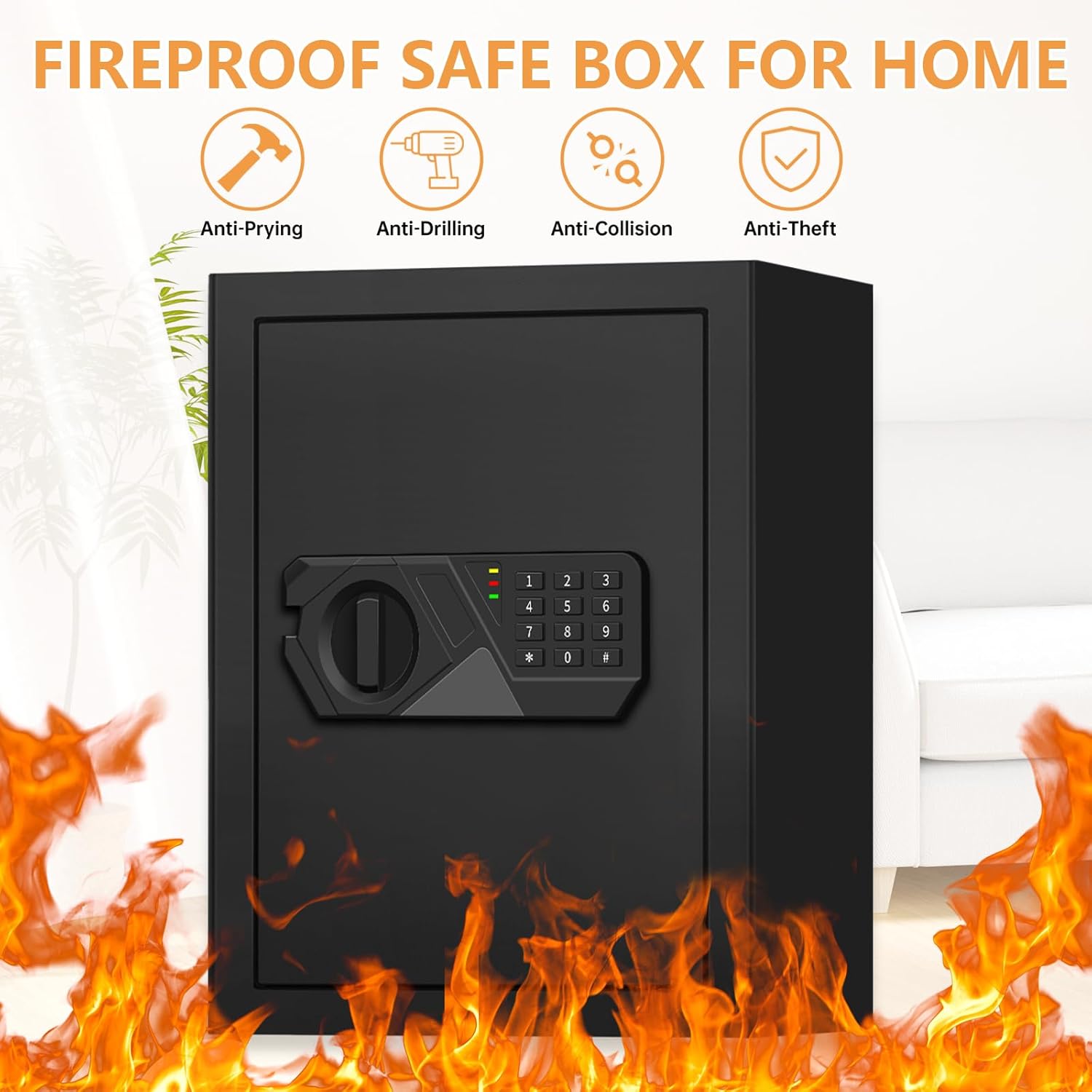
Image 2.1: Key security features of the Homirxan safe.
3. Package Contents
Verify that all components are present in the package:
- 1 x Homirxan 3.0 Cuft Digital Fireproof Safe
- 2 x Emergency Keys
- 4 x Expansion Screws (for mounting)
- 1 x Instruction Manual (this document)
4. Product Overview
The Homirxan 3.0 Cuft safe features a robust alloy steel construction, a digital keypad, a manual override system, and an internal removable shelf for organized storage.
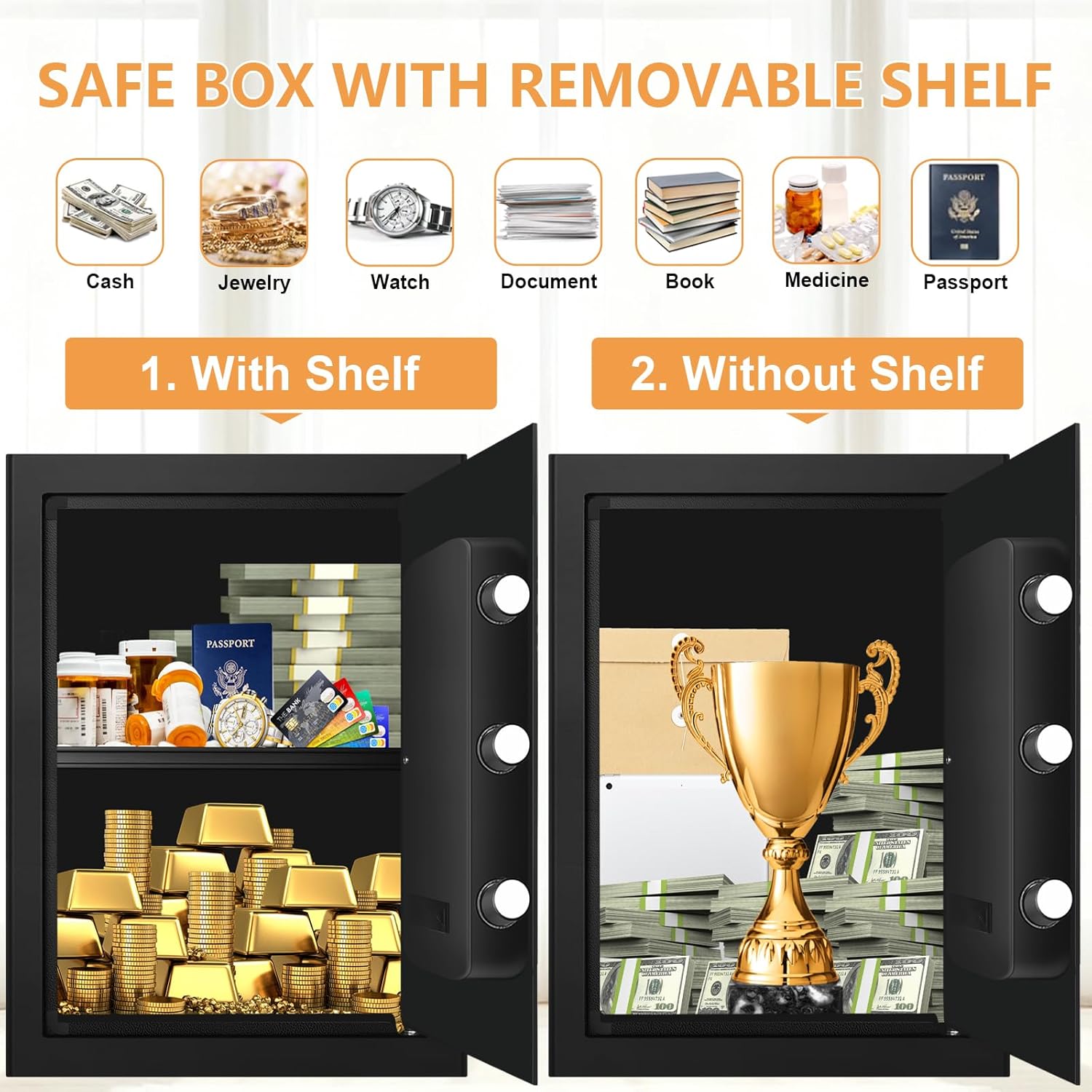
Image 4.1: Safe interior with and without the removable shelf.
5. Initial Setup
5.1. Opening the Safe for the First Time (Using Emergency Keys)
Upon receiving your safe, it will be locked. You must use one of the emergency keys to open it for the first time and install batteries.
- Locate the emergency keyhole cover on the digital keypad panel. This cover is often designed to blend in with the panel, sometimes appearing as a decorative element or a small, discreet panel. It may need to be gently slid or pried open.
- Insert one of the emergency keys into the keyhole.
- Turn the key clockwise while simultaneously turning the knob on the keypad clockwise to open the safe door.
- Once open, remove the emergency key and store it in a safe place outside the safe.
5.2. Battery Installation
The safe requires batteries for the digital keypad to function. Batteries are not included.
- With the safe door open, locate the battery compartment on the inside of the door.
- Insert the required number of AA batteries (typically 4) according to the polarity indicators (+/-).
- Close the battery compartment cover. The keypad should now be powered on.
5.3. Setting the Digital Passcode
You can set a personal passcode (3 to 8 digits) for quick access.
- With the safe door open, press the red reset button located on the inside of the door, near the hinge. You will hear a beep.
- On the keypad, enter your desired 3 to 8 digit passcode.
- Press the "#" or "*" button to confirm. You will hear a confirmation beep.
- Test the new passcode with the door open before closing it. Enter the passcode, then turn the knob clockwise.
5.4. Mounting the Safe
For maximum security, anchor the safe to a solid surface.
- Choose a suitable location on a wall or floor.
- Mark the positions for drilling using the pre-drilled holes on the back or bottom of the safe as a template.
- Drill pilot holes into the wall or floor.
- Align the safe with the drilled holes and secure it using the provided expansion screws.

Image 5.1: Wall or floor mounting installation steps.
6. Operating the Safe

Image 6.1: Three ways to open the Homirxan safe.
6.1. Opening with Digital Passcode
- Enter your 3 to 8 digit passcode on the keypad.
- Press the "#" or "*" button to confirm.
- Within 5 seconds of a successful entry, turn the knob clockwise to open the safe door.
6.2. Opening with Emergency Key
This method is used for initial opening, forgotten passcodes, or dead batteries.
- Locate and open the emergency keyhole cover on the keypad panel.
- Insert the emergency key and turn it clockwise.
- While the key is turned, simultaneously turn the knob clockwise to open the safe door.
6.3. Opening with External Battery Box (if batteries are dead)
If the internal batteries are depleted and you do not have the emergency key readily available, you can use an external battery box (not included, typically a USB charge cable connection) to power the keypad temporarily.
- Connect a USB charge cable to the external power port on the keypad.
- Enter your digital passcode on the keypad.
- Press the "#" or "*" button to confirm.
- Within 5 seconds, turn the knob clockwise to open the safe door.
- Once open, replace the internal batteries immediately.
6.4. Alarm System Features
The safe is equipped with an anti-theft alarm system.
- Incorrect Entry Alarm: If 3 incorrect passcodes are entered consecutively, the safe will activate an audible alarm.
- Tamper Alarm: The alarm may also activate if the safe experiences strong vibrations or attempts at forced entry.
- Mute Function: Some models may offer a mute function for the alarm. Refer to specific keypad instructions if available.

Image 6.2: Anti-theft alarm system.
7. Maintenance
7.1. Battery Replacement
When the low battery indicator lights up, replace all batteries promptly to avoid being locked out. Use only new, high-quality AA alkaline batteries.
- Open the safe using your passcode or emergency key.
- Locate the battery compartment on the inside of the door.
- Remove the old batteries and dispose of them responsibly.
- Insert new AA batteries, ensuring correct polarity.
- Close the battery compartment cover.
7.2. Cleaning
Clean the safe exterior with a soft, damp cloth. Avoid abrasive cleaners or solvents that could damage the finish or electronic components.
8. Troubleshooting
- Safe will not open with passcode:
- Ensure batteries are not depleted. Replace if necessary.
- Verify you are entering the correct passcode.
- Try opening with the emergency key.
- Keypad is unresponsive:
- Check battery installation and replace batteries.
- Use the external battery box (USB charge cable) to temporarily power the keypad.
- Alarm sounds unexpectedly:
- Ensure no incorrect passcodes have been entered.
- Check for any impacts or vibrations that might have triggered the tamper alarm.
- Door does not close properly:
- Ensure no obstructions are preventing the door from fully closing.
- Check that the locking bolts are retracting fully when the door is open.
9. Specifications
| Feature | Detail |
|---|---|
| Brand | Homirxan |
| Model Number | 45UB |
| Capacity | 3 Cubic Feet |
| Exterior Dimensions (D x W x H) | 13.17" x 13.78" x 17.72" |
| Interior Dimensions (D x W x H) | 12.5" x 13.2" x 17.2" (approximate, based on exterior and capacity) |
| Item Weight | 31 Pounds |
| Material | Alloy Steel |
| Lock Type | Electronic Combination Lock, Key |
| Special Features | Alarm System, Combination Lock, Fire Resistant, Removable Shelf, Sensor Light |
| Mounting Type | Wall Mount, Floor Mount |
| Batteries Required | Yes (AA, not included) |
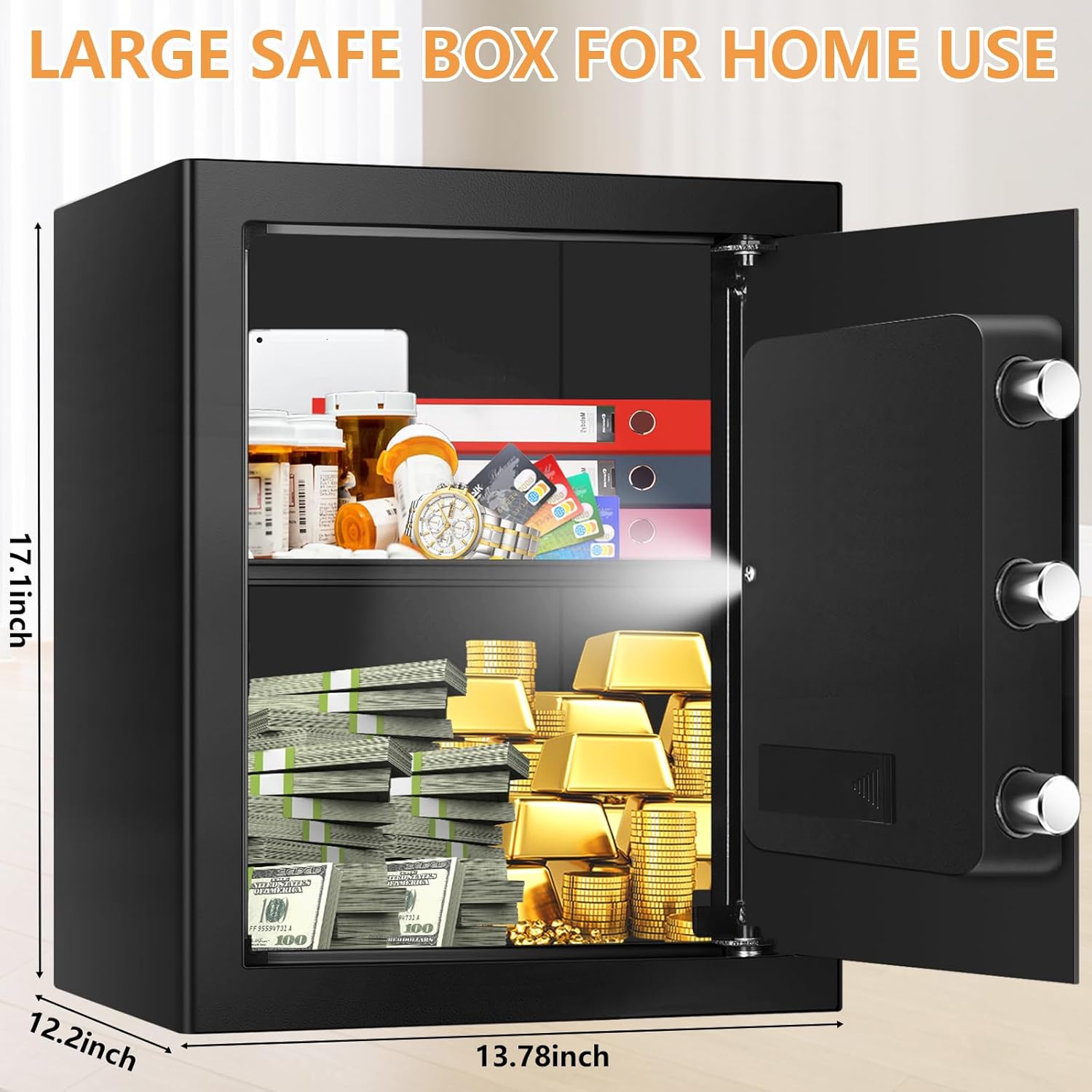
Image 9.1: Exterior dimensions of the safe.
10. Warranty and Support
For warranty information or technical support, please refer to the documentation included with your purchase or contact Homirxan customer service through the retailer where the product was purchased. Please have your model number (45UB) and purchase details ready when contacting support.
Ask a question about this manual
Ask about setup, troubleshooting, compatibility, parts, safety, or missing instructions. Manuals+ will review the question and use this page’s manual context to help answer it.