
1. Safety Instructions
Always follow basic safety precautions when using power tools to reduce the risk of fire, electric shock, and personal injury. Read all instructions carefully before operation.
- Work Area Safety: Keep your work area clean and well-lit. Cluttered or dark areas invite accidents. Do not operate power tools in explosive atmospheres, such as in the presence of flammable liquids, gases, or dust.
- Electrical Safety: Power tool plugs must match the outlet. Never modify the plug in any way. Avoid body contact with earthed or grounded surfaces, such as pipes, radiators, ranges, and refrigerators.
- Personal Safety: Always wear eye protection. Use safety glasses, goggles, or a face shield. Wear hearing protection when operating noisy tools. Dress properly. Do not wear loose clothing or jewelry. Keep hair, clothing, and gloves away from moving parts.
- Tool Use and Care: Do not force the power tool. Use the correct power tool for your application. Disconnect the plug from the power source and/or the battery pack from the power tool before making any adjustments, changing accessories, or storing power tools.
- Battery Tool Use and Care: Recharge only with the charger specified by the manufacturer. Use power tools only with specifically designated battery packs.
2. Product Overview
The ONEVAN Cordless Hammer Drill is a versatile tool designed for various drilling and chiseling tasks. It features a high-efficiency brushless motor and multiple operating modes.
Key Features:
- Brushless Motor: High-efficiency brushless motor for stable rotation speed and excellent durability with no maintenance required.
- 4-Mode Functionality: Four working modes in one unit: Drilling Mode, Impact Mode, Rotary Hammer Mode, and Chiseling Mode.
- Safe & Convenient Design: Automatic stop when hitting rebar to prevent injury. 360° adjustable auxiliary handle for comfortable operation.
- Makita 18V Battery Compatible: Designed to be compatible with Makita 18V batteries (e.g., BL1860B, BL1850B).
- SDS Plus Shank: Quick-change chuck for easy bit installation and removal.
- Efficient Cooling System: Multi-directional heat dissipation channels prevent overheating.
Product Components:
The package includes the main unit, two batteries, a charger, various drill bits, chisels, an auxiliary handle, and a depth gauge.
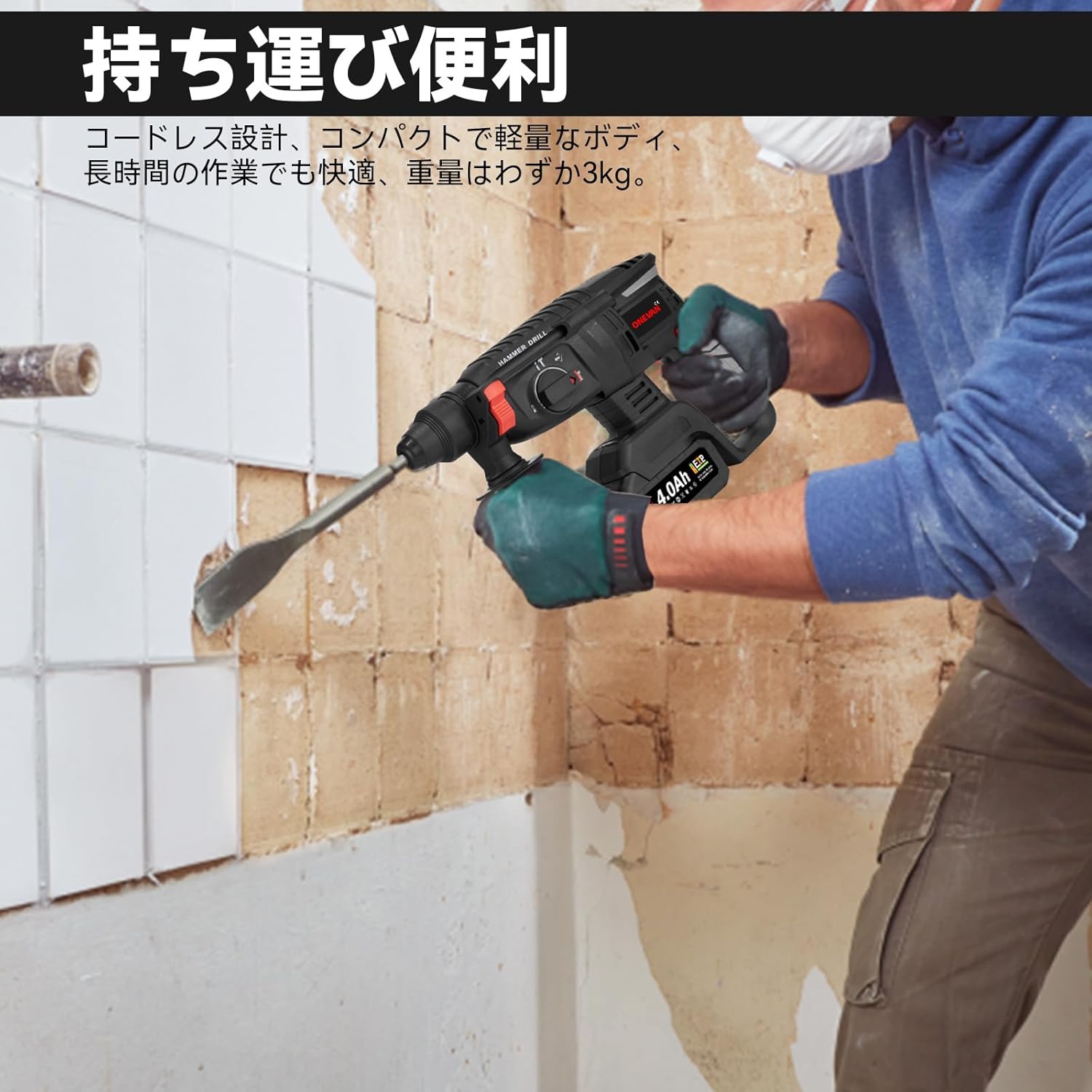
Image: ONEVAN Cordless Hammer Drill with included accessories, showcasing the main unit, batteries, and various bits.

Image: Detailed diagram of the 388VF battery and 2.0A fast charger, highlighting robust cell case, battery management system, durable pack structure, and stable power transmission.

Image: Internal view of the hammer drill, illustrating the high-quality brushless motor with 0-900 RPM no-load speed and 4700 BPM rated impact frequency.
3. Setup
3.1 Attaching the Auxiliary Handle and Depth Gauge
The auxiliary handle can be rotated 360° for optimal comfort and control. The depth gauge helps in achieving precise drilling depths.
Video: Demonstration of attaching the auxiliary handle and depth gauge to the hammer drill, showing how to adjust its position for comfortable use.
3.2 Inserting Drill Bits/Chisels (SDS Plus Shank)
The SDS Plus chuck allows for quick and secure insertion and removal of bits without additional tools.
- Pull back the chuck collar.
- Insert the SDS Plus bit into the chuck until it clicks into place.
- Release the chuck collar. Gently pull the bit to ensure it is securely locked.
Video: Visual guide on how to insert and secure an SDS Plus drill bit into the hammer drill's chuck, demonstrating the quick-change mechanism.
3.3 Battery Installation
Ensure the battery is fully charged before use. This tool is compatible with Makita 18V batteries.
- Align the battery with the battery slot on the tool.
- Slide the battery into place until it clicks securely.
- To remove, press the battery release button and slide the battery out.
4. Operating Instructions
The ONEVAN Cordless Hammer Drill offers four distinct operating modes for various applications.
4.1 Mode Selection
Rotate the mode selector switch to choose the desired operation mode:

Image: Visual representation of the four operation modes: Drilling, Hammer Drilling, Chiseling, and Chisel Angle Adjustment.
- Drilling Mode (Rotation Only): Ideal for drilling into wood, metal, and plastic.
- Hammer Drilling Mode (Rotation with Impact): Best for drilling into hard materials like concrete, brick, and stone.
- Chiseling Mode (Impact Only): For light demolition work, removing tiles, or breaking up concrete.
- Chisel Angle Adjustment Mode: Allows you to adjust the angle of the chisel for optimal working position. (Note: No rotation or impact in this mode).
Video: Demonstrates switching between different operation modes (Drill, Hammer Drill, Chisel) and their respective applications.
4.2 Power On/Off and Speed Control
The tool features a variable speed trigger for precise control.
- To Start: Press the trigger switch. The speed increases with increased pressure on the trigger.
- To Stop: Release the trigger switch.
- Continuous Operation: For prolonged use, press the trigger and then engage the lock-on button. To release, press the trigger again.
- Forward/Reverse Switch: Use the switch near the trigger to select forward or reverse rotation. Ensure the tool is stopped before changing direction.
4.3 Drilling and Chiseling Techniques
Always apply steady, even pressure. Do not force the tool. Let the tool do the work.
Video: Demonstrates the hammer drill in action, performing drilling into hard surfaces and chiseling tasks.
Video: Shows the hammer drill performing various tasks including drilling into concrete and chiseling, highlighting its power and versatility.
5. Maintenance
5.1 Cleaning
Regular cleaning ensures optimal performance and extends the tool's lifespan.
- Wipe down the tool with a clean, damp cloth after each use.
- Keep ventilation openings clear of dust and debris.
- Do not use harsh chemicals or abrasive cleaners.
5.2 Carbon Brush Replacement
Carbon brushes are wear-and-tear parts and need periodic replacement. The recommended replacement interval is 6 months to 1 year, or if unusual noises (rattling, grinding) occur.
- Ensure the tool is unplugged and the battery is removed.
- Locate the carbon brush covers on the sides of the motor housing.
- Use a flathead screwdriver to unscrew and remove the covers.
- Carefully pull out the old carbon brushes.
- Insert new carbon brushes, ensuring they are oriented correctly.
- Replace the covers and tighten the screws.
Video: Demonstrates the process of replacing carbon brushes in a similar electric hammer, showing how to access and exchange the brushes.
5.3 Storage
Store the tool in a dry, secure place out of reach of children. Remove the battery when storing for extended periods.
6. Troubleshooting
If you encounter issues, refer to the following common problems and solutions:
| Problem | Possible Cause | Solution |
|---|---|---|
| Tool does not start | Battery not charged or improperly inserted. | Charge battery fully. Reinsert battery correctly. |
| Reduced power/performance | Worn carbon brushes. Incorrect mode selection. | Replace carbon brushes. Select appropriate mode for the task. |
| Unusual noise/vibration | Worn carbon brushes. Loose components. | Replace carbon brushes. Check for loose parts and tighten if necessary. |
| Bit not locking securely | Chuck collar not fully engaged. Debris in chuck. | Ensure chuck collar is fully released. Clean chuck thoroughly. |
7. Specifications
| Specification | Value |
|---|---|
| Brand | ONEVAN |
| Product Dimensions | 28 x 10 x 37 cm |
| Item Weight | 5.1 kg |
| Color | Black |
| Power Source | Battery Powered |
| Voltage | 18V |
| Amperage | 15 Amps |
| Battery Type | Lithium Ion |
| Max Rotational Speed | 900 RPM |
| Max Drilling Diameter (Concrete) | 16mm |
| Max Drilling Diameter (Steel) | 13mm |
| Max Drilling Diameter (Wood) | 28mm |
| Included Components | Main unit, Battery x2, Charger, Drill bits x5, Flat chisel, Pointed chisel, Round shank bit, Auxiliary handle, Depth gauge, Japanese instruction manual |
8. Warranty & Support
The ONEVAN Cordless Hammer Drill comes with a 1-year warranty from the date of purchase.
- Warranty Coverage: This warranty covers defects in materials and workmanship under normal use.
- Claim Process: In case of initial defects or malfunctions, please contact our customer support with your purchase details. We are committed to providing prompt assistance.
- Exclusions: The warranty does not cover damage caused by misuse, abuse, unauthorized modification, or normal wear and tear.
For further assistance or inquiries, please refer to the contact information provided in your purchase documentation or visit the ONEVAN official store on Amazon.