
Monster MOW7-1030-ICW
Monster Smart Permanent Outdoor Lights User Manual
Model: MOW7-1030-ICW | Brand: Monster
Introduction
The Monster Smart Permanent Outdoor Lights system is designed to provide customizable, vibrant lighting for your home's exterior. This 100ft system features 72 RGB+IC+WW LEDs, offering a wide range of colors and white tones. It is weather and water resistant, making it suitable for year-round outdoor use. Control is convenient via the Monster Smart app or voice commands with Alexa and Google Assistant.
What's Included

Image: Contents of the Monster Smart Permanent Outdoor Lights package, including the light sections, controller, power adapter, mounting screws, and manual.
Your Monster Smart Permanent Outdoor Lights package includes the following components:
- 100ft of Lights (comes in four 25ft sections)
- Controller
- 24V Adapter
- Mounting Screws & Stickers
- Manual
Setup and Installation
Proper installation is crucial for optimal performance and longevity of your Monster Smart Permanent Outdoor Lights. Follow these steps carefully:
1. Physical Installation
Before mounting, plan the layout of your lights to ensure adequate coverage and access to a power outlet. The lights are designed for permanent installation on eaves, roofs, or other exterior surfaces.

Image: Monster Smart Permanent Outdoor Lights installed along the eaves of a house, showcasing various lighting effects.
- Prepare the Surface: Ensure the mounting surface is clean, dry, and free of debris.
- Attach Lights: Use the provided mounting screws and stickers to securely attach the light sections to your desired location. For a more permanent installation, screws are recommended.
- Connect Sections: Connect the 25ft light sections together using the waterproof connectors. Ensure a tight seal to prevent water ingress.
- Connect Power Adapter: Plug the 24V power adapter into a suitable outdoor-rated electrical outlet. Ensure the outlet is protected from direct weather exposure.
Video: A detailed guide on the physical installation process of the Monster Eaves Lights, demonstrating how to mount and connect the light sections.
2. App Setup and Pairing
To unlock the full smart features of your lights, download and set up the Monster Smart app.
- Download the App: Search for "Monster Smart" in your device's app store (available on iOS and Android).
- Create Account: Open the app and follow the on-screen instructions to create a new account or log in if you already have one.
- Add Device: Tap the "+" icon or "Add Device" option within the app.
- Power On Lights: Ensure your Monster Smart Permanent Outdoor Lights are powered on and the indicator light is blinking, indicating pairing mode.
- Pairing: Follow the app's prompts to connect your lights via Bluetooth and then to your 2.4GHz Wi-Fi network.
- Personalize: Once connected, you can name your device and set your time zone for scheduling features.
Video: An overview of the Monster Smart Lighting app, demonstrating how to connect and control various Monster Smart devices, including color and scene selection.
Operating Instructions
Your Monster Smart Permanent Outdoor Lights offer a variety of control options and lighting modes.
App Control
The Monster Smart app provides comprehensive control over your lights:
- Brightness Adjustment: Easily slide to adjust the light intensity.
- Color Selection: Choose from millions of colors using the color wheel.
- Multi-White Tones: Select from warm white, soft white, and cool white to set the perfect ambiance.
- Dynamic Lighting Effects: Utilize pre-set scenes and dynamic patterns for holidays or special occasions. The RGB+IC technology allows each LED to display multiple colors simultaneously for flowing effects.
- Sound Reactive Mode: Sync your lights to music or ambient sounds for a dynamic light show.
- Scheduling: Set schedules for your lights to turn on/off automatically at specific times or based on sunrise/sunset.

Image: Illustration of multi-white light options, showing warm white, soft warm white, and cool white tones illuminating a house exterior.
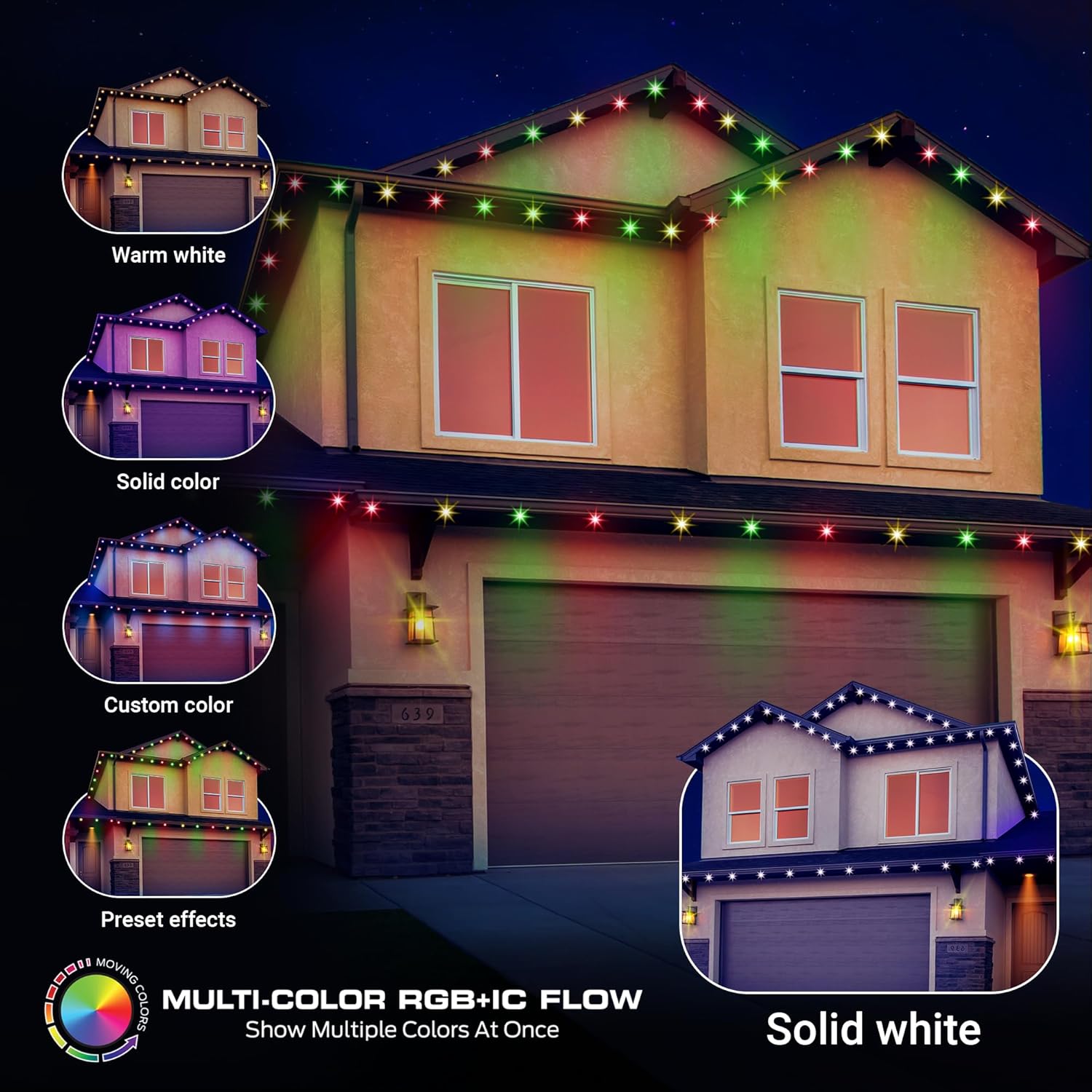
Image: Examples of multi-color RGB+IC flow effects on house eaves, including warm white, solid color, custom color, and preset effects.

Image: A house exterior with lights flashing to the beat, demonstrating the sound reactive feature of the Monster Smart Outdoor Lights.
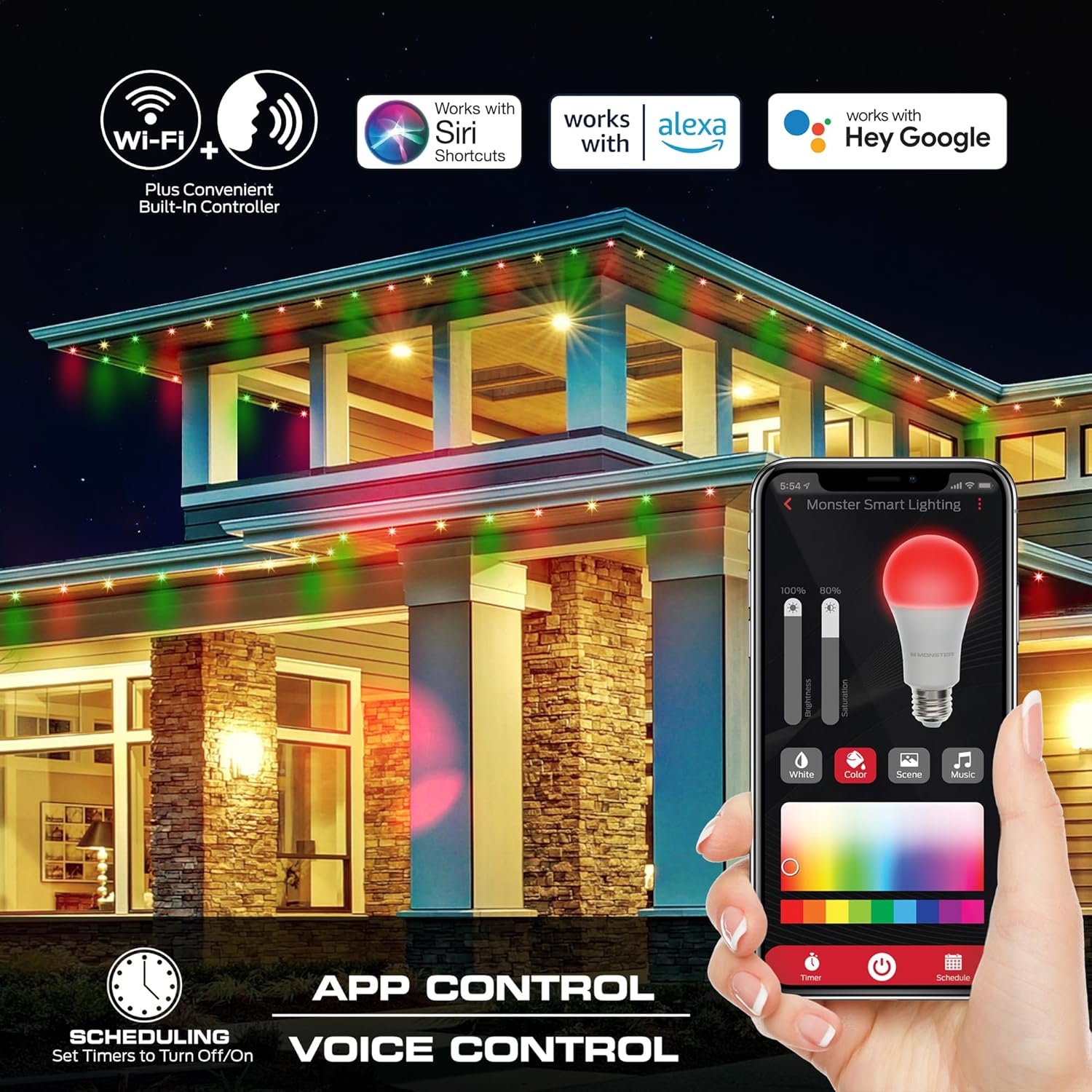
Image: A smartphone screen showing the Monster Smart app interface for controlling lights, with icons for Wi-Fi, app control, voice control, and scheduling.
Voice Control
Integrate your lights with Amazon Alexa or Google Assistant for hands-free control. Link your Monster Smart account in the Alexa or Google Home app and use simple voice commands like:
- "Alexa, turn on the outdoor lights."
- "Hey Google, set the eaves lights to red."
- "Alexa, dim the patio lights to 50%."
Video: A demonstration of the Monster Eaves Lights in various settings, highlighting app and voice control capabilities for different holidays and occasions.
Maintenance
The Monster Smart Permanent Outdoor Lights are designed for durability and year-round use. Minimal maintenance is required:
- Cleaning: Periodically wipe down the light fixtures with a soft, damp cloth to remove dirt and debris. Do not use harsh chemicals or abrasive cleaners.
- Connection Check: Annually inspect all connections and mounting points to ensure they remain secure and free from damage.
- Weather Resistance: These lights are water and weather resistant, built to withstand rain, snow, and extreme temperatures. No special winterization is needed.
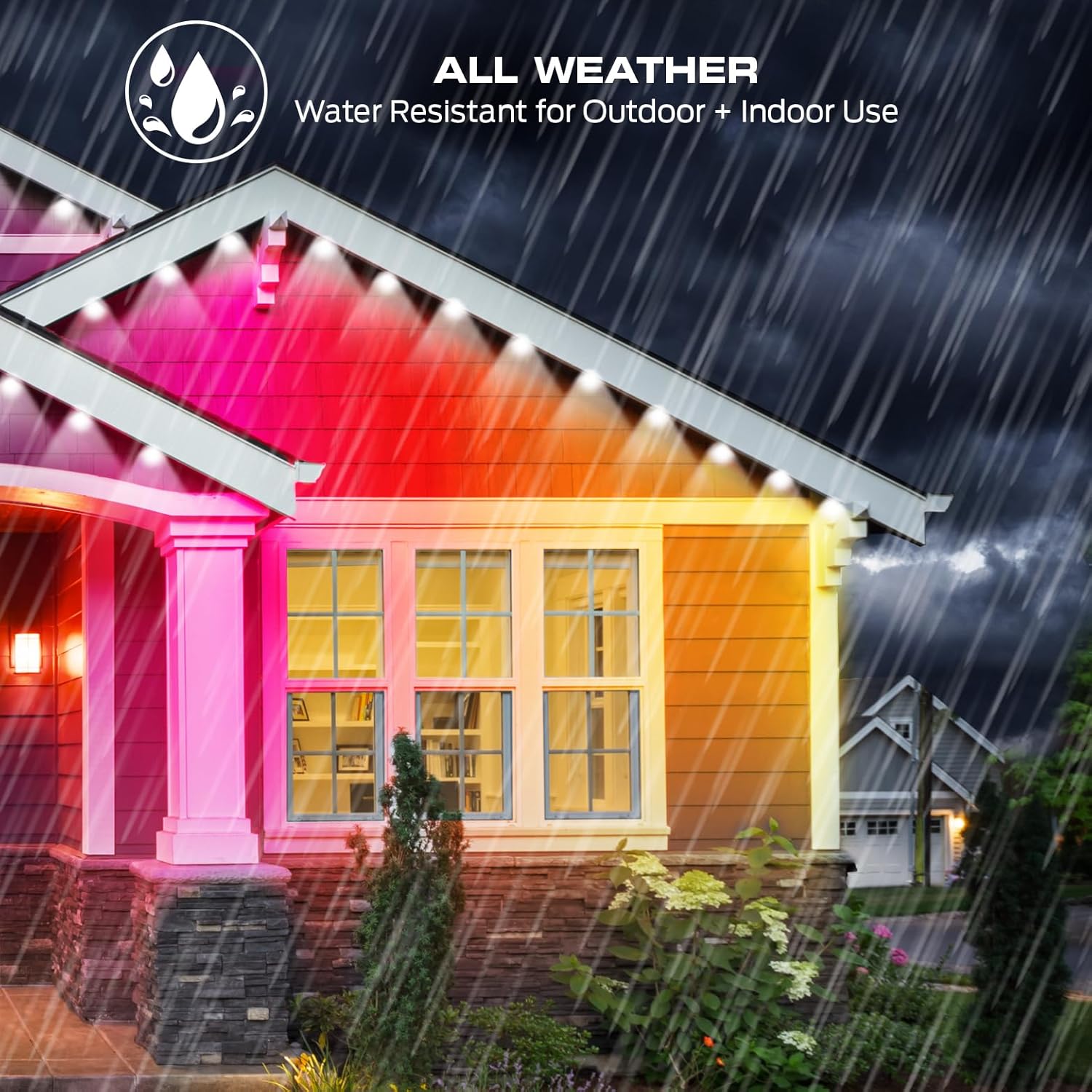
Image: A house with Monster Smart Outdoor Lights installed, shown during a rain shower, emphasizing their all-weather and water-resistant design.
Troubleshooting
If you encounter issues with your Monster Smart Permanent Outdoor Lights, refer to the following common solutions:
| Problem | Solution |
|---|---|
| Lights not turning on. | Check if the power adapter is securely plugged into a working outlet. Ensure the lights are properly connected to the controller. Verify the app settings are not set to "off" or a scheduled "off" time. |
| Lights not connecting to Wi-Fi. | Ensure your Wi-Fi network is 2.4GHz. Move the lights closer to your Wi-Fi router. Restart your router and the lights. Re-attempt the pairing process in the Monster Smart app. |
| Colors are incorrect or inconsistent. | Check the app's color settings. Ensure all light sections are properly connected. A factory reset (refer to app instructions) might be necessary if issues persist. |
| Voice control not working. | Verify that your Monster Smart account is correctly linked to Alexa or Google Assistant. Ensure your voice assistant device is online and within range. Check the device name in the Monster Smart app matches what you are saying. |
Specifications
| Feature | Detail |
|---|---|
| Model Number | MOW7-1030-ICW |
| Length | 100ft |
| Number of LEDs | 72 |
| Light Type | RGB+IC+WW (Red, Green, Blue + Independent Control + Warm White) |
| Color | Multicolored, Multiwhite |
| Indoor/Outdoor Usage | Outdoor, Indoor |
| Special Features | Remote Controlled, Weather Resistant, Adjustable, Color Changing, Water Resistant |
| Power Source | Corded Electric |
| Wattage | 3.6 watts |
| Water Resistance Level | Water Resistant |
| Item Weight | 6.45 pounds |
| Manufacturer | Monster |
| Country of Origin | China |
| UPC | 805106896874 |
Warranty and Support
For warranty information and technical support, please refer to the documentation included in your product packaging or visit the official Monster website. Protection plans may also be available for purchase separately to extend coverage.
Related documentsMOW7-1030-ICW


Ask a question about this manual
Ask about setup, troubleshooting, compatibility, parts, safety, or missing instructions. Manuals+ will review the question and use this page’s manual context to help answer it.