
Introduction
This manual provides comprehensive instructions for the PlayBetter Garmin Forerunner 965 Running & Triathlon GPS Smartwatch Bundle, including the Garmin Forerunner 965 smartwatch and the accompanying wireless running earbuds. Please read this manual thoroughly before using your device to ensure proper operation and to maximize its features. This bundle is designed for athletes and fitness enthusiasts seeking advanced tracking, navigation, and performance insights.
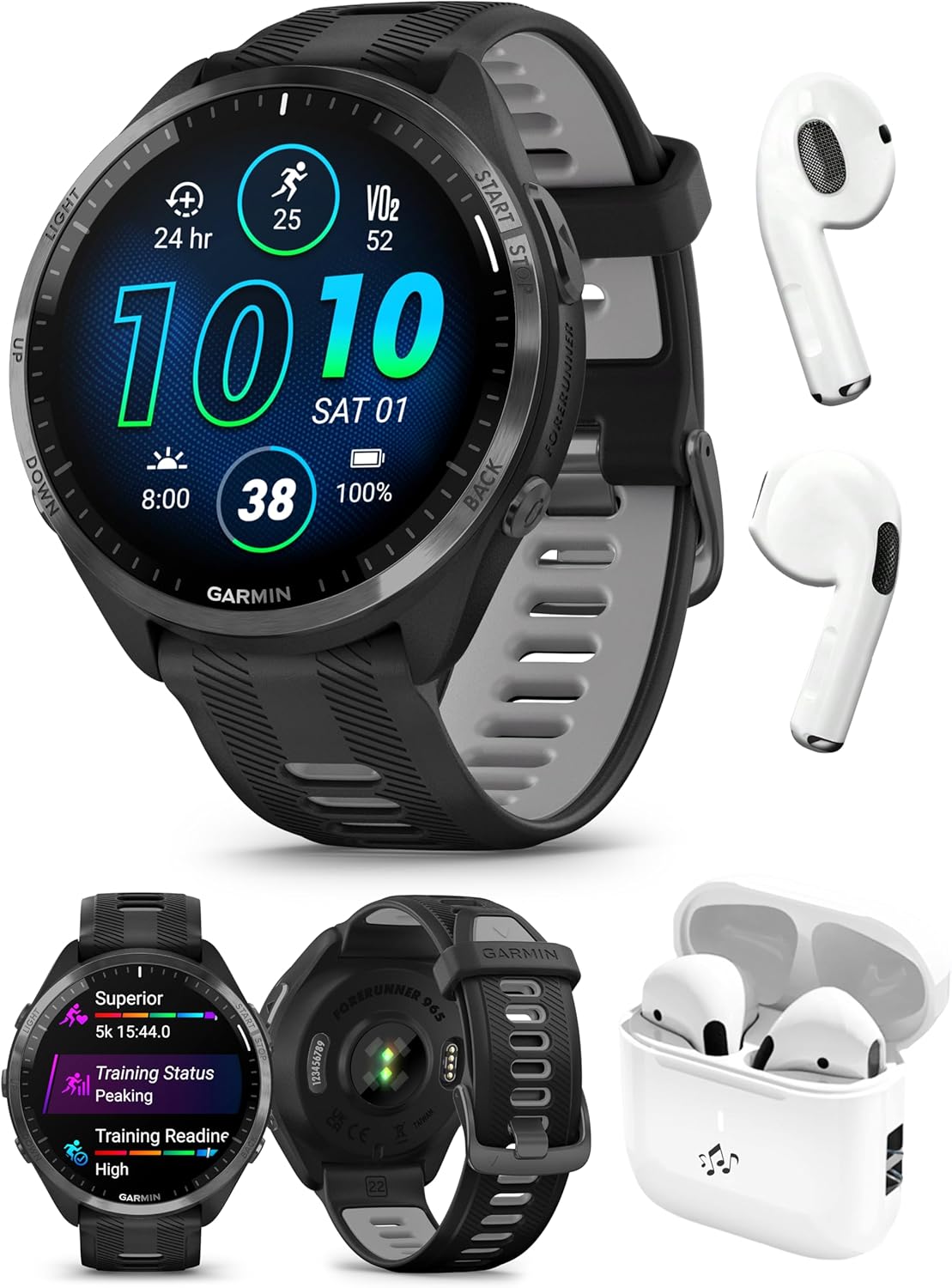
Image: The Garmin Forerunner 965 smartwatch with its bright AMOLED display, accompanied by the wireless running earbuds and their charging case. This image showcases the complete bundle.
What's in the Box
Upon unboxing your PlayBetter Garmin Forerunner 965 bundle, verify that all the following components are present:
- Garmin Forerunner 965 Triathlon/Running Watch
- PlayBetter Wireless Running Earbuds
- USB Charging Cable (for smartwatch)
- Documentation (this user manual and other guides)
Setup
1. Garmin Forerunner 965 Smartwatch Setup
Before first use, it is recommended to fully charge your smartwatch. Use the provided USB charging cable and connect it to a USB power source.
- Charging: Connect the USB charging cable to the charging port on the back of the watch. Plug the other end into a USB power adapter or computer USB port. The watch display will indicate charging status.
- Power On: Press and hold the LIGHT button (top left) to power on the device.
- Initial Setup: Follow the on-screen prompts to select your language, pair with your smartphone via the Garmin Connect app, and set up your user profile (age, weight, height, etc.) for accurate data tracking.
- Software Updates: Ensure your watch's software is up to date through the Garmin Connect app for optimal performance and access to the latest features.

Image: The rear view of the Garmin Forerunner 965 smartwatch, highlighting the optical heart rate sensors and the charging contact points.
2. Wireless Running Earbuds Setup
The wireless earbuds are designed for seamless audio during your workouts.
- Charging: Place the earbuds into their charging case. Connect the charging case to a USB power source if needed. The case typically has indicator lights for battery status.
- Pairing Mode: Open the charging case or follow the specific instructions provided with the earbuds to put them into Bluetooth pairing mode.
- Pairing with Smartwatch: On your Forerunner 965, navigate to Settings > Connectivity > Headphones > Add New. Select your earbuds from the list of available devices.
- Pairing with Smartphone: Alternatively, you can pair the earbuds directly with your smartphone via Bluetooth settings.

Image: The wireless running earbuds nestled within their open charging case, ready for use or charging.
Operating the Smartwatch
Basic Controls and Interface
The Forerunner 965 features both a responsive AMOLED touchscreen and traditional button controls for versatile interaction.
- Touchscreen: Swipe to navigate widgets and data screens. Tap to select options.
- Buttons:
- LIGHT (Top Left): Press to turn backlight on/off. Hold to access controls menu (Garmin Pay, music, power off, etc.).
- UP/MENU (Middle Left): Press to scroll up. Hold to access main menu.
- DOWN (Bottom Left): Press to scroll down.
- START/STOP (Top Right): Press to start/stop an activity, select an option.
- BACK/LAP (Bottom Right): Press to return to previous screen, record a lap during an activity. Hold to view watch face.

Image: A clear front view of the Garmin Forerunner 965 smartwatch, displaying its vibrant AMOLED screen and the physical buttons on the left and right sides.
GPS and Navigation
The Forerunner 965 features multi-band GNSS with SatIQ technology and full-color, built-in maps for accurate and reliable navigation.
- Multi-band GPS: Provides superior accuracy, especially in challenging environments like urban areas or dense forests.
- Built-in Maps: Navigate preloaded maps directly from your wrist. You can create courses in Garmin Connect and sync them to your watch.
- Course Navigation: During an activity, select a course to follow. The watch will provide turn-by-turn directions and alerts.
Training Features
The watch offers advanced metrics and insights to optimize your training.
- Morning Report: Wake up to a summary of your sleep, recovery, and training outlook.
- Training Readiness: A score based on sleep quality, recovery, and training load, indicating if you are primed for a productive session.
- Daily Suggested Workouts: Personalized workout recommendations that adapt to your performance and recovery status.
- Race Widget: Provides training tips, course details, and completion time predictions for upcoming races.
- Running Dynamics: Get wrist-based metrics including cadence, stride length, ground contact time, and running power.
- Multisport Profiles: Easily switch between sports with built-in profiles for triathlons, duathlons, brick workouts, and swimruns. Customize your own profiles as needed.

Image: The Garmin Forerunner 965 display showing detailed activity data, including elapsed time, distance, and a graphical representation of training zones.
Connectivity
- Garmin Pay: Make contactless payments directly from your wrist. Set up your cards in the Garmin Connect app.
- Music: Download songs and playlists from Spotify, Amazon Music, or Deezer to your watch for phone-free listening with your paired earbuds.
- Bluetooth: Connect to external sensors (heart rate monitors, foot pods) and your smartphone for smart notifications, LiveTrack, and incident detection.
Operating the Wireless Running Earbuds
The included wireless earbuds are designed for comfort and secure fit during physical activity.
- Power On/Off: Earbuds typically power on automatically when removed from the case and power off when returned.
- Playback Control: Use the touch controls on the earbuds (refer to specific earbud instructions for details) to play/pause music, skip tracks, and answer/end calls.
- Volume Control: Adjust volume either via the earbuds' touch controls, your connected smartwatch, or smartphone.
- Call Management: Answer or end calls using the earbud controls when connected to a smartphone.

Image: A person running outdoors, showcasing the Garmin Forerunner 965 smartwatch on their wrist and presumably the wireless earbuds in use, demonstrating the product in an active setting.
Maintenance
Cleaning
- Smartwatch: Regularly clean the watch and strap with a damp cloth and mild soap. Rinse thoroughly and dry completely. Avoid harsh chemicals or abrasive materials.
- Sensors: Keep the optical heart rate sensors on the back of the watch clean for accurate readings.
- Earbuds: Gently wipe the earbuds with a soft, dry, lint-free cloth. For ear tips, remove and clean with water and mild soap, then dry completely before reattaching.
- Charging Contacts: Periodically clean the charging contacts on both the watch and the earbuds/case with a dry cloth to ensure good connection.
Battery Care
- Smartwatch: The Forerunner 965 offers up to 23 days of battery life in smartwatch mode and up to 31 hours in GPS mode. Charge regularly, but avoid completely draining the battery frequently to prolong its lifespan.
- Earbuds: The charging case extends the earbuds' battery life. Keep the case charged to ensure your earbuds are always ready.
- Storage: If storing the devices for an extended period, charge them to about 50% before storage and recharge every few months to prevent deep discharge.
Troubleshooting
| Problem | Possible Solution |
|---|---|
| Watch not powering on | Ensure the watch is fully charged. Press and hold the LIGHT button for at least 15 seconds to perform a hard reset. |
| GPS signal acquisition slow/inaccurate | Ensure you are in an open area with a clear view of the sky. Sync your watch with Garmin Connect to update satellite data (EPO file). |
| Heart rate sensor not reading | Ensure the watch is worn snugly on your wrist, above the wrist bone. Clean the sensor area. |
| Earbuds not pairing | Ensure earbuds are charged and in pairing mode. Turn off and on Bluetooth on your watch/phone. Forget and re-pair the device. |
| Music playback issues | Ensure music is downloaded to the watch, not streaming. Check earbud connection. Verify music service subscription if applicable. |
Specifications
Key technical specifications for the Garmin Forerunner 965 Smartwatch:
- Model Name: Forerunner 965
- Item Model Number: 010-02809-00
- Display Size: 1.4 Inches AMOLED Touchscreen
- Item Weight: 1.87 ounces (53 Grams)
- Product Dimensions: 1.85 x 0.51 x 1.85 inches
- Battery Type: 1 Lithium Ion battery (included)
- Smartwatch Battery Life: Up to 23 days
- GPS Mode Battery Life: Up to 31 hours
- Memory Storage Capacity: 32 GB
- Connectivity: Bluetooth, USB
- Operating System Compatibility: Android & iOS
- Special Features: Built-In Maps with SATIQ and Multi-Band GPS, Lightweight Titanium Bezel, Premium Training Metrics and Recovery Insights.
Warranty and Support
The Garmin Forerunner 965 comes with a Garmin 1 Year Manufacturer Warranty. For warranty claims or technical support, please refer to the official Garmin support channels or contact PlayBetter customer service.
For additional resources, FAQs, and software updates, visit the official Garmin support website or the PlayBetter store page: