
1. Introduction
This manual provides instructions for the ZWP Replacement Remote Control. This remote is designed to operate various vibration plate exercise machines. Please read this manual thoroughly before use to ensure proper operation and longevity of your device.
Compatibility
This remote control is compatible with the following vibration plate exercise machine models:
- AXV MINI FR88
- HTM TH008A LMS-S132 S-0132
- APUOCE PB470
- yokele 470
- Teclor TA018-6
- OKATOPGEAKO TH-0070E-5
Ensure your original remote control matches the appearance of this replacement remote for guaranteed compatibility.
2. Package Contents
Verify that all items are present upon unpacking:
- 1 x ZWP Replacement Remote Control
Note: AAA batteries are not included and must be purchased separately.
3. Specifications
- Brand: ZWP
- Model Number: 82a93ab0-b419-4f95-8222-2497e6c8ca5f
- Material: High-quality ABS
- Color: White
- Dimensions: 5.79 x 1.54 x 0.55 inches (approximately)
- Item Weight: 1.13 ounces (approximately)
- Power Source: 2 x 1.5V AAA Batteries (not included)
- Operational Distance: Up to 8 meters (26 feet)
- Special Feature: Ergonomic design
4. Setup
4.1 Installing Batteries
- Locate the battery compartment on the back of the remote control.
- Slide the battery compartment cover downwards to open it.
- Insert two (2) 1.5V AAA batteries, ensuring the positive (+) and negative (-) terminals align correctly with the markings inside the compartment.
- Slide the battery compartment cover back into place until it clicks securely.

Image: Back of the remote control with the battery compartment open, illustrating the correct insertion of two AAA batteries.
4.2 Initial Use
This ZWP Replacement Remote Control requires no programming. Once batteries are correctly installed, it is ready for immediate use with compatible vibration plate exercise machines.
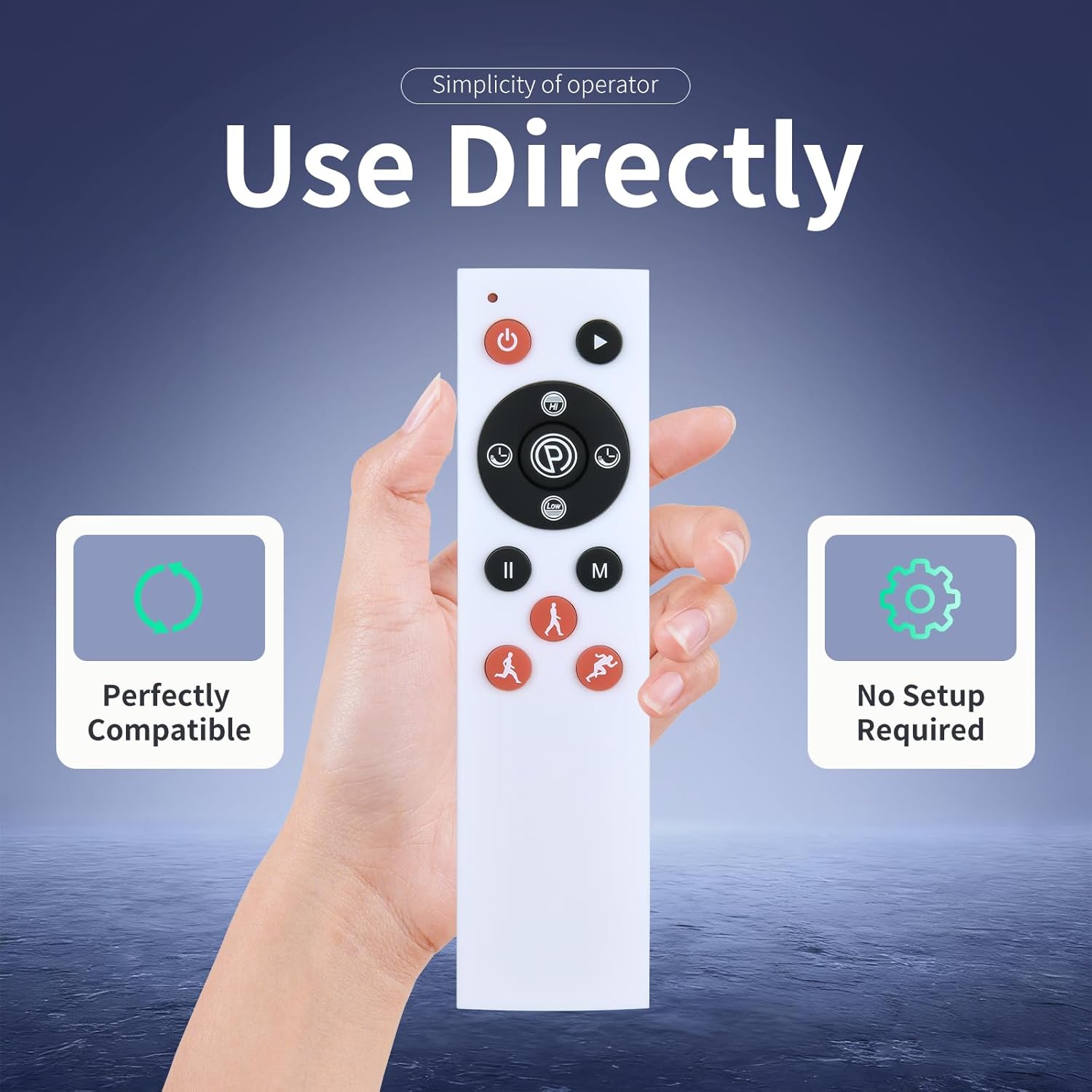
Image: The remote control highlighting its direct usability without setup.
5. Operating Instructions
Point the remote control directly towards your vibration plate exercise machine. The operational distance is up to 8 meters (26 feet).

Image: The remote control demonstrating its operational range with a vibration plate.
Button Functions:
- Power Button (Red Circle with Line): Turns the vibration plate ON or OFF.
- Start/Pause Button (Black Triangle): Starts or pauses the current exercise program.
- Mode Button (M): Cycles through different exercise modes or programs.
- Speed/Intensity Adjustment Buttons (Up/Down Arrows): Increases or decreases the vibration speed or intensity.
- Time Adjustment Buttons (Clock Icons): Adjusts the duration of the exercise session.
- Program Buttons (Person Icons): Selects specific pre-set exercise programs (e.g., walking, jogging, running simulations).
6. Maintenance
- Cleaning: Wipe the remote control with a soft, dry cloth. Do not use liquid cleaners or abrasive materials.
- Storage: Store the remote in a cool, dry place away from direct sunlight and extreme temperatures.
- Battery Replacement: Replace batteries when the remote's response becomes sluggish or stops working. Remove batteries if the remote will not be used for an extended period to prevent leakage.
7. Troubleshooting
- Remote is not responding:
- Ensure batteries are inserted correctly with the correct polarity (+/-).
- Replace old batteries with new 1.5V AAA batteries.
- Check for any obstructions between the remote and the vibration plate's receiver.
- Ensure you are within the operational distance of 8 meters.
- Buttons are not working:
- Verify that the remote has fresh batteries.
- Ensure the remote is pointed directly at the vibration plate.
8. Warranty and Support
For warranty information or technical support, please refer to the contact details provided with your purchase or visit the ZWP official website. Keep your purchase receipt for warranty claims.