
10L0L ELE-T010-L
10L0L Smart Golf Cart Battery Charger (Model ELE-T010-L) User Manual
Model: ELE-T010-L | Brand: 10L0L
1. Safety Information
Read all instructions carefully before using the charger. Failure to follow these instructions may result in electric shock, fire, or serious injury.
- Electrical Safety: Ensure the charger is connected to a properly grounded outlet. Do not operate the charger with damaged cords or plugs. Avoid using extension cords unless absolutely necessary and ensure they are rated for the charger's power requirements.
- Battery Compatibility: This charger is designed for 48V lead-acid (flooded/wet, AGM/GEL) and LiFePO4 lithium batteries. Do not attempt to charge other battery types.
- Ventilation: Ensure adequate ventilation during charging, especially for flooded lead-acid batteries which can emit explosive gases. Do not charge in enclosed spaces.
- Water and Moisture: While the charger has an IP67 waterproof rating, avoid submerging it or exposing it to excessive moisture during operation. Always ensure connections are dry before plugging in.
- Children and Pets: Keep the charger and golf cart out of reach of children and pets during operation.
- Maintenance: Disconnect the charger from the power outlet and the battery before performing any maintenance or cleaning.
- Emergency: In case of smoke, unusual odors, or excessive heat, immediately disconnect the charger from the power source and the battery.
2. Product Overview
2.1 Key Features
- Smart Control: Bluetooth app connectivity allows for selecting charging curves, receiving fault alerts, and remote start/stop functionality.
- Wide Compatibility: Specifically designed for EZGO TXT and RXV golf carts with a 3-pin triangular plug. Supports lead-acid (flooded/wet, AGM/GEL) and LiFePO4 lithium batteries.
- Durable Design: Features an aluminum casing, powerful cooling fans for efficient heat dissipation, and an IP67 waterproof rating for protection against water and moisture.
- Battery Repair Modes: Includes built-in repair modes for low-voltage and over-discharge conditions, along with an automatic top-off function to maintain battery charge.
- Extended Reach: Equipped with a 121-inch plus 89-inch (total 16.5 ft) extended power cord for convenient charging in various locations.
2.2 Charger Components
The 10L0L Smart Golf Cart Battery Charger includes the main charging unit, input power cord, and output charging cable with a 3-pin triangular plug.

Image 1: The 10L0L Smart Golf Cart Battery Charger, highlighting its IP67 waterproof design, capable of withstanding water immersion for 30 minutes.

Image 2: The charger's interface showing support for three battery types: Lithium Iron Phosphate, Lead-acid, and Maintenance-Free batteries.
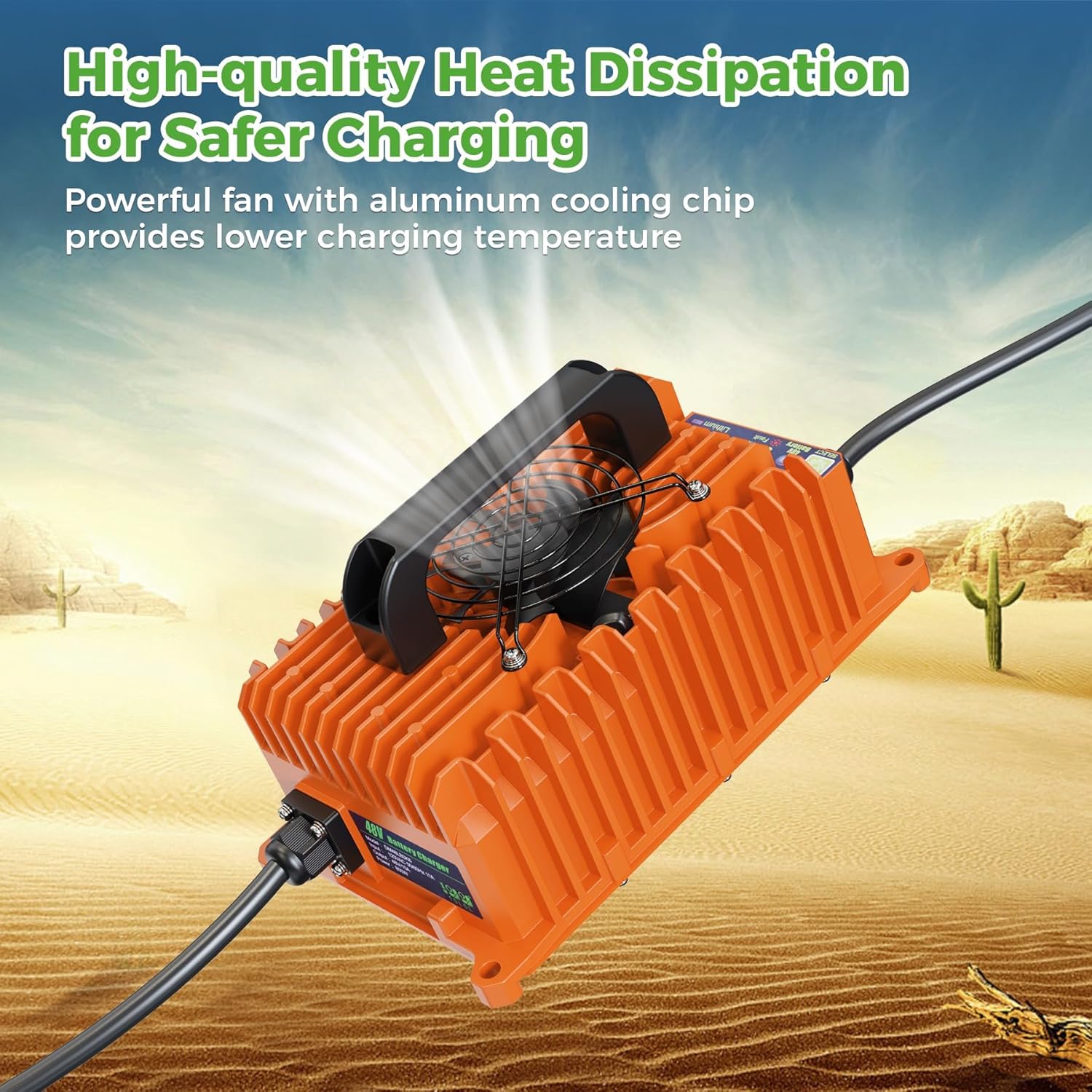
Image 3: The charger's design emphasizing high-quality heat dissipation through a powerful fan and aluminum cooling fins for safer charging.
3. Setup
- Unpack: Carefully remove the charger from its packaging and inspect for any damage.
- Placement: Place the charger on a stable, dry, and well-ventilated surface. Ensure it is away from direct sunlight, heat sources, and flammable materials.
- Verify Compatibility: Confirm your golf cart uses a 48V battery system and has a 3-pin triangular charging receptacle.
- Initial Connection:
- Connect the 3-pin triangular plug of the charger's output cable to the golf cart's charging receptacle.
- Plug the charger's input power cord into a standard 120V AC electrical outlet.
- Battery Type Selection (Manual):
- Upon initial connection, the charger will display indicator lights.
- Press the "MODE SELECT" button four times consecutively to cycle through battery types (Flooded/Wet, AGM/GEL, Lithium).
- Select the charging mode that matches your battery chemistry. The corresponding indicator light will illuminate.
- Note: When selecting the charging mode, the charger head must be unplugged from the golf cart. Long press "MODE SELECT" until the prompt light shows green to complete the selection.
- Battery Type Selection (App): For more precise control, download the "Smart Life" app by scanning the QR code provided on the charger or in the manual. Follow the app instructions to add the device and select the appropriate charging mode. The default password for setting the charging mode in the app is 654321.
Video 1: This video demonstrates the installation process for the EZGO RXV Golf Cart Charger, including connecting the power supply and the golf cart, and selecting the correct charging mode manually.
Video 2: This video provides a general overview of the EZGO RXV Golf Cart Charger, showcasing its features and operation, including app connectivity for mode selection and monitoring.
4. Operating Instructions
4.1 Charging Process
- Ensure the charger is properly connected to both the golf cart and the power outlet.
- Verify that the correct battery type is selected (refer to Setup section 3.5 or 3.6).
- The charger will automatically begin the charging cycle. Monitor the indicator lights for charging status:
- Red Light: Battery charge is below 80%.
- Yellow Light: Battery charge is above 80%.
- Green Light: Battery is 100% charged.
- Once charging is complete (green light), disconnect the charger from the AC outlet first, then from the golf cart.
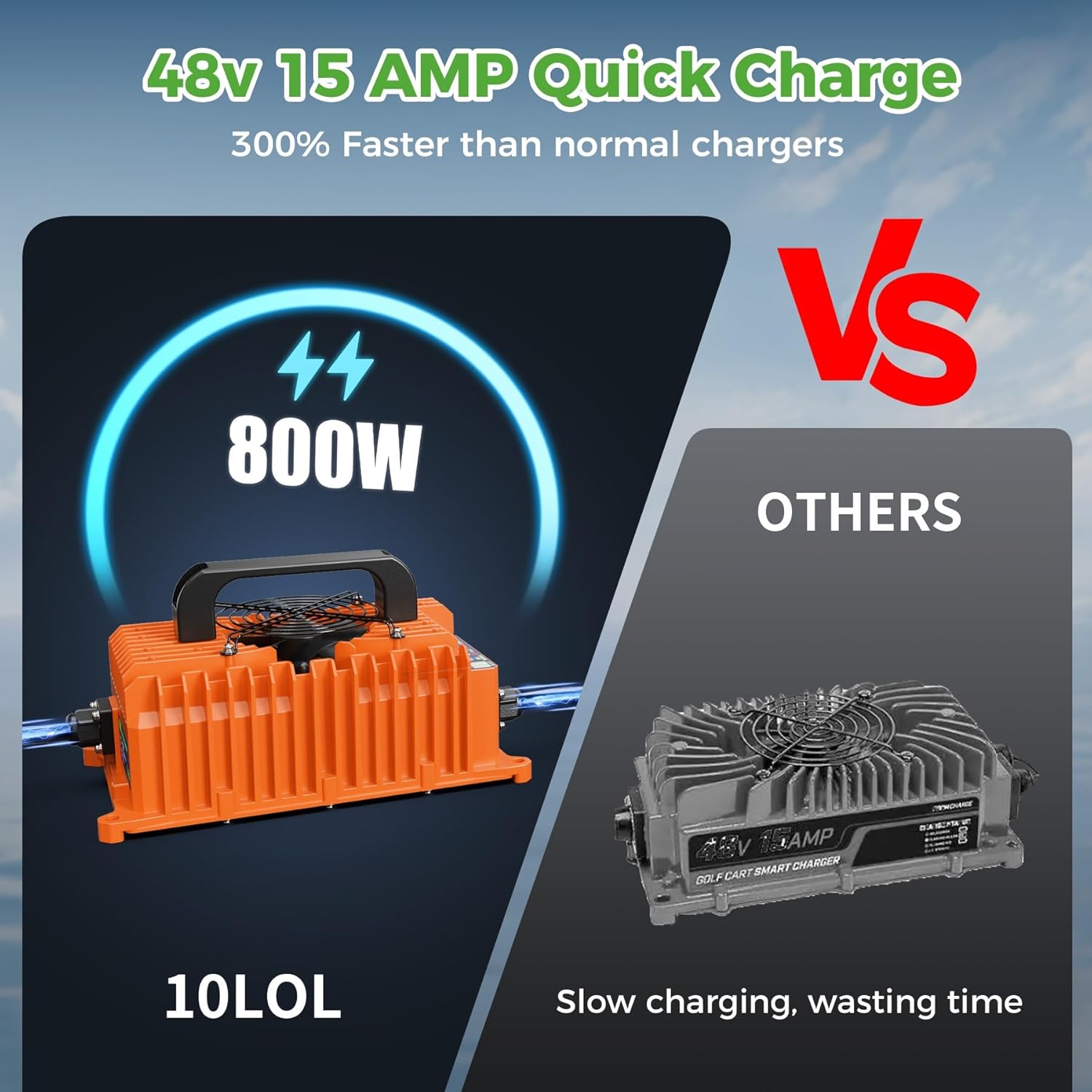
Image 4: Illustration of the 48V 15 Amp quick charge capability of the 10L0L charger compared to other slower chargers.
4.2 Bluetooth App Control
The "Smart Life" app provides advanced control and monitoring features:
- Remote Start/Stop: Initiate or pause charging from your smartphone.
- Charging Curve Selection: Choose specific charging profiles optimized for different battery types.
- Fault Alerts: Receive notifications for any charging errors or issues.
- Charging Data: View real-time charging data and historical charging times.

Image 5: The "Smart Life" app interface demonstrating intelligent control features, including monitoring voltage, current, and fault indicators.
5. Maintenance
- Cleaning: Regularly wipe the charger's exterior with a dry, soft cloth. Do not use harsh chemicals or abrasive cleaners. Ensure the fan and vents are free from dust and debris.
- Cable Inspection: Periodically inspect the power cords and charging cable for any signs of wear, cuts, or damage. Replace damaged cables immediately.
- Storage: When not in use, store the charger in a cool, dry place, away from direct sunlight and extreme temperatures. The unique handle design helps keep wires organized.
- Battery Health: Utilize the charger's built-in repair modes for low-voltage and over-discharge conditions to help maintain battery longevity.

Image 6: The charger's ultra-lightweight design (7.5 lbs) and integrated handle for easy portability and storage, helping to keep cables organized.
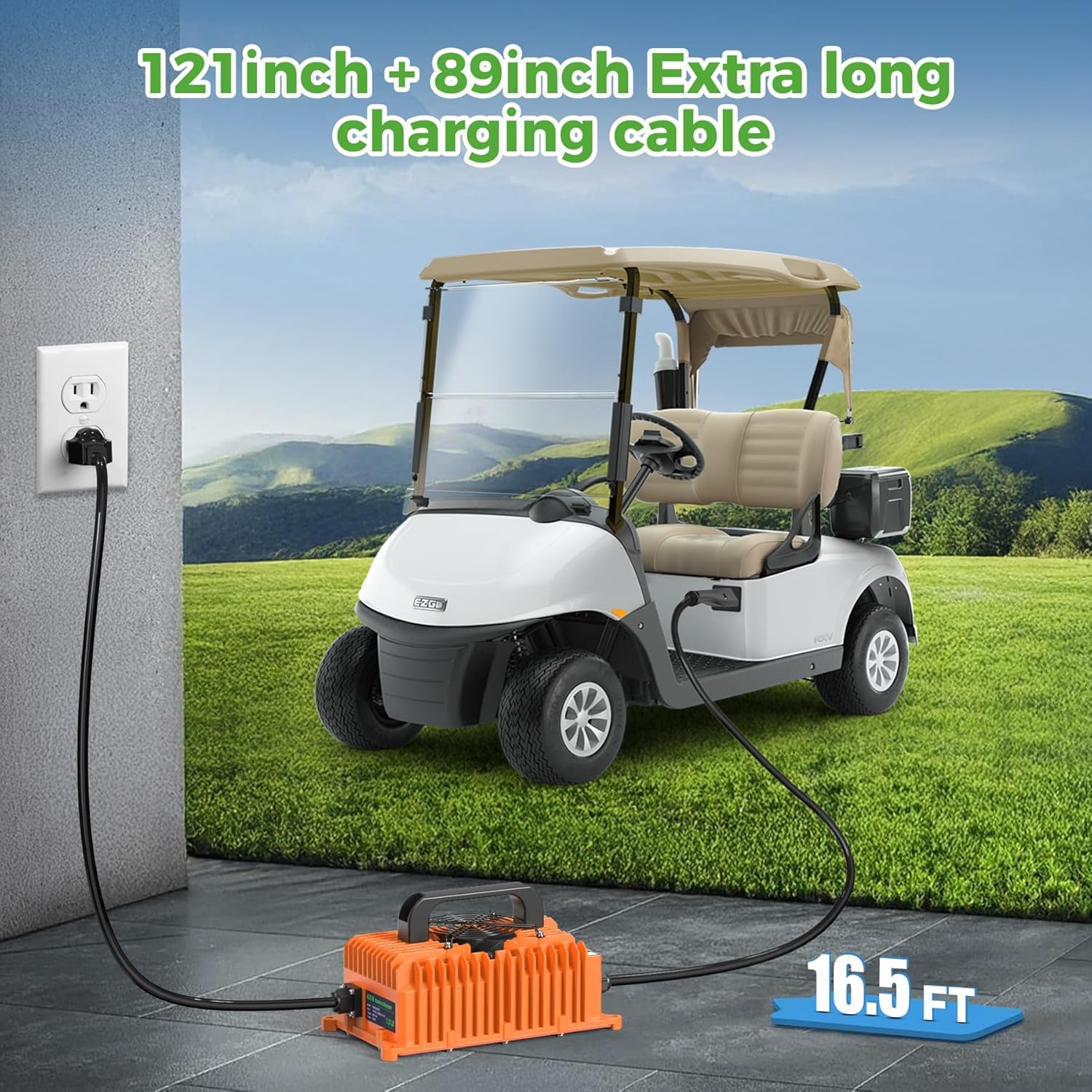
Image 7: The charger featuring an extra-long charging cable (16.5 ft total) for convenient reach from the power outlet to the golf cart.
6. Troubleshooting
The charger is equipped with indicator lights and app alerts to help diagnose common issues. Refer to the table below for guidance:
| Problem | Indicator/App Alert | Possible Cause | Solution |
|---|---|---|---|
| Charger not starting | No lights, "Battery not connected" (App) | Loose connection, no power from outlet, incorrect battery type selected. | Check all cable connections. Ensure AC outlet has power. Verify correct battery type is selected (unplug charger head, press MODE SELECT 4 times, long press to confirm). |
| Charging slow or incomplete | Red/Yellow light persists, "Low Battery Voltage" (App) | Deeply discharged battery, incorrect charging mode, battery fault. | Ensure correct battery type is selected. Use repair mode for low-voltage batteries. Consult a battery specialist if issues persist. |
| Fault indication | "Fault" light on, specific fault alert (App) | Short circuit, over-temperature, input/output undervoltage/overvoltage, internal charger fault. | Disconnect charger immediately. Check for short circuits in cables or battery. Allow charger to cool if over-temperature. If fault persists, contact customer support. |
| App connection issues | "No devices" (App) | Bluetooth not enabled, charger not in pairing mode, app issues. | Ensure Bluetooth is enabled on your phone. Restart the app and charger. Follow app instructions for adding a new device. |
7. Specifications
| Feature | Detail |
|---|---|
| Model Number | ELE-T010-L |
| Brand | 10L0L |
| Input Voltage | 120 Volts AC (50/60Hz) |
| Output Voltage | 48 Volts DC |
| Current Rating | 15 Amps |
| Power | 800W |
| Battery Compatibility | Lead-Acid (Flooded/Wet, AGM/GEL), LiFePO4 Lithium |
| Connector Type | 3-pin Triangular Plug (for EZGO TXT & RXV) |
| Charging Time | Approximately 10 Hours (depending on battery state) |
| Waterproof Rating | IP67 |
| Item Weight | 3.5 Kilograms (7.7 lbs) |
| Power Cord Length | 121 inches + 89 inches (approx. 16.5 feet total) |
8. Warranty and Support
This 10L0L Smart Golf Cart Battery Charger comes with a 3-Year Manufacturer's Warranty.
For warranty claims, technical support, or any inquiries, please contact 10L0L customer service through the retailer where the product was purchased or visit the official 10L0L website for contact information.
Please retain your proof of purchase for warranty validation.
Ask a question about this manual
Ask about setup, troubleshooting, compatibility, parts, safety, or missing instructions. Manuals+ will review the question and use this page’s manual context to help answer it.