
IROK ND63PRO
IROK ND63PRO Rapid Trigger Magnetic Switch Keyboard User Manual
Model: ND63PRO
Brand: IROK
1. Introduction
This manual provides detailed instructions for the IROK ND63PRO Rapid Trigger Magnetic Switch Keyboard. Please read this manual thoroughly before using the product to ensure proper operation and to maximize your experience.
2. Package Contents
Verify that all items are present in the package:
- IROK ND63PRO Keyboard
- USB Cable
- Keycap Puller
3. Setup Guide
3.1 Connecting the Keyboard
The IROK ND63PRO keyboard connects via a USB-C cable.
- Connect one end of the provided USB-C cable to the USB-C port on the keyboard.
- Connect the other end of the USB cable to an available USB port on your computer (Windows or Mac).
- The keyboard will be automatically recognized by your operating system.
3.2 Driver Installation
For full customization and advanced features, install the IROK customization driver. The keyboard supports both web driver and a one-stop HUB driver.
- Download the driver from the official IROK website: www.irok.cc
- Follow the on-screen instructions to complete the installation.

4. Operating Instructions
4.1 Keyboard Layout
The ND63PRO features a 60% compact layout with 63 keys, designed to save desktop space while retaining essential functionality. The keyboard utilizes an aluminum alloy positioning plate for a solid typing experience.

4.2 RGB Backlighting
The keyboard is equipped with full-color RGB lighting, offering 21 different light effects that can be switched freely. Customize lighting patterns and colors using the driver software.

4.3 Magnetic Switches and Customization
The ND63PRO features OKT Azure magnetic switches, providing high trigger accuracy and a stable feel. These switches are hot-swappable, allowing for easy replacement without soldering.

Rapid Trigger (RT) Function
The RT function allows for adjustable trigger track range between 0.02mm and 4.0mm, with an accuracy as low as 0.02mm. This enables precise customization of key actuation and reset points.
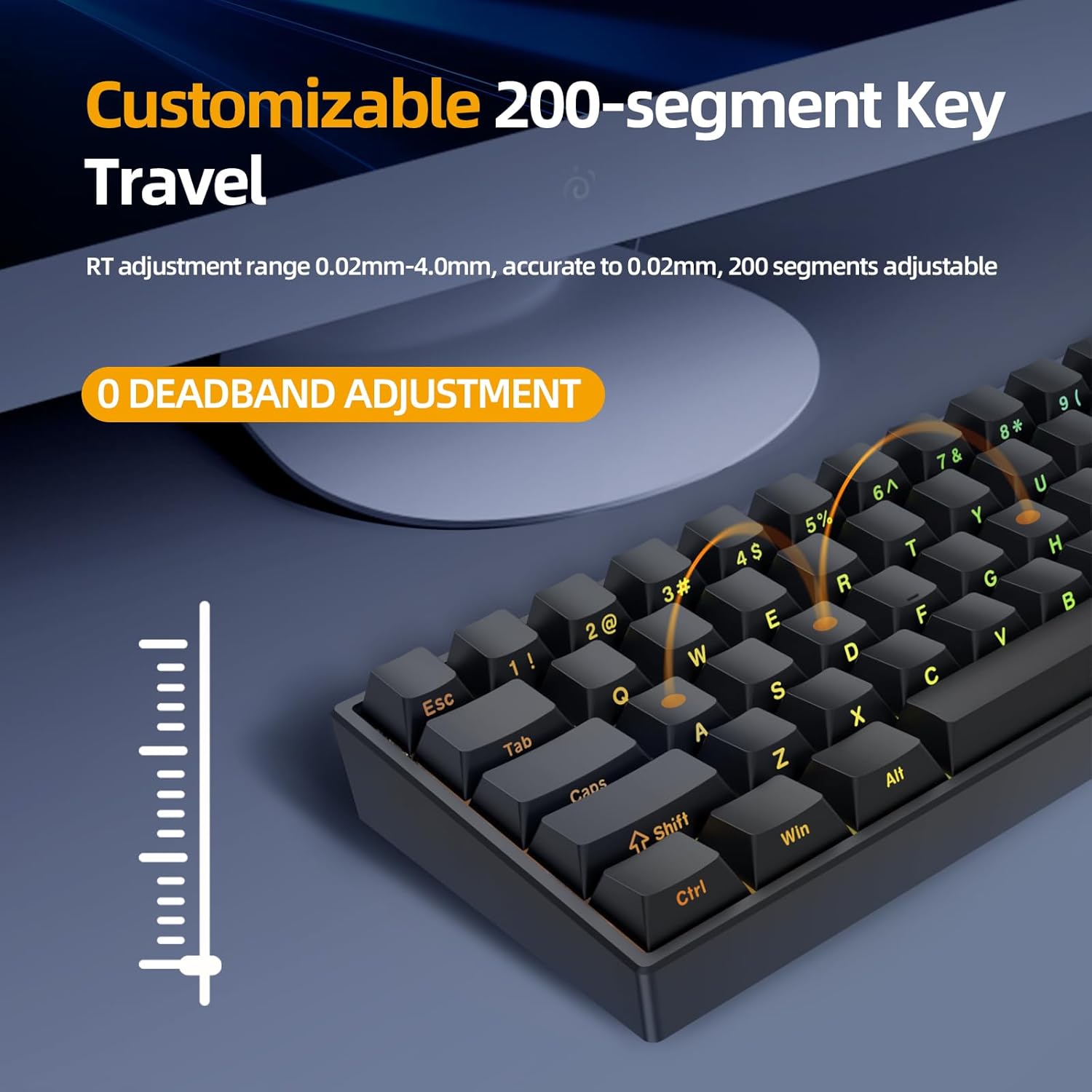
0 Deadband Adjustment
The dead zone of the bottom lift can be adjusted from 0, allowing for different dead zones to be set according to various magnetic switches.

KME Function
The KME function is similar to SOCD (Simultaneous Opposite Cardinal Directions) and ST (Super Tap) functions, providing advanced input processing for specific gaming scenarios.

4.4 Performance Features
The IROK ND63PRO is designed for high-performance use, particularly in gaming.
- Low Latency: Utilizing Lengendspeed technology, the keyboard achieves a latency of less than 0.3ms.
- 8000Hz Return Speed: Provides rapid response times for competitive gaming.

5. Maintenance
5.1 Cleaning
To clean your keyboard, disconnect it from your computer. Use a soft, dry cloth to wipe the keycaps and chassis. For deeper cleaning, a can of compressed air can remove debris from between the keys. Avoid using harsh chemicals or abrasive materials.
5.2 Keycap and Switch Replacement
The ND63PRO features hot-swappable magnetic switches, allowing for easy replacement of switches and keycaps without soldering.
- Use the provided keycap puller to carefully remove the desired keycap.
- Use a switch puller (not included, but compatible with magnetic switches) to gently remove the switch.
- Align the pins of the new switch with the sockets on the PCB and press firmly until it clicks into place.
- Place the new keycap onto the switch stem.
6. Troubleshooting
- Keyboard Not Responding:
Ensure the USB-C cable is securely connected to both the keyboard and the computer. Try a different USB port or cable. Restart your computer. - Keys Not Registering or Double-Typing:
This can sometimes occur with highly sensitive magnetic switches if settings are too aggressive. Adjust the trigger stroke and reset stroke settings in the customization driver. Ensure the switches are properly seated. - RGB Lighting Not Working:
Check the lighting settings in the customization driver. Ensure no software conflicts are present. - Driver Issues:
If the customization driver is not functioning correctly, ensure you have downloaded the latest version from www.irok.cc. Try reinstalling the driver.
7. Specifications
| Feature | Detail |
|---|---|
| Model Number | ND63PRO |
| Layout | 60% (63 Keys) |
| Switch Type | OKT Azure Magnetic Switches (Hot-Swappable) |
| Connectivity | Wired (USB-C) |
| Backlighting | Full Color RGB (21 effects) |
| Key Travel Adjustment | 0.02mm - 4.0mm (200 segments, 0.02mm accuracy) |
| Latency | < 0.3ms (Lengendspeed Technology) |
| Polling Rate | 8000Hz |
| Construction | Gasket Construction with Aluminum Positioning Plate |
| Compatible Devices | PC (Windows/Mac) |
| Product Dimensions | 11.65"L x 4.21"W x 0.79"H (29.59 cm x 10.69 cm x 2.01 cm) |
| Item Weight | 1.21 pounds (0.55 kg) |
8. Warranty and Support
8.1 Warranty Information
Specific warranty details are typically provided at the point of purchase or on the manufacturer's official website. Please refer to your purchase documentation or the IROK website for the most current warranty policy.
8.2 Technical Support
For technical assistance, driver downloads, or further inquiries, please visit the official IROK website: www.irok.cc. You may also find FAQs and additional resources there.
Related documentsND63PRO


Ask a question about this manual
Ask about setup, troubleshooting, compatibility, parts, safety, or missing instructions. Manuals+ will review the question and use this page’s manual context to help answer it.