
OhO sunshine 588F
OhO sunshine HD 1080p Video Recording Sunglasses User Manual
Model: 588F
Brand: OhO sunshine
1. Important Safety Information
- Do not expose the device to extreme temperatures or direct sunlight for prolonged periods.
- Keep the device away from water and moisture. This product is not waterproof unless specified.
- Use only the provided charging cable and adapter.
- Do not attempt to disassemble or repair the device yourself. Refer to qualified service personnel.
- Ensure the memory card is inserted correctly before operation.
- Clean lenses with a soft, lint-free cloth. Avoid abrasive materials.
2. Product Overview
The OhO sunshine HD 1080p Video Recording Sunglasses are designed for capturing high-quality video and photos during various outdoor activities. They feature a built-in camera, polarized lenses with UV400 protection, and come with a 32GB memory card.
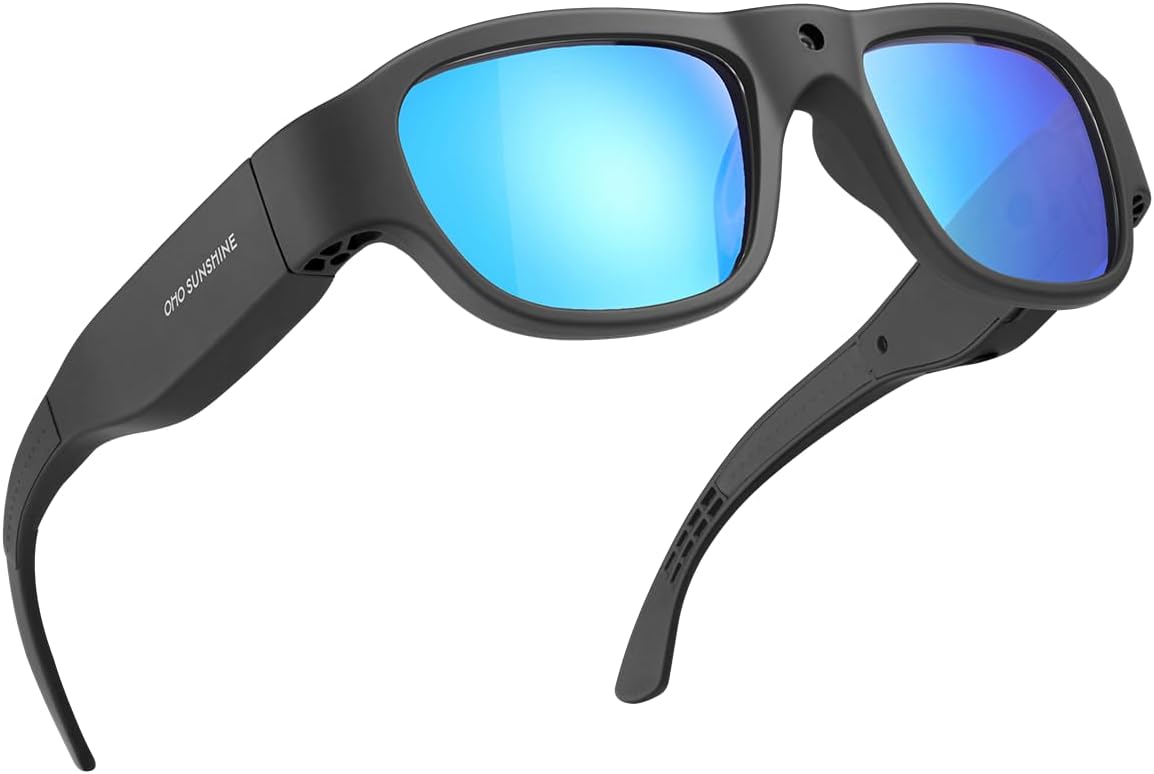
Figure 2.1: Front view of the OhO sunshine HD 1080p Video Recording Sunglasses, showcasing the black frame and blue polarized lenses.

Figure 2.2: Key features of the camera sunglasses, including video recording, photo capture, 1080p Full HD resolution, 32GB memory, UV protection, and anti-scratch lens properties.
Package Contents:
- OhO sunshine HD 1080p Video Recording Sunglasses
- 32GB Micro SD Card
- USB Charging Cable
- Cleaning Cloth
- User Manual (this document)
3. Components and Controls

Figure 3.1: Labeled diagram of the sunglasses highlighting the Power & Record Button, Photo Button, LED Indicator, and the Built-in Camera lens.
- Power & Record Button: Used to power the device on/off and to start/stop video recording.
- Photo Button: Used to capture still images.
- LED Indicator: Provides status feedback (e.g., charging, recording, low battery).
- Built-in Camera: The lens for capturing video and photos.
- USB Port: For charging and data transfer.
- Micro SD Card Slot: For inserting the memory card.

Figure 3.2: A close-up view demonstrating the location of the Video and Photo buttons on the side arm of the sunglasses.
4. Setup
4.1 Charging the Battery
Before first use, fully charge the sunglasses. Connect the provided USB charging cable to the sunglasses' USB port and the other end to a USB power source (e.g., computer, wall adapter). The LED indicator will show charging status and turn off when fully charged. A full charge provides approximately 60 minutes of recording time.
4.2 Inserting the Micro SD Card
Locate the Micro SD card slot on the sunglasses. Gently insert the included 32GB Micro SD card into the slot until it clicks into place. Ensure the card is oriented correctly. To remove, push the card in slightly until it springs out.
5. Operating Instructions
5.1 Power On/Off
- To Power On: Press and hold the Power & Record Button for approximately 3 seconds until the LED indicator lights up.
- To Power Off: Press and hold the Power & Record Button for approximately 3 seconds until the LED indicator turns off.
5.2 Video Recording
- With the device powered on, press the Power & Record Button once to start video recording. The LED indicator will flash to indicate recording is in progress.
- To stop recording, press the Power & Record Button once again. The LED indicator will stop flashing and return to standby mode.
- Videos are recorded in Ultra Full HD 1080p resolution.
5.3 Photo Capture
- With the device powered on, press the Photo Button once to capture a still image. The LED indicator will briefly flash to confirm the photo has been taken.
- Photos are captured at 16M pixel resolution.
5.4 Connecting to a Computer (Data Transfer)
To access recorded videos and photos, connect the sunglasses to your computer using the USB cable. The device will appear as a removable disk drive. You can then drag and drop files to your computer.
5.5 Product Videos
Video 5.1: An overview of the HD Camera glasses, highlighting their features and functionality, including Bluetooth speaker capabilities. (Duration: 0:29)
Video 5.2: A demonstration of the Full HD camera built into the sunglasses, showcasing its discreet design and recording capabilities. (Duration: 0:37)
6. Maintenance
6.1 Cleaning
- Use the provided cleaning cloth or a soft, lint-free cloth to wipe the lenses and frame.
- Do not use chemical cleaners, alcohol, or abrasive materials, as these can damage the lenses and frame.
6.2 Battery Care
- To prolong battery life, avoid fully discharging the battery frequently.
- Charge the device regularly, even if not in use, to maintain battery health.
6.3 Storage
Store the sunglasses in a cool, dry place, away from direct sunlight and extreme temperatures. Use the protective case (if included) to prevent scratches and damage.
7. Troubleshooting
| Problem | Possible Cause | Solution |
|---|---|---|
| Device does not power on. | Low battery; Incorrect power button press. | Charge the device fully. Press and hold the Power & Record Button for 3 seconds. |
| Cannot record video/take photos. | Memory card full or not inserted correctly; Device not powered on. | Check memory card insertion and free space. Ensure device is powered on. |
| Poor video/photo quality. | Dirty lens; Low light conditions; Rapid movement. | Clean the camera lens. Ensure adequate lighting. Minimize sudden movements during recording. |
| Audio not recording (as per some reviews). | Potential software issue or specific model limitation. | Ensure firmware is up to date (check manufacturer's website). If issue persists, contact customer support. |
8. Specifications
| Feature | Detail |
|---|---|
| Model Number | 588F |
| Video Resolution | Ultra Full HD 1080p |
| Photo Resolution | 16M Pixel |
| Memory | 32GB Micro SD Card (included) |
| Battery Life | Approx. 60 minutes recording |
| Lens Type | 100% UV400 Protection Polarized, Impact Resistant (ANSI/ISEA Z87.1-2015) |
| Item Weight | 1.62 ounces |
| Product Dimensions | 6.38 x 6.1 x 1.85 inches |
| Battery Type | 1 Lithium Ion battery (included) |
| Color | Black Frame-blue Lens |
9. Warranty and Support
OhO sunshine products are manufactured to high quality standards. For warranty information, technical support, or service inquiries, please refer to the contact information provided on the product packaging or visit the official OhO sunshine website. Please retain your proof of purchase for warranty claims.
For additional support, you may visit the OhO sunshine Store on Amazon: OhO sunshine Store
Related documents588F


Ask a question about this manual
Ask about setup, troubleshooting, compatibility, parts, safety, or missing instructions. Manuals+ will review the question and use this page’s manual context to help answer it.