
1. Introduction
Welcome to the user manual for your new Speck Presidio2 Grip iPhone Case. This case is designed to provide superior protection and enhanced grip for your iPhone 13 Pro Max or iPhone 12 Pro Max. Crafted from durable polycarbonate material, it offers robust defense against drops, scratches, and daily wear, while maintaining a slim profile. This manual will guide you through the installation, features, maintenance, and specifications of your case to ensure optimal use and longevity.
2. Key Features
- Advanced Drop Protection: Engineered to withstand drops from significant heights, protecting your device from impact.
- Enhanced Grip: Features textured ridges on the sides for a secure and comfortable hold, reducing the risk of accidental drops.
- Raised Bezel: A raised edge around the screen provides protection against face-down drops and scratches when the phone is placed on flat surfaces.
- Raised Camera Ring: A protective bezel around the camera module safeguards the lenses from direct contact with surfaces.
- Slim Design: Despite its protective capabilities, the case maintains a sleek and slim profile, allowing for easy pocketability and comfortable handling.
- Accessible Ports & Buttons: Precision cutouts ensure full access to all ports, speakers, and charging capabilities, while tactile button covers provide responsive feedback.

Raised Bezel Protection: This image illustrates the raised bezel design of the case, which extends slightly above the phone's screen. This feature is crucial for protecting the display from direct impact and scratches when the device is placed face-down or dropped.

Raised Camera Ring: The image highlights the elevated ring around the camera module. This design element ensures that the phone's camera lenses do not make direct contact with flat surfaces, preventing scratches and damage to the sensitive camera system.
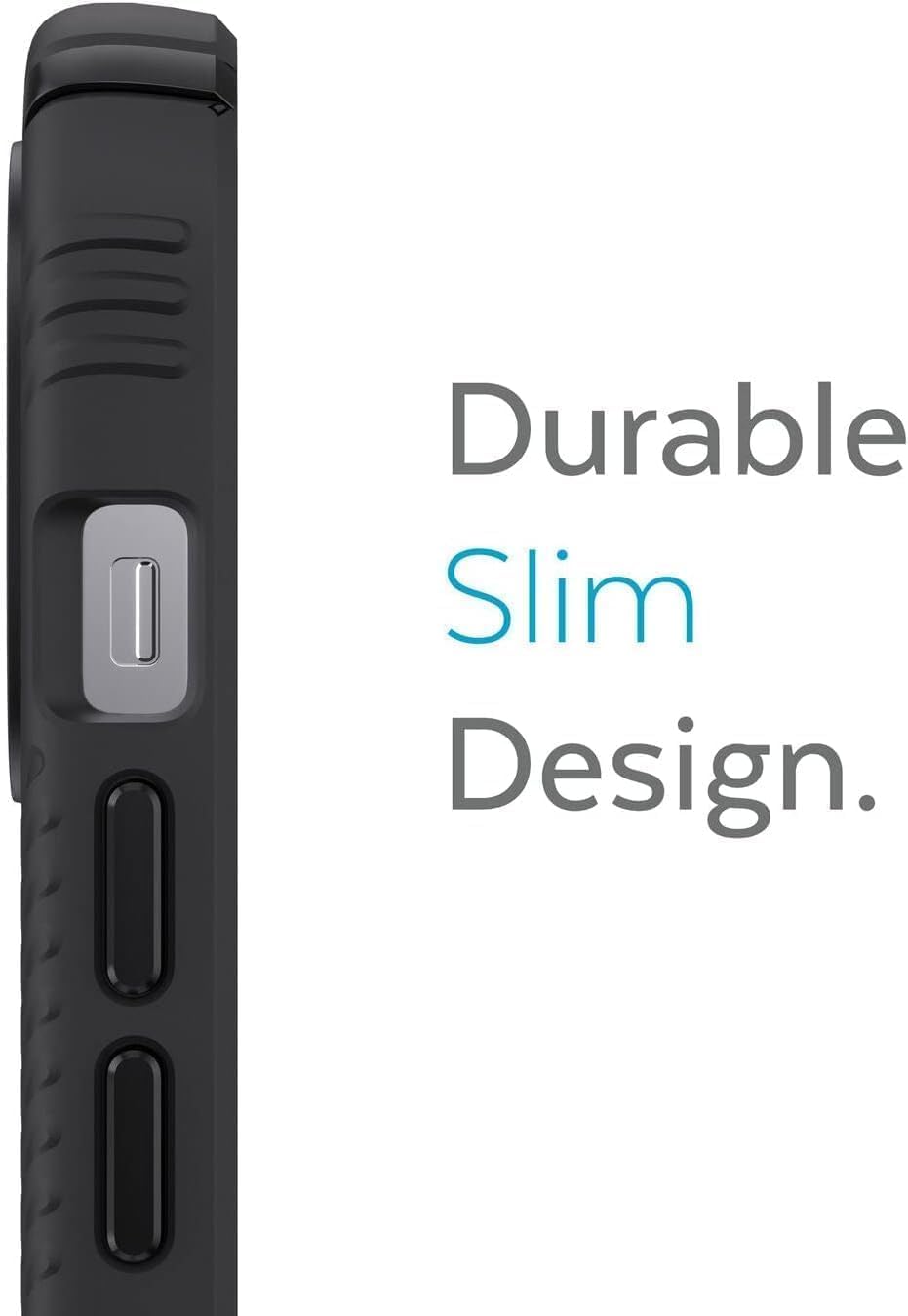
Durable Slim Design: This view emphasizes the slim profile of the case, showcasing how it adds minimal bulk to the iPhone while still providing robust protection. The design ensures the phone remains comfortable to hold and easy to slide into pockets or bags.

Accessible and Protected Ports: The image displays the precise cutouts at the bottom of the case, ensuring that the charging port, speakers, and microphone remain fully accessible. The design also provides protection around these openings, preventing dust and debris from entering.
3. Setup and Installation
Installing your Speck Presidio2 Grip iPhone Case is a straightforward process. Follow these steps to ensure a secure fit and maximum protection for your device.
- Clean Your Device: Before installation, ensure your iPhone 13 Pro Max or iPhone 12 Pro Max is clean and free of dust, dirt, or smudges. Use a soft, lint-free cloth if necessary.
- Align the Case: Hold your iPhone with the screen facing up. Align the top edge of the case with the top edge of your iPhone, ensuring the camera cutout on the case matches your phone's camera.
- Insert Top First: Gently push the top corners of your iPhone into the corresponding corners of the case.
- Snap into Place: Once the top is seated, apply gentle pressure to the bottom corners of your iPhone until it snaps securely into the case. Ensure all edges of the phone are fully enclosed by the case.
- Verify Fit: Check that all buttons (power, volume) are aligned with the case's button covers and that all ports (charging, speakers) are accessible through the cutouts.
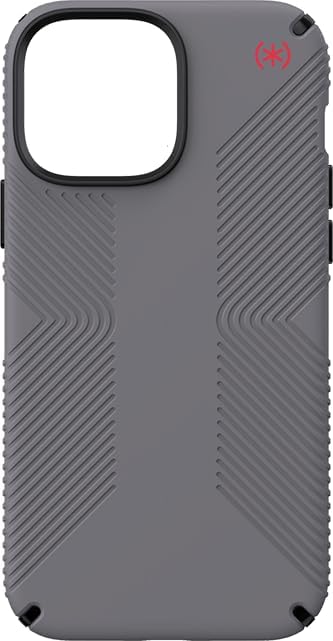
Case Ready for Installation: This image shows the overall design of the Speck Presidio2 Grip case, illustrating its form factor and the precise cutouts for the camera and buttons. It represents the case as it would appear before a phone is inserted, highlighting its readiness for installation.
4. Operation and Usage
Once installed, your Speck Presidio2 Grip iPhone Case requires no special operation. It is designed to seamlessly integrate with your iPhone, providing continuous protection and enhancing usability.
- Daily Protection: The case provides robust protection against everyday bumps, drops, and scratches, safeguarding your device during normal use.
- Enhanced Grip: The textured grip on the sides of the case is designed to improve handling and reduce the likelihood of accidental slips.
- Wireless Charging Compatibility: The case is designed to be compatible with most wireless charging pads, allowing you to charge your iPhone without removing the case.
- Button Responsiveness: The integrated button covers are engineered to maintain the tactile feel and responsiveness of your iPhone's native buttons.
- Port Accessibility: Precision cutouts ensure that the Lightning port, speakers, and microphone remain fully accessible for charging, audio, and communication.
5. Maintenance and Care
To keep your Speck Presidio2 Grip iPhone Case in optimal condition and ensure its longevity, follow these simple maintenance guidelines:
- Regular Cleaning: Wipe the case regularly with a soft, damp cloth to remove dust, dirt, and fingerprints. For stubborn stains, a mild soap solution can be used.
- Avoid Harsh Chemicals: Do not use abrasive cleaners, solvents, or strong chemicals, as these can damage the case's finish and material.
- Inspect Periodically: Periodically remove your iPhone from the case and inspect both the phone and the case for any trapped debris that could cause scratches. Clean as necessary.
- Avoid Extreme Temperatures: Do not expose the case to extreme heat or cold, as this can affect the material's integrity and performance.
6. Troubleshooting
While the Speck Presidio2 Grip iPhone Case is designed for durability and ease of use, you may encounter minor issues. Here are some common concerns and their solutions:
- Difficulty Installing/Removing Case:
Ensure your iPhone is correctly aligned with the case. For removal, gently peel back one corner of the case from the phone, then work your way around the edges. Avoid excessive force.
- Buttons Not Responsive:
Check that the iPhone is fully seated within the case and that the button covers are correctly aligned with the phone's buttons. Remove and re-install the case if necessary.
- Wireless Charging Issues:
Ensure your wireless charger is compatible with your iPhone model. If issues persist, try removing the case to confirm it's not interfering. Thick cases or foreign objects between the phone and charger can sometimes cause issues.
- Case Appears Dirty/Scratched:
Follow the cleaning instructions in the "Maintenance and Care" section. Minor scratches are normal wear and tear for protective cases.
7. Specifications
| Attribute | Detail |
|---|---|
| Product Name | Speck Presidio2 Grip iPhone Case |
| Model Number | 141735-D14vv |
| Brand | Speck |
| Compatible Phone Models | iPhone 13 Pro Max, iPhone 12 Pro Max |
| Color | Graphite Grey |
| Material | Polycarbonate |
| Product Dimensions (L x W x H) | 7.19 x 3.09 x 1.07 inches |
| Item Weight | 2.39 ounces |
| Special Features | Enhanced Grip, Raised Bezel, Raised Camera Ring, Drop Protection |
8. Warranty and Support
Speck products are designed for quality and durability. For information regarding the warranty coverage for your Speck Presidio2 Grip iPhone Case, please refer to the official Speck website or the warranty card included with your purchase.
For technical support, product inquiries, or assistance with any issues not covered in this manual, please contact Speck customer service directly.
- Speck Official Website: www.speckproducts.com
- Customer Support: Refer to the website for contact options (phone, email, chat).


