
Pak Pak-FW15
Pak Smart RGB+IC LED Light Bars (Model Pak-FW15) Instruction Manual
Your guide to setting up and operating your new smart lighting system.
Introduction
The Pak Smart RGB+IC LED Light Bars are designed to enhance your environment with dynamic and customizable lighting. Featuring advanced RGB+IC technology, these 15-inch light bars offer 16 million colors, music synchronization, and smart control options via app and voice assistants. This manual provides essential information for setup, operation, and maintenance to ensure optimal performance.
What's Included
Please verify that all components are present in the package:
- 2x Desktop RGB+IC Light Bars
- 2x Bases
- 1x USB Controller Cable
- 4x Adhesive Tapes
- 1x Instruction Manual

Image: Pak Smart RGB+IC LED Light Bars, showing the product and its retail packaging.
Setup
The light bars offer multiple placement options to suit your preference and environment.
Placement Options
- Flat Placement: Lay the light bars horizontally on a flat surface.
- Vertical Stand: Attach the provided bases to the bottom of each light bar to make them stand vertically.
- Mounted Placement: Use the included adhesive tapes to mount the light bars behind a monitor or TV for wall-washing effects.

Image: Demonstrates horizontal, vertical, and mounted placement options for the light bars.
Connecting the Power
- Connect the USB controller cable to the light bars.
- Plug the USB end of the controller cable into a compatible USB port (e.g., on a computer, TV, or USB wall adapter).
Video: An overview of the Pak Smart RGB+IC Light Bar, demonstrating its features and setup, including connecting the USB cable and various lighting effects.
Operating Instructions
Control Box Operation
The inline control box provides quick access to essential functions:
- "M" Button: Cycles through different light modes and turns off music sync.
- Power Button: Turns the light bars ON or OFF.
- Music Note Button: Activates the music sync function.

Image: The control box with clearly labeled buttons for mode, power, and music sync.
Smart App Control
For advanced customization and control, download the "Smart Life" app from your device's app store.
- Color Settings: Choose from 16 million colors and customize the color of each of the 20 segments on the light bar.
- Dynamic Modes: Select from 44 scene modes and 9 music modes.
- DIY Customization: Create personalized lighting effects and color combinations.
- Timer Setting: Schedule the lights to turn on or off automatically.

Image: The Smart Life app interface showing various customization options for the light bars.
Voice Control
The light bars are compatible with Alexa and Google Assistant for hands-free operation.
- Commands: Use voice commands to turn the lights on/off, change colors, or set specific modes.
- Integration: Ensure your light bars are connected to the "Smart Life" app and linked with your Alexa or Google Assistant account.

Image: Demonstrates voice control functionality with Alexa in a gaming environment.
Music Synchronization
The built-in internal microphone allows the light bars to synchronize with ambient sound or music, creating an immersive audio-visual experience.
- Activation: Activate music sync via the control box or the "Smart Life" app.
- Modes: Choose from 9 music modes to match different genres or moods.
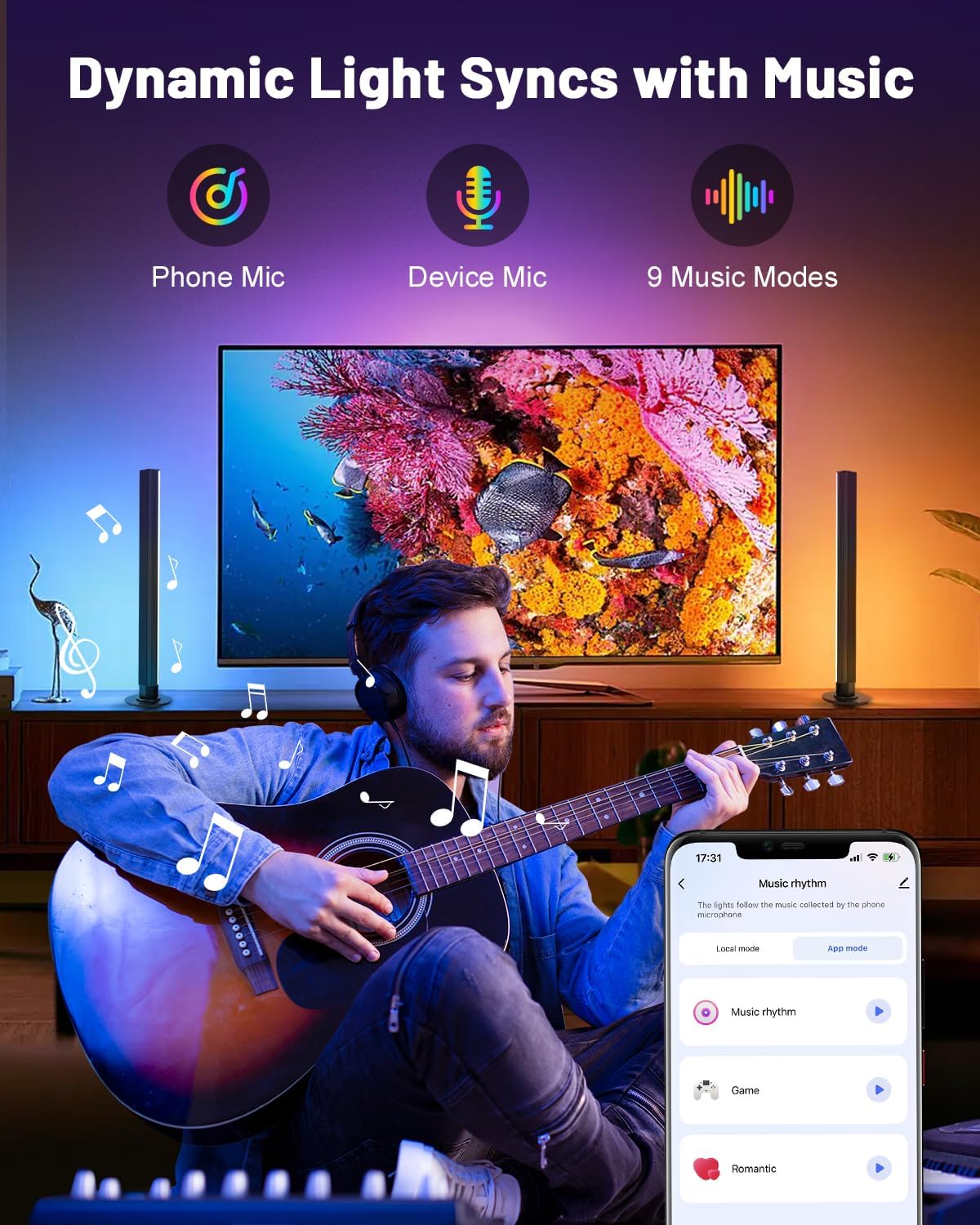
Image: Light bars dynamically changing colors in sync with music, controlled via the app.
Maintenance
The light bars are constructed with a durable aluminum alloy shell, which provides good heat dissipation and ensures safety to touch. To maintain optimal performance and appearance:
- Cleaning: Wipe the light bars with a soft, dry cloth. Avoid using abrasive cleaners or solvents.
- Placement: Ensure the light bars are placed in a well-ventilated area to prevent overheating.
- Water Resistance: These light bars are not water resistant. Avoid exposure to liquids.

Image: Highlights the robust aluminum alloy construction of the light bars for durability and heat dissipation.
Troubleshooting
If you encounter any issues with your Pak Smart RGB+IC LED Light Bars, please refer to the following common solutions:
- Lights not turning on:
- Ensure the USB cable is securely connected to both the light bars and the power source.
- Verify the power source (USB port/adapter) is functional.
- Press the power button on the control box.
- App connectivity issues:
- Make sure your smartphone's Bluetooth and Wi-Fi are enabled.
- Ensure the light bars are within range of your Wi-Fi router.
- Restart the "Smart Life" app and try reconnecting.
- Reset the light bars (refer to app instructions for specific reset procedures).
- Music sync not working:
- Ensure the music note button on the control box or the music sync mode in the app is activated.
- Check that the internal microphone is not obstructed.
- Increase the volume of the audio source.
Specifications
| Brand | Pak |
| Model | Pak-FW15 |
| Item Dimensions (L x W x H) | 15 x 3.8 x 2 inches |
| Item Weight | 1.12 pounds |
| Color | White |
| Wattage | 10 watts |
| Special Features | 16M Colors & Smart IC Control, 3-Way Control (App, Voice, Remote), DIY Customization & 44 Scenes, Durable Aluminum Design, Music Sync & 9 Dynamic Modes |
| Water Resistance Level | Not Water Resistant |
Warranty and Support
For warranty information or technical support, please refer to the contact details provided on the product packaging or visit the official Pak website. Keep your purchase receipt for warranty claims.
Ask a question about this manual
Ask about setup, troubleshooting, compatibility, parts, safety, or missing instructions. Manuals+ will review the question and use this page’s manual context to help answer it.