
HUSHLIGHT Portable Inverter Generator
HUSHLIGHT 2500W Portable Inverter Generator User Manual
Model: Portable Inverter Generator
1. Product Overview
The HUSHLIGHT 2500W Portable Inverter Generator is designed to provide clean, stable power for a variety of applications, from sensitive electronics to power tools. It features a pure sine wave inverter, ECO mode for fuel efficiency, and comprehensive safety features including a CO sensor and low oil shutoff.
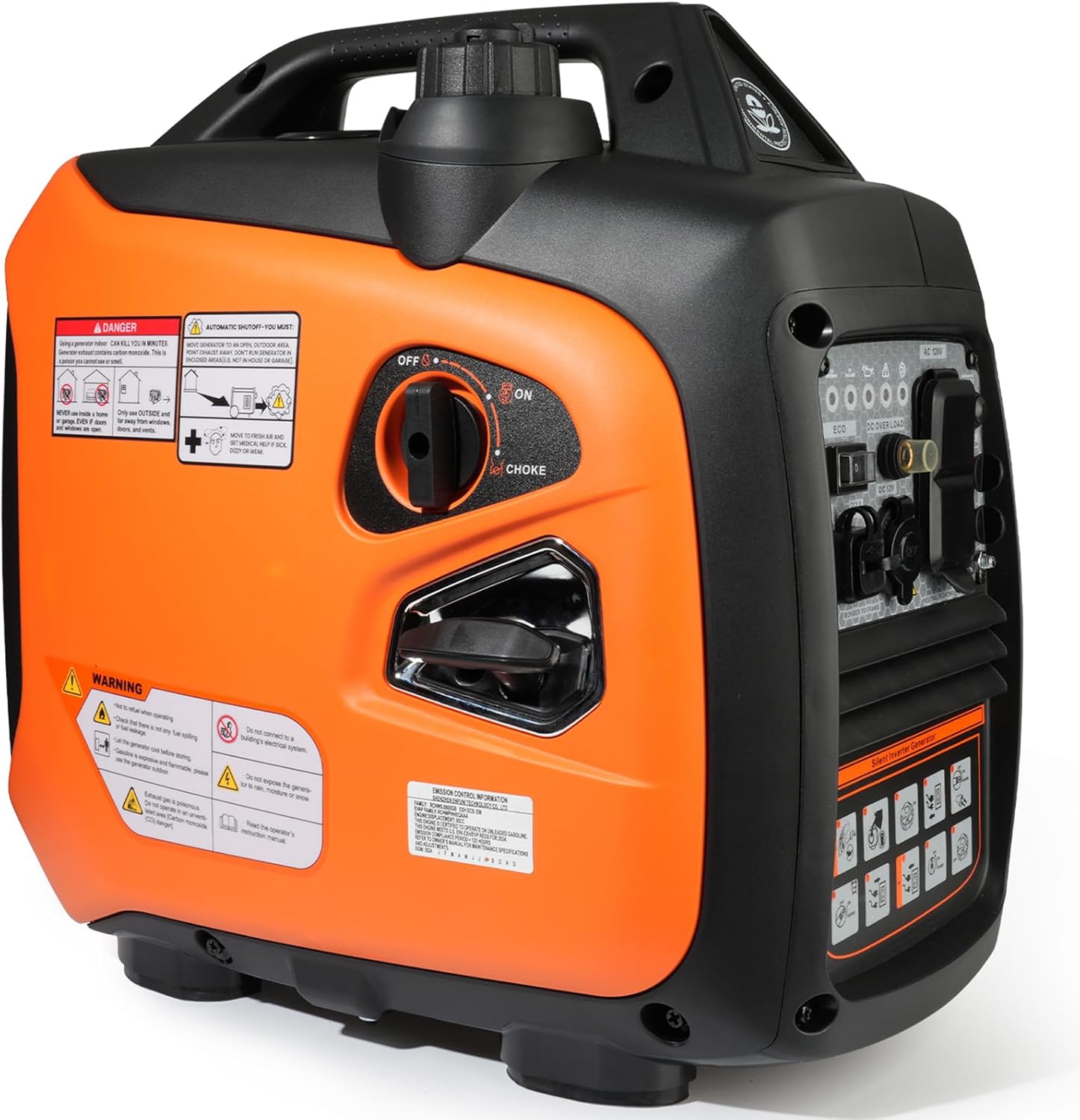
Figure 1: HUSHLIGHT 2500W Portable Inverter Generator. This image shows the overall design of the generator, highlighting its compact and portable nature.
Key Features:
- Powerful, Stable, Clean Output: Delivers 2500W peak / 1800W running power with a pure sine wave inverter, safe for sensitive devices like refrigerators, fans, laptops, or phones.
- Versatile Power Outlets: Features 2x120V AC outlets, 1x12V DC port, plus USB and Type-C ports to charge and power all your essentials.
- Fuel-Efficient Long Runtime: ECO mode plus a 1.1-gallon fuel tank delivers up to 9.5 hours of runtime at 25% load.
- Ultra-Quiet Operation: Operates at just 58 dBA (from 23 ft), ensuring whisper-quiet performance.
- Comprehensive Safety Features: Built-in CO sensor shuts off the engine if carbon monoxide levels rise, and includes low oil shutoff and overload protection.
- Portable & Lightweight: Weighing just 39 lbs with a convenient carry handle. Parallel-ready design lets you link two units for double power.

Figure 2: The generator connected to various devices, demonstrating its capability to power multiple electronics simultaneously, including laptops and mobile phones.
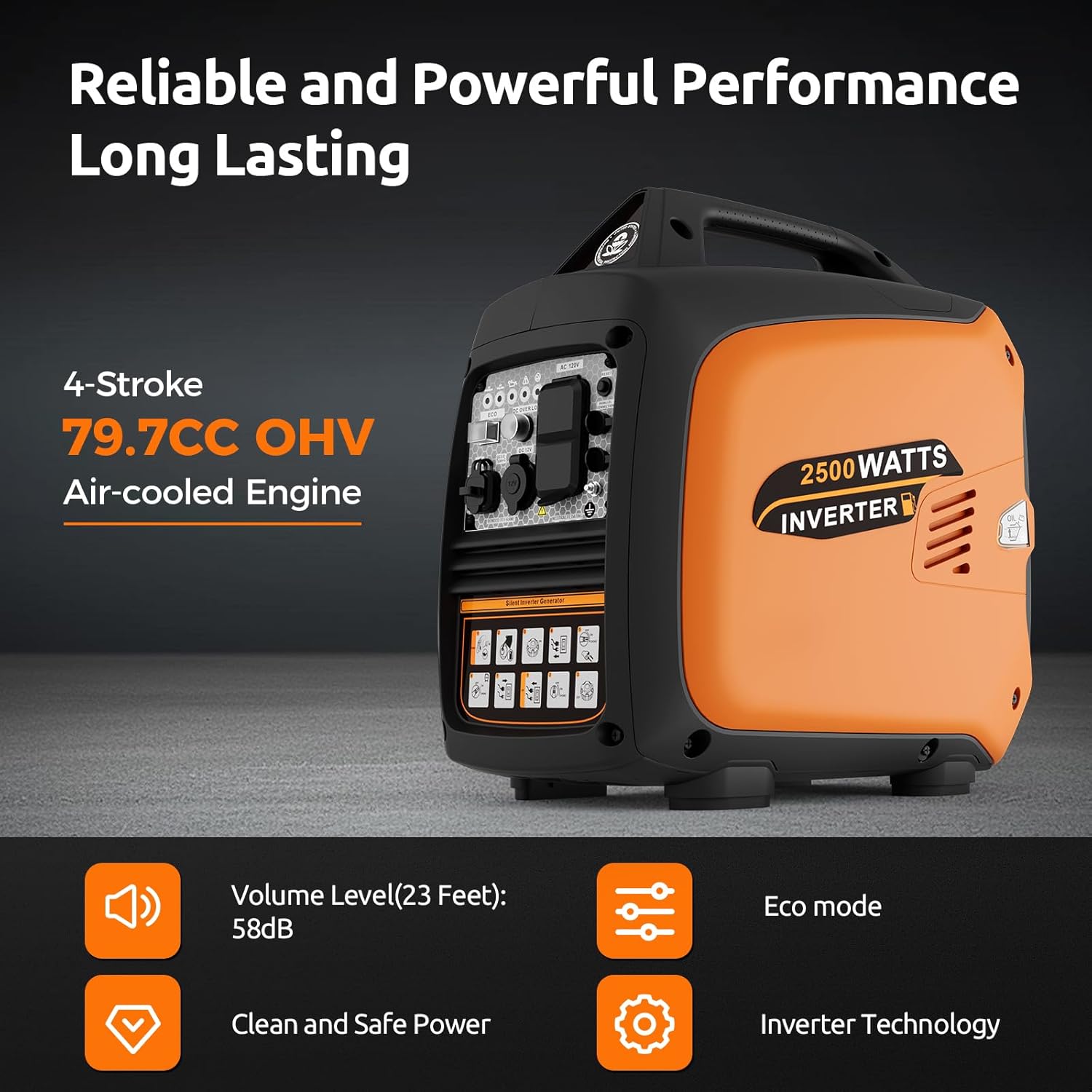
Figure 3: This image illustrates the internal components and technology of the generator, specifically highlighting its 4-stroke 79.7CC OHV air-cooled engine and inverter technology for clean power.

Figure 4: The generator in a camping environment, emphasizing its quiet operation at 58 dBA, which is comparable to a normal conversation.
2. Setup and Initial Operation
Before operating your HUSHLIGHT Portable Inverter Generator, ensure it is placed on a firm, level surface in a well-ventilated outdoor area. Follow these steps for initial setup:
- Unboxing and Inspection: Carefully remove the generator and all accessories from the packaging. Inspect for any damage. Included accessories are typically a user manual, screwdriver, socket wrench, and oil funnel.
- Add Engine Oil:
- Unscrew the side panel to access the engine oil port.
- Remove the oil dipstick/cap.
- Using the provided oil funnel, carefully add 4-cycle engine oil (SAE 10W-30 is recommended) to the engine. A common capacity is approximately 32 oz (0.95 liters), but always refer to the specific volume indicated in the manual or fill until the oil level reaches the upper mark on the dipstick when the generator is level.
- Reinsert the dipstick and tighten the side panel.
- Add Fuel:
- Ensure the generator is off and cool.
- Open the fuel tank cap.
- Pour fresh, unleaded gasoline into the fuel tank. Do not overfill.
- Securely close the fuel tank cap.
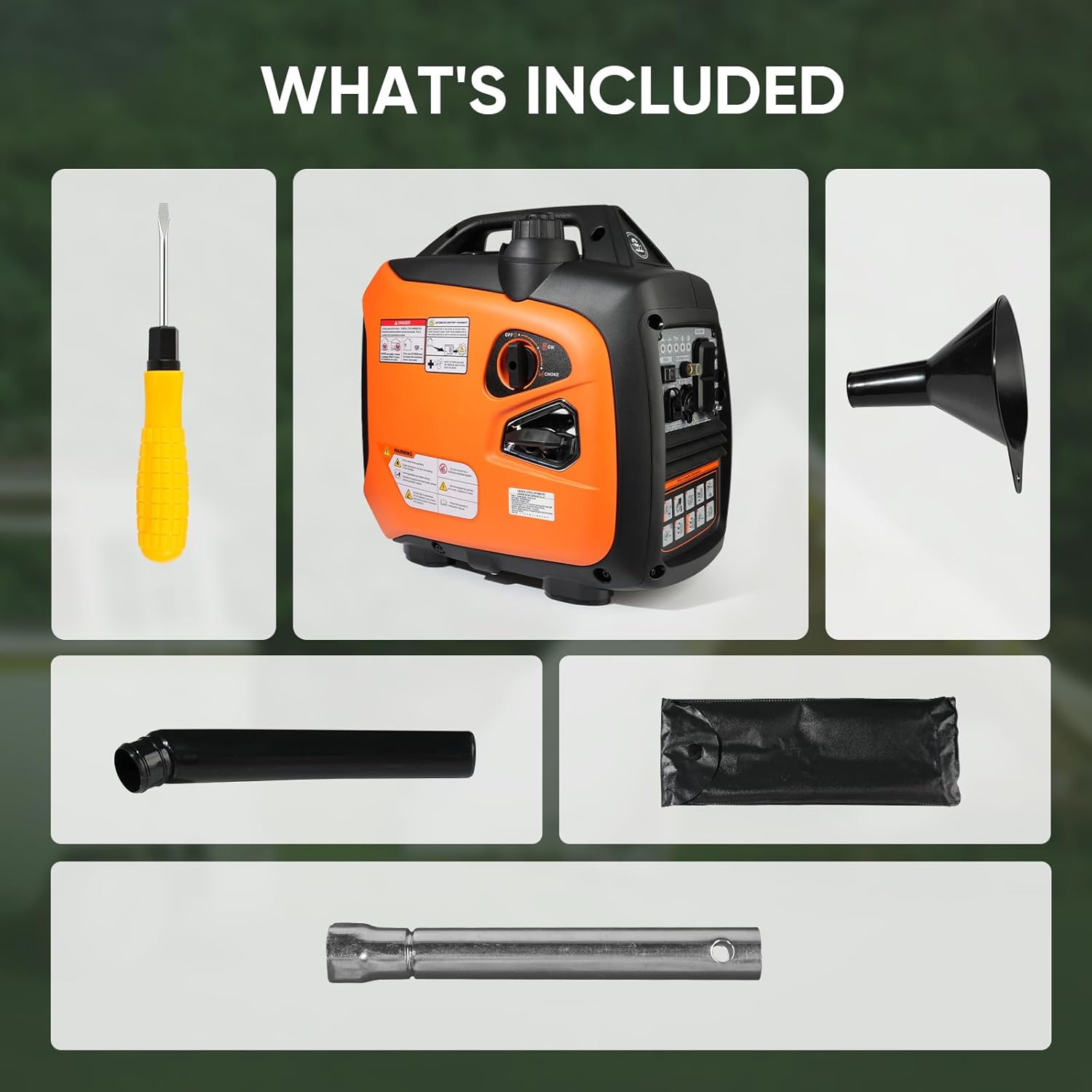
Figure 5: A visual representation of the items included with your generator, such as the screwdriver, oil funnel, and socket wrench.
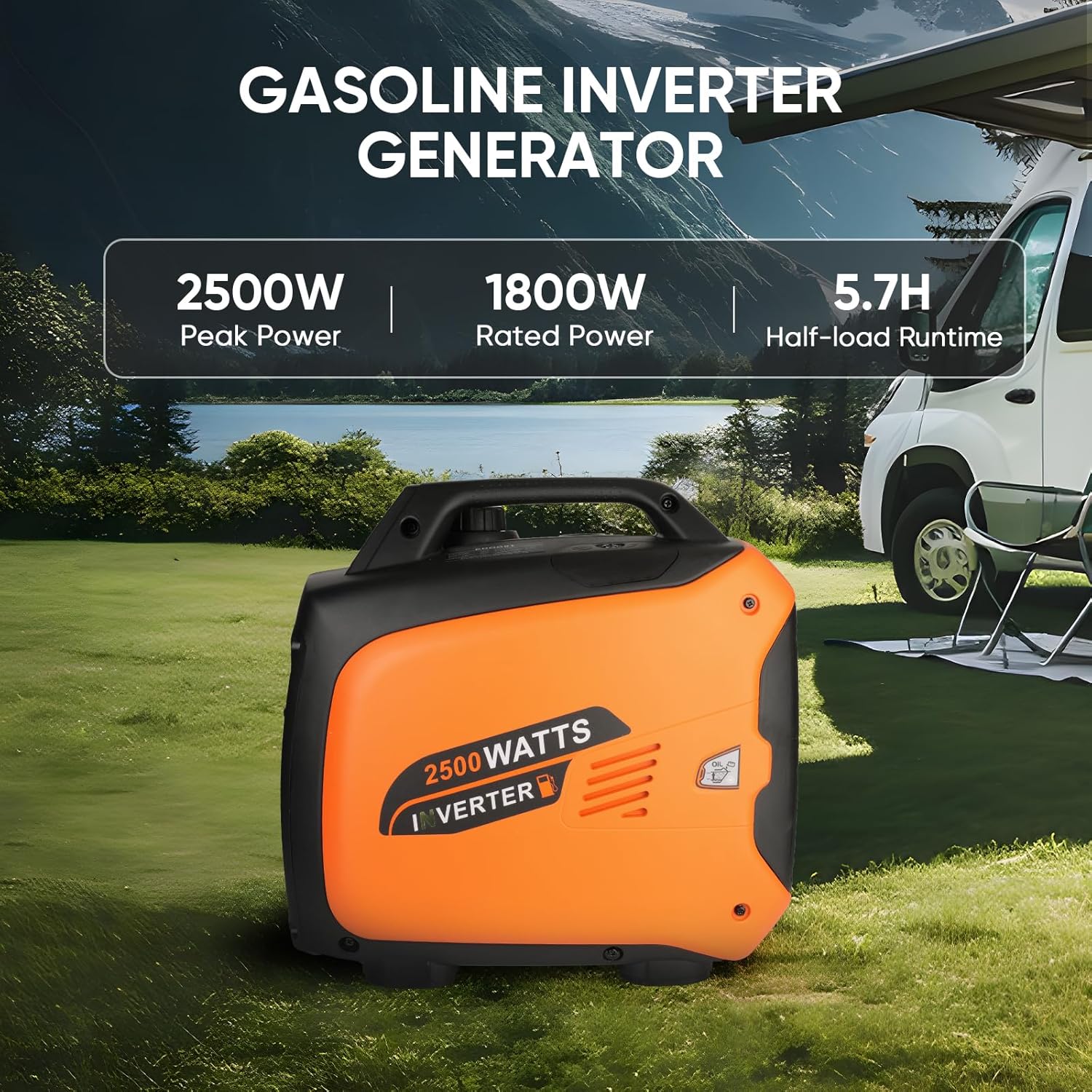
Figure 6: Step-by-step visual guide for initial setup, including adding engine oil and fuel.
Setup Video Guide:
Video 1: Official HUSHLIGHT Portable Inverter Generator Setup and Operation Guide. This video demonstrates the unboxing, adding oil and fuel, and the initial starting procedure of the generator.
3. Operating Instructions
Starting the Generator:
- Ensure the generator is on a level surface and all connections are secure.
- Turn the fuel cap switch to "ON".
- Press the engine switch to the "ON" position.
- Pull the choke knob out to the "CHOKE" position (for cold starts).
- Firmly pull the recoil starter handle until the engine starts.
- Once the engine starts, gradually push the choke knob into the "RUN" position.
Refer to Video 1 in the Setup section for a visual demonstration of the starting procedure.
Using ECO Mode:
The ECO mode automatically adjusts engine speed to match the load, saving fuel and reducing noise when demand is low. This is ideal for powering sensitive electronics or when only a small amount of power is needed.
- To activate ECO mode, press the ECO switch on the control panel to the "ON" position.
- To deactivate, press the ECO switch to the "OFF" position.

Figure 7: Close-up of the generator's control panel, detailing the ECO switch, CO overrun and failure lights, low oil indicator, DC overload indicator, and various power outlets.
Parallel Operation:
This generator is parallel-ready, allowing you to connect two units for increased power output. Consult the separate parallel kit instructions for detailed connection procedures.

Figure 8: Two HUSHLIGHT generators connected via a parallel kit, illustrating how to double the power output for higher demand applications.
4. Maintenance
Regular maintenance ensures the longevity and optimal performance of your generator. Always turn off the engine and allow it to cool before performing any maintenance.
- Engine Oil Check/Change: Regularly check the engine oil level before each use and change it according to the schedule in the full user manual.
- Air Filter Cleaning: Inspect and clean the air filter periodically to ensure proper engine breathing.
- Spark Plug Inspection: Check the spark plug for wear and proper gap. Replace if necessary.
- Fuel System: For long-term storage, drain the fuel tank and carburetor to prevent fuel degradation issues.
- General Cleaning: Keep the generator clean and free of debris.
For detailed maintenance schedules and procedures, please refer to the comprehensive user manual available for download.
5. Troubleshooting
This section provides solutions to common issues you might encounter with your generator.
| Problem | Possible Cause | Solution |
|---|---|---|
| Engine does not start | No fuel, low oil, choke not set correctly, engine switch off. | Add fuel, add oil, adjust choke, turn engine switch to ON. |
| No power output | Overload, circuit breaker tripped, ECO mode engaged with high load. | Reduce load, reset circuit breaker, disengage ECO mode if necessary. |
| CO Alarm activates / Engine shuts off | High carbon monoxide levels detected. | Move generator to a well-ventilated outdoor area. Do not operate indoors or in enclosed spaces. Allow generator to cool before restarting. |
| Low Oil Indicator (Yellow) is on | Engine oil level is too low. | Add recommended engine oil until the level is correct. |
If the problem persists after attempting these solutions, please contact HUSHLIGHT customer support.
6. Product Specifications
| Feature | Detail |
|---|---|
| Brand | HUSHLIGHT |
| Model Name | Portable Inverter Generator |
| Peak Wattage | 2500 watts |
| Running Wattage | 1800 watts |
| Fuel Type | Gasoline |
| Voltage | 120 Volts |
| Engine Type | 79.7CC OHV 4-Stroke Air-cooled Engine |
| Tank Volume | 1.1 Gallons |
| Noise Level | 58 dBA (from 23 ft) |
| Item Weight | 39 pounds |
| Product Dimensions (L x W x H) | 18"L x 11"W x 17.6"H |
| Special Features | CO Sensor and Eco Mode, Cold Start Technology, Fuel Efficient, Fuel Gauge, Lightweight, Low Oil Shutdown, Super Quiet, Parallel Capable |
7. Warranty and Support
Warranty Information:
The HUSHLIGHT Portable Inverter Generator comes with a 1-Year Warranty. This warranty covers defects in materials and workmanship under normal use.
Extended protection plans may be available for purchase:
- 3-Year Protection Plan
- 4-Year Protection Plan
- Complete Protect (monthly billing option)
Customer Support:
If you encounter any issues with your Portable Inverter Generator or require assistance, please reach out to HUSHLIGHT customer support. We are committed to providing trustworthy after-sales service and resolving any concerns promptly and efficiently.
For further details and a comprehensive guide, you can download the official User Manual (PDF): Download User Manual
Related documentsPortable Inverter Generator

Ask a question about this manual
Ask about setup, troubleshooting, compatibility, parts, safety, or missing instructions. Manuals+ will review the question and use this page’s manual context to help answer it.