
Introduction
The EWEADN X99 Wireless Mechanical Keyboard is a versatile and high-performance input device designed for various computing environments. It features three connectivity modes, a hot-swappable PCB, a gasket-mounted design for enhanced typing comfort, and a large 8000mAh battery for extended wireless use. This manual provides detailed instructions for setting up, operating, and maintaining your X99 keyboard.

Image: The EWEADN X99 Wireless Mechanical Keyboard, showcasing its 99-key layout and Berry Pink keycaps with RGB backlighting.
Package Contents
Please ensure all items are present in your package:
- EWEADN X99 Wireless Mechanical Keyboard
- USB Cable (Type-C)
- Keycaps-Switch Puller
- Spare Switch
Key Features
- Three Mode Connectivity: Supports Bluetooth 5.0, 2.4GHz wireless, and USB Type-C wired connections.
- Integrated Control Hub: Centralized knob for system/connection mode switching and volume adjustments.
- Long-Lasting Battery: Equipped with a massive 8000mAh battery for extended use.
- Gasket Mount Design: Features a five-layer sound-dampening structure for enhanced typing comfort and reduced noise.
- Durable PBT Double-Shot Keycaps: Resists wear and fading, ensuring long-lasting clarity of legends.
- Hot-Swappable PCB: Allows easy replacement of 3-pin/5-pin mechanical switches without soldering.
- Customizable RGB Lighting: Offers 16.8 million colors, dynamic lighting effects, music rhythm modes, and macro programming via driver software.
Setup Instructions
1. Charging the Keyboard
Before first use, it is recommended to fully charge the keyboard. Connect the provided USB Type-C cable to the keyboard's port and the other end to a USB power source (e.g., computer USB port, wall adapter). The 8000mAh battery typically takes 10-14 hours to fully charge.
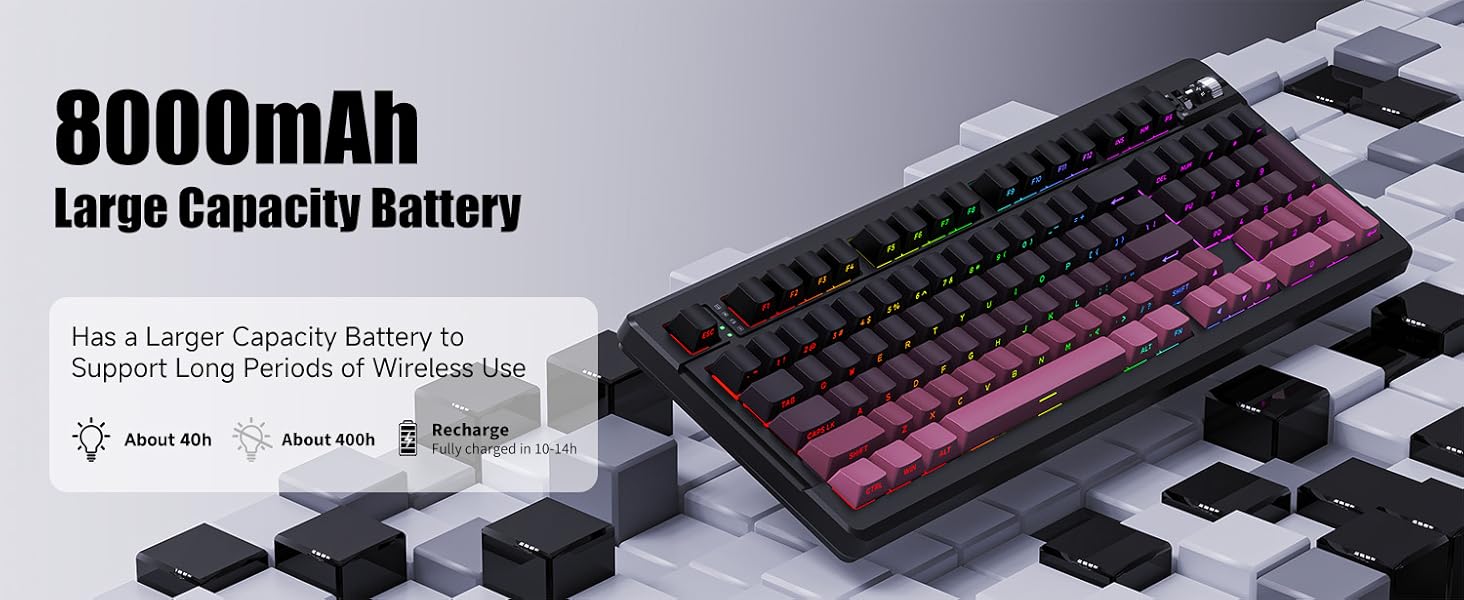
Image: Illustration highlighting the 8000mAh large capacity battery and its charging duration.
2. Connecting the Keyboard
The EWEADN X99 supports three connection modes: Bluetooth, 2.4GHz wireless, and USB-C wired. You can switch between these modes using the dedicated switch and knob located on the top right of the keyboard.
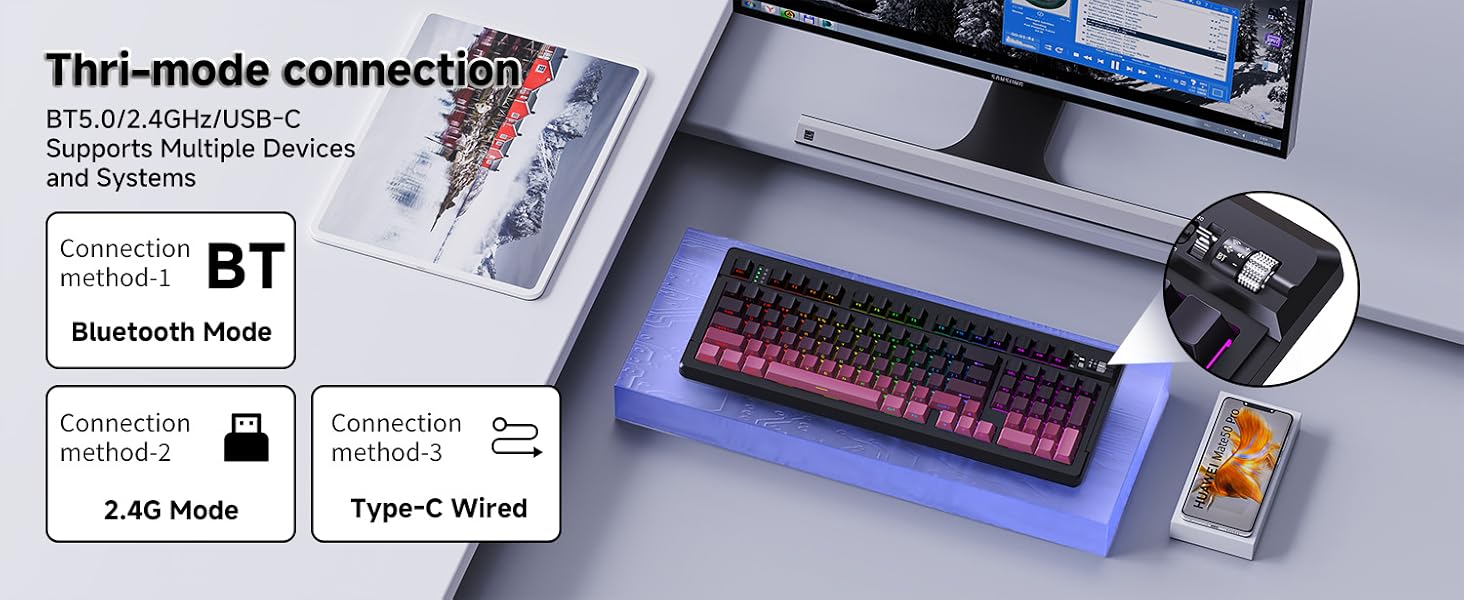
Image: Visual representation of the three connection methods: Bluetooth, 2.4GHz, and USB Type-C wired, with the keyboard connected to various devices.
2.1. USB Type-C Wired Mode
- Connect the USB Type-C cable to the keyboard and your computer.
- Ensure the mode switch on the keyboard is set to the wired (USB-C) icon.
- The keyboard will be automatically recognized by your system.
2.2. 2.4GHz Wireless Mode
- Locate the 2.4GHz USB receiver, typically stored in a compartment under the keyboard.
- Plug the USB receiver into an available USB port on your computer.
- Set the mode switch on the keyboard to the 2.4GHz wireless icon.
- The keyboard should connect automatically.
2.3. Bluetooth Mode
The X99 supports up to three Bluetooth devices simultaneously.
- Set the mode switch on the keyboard to the Bluetooth icon.
- Press and hold Fn + 1, Fn + 2, or Fn + 3 for 3-5 seconds until the corresponding indicator light flashes rapidly, indicating pairing mode.
- On your device (PC, laptop, tablet, Mac), go to Bluetooth settings and search for "EWEADN X99".
- Select the keyboard to pair. The indicator light will stop flashing once connected.
- To switch between paired Bluetooth devices, simply press Fn + 1, Fn + 2, or Fn + 3.
Video: A demonstration of the EWEADN X99 keyboard's RGB lighting effects and the functionality of its control knob and mode switch.
Operating Instructions
1. System Compatibility Switch
The X99 keyboard features a switch near the control knob to toggle between Mac and Windows operating system layouts. Ensure this switch is set correctly for optimal key functionality on your system.
2. Control Knob Functions
The multi-function knob located on the top right of the keyboard allows for quick adjustments:
- Rotate: Adjusts system volume.
- Press: Mutes/unmutes audio.
3. RGB Lighting Effects
The X99 keyboard offers 16.8 million RGB colors and various dynamic lighting effects. You can customize these effects using the dedicated driver software.
- Driver Software: Download the custom software from the official EWEADN website (refer to the product page or included documentation for the exact link). This software allows for:
- Customizing backlight effects and colors.
- Remapping keys.
- Recording macros.
- Music Rhythm Modes: Certain lighting modes can synchronize with audio playback.

Image: Screenshot of the custom software interface, demonstrating options for light effects, music rhythm, and macro editing.
4. Hot-Swappable Switches
The X99 features a hot-swappable PCB, allowing you to easily change mechanical switches (3-pin or 5-pin) without soldering. This enables customization of your typing experience.
- Use the provided keycap puller to gently remove the desired keycap.
- Use the switch puller to carefully grip and pull out the mechanical switch.
- Align the pins of the new switch with the holes on the PCB and gently push it in until it clicks into place. Ensure pins are straight to avoid bending.
- Replace the keycap.

Image: Diagram illustrating the hot-swappable mechanical switches, including the force-travel curve and switch components.
5. Gasket Mount Structure
The X99 keyboard incorporates a gasket mount design with five layers of sound-dampening materials. This structure provides a softer, more consistent typing feel and significantly reduces acoustic resonance, resulting in a quieter and more pleasant typing experience.

Image: Exploded view diagram detailing the layers of the gasket silent shock-absorbing structure, including PBT keycaps, switches, and various dampening materials.
Maintenance
Regular maintenance helps prolong the life and performance of your keyboard.
- Cleaning Keycaps: Use a soft, damp cloth to wipe down keycaps. For deeper cleaning, remove keycaps using the provided puller and clean with mild soap and water, ensuring they are completely dry before reattaching.
- Cleaning the Case: Wipe the keyboard case with a soft, dry cloth. Avoid abrasive cleaners or solvents.
- Dust Removal: Use compressed air to remove dust and debris from between keycaps and around switches.
- Battery Care: To maintain battery health, avoid fully discharging the keyboard frequently. Charge it when the battery indicator is low.
Troubleshooting
| Problem | Possible Cause | Solution |
|---|---|---|
| Keyboard not responding in wireless mode. | Low battery, incorrect mode selected, receiver not plugged in (2.4GHz), not paired (Bluetooth). | Charge the keyboard. Ensure the mode switch is set correctly. Re-insert the 2.4GHz receiver. Re-pair Bluetooth device. |
| Keys not registering or double-typing. | Loose or faulty switch, debris under keycap. | Remove keycap and switch, clean the area, re-insert switch firmly. If issue persists, replace the switch with a spare. |
| RGB lighting not working or incorrect. | Software settings, low battery. | Ensure keyboard is charged. Check RGB settings in the custom software. Try resetting lighting effects. |
| Bluetooth connection unstable. | Interference, distance from device, device Bluetooth issues. | Move closer to the device. Ensure no strong interference sources. Try re-pairing. Update Bluetooth drivers on your device. |
Specifications
| Feature | Detail |
|---|---|
| Model | X99 |
| Brand | SEUNKWANG (Manufacturer: EWEADN) |
| Connectivity | Bluetooth 5.0, 2.4GHz Wireless, USB Type-C Wired |
| Number of Keys | 99 |
| Keycap Material | PBT Double-Shot |
| Mounting Style | Gasket Mount with 5-layer sound dampening |
| Battery Capacity | 8000mAh |
| Backlighting | RGB (16.8 million colors) |
| Hot-Swappable | Yes (3-pin/5-pin mechanical switches) |
| Compatible Devices | Laptop, Gaming Console, PC, Tablet, Mac |
| Item Weight | 3.52 pounds (approx. 1.6 kg) |
| Dimensions | 16.22 x 6.10 x 1.33 inches (412 x 155 x 34 mm) |

Image: Diagram illustrating the physical dimensions of the EWEADN X99 keyboard.
Warranty and Support
SEUNKWANG provides comprehensive support for the EWEADN X99 keyboard. Your product is covered by a manufacturer's warranty for 360 days from the date of purchase.
- Customer Service: For any questions or concerns, please contact customer support. Responses are typically provided within 24 hours.
- Brand Support: EWEADN is committed to customer satisfaction and provides genuine brand support for all product details.
Image: Visual representation of EWEADN's brand support, highlighting 24-hour reply time and 360 days of manufacturer support.