1. Introduction
Thank you for purchasing the PYY JF-003pro Bladeless Tower Fan and Heater Combo. This appliance is designed to provide both cooling and heating functions, along with air filtration, for indoor environments. Please read this manual thoroughly before operation to ensure proper use, maintenance, and safety.
2. Important Safety Instructions
When using electrical appliances, basic precautions should always be followed to reduce the risk of fire, electric shock, and injury to persons, including the following:
- Read all instructions before using this appliance.
- This appliance features a bladeless design, making it safe for households with children and pets.
- Always unplug the appliance when not in use or before cleaning.
- Do not operate any appliance with a damaged cord or plug, or after the appliance malfunctions or has been dropped or damaged in any manner.
- Do not use outdoors. This appliance is designed for indoor use only.
- Do not run cord under carpeting. Do not cover cord with throw rugs, runners, or similar coverings. Arrange cord away from traffic area and where it will not be tripped over.
- To disconnect the appliance, turn controls to the OFF position, then remove the plug from the outlet.
- The appliance is equipped with tip-over protection and overheat protection for enhanced safety. If the unit tips over or overheats, it will automatically shut off.
- Do not insert or allow foreign objects to enter any ventilation or exhaust opening as this may cause an electric shock or fire, or damage the appliance.
- Use this appliance only as described in this manual. Any other use not recommended by the manufacturer may cause fire, electric shock, or injury to persons.
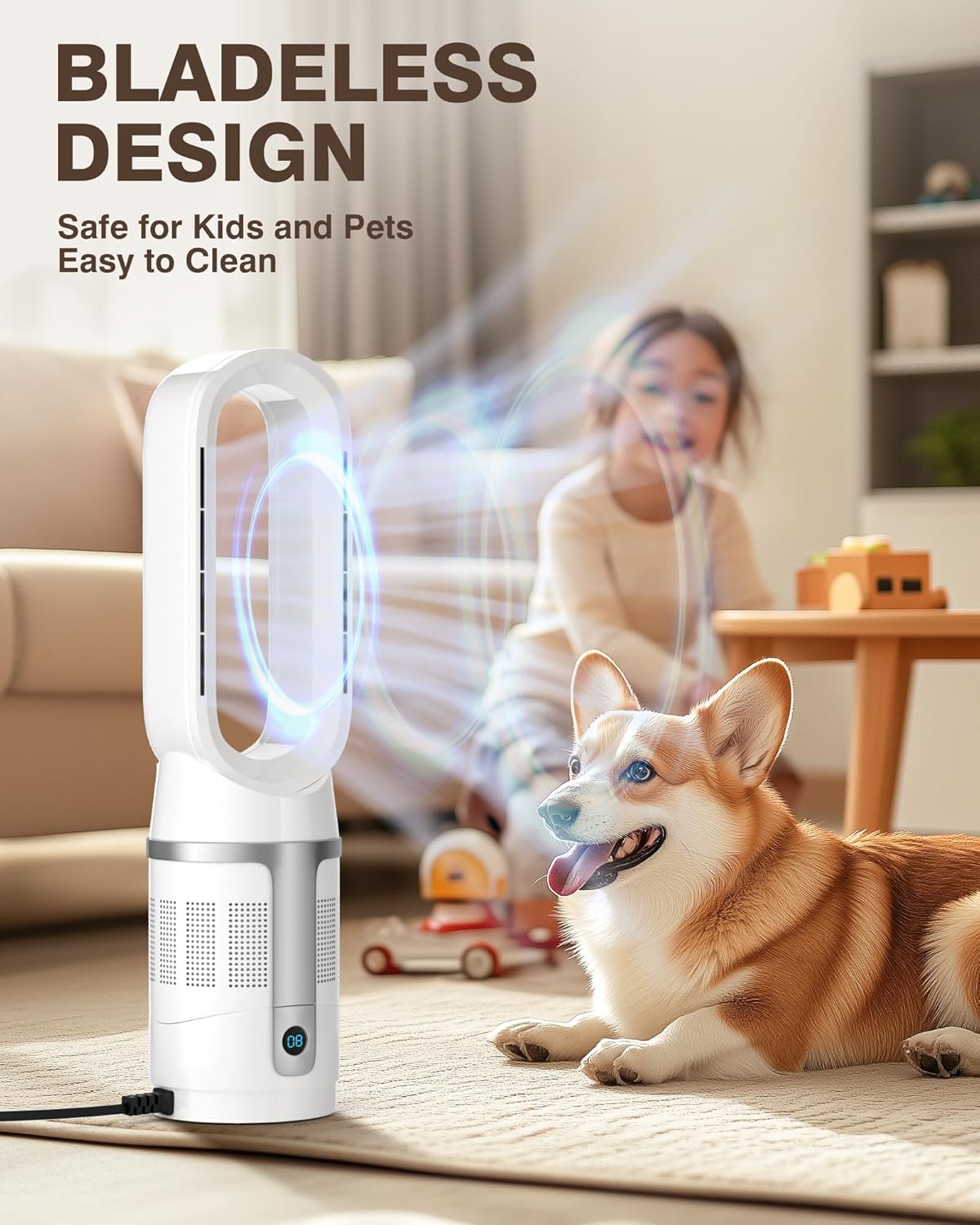
Image: The bladeless design ensures safety around children and pets.
3. Package Contents
- PYY JF-003pro Bladeless Tower Fan and Heater Combo
- Remote Control
- Power Cord (integrated)
- Filter (pre-installed or separate)
- User Manual

Image: The PYY JF-003pro unit, remote control, and included filters.
4. Setup
- Unpack the Unit: Carefully remove the PYY JF-003pro from its packaging. Retain packaging for future storage or transport.
- Placement: Place the unit on a firm, level surface. Ensure there is at least 12 inches (30 cm) of clear space around the unit for proper airflow. Do not block air inlets or outlets.
- Power Connection: Plug the power cord into a standard 110V AC electrical outlet. Ensure the outlet is in good condition and not overloaded.
- Remote Control Battery (if applicable): If the remote control requires batteries, insert them according to the polarity markings.

Image: The unit is suitable for placement in various indoor rooms such as bedrooms, living rooms, and offices.
5. Operating Instructions
The PYY JF-003pro can be operated using either the touch controls on the unit or the included remote control.
5.1 Power On/Off
- Press the Power button (O/I) on the unit or remote control to turn the appliance on or off.
5.2 Mode Selection (Cooling/Heating)
- Press the Mode button to switch between cooling (fan) and heating modes.
- In cooling mode, there are 8 fan speeds available.
- In heating mode, there are 3 heating levels available.
5.3 Fan Speed / Heating Level Adjustment
- Use the '+' and '-' buttons on the unit or remote to increase or decrease the fan speed (cooling) or heating level (heating).
5.4 Oscillation Function
- Press the Oscillation button (SWING) to activate or deactivate the 90° oscillation feature, which distributes air evenly across the room.
5.5 Timer Setting
- Press the Timer button to set the automatic shut-off timer. The timer can be set for up to 9 hours. Each press typically increases the timer by one hour.

Image: The unit offers customizable settings including various fan speeds and heating levels.

Image: Remote control operation for convenient adjustment of settings.
6. Maintenance
Regular maintenance ensures optimal performance and longevity of your PYY JF-003pro.
- Cleaning the Exterior:
Always unplug the unit before cleaning. Use a soft, damp cloth to wipe the exterior surfaces. Do not use abrasive cleaners or solvents. The bladeless design makes the unit easy to clean.
- Filter Maintenance:
The unit is equipped with an advanced filtration system. Regularly check and clean or replace the filter to maintain air quality and appliance efficiency. Refer to the filter compartment for specific instructions on removal and reinstallation.
- Storage:
If storing the unit for an extended period, unplug it, clean it thoroughly, and store it in a cool, dry place, preferably in its original packaging.

Image: The unit includes a HEPA filter for improved air quality.
7. Troubleshooting
If you encounter issues with your PYY JF-003pro, please refer to the following common problems and solutions:
| Problem | Possible Cause | Solution |
|---|---|---|
| Unit does not turn on. | Not plugged in; power outlet malfunction; unit's safety features activated. | Ensure the power cord is securely plugged into a working outlet. Check if the tip-over or overheat protection has been triggered (unplug, wait 5 minutes, then replug). |
| Weak airflow or heating. | Air inlets/outlets blocked; dirty filter. | Ensure no obstructions are blocking the air intake or output. Clean or replace the air filter. |
| Oscillation not working. | Oscillation function is off. | Press the Oscillation button on the unit or remote control to activate it. |
| Remote control not working. | Batteries are dead or incorrectly inserted; obstruction between remote and unit. | Replace batteries in the remote control. Ensure there is a clear line of sight between the remote and the unit's sensor. |
If the problem persists after attempting these solutions, please contact customer support.
8. Specifications
| Brand | PYY |
| Model Name | JF-003pro |
| Product Dimensions (D x W x H) | 6.69" x 6.69" x 25.98" |
| Item Weight | 7.2 Pounds |
| Power Source | Electric |
| Wattage (Heating) | 1300 watts |
| Wattage (Cooling Fan) | 40 watts |
| Voltage | 110 Volts |
| Noise Level | 30 dB (Quiet Operation) |
| Air Flow Capacity | 750 Cubic Feet Per Minute |
| Oscillation | 90° |
| Control Method | Remote, Touch |
| Special Features | Bladeless Design, High-Efficiency Filter, Tip-over Protection, Overheat Protection, 9-Hour Timer |
| Included Components | Cord |
| Indoor/Outdoor Usage | Indoor |
| UPC | 723747617293 |

Image: Dimensions of the PYY JF-003pro unit.
9. Warranty and Customer Support
PYY offers a one-year warranty for the JF-003pro Bladeless Tower Fan and Heater Combo from the date of purchase. This warranty covers manufacturing defects under normal use.
For any questions, concerns, or warranty claims, please contact PYY customer support. Our dedicated team is available to assist you and ensure a satisfactory experience with your product.
Please have your model number (JF-003pro) and proof of purchase ready when contacting support.


