
1. Introduction and Overview
Thank you for choosing the TECKNET Ergonomic Mouse. This vertical mouse is designed to provide a comfortable and natural hand position, reducing wrist strain and muscle tension during extended use. Featuring versatile connectivity options including 2.4GHz wireless and dual Bluetooth (BT5.0 and BT3.0), it allows seamless switching between up to three devices. Its adjustable DPI settings ensure precise control for various tasks, from daily computing to detailed graphic work. This manual provides detailed instructions for setup, operation, maintenance, and troubleshooting to help you get the most out of your new mouse.
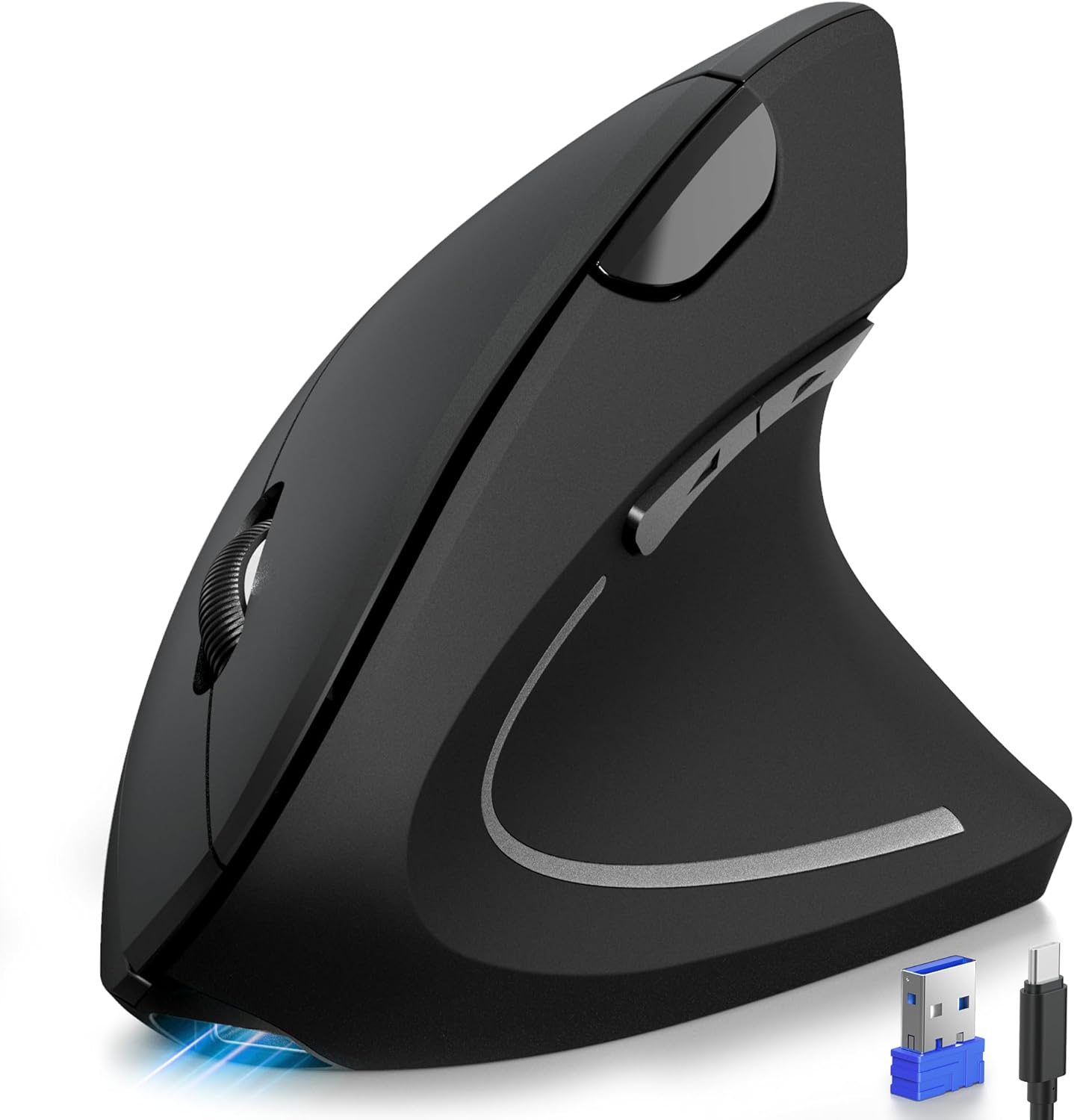
Image: The TECKNET Ergonomic Vertical Mouse, showcasing its unique upright design for improved wrist posture.
2. Product Features
- Multi-Device Connectivity: Connects via 2.4GHz USB-A receiver, Bluetooth 5.0, and Bluetooth 3.0, allowing you to switch between 3 devices effortlessly.
- Adjustable DPI: Offers 6 DPI levels (800/1200/1600/2400/3200/4800) for precise cursor control on various surfaces.
- Rechargeable Battery: Built-in 600mAh battery provides 1-2 months of intensive use on a single 1.5-hour charge via Type-C cable. Features Wake-on-Button and auto-sleep for power saving.
- Ergonomic Design: Vertical orientation promotes a natural handshake position, reducing muscle tension in the arm and wrist. Ideal for medium to large right hands.
- Silent Clicks: Designed for quiet operation, reducing click noise by 99% for a peaceful working environment.
- Convenient Navigation Buttons: Includes forward/back buttons for enhanced productivity during web browsing and email management. (Note: Side buttons are not compatible with Mac OS and are not programmable).
- Wide Compatibility: Compatible with Windows 11/10/8/7/XP/Vista, Mac OS/Linux/Android/iOS (10.4+).
Video: An official TECKNET video showcasing the ergonomic design and features of the Bluetooth Vertical Rechargeable Mouse.
3. What's in the Box
- TECKNET Ergonomic Mouse (Model: TK-MS007)
- USB Receiver × 1
- USB-C Data Cable × 1
- User Manual (this document)
4. Setup
4.1 Connecting Your Mouse
The TECKNET Ergonomic Mouse offers three connection modes: 2.4GHz wireless via USB receiver, Bluetooth 5.0, and Bluetooth 3.0. You can easily switch between these modes using the 3-mode switch button located on the bottom of the mouse.
2.4GHz Wireless Connection:
- Locate the USB receiver stored in the compartment on the bottom of the mouse.
- Plug the USB receiver into an available USB-A port on your computer.
- Turn on the mouse using the ON/OFF switch on the bottom. The mouse should automatically connect to your computer.
Bluetooth Connection (BT5.0 / BT3.0):
- Turn on the mouse using the ON/OFF switch on the bottom.
- Press the 3-mode switch button on the bottom of the mouse to select either BT1 (Bluetooth 5.0) or BT2 (Bluetooth 3.0) mode. The indicator light will flash slowly.
- On your device (laptop, PC, MacBook, iPad, etc.), go to Bluetooth settings and search for new devices.
- Select "TECKNET Mouse" from the list of available devices to pair. The indicator light will stop flashing once connected.

Image: The TECKNET mouse demonstrating its ability to connect to a laptop, desktop, and tablet simultaneously via 2.4G and Bluetooth connections.
4.2 Charging the Mouse
The mouse comes with a built-in rechargeable battery. When the battery is low, the charging indicator light will flash. Connect the included USB-C data cable to the charging port on the front of the mouse and the other end to a USB power source (e.g., computer USB port, USB wall adapter).
- A full charge takes approximately 1.5 hours.
- The mouse can last for 1-2 months of intensive use on a single full charge.
- The charging indicator light will illuminate during charging and turn off when fully charged.

Image: The TECKNET mouse connected via its USB-C charging cable, illustrating its long-lasting battery life and quick charge time.
5. Operating Instructions
5.1 DPI Adjustment
The mouse features a DPI switch button, typically located near the scroll wheel, allowing you to adjust cursor sensitivity on the fly. Press the DPI switch button to cycle through the available DPI settings:
- 800 DPI
- 1200 DPI
- 1600 DPI
- 2400 DPI
- 3200 DPI
- 4800 DPI
Choose the DPI setting that best suits your task and preference for optimal precision and speed.

Image: A diagram illustrating the 6-level high precision DPI adjustment feature of the TECKNET mouse, ranging from 800 to 4800 DPI.
5.2 Button Functions
- Left/Right Click: Standard mouse click functions.
- Scroll Wheel: Scroll up or down through documents and web pages. Can also be pressed for middle-click functionality.
- Forward/Back Buttons: Located on the side, these buttons allow for quick navigation in web browsers and file explorers. Please note: These side buttons are not compatible with Mac OS systems and are not programmable.
- DPI Switch Button: Changes the cursor sensitivity (DPI).
- 3-Mode Switch Button: Located on the bottom, switches between 2.4GHz, Bluetooth 5.0 (BT1), and Bluetooth 3.0 (BT2) modes.

Image: A user demonstrating the silent click feature of the TECKNET mouse in a quiet office environment.
6. Ergonomics and Comfort
The TECKNET Ergonomic Mouse is specifically designed to promote a natural and comfortable hand and wrist position, similar to a handshake. This vertical orientation helps to alleviate muscle tension and reduce the risk of repetitive strain injuries (RSI) such as carpal tunnel syndrome, commonly associated with traditional mouse usage.
The mouse dimensions (4.73 x 2.96 x 2.48 inches) are optimized for medium to large right hands, providing ample support and a comfortable grip. For optimal comfort, it is recommended to measure your hand prior to purchase to ensure a good fit.

Image: Illustration of the ergonomic design, showing how the vertical mouse promotes a natural hand and wrist position, reducing strain compared to traditional mice.

Image: A visual guide for determining suitable hand sizes (M-L) for the TECKNET Ergonomic Mouse, with measurements provided.
7. Maintenance
7.1 Cleaning
- To clean the mouse, use a soft, dry cloth.
- For stubborn dirt, slightly dampen the cloth with water or a mild cleaning solution. Avoid harsh chemicals or abrasive materials.
- Ensure no liquid enters the mouse's internal components.
7.2 Battery Care
- Charge the mouse regularly to maintain battery health.
- Avoid completely draining the battery frequently, as this can shorten its lifespan.
- Store the mouse in a cool, dry place when not in use for extended periods.
8. Troubleshooting
Common Issues and Solutions:
- Mouse not responding:
- Ensure the mouse is turned ON.
- Check battery level and charge if necessary.
- For 2.4GHz mode, ensure the USB receiver is securely plugged into a working USB port. Try a different USB port.
- For Bluetooth mode, ensure Bluetooth is enabled on your device and the mouse is correctly paired. Try re-pairing the mouse.
- Try restarting your computer/device.
- Erratic cursor movement:
- Clean the optical sensor on the bottom of the mouse.
- Ensure you are using the mouse on a suitable surface (non-reflective, non-glass).
- Adjust the DPI setting to a lower value.
- Side buttons not working on Mac OS:
- This is a known compatibility limitation. The forward/back buttons are not supported on Mac OS. All buttons are not programmable.
9. Specifications
| Feature | Detail |
|---|---|
| Model Number | TK-MS007 |
| Connectivity Technology | Bluetooth (BT5.0, BT3.0), 2.4GHz Wireless (USB Receiver) |
| DPI Levels | 800/1200/1600/2400/3200/4800 |
| Battery Type | 1 Lithium Polymer battery (included) |
| Battery Capacity | 600 mAh |
| Charging Port | USB Type-C |
| Product Dimensions | 4.73 x 2.96 x 2.48 inches (12 x 7.5 x 6.3 cm) |
| Item Weight | 4.2 ounces |
| Movement Detection Technology | Optical |
| Color | Black |
| Manufacturer | TECKNET |
| Country of Origin | China |
10. Warranty and Support
TECKNET provides 36 months of support for registered users of this product. For any inquiries, technical assistance, or warranty claims, please refer to the contact information provided on the official TECKNET website or the product packaging.
Please retain your proof of purchase for warranty purposes.


