
1. Introduction
Welcome to the world of wireless audio with your new Care Bears Bluetooth Wireless Earbuds! These earbuds, featuring the adorable Share Bear design, offer high-quality sound and hands-free communication. This manual will guide you through the process of setting up, operating, and maintaining your earbuds to ensure a delightful audio experience.
2. What's in the Box
- Care Bears Bluetooth Wireless Earbuds (Left and Right)
- Care Bears Share Bear Charging Case
- USB-C Charging Cable
- User Manual (this document)
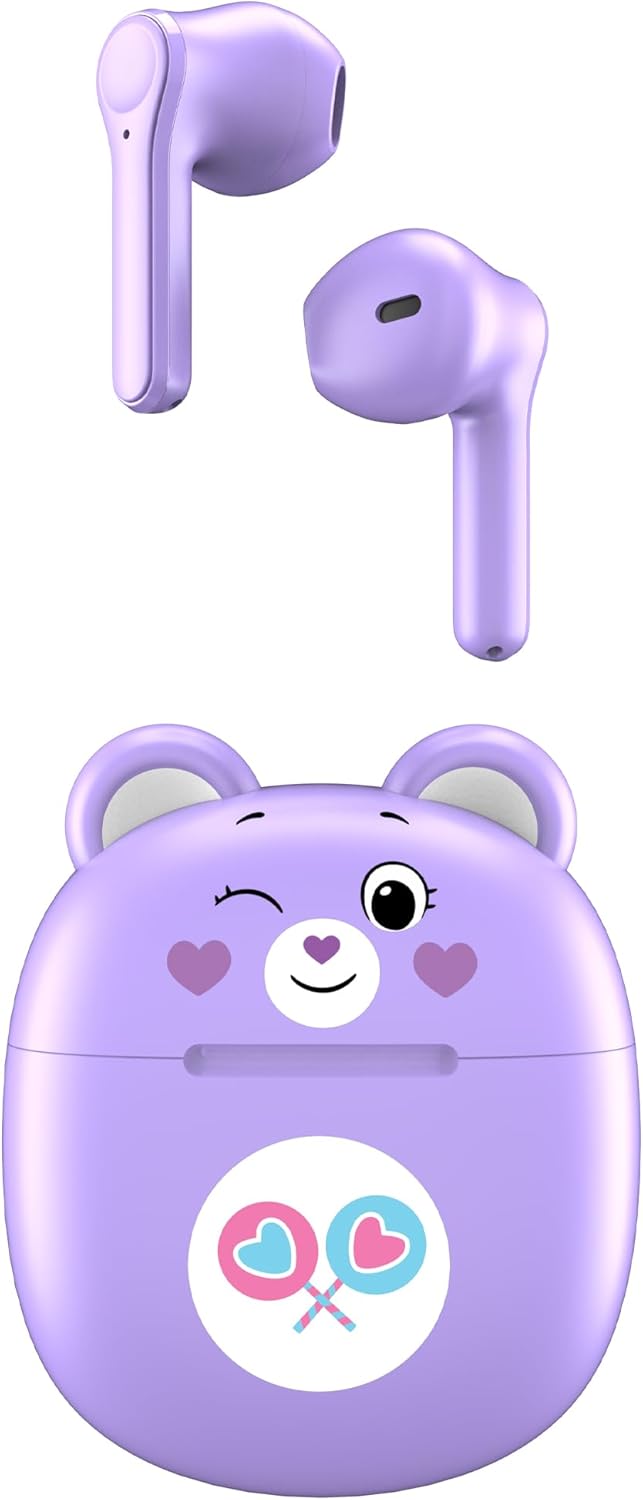
Image: Care Bears Share Bear Wireless Earbuds and their matching charging case.
3. Setup
3.1 Charging the Earbuds and Case
Before first use, fully charge the earbuds and charging case. The portable charging case provides up to 30 hours of playback time.
- Place the earbuds into their respective slots in the charging case. Ensure they are seated correctly.
- Connect the provided USB-C charging cable to the charging port on the back of the case.
- Connect the other end of the USB-C cable to a compatible USB power source (e.g., wall adapter, computer USB port).
- The indicator lights on the charging case will illuminate to show charging status. Once fully charged, the lights may change color or turn off depending on the model.

Image: The Care Bears Share Bear charging case open, showing the earbuds inside and charging contacts.
3.2 Bluetooth Pairing
Follow these steps to pair your earbuds with your Bluetooth-enabled device:
- Ensure the earbuds are charged and placed inside the charging case.
- Open the charging case lid. The earbuds will automatically enter pairing mode, indicated by a flashing LED light on the earbuds.
- On your device (smartphone, tablet, etc.), go to the Bluetooth settings.
- Search for available Bluetooth devices. You should see "CBSBTWS101-MFN" or a similar name listed.
- Select the earbuds from the list to connect. Once connected, the LED light on the earbuds will stop flashing or change to a solid color.
- The earbuds are now ready for use.
4. Operating Instructions
Your Care Bears earbuds feature touch controls for easy management of audio and calls.
- Power On: Open the charging case lid. The earbuds will automatically power on.
- Power Off: Place the earbuds back into the charging case and close the lid. They will automatically power off and begin charging.
- Play/Pause: Tap either earbud once.
- Next Track: Double-tap the right earbud.
- Previous Track: Double-tap the left earbud.
- Answer/End Call: Tap either earbud once during an incoming call.
- Reject Call: Press and hold either earbud for 2 seconds during an incoming call.
- Activate Voice Assistant: Triple-tap either earbud.
- Volume Control: Adjust volume directly from your connected device.
5. Maintenance
To ensure the longevity and optimal performance of your earbuds, follow these maintenance guidelines:
- Cleaning: Regularly clean the earbuds and charging case with a soft, dry, lint-free cloth. Do not use harsh chemicals or abrasive materials.
- Charging Contacts: Ensure the charging contacts on both the earbuds and inside the case are clean and free of debris to maintain proper charging.
- Storage: When not in use, store the earbuds in their charging case to protect them and keep them charged.
- Avoid Extreme Conditions: Do not expose the earbuds to extreme temperatures, humidity, or liquids.
6. Troubleshooting
If you encounter any issues with your earbuds, refer to the following common solutions:
- Earbuds not pairing:
- Ensure both earbuds are charged.
- Turn off Bluetooth on your device, then turn it back on.
- Forget the device from your Bluetooth list and try pairing again.
- Ensure the earbuds are within the effective range of your device (typically 10 meters/33 feet).
- No sound from one or both earbuds:
- Check the volume level on your device.
- Ensure the earbuds are properly connected to your device.
- Try resetting the earbuds by placing them in the case, closing the lid, and then reopening it.
- Charging issues:
- Verify the USB-C cable is securely connected to both the case and the power source.
- Try a different USB-C cable or power adapter.
- Clean the charging contacts on the earbuds and inside the case.
7. Specifications
| Feature | Specification |
|---|---|
| Model Name | Care Bears Bluetooth Wireless Earbuds with Charging Case - Share Bear Design |
| Model Number | CBSBTWS101-MFN |
| Brand | Care Bears |
| Connectivity Technology | Bluetooth |
| Wireless Communication Technology | Bluetooth |
| Battery Life | Up to 30 Hours (with charging case) |
| Earpiece Shape | Bud |
| Ear Placement | In Ear |
| Form Factor | In Ear |
| Material | Plastic, Silicone |
| Included Components | Charging Case |
| Item Weight | 4.2 ounces (0.26 Pounds) |
| Manufacturer | Southern Telecom |
| UPC | 680079024888 |
8. Warranty and Support
For warranty information and customer support, please refer to the documentation included with your purchase or contact the manufacturer directly. Keep your proof of purchase for any warranty claims.
