
Introduction
Thank you for choosing the Canopy Bedside Humidifier 2.0. This manual provides essential information for the proper setup, operation, and maintenance of your humidifier. Designed to optimize your living space, this device helps maintain ideal humidity levels, contributing to hydrated skin, improved breathing, and a comfortable environment.

Image: The Canopy Bedside Humidifier 2.0 unit.
Product Overview & What's Included
The Canopy Bedside Humidifier 2.0 is an advanced evaporative humidifier featuring a proprietary filter, a quiet fan system, and integrated lighting and white noise functions. It is designed for ease of use and maintenance.
Package Contents:
- Canopy Bedside Humidifier 2.0 Unit
- Proprietary Filter
- Power Cord & Adapter
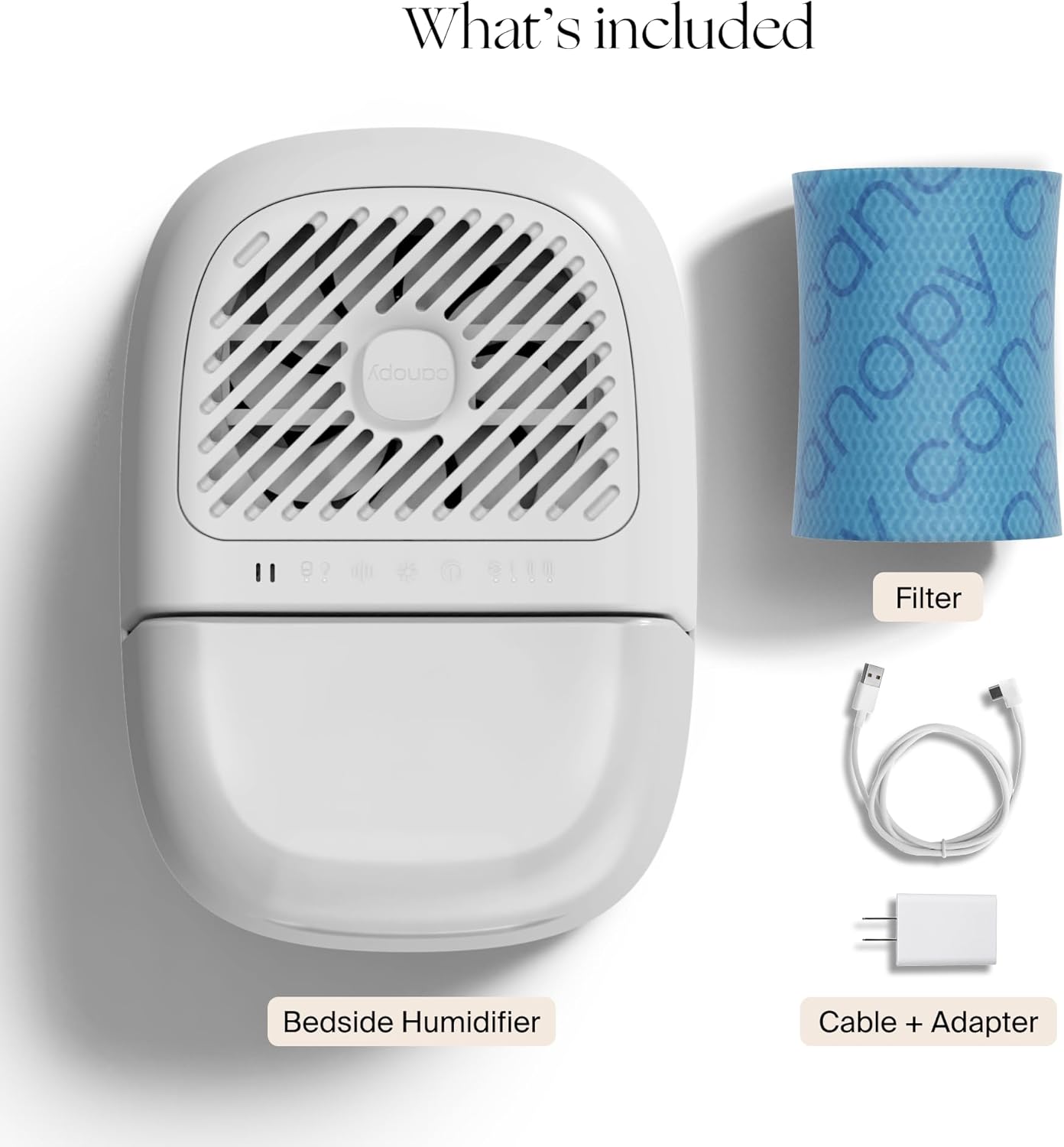
Image: Components included with the Canopy Bedside Humidifier 2.0.
Setup
- Placement: Place the humidifier on a flat, stable surface in your desired room (e.g., bedroom, living room, office). Ensure adequate space around the unit for optimal airflow.
- Fill Water Tank: Remove the water tank from the unit. Fill the tank with clean tap water. The large tank opening facilitates easy filling.
- Insert Filter: Ensure the proprietary filter is correctly seated in its designated compartment within the unit.
- Connect Power: Plug the power cord into the humidifier and then into a standard electrical outlet.
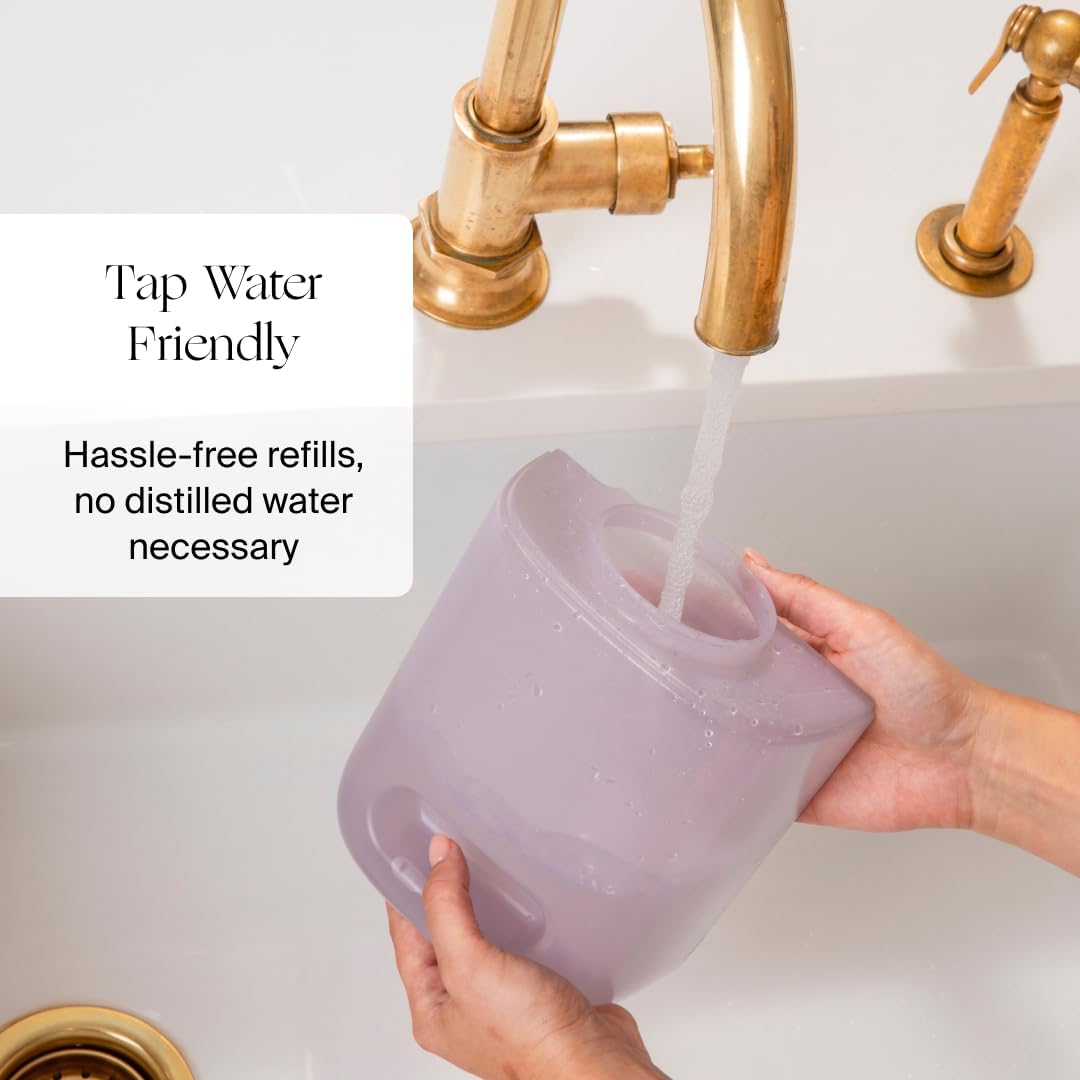
Image: Filling the humidifier's water tank with tap water.
Operating Instructions
- Power On/Off: Press the power button to turn the humidifier on or off.
- Auto Mode: Upon powering on, the humidifier defaults to Auto Mode. In this mode, smart sensors automatically adjust the fan speed to maintain optimal humidity levels.
- Manual Fan Speed: To manually adjust fan speed, press the fan speed button to cycle through low, medium, and high settings.
- Reading Light: Activate the reading light by pressing the light button. The light is dimmable.
- White Noise: The humidifier includes a white noise setting. Press the white noise button to activate and adjust volume levels.
- Aroma Diffusion: Place an aroma puck (sold separately) on the designated spot on top of the unit. Add a few drops of essential oil to the puck for clean and safe aroma diffusion.
Features
- Unique Mold-Inhibiting Technology: The humidifier utilizes Smart Persistent Airflow, ensuring the unit runs until completely dry to inhibit mold growth. A proprietary filter with a pre-filter and antimicrobial core catches contaminants, metals, minerals, and dust. Built-in UV technology purifies water before evaporation.
- Dishwasher Safe Parts: For effortless cleaning, the tank, tray, grill, spacer, and cap are dishwasher safe. The large tank opening also allows for easy manual cleaning.
- Extended Run Time & Capacity: With a 2.5-liter capacity, the humidifier can operate for up to 36 hours on a full tank, reducing the frequency of refills.
- Integrated Lighting & White Noise: Features a dimmable reading light and a white noise function for enhanced comfort and sleep quality.

Image: Key features: Easy Clean, Mold Inhibiting, Mist Free.

Image: Diagram illustrating the humidifier's unique technology and components.
Maintenance
- Cleaning: Regularly clean the dishwasher-safe components (tank, tray, grill, spacer, and cap) to prevent mineral buildup and maintain optimal performance.
- Filter Replacement: The proprietary filter should be replaced approximately every 6-8 weeks, depending on usage and water quality. The unit will indicate when a filter change is needed.

Image: Comparison of a new and used paper filter, demonstrating its function.
Troubleshooting
- Water Indicator: If the water indicator light illuminates, the water tank is low or empty and needs refilling.
- Filter Indicator: If the filter indicator light illuminates, it is time to replace the humidifier's filter.
- No Mist: The Canopy Humidifier is designed for mist-free operation, invisibly dispersing clean, hydrated air. The absence of visible mist is normal.
- Unit Not Operating: Ensure the power cord is securely plugged into both the unit and the electrical outlet. Check if the water tank is properly seated and filled.
Specifications
| Attribute | Detail |
|---|---|
| Brand | Canopy |
| Model | Bedside Humidifier 2.0 |
| Capacity | 2.5 Liters |
| Run Time | Up to 36 Hours |
| Dimensions (D x W x H) | 11.6" x 8.9" x 10.5" |
| Item Weight | 4.34 pounds (1.97 Kilograms) |
| Room Type | Bedroom |
| Special Features | Auto Shut Off, Reading Light, White Noise, Mold-Inhibiting Technology, Dishwasher Safe Parts, UV Technology, Aroma Diffusion |
| UPC | 850066417195 |
Warranty and Support
Canopy offers a 60-day guarantee on this product. For detailed warranty information, product support, or to contact customer service, please refer to the official Canopy website or your purchase documentation.


