
1. Introduction
The Promate AirClip True Wireless Earbuds feature Open Wearable Stereo (OWS) technology, providing an open-ear listening experience. This design allows for enhanced environmental awareness while delivering clear audio. The earbuds are equipped with IntelliTouch controls and an ergonomic clip design for stable wear.

Image: Promate AirClip True Wireless Earbuds in their white charging case.

Image: Close-up of Promate AirClip earbuds highlighting the Open Wearable Stereo (OWS) clip-on design.
2. Package Contents
Please verify that all items are present in your package:
- Promate AirClip True Wireless Earbuds (Left and Right)
- Charging Case
- USB Charging Cable
- User Manual

Image: The Promate AirClip earbuds and their charging case, representing the main components.
3. Setup
3.1 Charging the Earbuds and Case
Before first use, fully charge the earbuds and charging case. The charging case has a 500mAh battery, providing extended playtime.
- Connect the provided USB charging cable to the charging port on the case and to a compatible USB power source.
- The indicator light on the charging case will show the charging status.
- Place the earbuds into the charging case. Ensure they are correctly seated to initiate charging.
- A full charge for the case takes approximately 2-3 hours, and for the earbuds, it takes about 30 minutes.
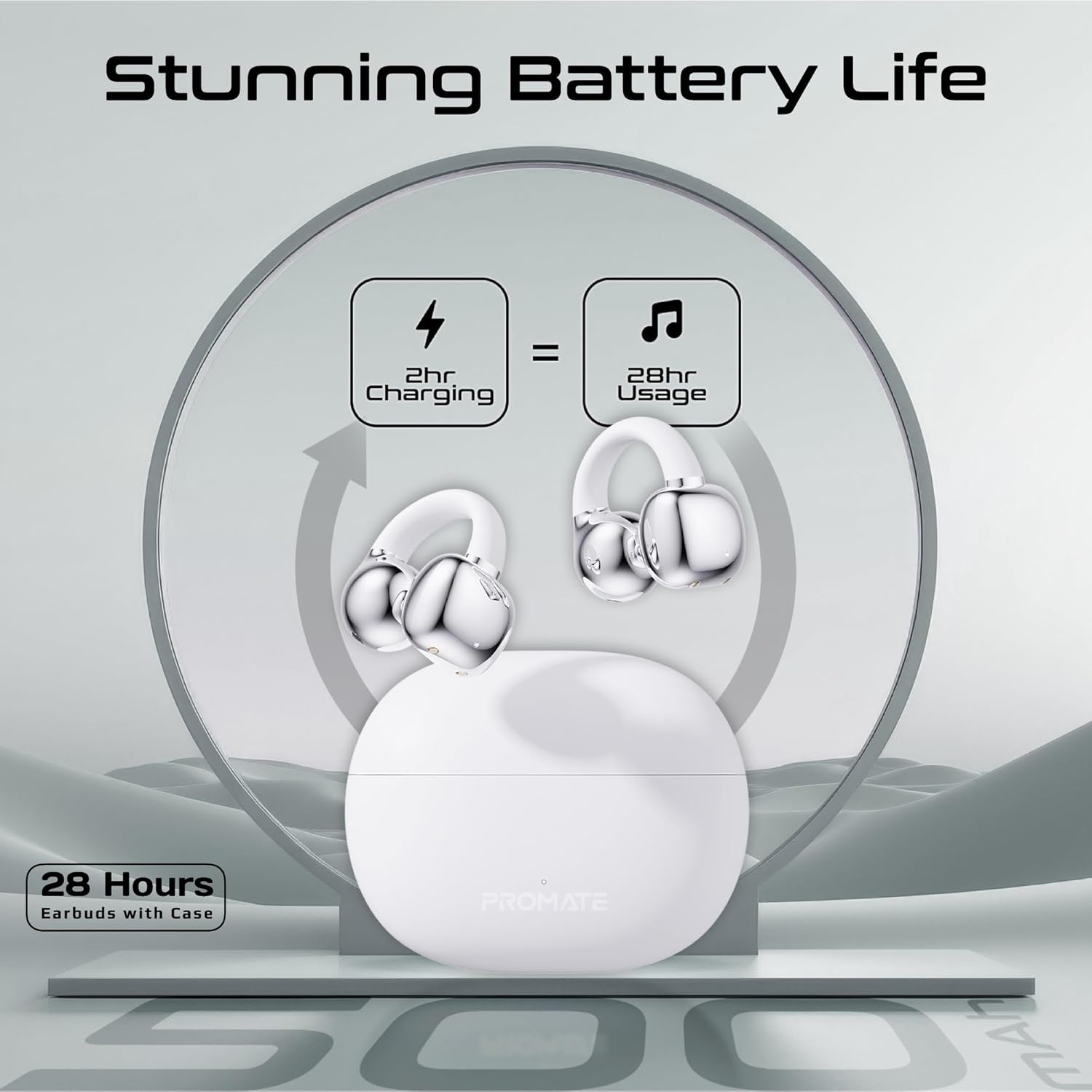
Image: An illustration demonstrating the battery life, indicating 2 hours of charging provides 28 hours of usage with the case.
3.2 Bluetooth Pairing
Follow these steps to pair your Promate AirClip earbuds with your device:
- Open the charging case. The earbuds will automatically enter pairing mode.
- On your device (smartphone, tablet, etc.), enable Bluetooth.
- Search for available Bluetooth devices and select "Promate AirClip" from the list.
- Once connected, a voice prompt will confirm successful pairing.
- The earbuds will automatically reconnect to the last paired device when taken out of the case, if Bluetooth is enabled on the device.
4. Operating Instructions
4.1 Wearing the Earbuds
The AirClip earbuds feature an ergonomic open-ear clip design for a secure and comfortable fit.
- Identify the Left (L) and Right (R) earbuds.
- Gently clip the earbud onto your ear, ensuring the speaker portion is positioned correctly for optimal sound and the clip rests comfortably around your ear.
- Adjust for a snug fit that remains stable during movement.

Image: A person wearing the Promate AirClip earbud, illustrating the AudioFit stable design and open-ear placement.
4.2 IntelliTouch Controls
The earbuds are equipped with touch-sensitive controls for easy management of audio and calls.
- Play/Pause: Single tap on either earbud.
- Next Track: Double tap on the right earbud.
- Previous Track: Double tap on the left earbud.
- Answer/End Call: Single tap on either earbud.
- Reject Call: Press and hold either earbud for 2 seconds.
- Activate Voice Assistant (Google Assistant/Amazon Alexa): Triple tap on either earbud.
- Game Mode: Press and hold the right earbud for 2 seconds to toggle low latency game mode.

Image: A close-up view of a hand interacting with the Promate AirClip earbud, demonstrating the IntelliTouch control feature.

Image: Promate AirClip earbuds shown alongside a smartphone displaying an incoming call, emphasizing crystal clear stereo calls and connectivity.
5. Maintenance
Proper maintenance ensures the longevity and performance of your earbuds.
- Cleaning: Use a soft, dry, lint-free cloth to clean the earbuds and charging case. Do not use abrasive cleaners or solvents.
- Water Resistance: The earbuds are IPX4 water-resistant, meaning they are protected against splashing water from any direction. Do not submerge them in water or expose them to heavy rain. Dry them thoroughly if they get wet.
- Storage: When not in use, store the earbuds in their charging case to protect them and keep them charged. Store in a cool, dry place away from extreme temperatures.

Image: Promate AirClip earbuds and charging case depicted with a water splash effect, indicating IPX4 water resistance.
6. Troubleshooting
If you encounter issues with your Promate AirClip earbuds, refer to the following common solutions:
- Earbuds not pairing: Ensure both earbuds are in the charging case, then open the lid to activate pairing mode. Check your device's Bluetooth settings and try reconnecting.
- No sound from one earbud: Place both earbuds back into the charging case, close the lid, wait a few seconds, then open it again. This can reset the connection.
- Charging issues: Verify the charging cable is securely connected to both the case and the power source. Ensure the charging contacts on the earbuds and inside the case are clean and free of debris.
- Low volume: Adjust the volume on both your connected device and through the earbud controls. Ensure the earbuds are worn correctly.
- Intermittent connection: Move closer to your connected device to reduce interference. Ensure there are no major obstacles between the earbuds and your device.
7. Specifications
Key technical specifications for the Promate AirClip True Wireless Earbuds:
| Feature | Specification |
|---|---|
| Model Name | AIRCLIP |
| Bluetooth Version | 5.3 |
| Connectivity Technology | Wireless |
| Ear Placement | Open Ear |
| Battery Life (Earbuds) | Up to 6 hours |
| Battery Life (with Case) | Up to 28 hours |
| Charging Case Capacity | 500mAh |
| Charging Time (Earbuds) | Approx. 30 minutes |
| Charging Time (Case) | Approx. 2-3 hours |
| Water Resistance Rating | IPX4 |
| Audio Driver Size | 30mm |
| Item Weight | 42g |
| Compatible Devices | Gaming Consoles, Samsung, Television, Windows, iPhone |
| Control Type | Touch, Google Assistant, Amazon Alexa |

Image: A detailed chart outlining various technical specifications for the Promate AirClip earbuds.
8. Warranty and Support
Promate products are designed with quality and reliability in mind. For warranty information and customer support, please refer to the warranty card included in your package or visit the official Promate website. Keep your proof of purchase for warranty claims.
For further assistance, you may contact Promate customer service through their official channels.

