

Product Overview
The Slevoo ROC Replacement Filter is a crucial component for your Slevoo C2-M25 Reverse Osmosis Water Filter Countertop system. This filter is designed to provide advanced purification, ensuring clean and great-tasting water for your household.
Advanced RO Filtration

Image: A visual representation of the 0.0001µm RO filtration process, highlighting its effectiveness in removing various contaminants such as Arsenic, Cadmium, Chromium, Lead, Nitrate, Selenium, PFAS, Copper, and Radium.
The ROC filter utilizes 0.0001µm Reverse Osmosis (RO) technology to effectively remove 99.9% of contaminants from your water. This includes a wide range of impurities, ensuring a purer water supply.

Image: An animated diagram illustrating the removal of various heavy metals and chemical ions like Cadmium (Cd²⁺), Lead (Pb²⁺), Mercury (Hg²⁺), Barium (Ba²⁺), and Chromium (Cr²⁺) by the 0.0001µm RO filtration.
Product Specifications
| Specification | Detail |
|---|---|
| Brand | Slevoo |
| Model Number | C2-M25 ROC |
| Material | Polypropylene (PP) |
| Product Dimensions | 2.68"D x 2.68"W x 10.83"H |
| Item Weight | 1 Pound |
| Filter Lifespan | Up to 24 Months |
| Manufacturer | Slevoo |
| Country of Origin | China |
| Date First Available | October 31, 2024 |
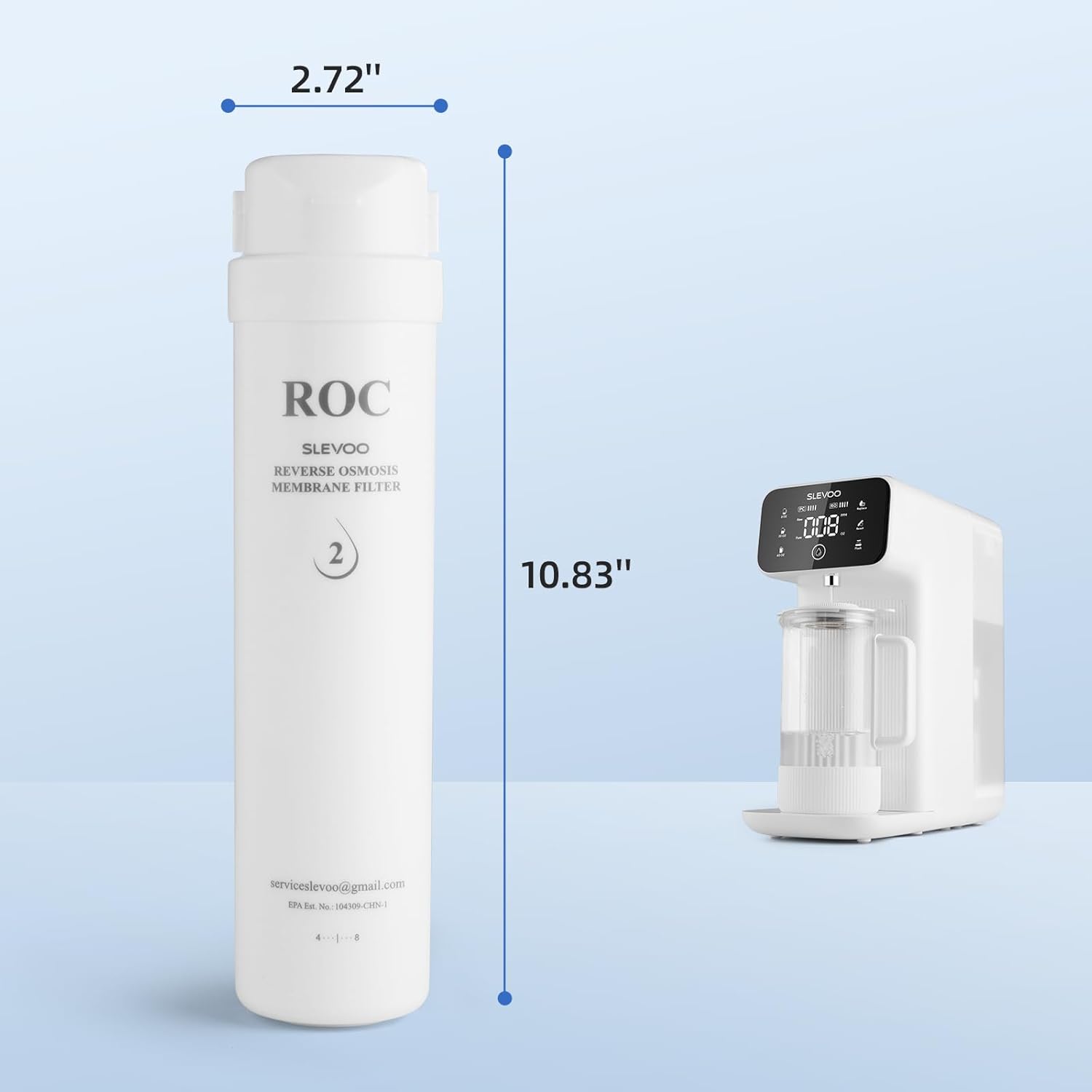
Image: The Slevoo ROC filter shown with its dimensions: 2.72 inches in diameter and 10.83 inches in height, next to the C2-M25 system.
Compatibility
The Slevoo ROC Replacement Filter (Model C2-M25 ROC) is specifically designed for use with the Slevoo C2-M25 Countertop Reverse Osmosis Water Filter System. It is the second stage filter in this system.

Image: An illustration of the three types of replacement filters for the Slevoo C2-M25 system: the PPC (Polypropylene Carbon Rod Composite Filter) with a 6-12 month lifespan, the ROC (Reverse Osmosis Membrane Filter) with a 12-24 month lifespan, and the Mineral Filter with a 3-6 month lifespan.
Setup & Initial Use (Slevoo C2-M25 System)
While this manual focuses on the ROC replacement filter, understanding the overall system setup is beneficial for optimal performance.
First-Time Setup Steps:
- Plug In: Connect the power cord to a suitable electrical outlet.

Image: A power cord being plugged into a wall outlet.
- Fill Water Tank: Remove the water tank and fill it with tap water up to the maximum level indicator.

Image: Hands filling the water tank of the system from a kitchen faucet.
- Start Filtration: Place a cup under the dispenser and press the water-making button to begin the filtration process.

Image: A finger pressing the water-making button on the Slevoo system's control panel.
- Enjoy Clean Water: Once filtered, your water is ready to drink.

Image: A woman drinking a glass of water, demonstrating the end result of the filtration process.
Filter Replacement
When to Replace Your ROC Filter
The Slevoo ROC Replacement Filter has a recommended lifespan of up to 24 months. The system's display panel will indicate when it's time for replacement. Regular replacement ensures optimal filtration performance.
Replacement Procedure (3-Second Filter Replacement)
Replacing the ROC filter is a quick and simple process:
- Open Filter Compartment: Locate the filter compartment on your Slevoo C2-M25 system and open its cover.
- Remove Old ROC Filter: Gently twist and pull out the old ROC filter (labeled '2' or 'ROC') from its slot. Dispose of the old filter responsibly.
- Insert New ROC Filter: Align the new Slevoo ROC Replacement Filter with the designated slot (slot '2' or 'ROC') and push it in firmly until it clicks into place. Ensure it is securely seated.

Image: A visual guide demonstrating the simple 3-second process of removing an old filter and inserting a new one into the Slevoo C2-M25 system.
- Close Compartment: Close the filter compartment cover.
- Reset Filter Life: After replacing the filter, reset the filter life indicator on the system's control panel. Refer to the 'Maintenance' section for instructions on resetting the filter life.
Maintenance
Understanding the Control Panel

Image: A detailed diagram of the Slevoo C2-M25 control panel, indicating the Filter Life Indicator, Water-Changing Indicator, Filter Reset Button, Manual Flush Button, Water Volume Buttons (8 OZ, 20 OZ, 40 OZ), Water-Making Button, and Filtered Water TDS/Outlet Volume Indicator.
Filter Life Indicator & Reset
The control panel features a 'Filter Life Indicator' (PC and RO icons) that shows the remaining life of your filters. When the ROC filter needs replacement, its indicator will signal. After replacing the ROC filter, press and hold the 'Reset' button on the control panel until the indicator resets, typically for 3-5 seconds.
Manual Flush Function
The system includes a 'Manual Flush' button. This function helps to clean the RO membrane and extend its lifespan by flushing out accumulated impurities. It is recommended to perform a manual flush periodically, especially after filter replacement or if you notice a decrease in water flow.
General Cleaning
Regularly clean the exterior of the system with a soft, damp cloth. For the water tank, remove it and wash with mild soap and water, then rinse thoroughly. Ensure all parts are dry before reassembling.
Benefits & Features
High-Capacity Tank

Image: The Slevoo C2-M25 system on a countertop, highlighting its 135 OZ high-capacity water tank with a 'TAP WATER MAX LEVEL' indicator.
The Slevoo C2-M25 system, for which the ROC filter is designed, features a generous 135 OZ high-capacity tank, reducing the frequency of refills.
Enhanced Water Taste

Image: A woman pouring water from the Slevoo system's high borosilicate glass carafe, which can include a mineral filter to enhance taste by adding beneficial minerals like K, Ca, Si, Mg, and Na.
Beyond purification, the system is designed to improve water taste, especially when utilizing the high borosilicate glass carafe and optional mineral filter.
Environmental Benefits

Image: A side-by-side comparison showing large plastic water bottles on the left and a woman drinking from a glass of water dispensed by the Slevoo system on the right, illustrating the reduction in plastic waste.
Using the Slevoo system with its long-lasting filters helps reduce reliance on single-use plastic bottles, contributing to environmental sustainability.
Easy Setup & No Plumbing Required

Image: A comparison showing a person installing an under-sink water filter system on the left, and the Slevoo countertop system neatly placed on a table on the right, emphasizing its no-installation, no-plumbing design.
The Slevoo C2-M25 system is designed for countertop use, requiring no complex installation or plumbing, making it ideal for various living situations.
Third-Party Lab Certification

Image: Two SGS certification documents displayed next to a smartphone scanning a QR code, indicating third-party lab testing and certification for the product's performance.
The Slevoo filtration technology is backed by third-party lab certifications, ensuring its effectiveness in removing contaminants. You can view the SGS report here.
Troubleshooting
Common Issues and Solutions:
- Low Water Flow:
- Check if the ROC filter is due for replacement.
- Perform a manual flush to clear any blockages in the membrane.
- Ensure the water tank is sufficiently filled.
- Unusual Taste or Odor:
- This often indicates that the filters (PPC or ROC) need to be replaced.
- Ensure the system has been flushed adequately after filter replacement.
- Filter Life Indicator Not Resetting:
- Ensure you are pressing and holding the 'Reset' button for the required duration (typically 3-5 seconds) after replacing the filter.
- Verify the new filter is correctly installed and fully seated.
- Water-Changing Indicator On:
- This indicates the raw water tank needs to be refilled.
Warranty & Support
For any questions regarding your Slevoo ROC Replacement Filter or the Slevoo C2-M25 Reverse Osmosis Water Filter Countertop system, please contact Slevoo customer support.
Email: serviceslevoo@gmail.com
Please have your product model number (C2-M25 ROC) and purchase information ready when contacting support.