
Introduction
This manual provides detailed instructions for the installation, operation, maintenance, and troubleshooting of your Vratzn 13.1 inch Car Radio. Please read this manual thoroughly before installation and use to ensure proper function and safety. Keep this manual for future reference.
Applicable Car Models
This Vratzn 13.1 inch Car Radio is designed for the following vehicle models:
- Chevy Silverado: 2014-2018
- GMC Sierra: 2014-2018

Image: Applicable car models for the Vratzn 13.1 inch car radio, showing compatible vehicle types and years.
What's in the Box
Please verify that all components are present before beginning installation:
- 13.1 inch Car Radio Unit
- Power Cable
- RCA Cable
- Reversing Line
- Microphone
- GPS Module
- Antenna Adapter Cable
- USB Cable (x3)
- Screwdriver
- Crowbar
- Can Bus
- Reversing Radar
- Camera
- User Manual

Image: A visual representation of all components included in the Vratzn 13.1 inch car radio package.
Setup and Installation
Professional installation is recommended. Ensure the vehicle's battery is disconnected before starting any electrical work. Refer to your vehicle's service manual for specific dashboard removal procedures.
1. Decoder Box Installation
Connect the decoder box to the main wiring harness as shown in the video and image. Ensure all connections are secure.
Video: Step-by-step guide on how to install the decoder box for the Vratzn car radio.

Image: Close-up view of the decoder box connection point on the wiring harness.
2. Wiring Connections
Follow the wiring diagram carefully to connect all cables. Ensure the Canbus is connected to the 20-pin plug for proper power and communication.

Image: Comprehensive wiring diagram for the Vratzn 13.1 inch car radio, detailing all connections.
Important Wiring Notes:
- If the car radio does not power on, ensure the Canbus is correctly connected to the 20-pin plug.
- The RCA interface is for RCA cables only. Do not insert the 20-pin plug into the RCA interface, as this will cause a short circuit. The 20-pin plug should connect to the Canbus box.
- If your car's original plug and interface match the provided photo, you may need an additional power harness. This can be purchased separately (e.g., B0F8QD946D).
- If your original car has a Bose system, a 4 or 8-inch central control screen, and the power cord interface matches the figure, a decoder box (asin: B0F9K58LXD) is required.

Image: Illustration showing the correct connection of the Canbus to the 20-pin plug.

Image: Diagram illustrating the correct use of the RCA interface and a warning against inserting the 20-pin plug into it.

Image: Comparison of the vehicle dashboard before and after the installation of the Vratzn 13.1 inch car radio.
Operating Instructions
1. Wireless CarPlay & Android Auto
Connect your iPhone or Android device to the car stereo via Bluetooth. Once connected, you can use smart voice assistants or the touchscreen to access navigation, make calls, send/receive messages, and enjoy music. This feature provides a safer and more convenient way to use your phone while driving.
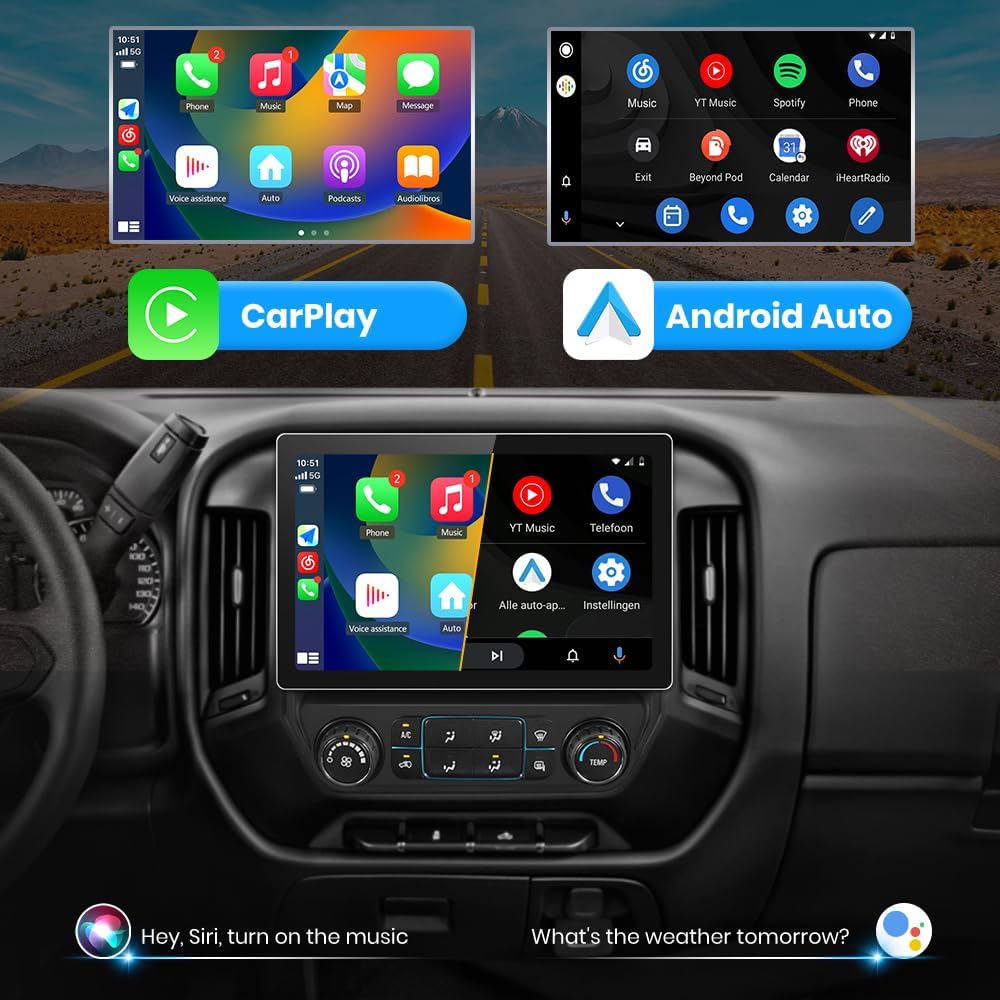
Image: Display of the CarPlay and Android Auto interfaces on the Vratzn car radio screen.
2. GPS Navigation & WiFi Connectivity
The unit supports online maps. Connect to a WiFi network to use GPS navigation anywhere. You can also install or delete Android applications from the Application Store, similar to a smartphone.
3. Bluetooth Functionality
Pair your mobile device via Bluetooth to make and receive calls hands-free. The built-in microphone captures your voice, and car speakers provide audio. Stream music wirelessly from your device.

Image: The Bluetooth interface on the car radio, showing options for calls and music playback.
4. FM Radio Tuner
Access FM radio stations with automatic station memory. Manual and local search functions are available to find your preferred stations.

Image: The FM Radio interface displayed on the Vratzn car radio screen.
5. Steering Wheel Control (SWC)
The car radio supports factory steering wheel controls for seamless operation. This allows you to manage settings and media playback without taking your hands off the wheel.

Image: The steering wheel control configuration screen on the car radio.
6. DSP Sound Processing
Experience enhanced audio precision with advanced Digital Signal Processing (DSP). This feature provides full control over EQ settings and audio balance, allowing for a customized listening experience.

Image: Screenshot of the built-in DSP equalizer settings interface.
7. Backup Camera Support
The unit supports an AHD 720P backup camera, enhancing safety during reversing maneuvers with clear images, night vision, and a 170-degree wide-angle view.

Image: A simulated view from the backup camera displayed on the Vratzn car radio screen, showing parking guidelines.
Maintenance
To ensure the longevity and optimal performance of your Vratzn Car Radio, follow these maintenance guidelines:
- Cleaning the Screen: Use a soft, lint-free cloth to gently wipe the touchscreen. For stubborn smudges, slightly dampen the cloth with water or a screen-safe cleaner. Avoid abrasive materials or harsh chemicals.
- General Cleaning: Keep the unit free from dust and debris. Use a soft brush or compressed air to clean vents and crevices.
- Software Updates: Periodically check for available software updates to ensure you have the latest features and performance improvements. Follow the on-screen prompts or consult the support section for update procedures.
- Avoid Extreme Temperatures: Do not expose the unit to extreme heat or cold for extended periods, as this can affect its electronic components.
Troubleshooting
If you encounter issues with your Vratzn Car Radio, refer to the following common problems and solutions:
| Problem | Possible Cause | Solution |
|---|---|---|
| Unit does not power on. | Incorrect wiring, Canbus not connected, blown fuse. | Check all power connections, especially the Canbus to the 20-pin plug. Verify vehicle fuses. If wiring is incorrect, it can lead to serious damage or fire; consult a professional immediately. |
| No sound or poor audio quality. | Speaker wiring issues, incorrect audio settings, DSP settings. | Check speaker connections. Adjust EQ and balance settings in the DSP menu. Ensure volume is not muted. |
| CarPlay/Android Auto not connecting. | Bluetooth pairing issue, phone settings, cable connection (if wired). | Ensure Bluetooth is enabled on your phone and paired correctly. Restart both the car radio and your phone. Try a different USB cable if using a wired connection. |
| GPS signal is weak or inaccurate. | GPS antenna placement, environmental interference. | Ensure the GPS antenna is installed in a clear location with an unobstructed view of the sky. Avoid placing it near metal objects that could cause interference. |
| Steering Wheel Controls not working. | Incorrect wiring, SWC settings not configured. | Verify SWC wiring connections. Access the SWC settings menu on the unit and program the buttons according to the instructions. |
| Unit freezes or becomes unresponsive. | Software glitch, excessive applications running. | Perform a soft reset (refer to the unit's settings for reset options). Close unnecessary applications. If the issue persists, a factory reset might be necessary (note: this will erase all user data). |
If these solutions do not resolve the issue, please contact customer support.
Specifications
| Feature | Detail |
|---|---|
| Brand | Vratzn |
| Screen Size | 13.1 Inches |
| Operating System | Android |
| Connectivity Technology | Bluetooth, USB, Wi-Fi |
| Special Features | Bluetooth, Wireless CarPlay, Android Auto, GPS Navigation, FM Radio, Steering Wheel Control, Built-in DSP, Backup Camera Support |
| Map Type | Worldwide |
| Audio Output Mode | Stereo |
| Mounting Type | Dashboard Mount |
| Human-Interface Input | Touchscreen |
| Display Type | Touch Screen |
| Item Weight | 2.9 Kilograms |
| Item Dimensions (L x W x H) | 13.1"L x 13.1"W x 13.1"H |
Warranty Information
The Vratzn 13.1 inch Car Radio comes with a 1-Year Warranty from the date of purchase. This warranty covers manufacturing defects and malfunctions under normal use. It does not cover damage caused by improper installation, accidents, misuse, unauthorized repairs, or normal wear and tear. Please retain your proof of purchase for warranty claims.
Customer Support
For any questions, technical assistance, or warranty claims, please contact our dedicated customer support team. We are committed to providing reliable one-on-one service.
- Seller: shenzhenshizhongkehuishikejiyouxiangongsi
- Email: Vratzn-US@outlook.com
- Support Hours: 24 Hours Technical Support

Image: A customer support representative, symbolizing available assistance.