
Monster MH22211
Monster N-Lite 208 Wireless Earbuds User Manual
Model: MH22211
Introduction
Thank you for choosing the Monster N-Lite 208 Wireless Earbuds. This manual provides essential information for setting up, operating, and maintaining your earbuds to ensure optimal performance and longevity. Please read this guide thoroughly before use.

Image: Monster N-Lite 208 Wireless Earbuds and their charging case, presented in a clean, minimalist setting.
What's in the Box
Verify that all items are present in the package:
- 1 x Wireless Earbuds (Left and Right)
- 1 x Charging Case
- 1 x USB-C Cable
- 1 x Quick Start Guide
- 1 x Warning Card

Image: A clear display of the Monster N-Lite 208 earbuds, charging case, USB-C cable, and user manual, as they appear when unboxed.
Setup
Charging the Earbuds and Case
Before first use, fully charge the earbuds and charging case. Connect the provided USB-C cable to the charging port on the case and a compatible USB power source. A full charge takes approximately 1.5 hours. The case provides up to 25 additional hours of playtime, extending total listening time to 30 hours.
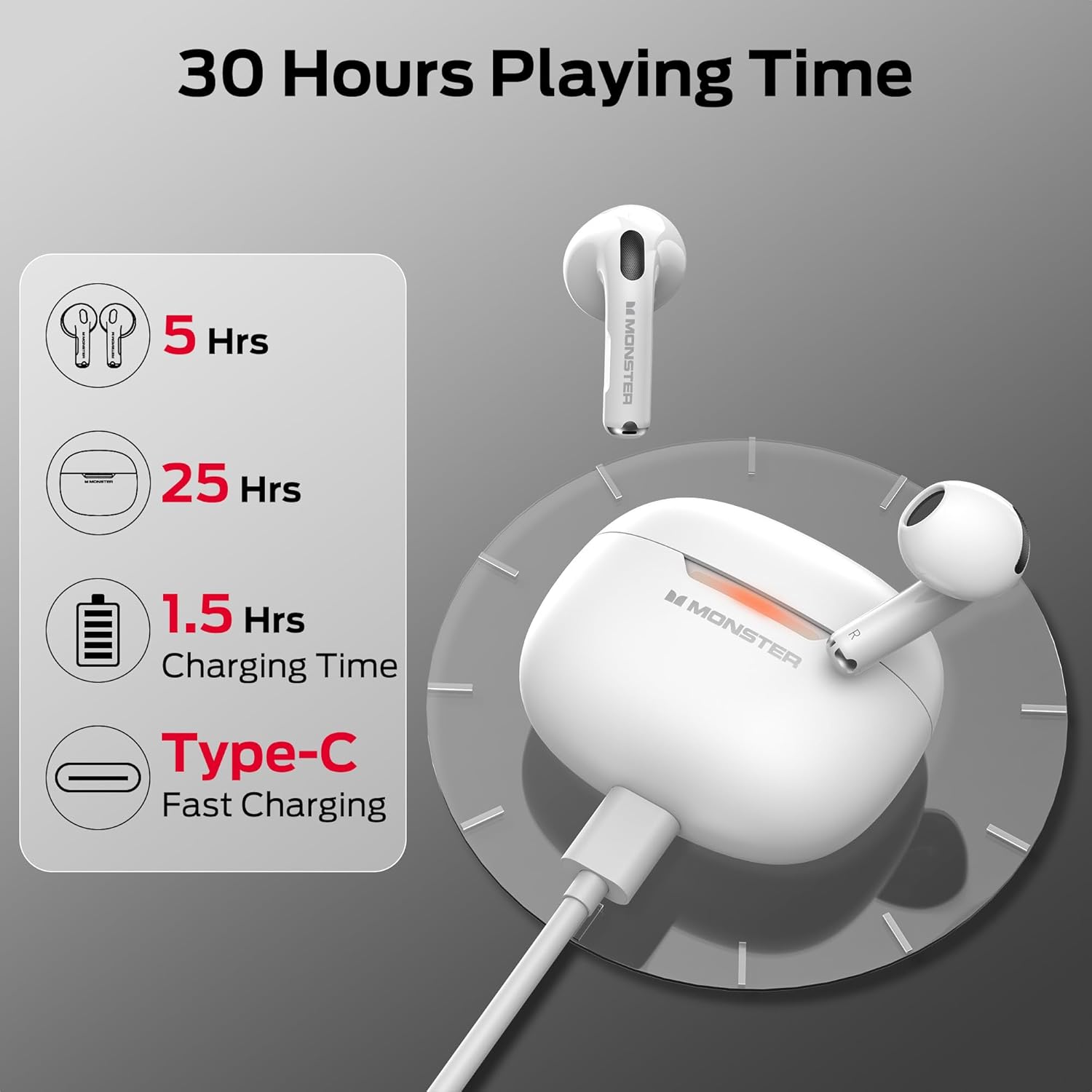
Image: An illustration showing the Monster N-Lite 208 charging case connected via a USB-C cable, with indicators for 5 hours of earbud playtime, 25 hours from the case, and 1.5 hours charging time.
Bluetooth Pairing
The Monster N-Lite 208 earbuds utilize advanced Bluetooth 5.4 technology for a stable and low-latency connection. Follow these steps for one-step pairing:
- Ensure the earbuds are charged and inside the charging case.
- Open the charging case lid. The earbuds will automatically enter pairing mode.
- On your device (smartphone, tablet, laptop), go to Bluetooth settings.
- Select "Monster N-Lite 208" from the list of available devices.
- Once connected, a confirmation sound will play, and the earbuds will be ready for use.

Image: An illustration demonstrating the Bluetooth 5.4 stable connection, showing a smartphone's Bluetooth settings screen with the earbuds connected, emphasizing strong signal, one-step pairing, and wide compatibility.
Wearing the Earbuds
For optimal sound quality and comfort, ensure the earbuds are correctly positioned in your ears.

Image: A diagram illustrating the correct way to wear the Monster N-Lite 208 earbuds, showing the insertion and slight rotation for a secure fit.
Operating Instructions
Touch Controls
The Monster N-Lite 208 earbuds feature intuitive touch controls on each earbud. The touch control area is located on the outer surface of the earbud stem.
| Action | Function |
|---|---|
| Click twice (R/L) | Play/Pause music, Answer/Hang up calls |
| Press 2s (R/L) | Activate Voice Assistant, Reject call |
| Triple Click (R) | Next Track |
| Triple Click (L) | Previous Track |
| Slide up (R/L) | Volume + |
| Slide down (R/L) | Volume - |

Image: A comprehensive diagram illustrating the various touch control gestures and their corresponding functions on the Monster N-Lite 208 earbuds, including play/pause, track skipping, volume adjustment, call management, and voice assistant activation.
Audio Features
Equipped with 13mm drivers, these earbuds deliver a powerful and wide sound range, providing a dynamic audio experience with pure balanced audio and clarity. Immerse yourself in high-quality music playback.

Image: An exploded view diagram of the internal audio components of a Monster earbud, highlighting the 13mm driver and other elements contributing to the 'Pure Monster Sound'.
Call Functions
The built-in microphones ensure your voice is transmitted with clarity and precision, allowing for crystal clear, hands-free conversations free from ambient distractions.

Image: A person smiling while wearing Monster N-Lite 208 earbuds and looking at their smartphone, illustrating the clear call functionality.
Maintenance
To ensure the longevity and optimal performance of your Monster N-Lite 208 earbuds, follow these maintenance guidelines:
- Cleaning: Regularly clean the earbuds and charging case with a soft, dry, lint-free cloth. Do not use abrasive cleaners, alcohol, or chemical solvents.
- Storage: When not in use, store the earbuds in their charging case to protect them from dust and damage.
- Avoid Moisture: Keep the earbuds and case away from water, humidity, and extreme temperatures.
- Charging: Use only the provided USB-C cable or a certified equivalent for charging.
Troubleshooting
If you encounter issues with your Monster N-Lite 208 earbuds, refer to the following common solutions:
| Problem | Possible Solution |
|---|---|
| Earbuds not pairing | Ensure earbuds are charged. Place them back in the case, close the lid, then open it again to re-enter pairing mode. Check your device's Bluetooth settings and forget/remove previous connections before attempting to pair again. |
| No sound from earbuds | Check the volume level on both your device and the earbuds. Ensure the earbuds are properly connected to your device. Try playing different audio sources. |
| Charging issues | Verify the USB-C cable is securely connected to both the case and the power source. Try a different USB-C cable or power adapter. Ensure the charging contacts on the earbuds and inside the case are clean. |
| Intermittent connection | Ensure there are no obstructions between your device and the earbuds. Move closer to your device. Avoid environments with strong Wi-Fi or other wireless interference. |
| Microphone not working | Ensure the earbuds are selected as the audio input device on your phone/computer. Check for any debris blocking the microphone ports. |
Specifications
| Feature | Detail |
|---|---|
| Model Name | Monster N-Lite 208 |
| Connectivity Technology | Wireless (Bluetooth) |
| Bluetooth Version | 5.4 |
| Audio Driver Type | Dynamic Driver |
| Battery Life (Earbuds) | Up to 5 Hours |
| Total Playtime (with Case) | Up to 30 Hours |
| Charging Time | 1.5 Hours |
| Charging Port | USB-C |
| Control Method | Touch |
| Ear Placement | In Ear |
| Item Weight | 0.176 ounces (approx. 5 grams per earbud) |
| Color | White |
| Manufacturer | Monster |
Warranty and Support
For warranty information and customer support, please refer to the documentation included with your product or visit the official Monster website. Keep your proof of purchase for any warranty claims.
Related documentsMH22211


Ask a question about this manual
Ask about setup, troubleshooting, compatibility, parts, safety, or missing instructions. Manuals+ will review the question and use this page’s manual context to help answer it.