
1. Introduction
Thank you for choosing the GHodec Grow Light with Stand. This product is designed to provide optimal lighting conditions for your indoor plants at all growth stages, mimicking natural sunlight with its full spectrum output. Please read this manual carefully before assembly and operation to ensure proper use and longevity of your device.
2. Safety Instructions
- Always disconnect the power supply before cleaning or performing any maintenance.
- Do not operate the grow light with a damaged cord or plug. If damaged, contact customer support.
- Keep the device away from water or other liquids. Do not use in wet environments.
- Ensure the tripod stand is stable on a flat surface to prevent tipping.
- Do not stare directly into the LED lights when they are on, as this may cause eye strain.
- This product is for indoor use only.
- Keep out of reach of children and pets.
3. Package Contents
Verify that all components are present in the package:
- 1x Tripod Stand
- 1x Gooseneck Lamp (with 3 light heads and controller)
- 1x Plug Adaptor (USB power adapter)
- 1x User Manual

Image: Overview of included components: tripod stand, grow light with goosenecks, 2A adapter, and controller.
4. Assembly and Setup
Follow these steps to assemble your GHodec Grow Light:
- Step 1: Set up the Tripod Stand. Unfold the legs of the tripod stand and ensure they are fully extended and stable. Tighten any locking mechanisms if present.
- Step 2: Attach the Grow Light. Screw the grow light unit (with the goosenecks) onto the top of the tripod stand. Turn clockwise until securely fastened.
- Step 3: Adjust Goosenecks. Position the three flexible goosenecks to direct light towards your plants as needed.
- Step 4: Adjust Height. Loosen the height adjustment clamps on the tripod stand, extend the pole to the desired height (15-47 inches), and then tighten the clamps to secure it.
- Step 5: Connect Power. Plug the USB connector from the grow light into the provided power adapter, then plug the adapter into a standard electrical outlet.

Image: Visual guide for assembly, showing unfolding the tripod, attaching the light, and positioning the goosenecks.
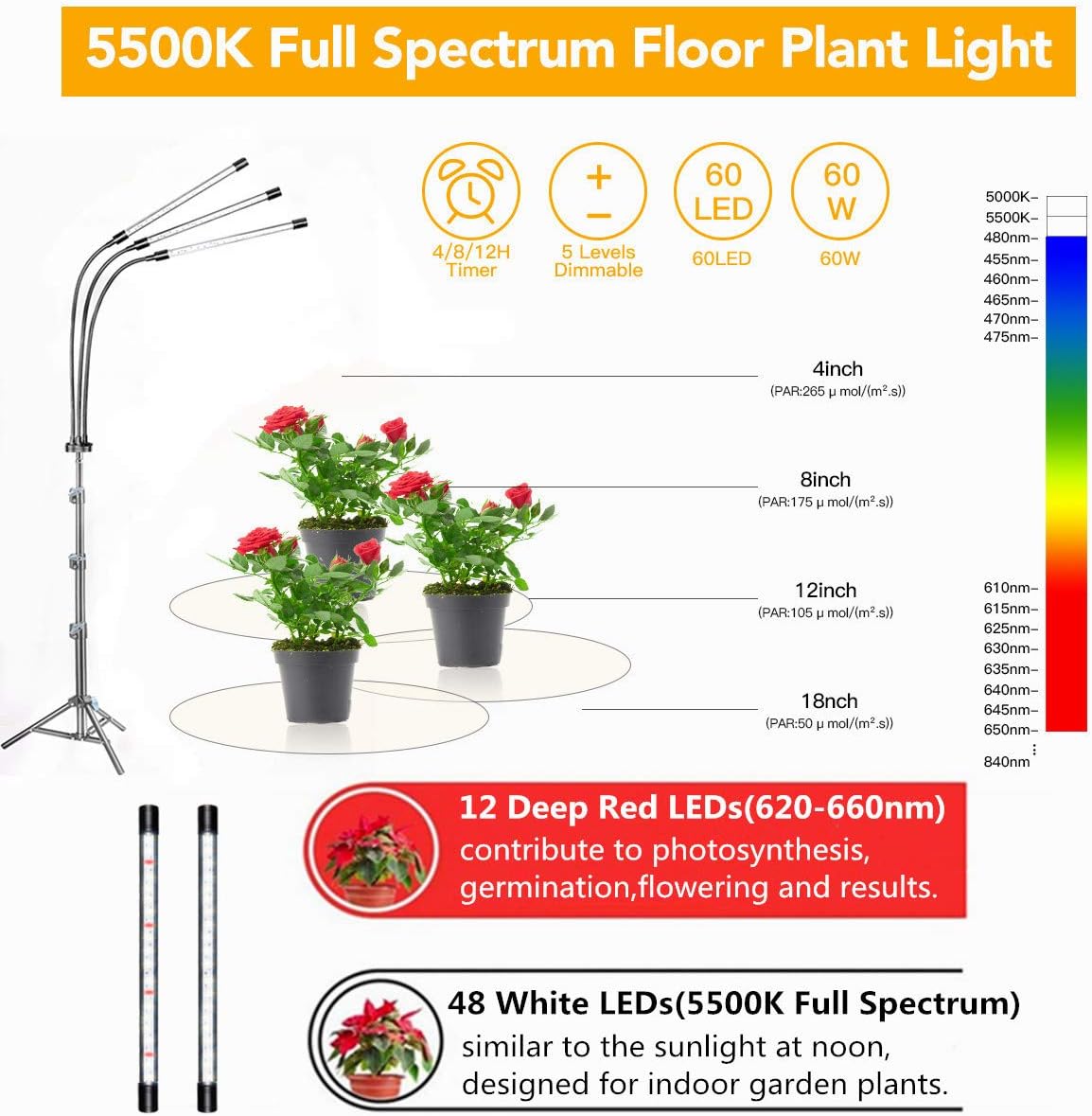
Image: The grow light stand adjusted to different heights (25, 35, and 47 inches) to accommodate various plant sizes.
5. Operating Instructions
The GHodec Grow Light features an inline controller for easy operation.
5.1. Power On/Off
- Press the Power Button on the controller to turn the light on or off.
5.2. Brightness Adjustment
- Use the + and - buttons on the controller to cycle through 5 dimmable brightness levels.

Image: Demonstration of the 5 dimmable levels, showing light intensity at 20%, 40%, and 100% output.
5.3. Timer Function
The grow light features an automatic on/off timer. Once set, the light will turn on and off at the same time each day.
- Press the Timer Button to select a duration: 4 hours, 8 hours, or 12 hours.
- The indicator light on the controller will illuminate to confirm the selected timer setting.
- To ensure the timer functions correctly, keep both the "Time Button" and "Power Button" in the ON state.

Image: Explanation of the 4-hour, 8-hour, and 12-hour timer settings and their daily cycle.
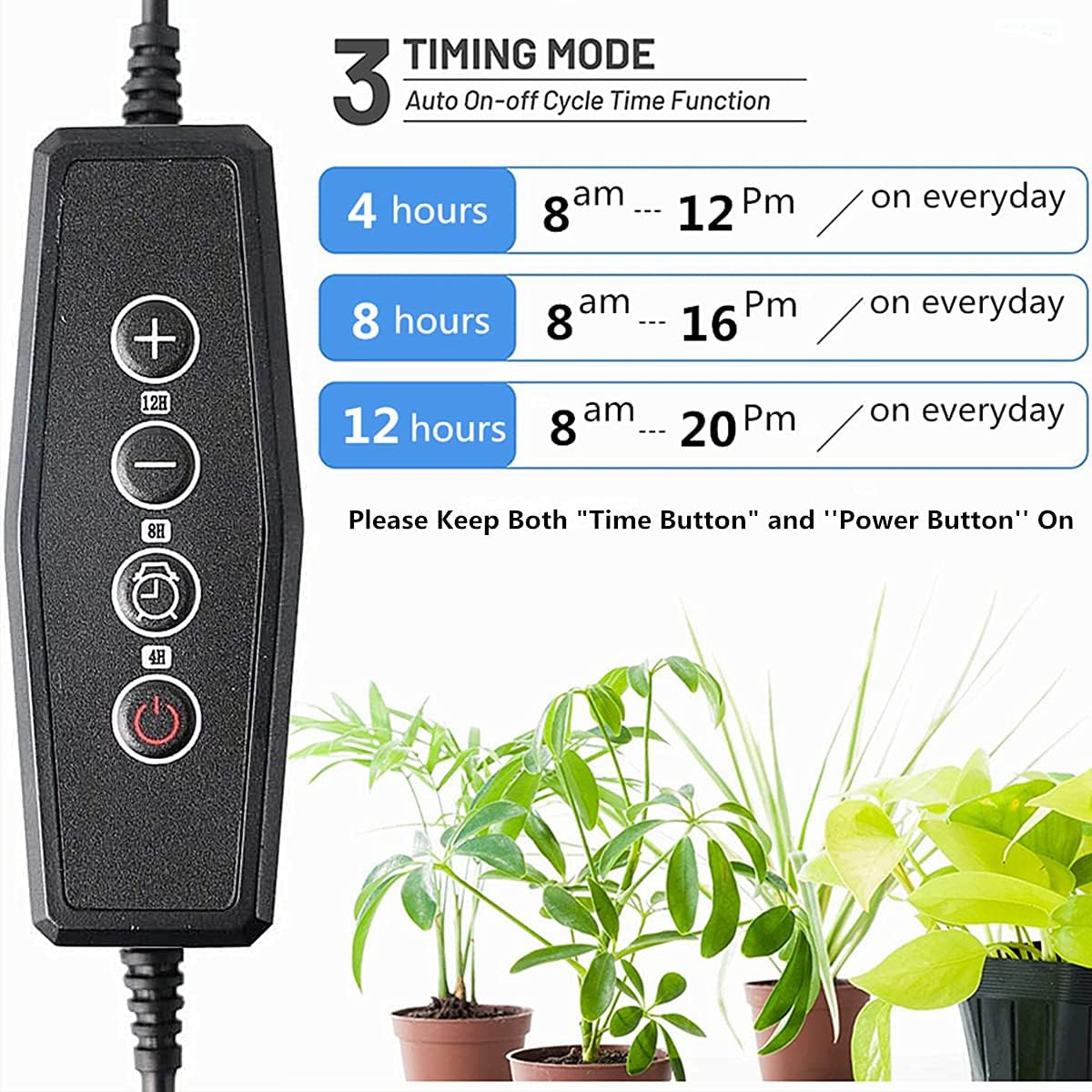
Image: Detailed view of the controller with buttons for power, brightness, and timer functions.
5.4. Light Spectrum
The GHodec Grow Light provides a 5500K full spectrum light, similar to natural daylight, suitable for all growth stages of indoor plants. Each LED bar contains 16 white LEDs and 4 red LEDs.
- White LEDs (5500K Full Spectrum): Increase light intensity and enhance photosynthesis, ideal for overall plant growth.
- Red LEDs (620-660nm): Promote flowering, fruiting, and seed germination.
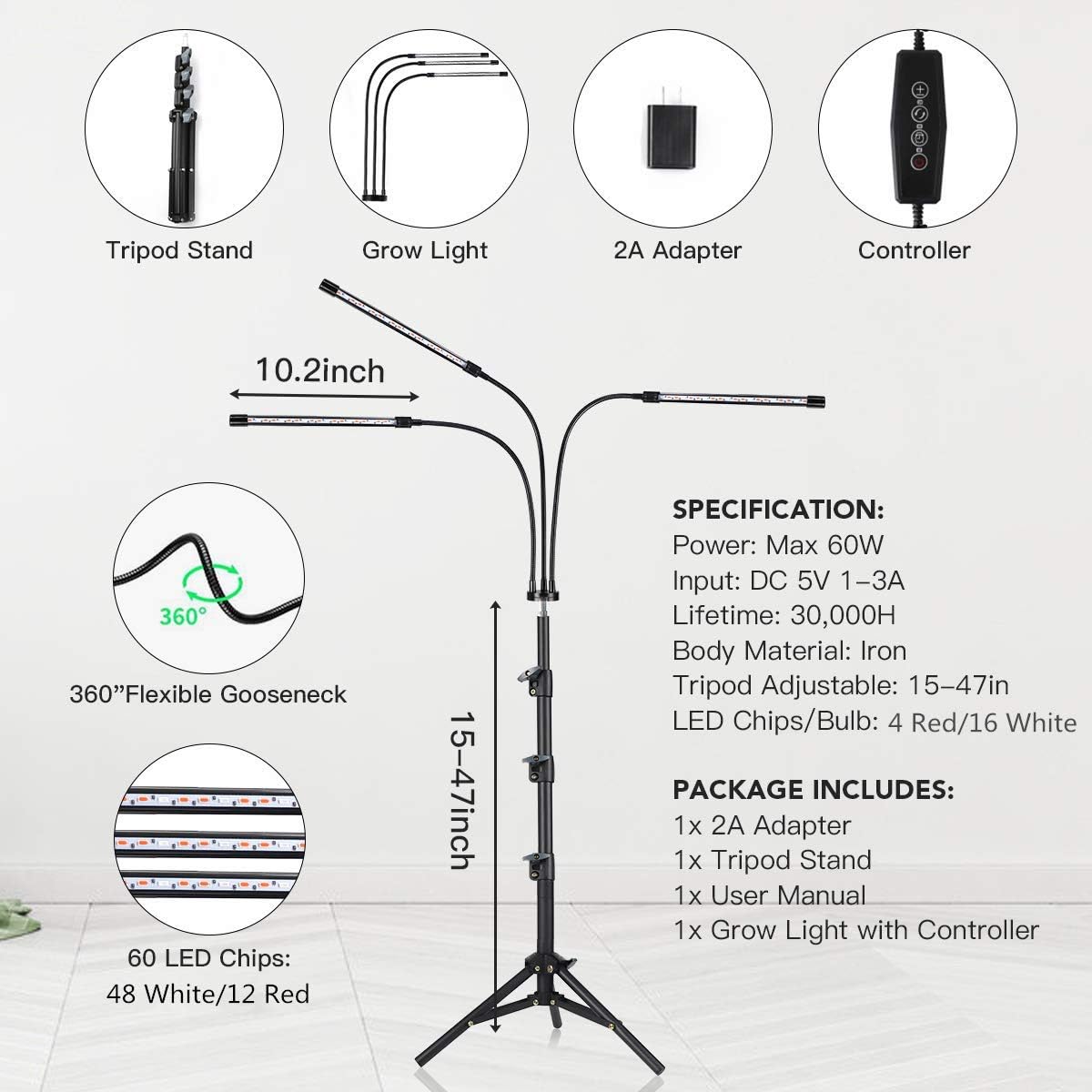
Image: Detailed breakdown of the LED configuration, highlighting the 12 deep red LEDs and 48 white LEDs for full spectrum output.
6. Maintenance
- Cleaning: Ensure the light is unplugged before cleaning. Use a soft, dry cloth to wipe down the light bars and stand. Do not use abrasive cleaners or immerse any part in water.
- Storage: When not in use for extended periods, unplug the light, disassemble the stand if desired, and store it in a cool, dry place.
7. Troubleshooting
- Light not turning on:
- Check if the power adapter is securely plugged into both the wall outlet and the grow light's USB port.
- Ensure the wall outlet is functional.
- Press the power button on the controller.
- Timer not working:
- Verify that both the power button and the selected timer button are illuminated on the controller.
- Ensure the timer was set correctly (4H/8H/12H).
- Light flickering or dim:
- Check the brightness level setting using the + button.
- Ensure the power connection is stable.
If you encounter issues not listed here, please contact customer support.
8. Specifications
| Feature | Specification |
|---|---|
| Brand | GHodec |
| Model Number | Grow Light with Stand |
| Light Source Type | LED |
| Color Temperature | 5500 Kelvin |
| Light Output Maximum | 1000 Lumens |
| Wattage | 80 Watts |
| Dimmable Levels | 5 |
| Timer Options | 4H / 8H / 12H |
| Tripod Adjustable Height | 15-47 inches |
| Material | Aluminum, Iron, Plastic |
| Power Source | Corded Electric |
| Product Dimensions | 1"L x 1"W x 1"H (Light head dimensions) |
| Item Weight | 2.73 pounds |
9. Warranty and Support
GHodec products are manufactured with quality and performance in mind. For warranty information, technical support, or any questions regarding your GHodec Grow Light with Stand, please refer to the contact information provided with your purchase or visit the official GHodec website.