
1. Introduction
The VDIAGTOOL V500 Pro is an all-in-one automotive circuit tester designed to simplify car diagnostics. It covers a wide range of circuit tests including circuit breaker/open test, AC/DC voltage, resistance, positive/negative tests, fuel injector/fuse relay tests, component activation, wire tracing, polarity, continuity, grounding, and trailer light tests. It also features an oscilloscope mode and functions as a digital circuit tester. This tool is dedicated to solving real problems and saving time and money for both professionals and DIYers.

Figure 1: VDIAGTOOL V500 Pro Automotive Circuit Tester Kit
2. What's in the Box
Your VDIAGTOOL V500 Pro kit comes with everything you need to get started:
- V500 Pro Circuit Probe Tester × 1
- V500 Pro Short Open Circuit Finder × 1
- Probe Tip × 1
- Fine Probe Tip × 1
- Probe Tip Extension Cable × 1
- Wire Piercing Probe × 2
- Banana to Banana Plug Test Lead × 2
- Fuse × 3
- Relay Test Cable × 1
- Alligator Battery Clip × 1
- Type-C Data Cable × 1
- User's Manual × 1
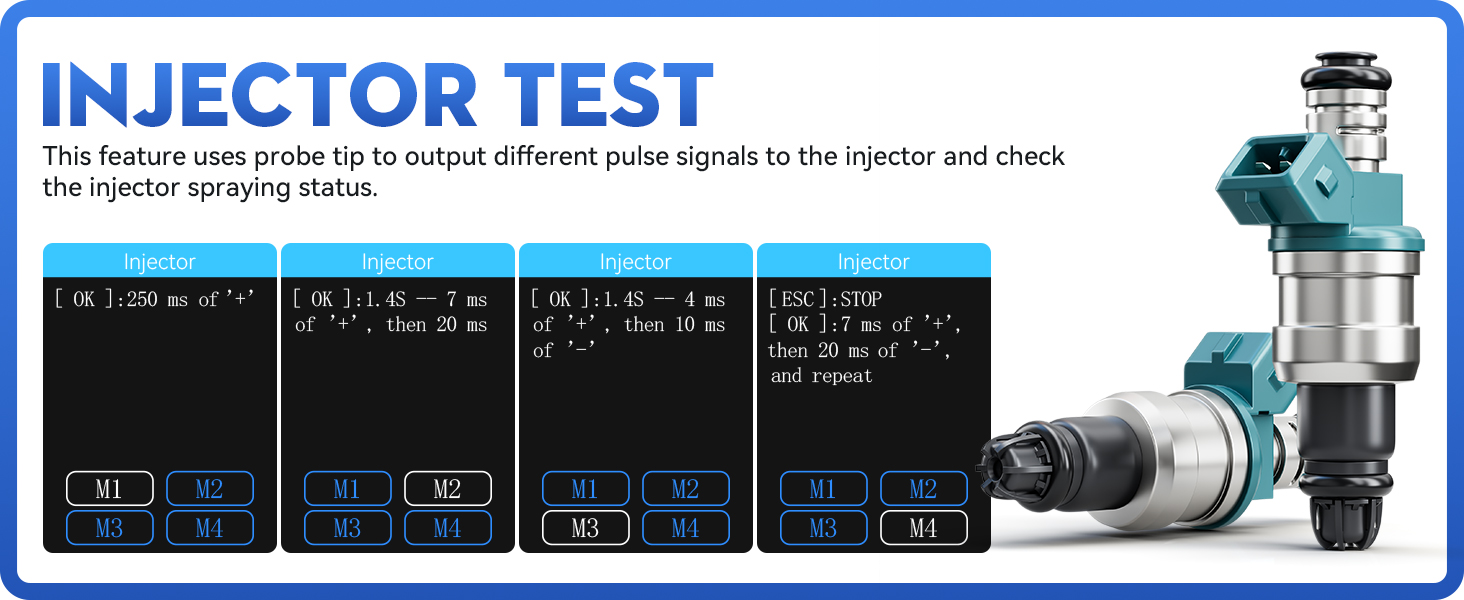
Figure 2: Detailed Packing List
Video 1: Unboxing and contents of the V500 Pro kit.
3. Setup
3.1 Breaker Finder Battery Installation
Before using the V500 Pro Short Open Circuit Finder, you will need to install a 9V battery (included) into the unit. Ensure the battery is correctly oriented before closing the compartment.
3.2 Connecting to Vehicle Battery
The V500 Pro Circuit Probe Tester operates using the vehicle's battery voltage. Connect the Alligator Battery Clips (red to positive, black to negative) to your vehicle's 9-30V battery terminals. Ensure a secure connection for stable operation.
4. Operating Modes
4.1 Probe Mode
In Probe mode, the V500 Pro can perform various circuit tests including positive/negative identification, polarity testing, continuity checks, and grounding tests. It provides real-time voltage readings.

Figure 3: Overview of V500 Pro's All-in-One Capabilities
Video 2: Demonstrates various probe functions and screen rotation.
4.2 Multimeter Mode
The Multimeter mode allows for high-efficiency measurement of various electrical parameters including Voltage (VDC), Resistance (OHM), Diode (DIO), Current (AMP), and Frequency (HZ). This provides comprehensive data for circuit analysis.

Figure 4: Multimeter Display on V500 Pro
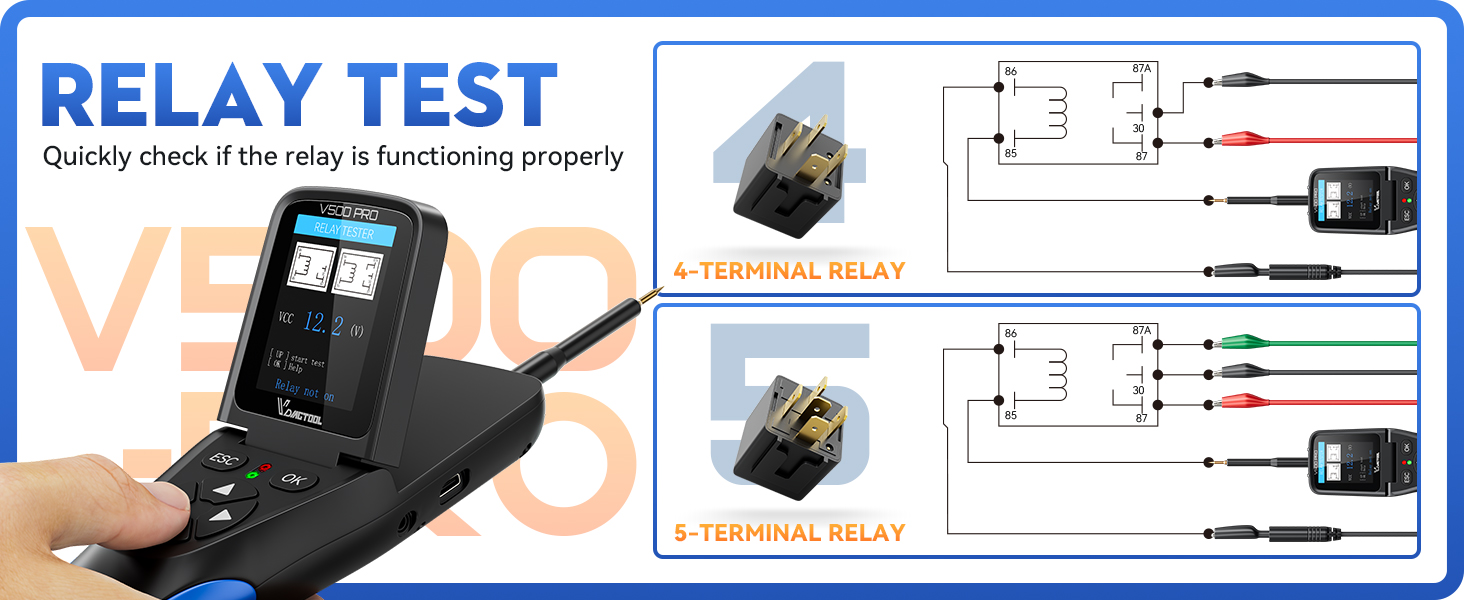
Figure 5: Detailed Multimeter Parameters
Video 3: Demonstrates the powerful Oscilloscope and Multimeter functions.
4.3 Oscilloscope Mode
The Oscilloscope module graphically displays electrical signals, allowing for intuitive visualization of data fluctuation. This is crucial for analyzing complex waveforms and diagnosing signal-related issues.

Figure 6: Oscilloscope Display on V500 Pro

Figure 7: Detailed Oscilloscope Features
4.4 Component Activation
The V500 Pro can provide power to various car components such as bulbs, radiator fans, starter motors, relays, window regulators, and windshield wipers. This feature enables effective testing and troubleshooting by activating components directly.

Figure 8: V500 Pro Displaying Multiple Functions
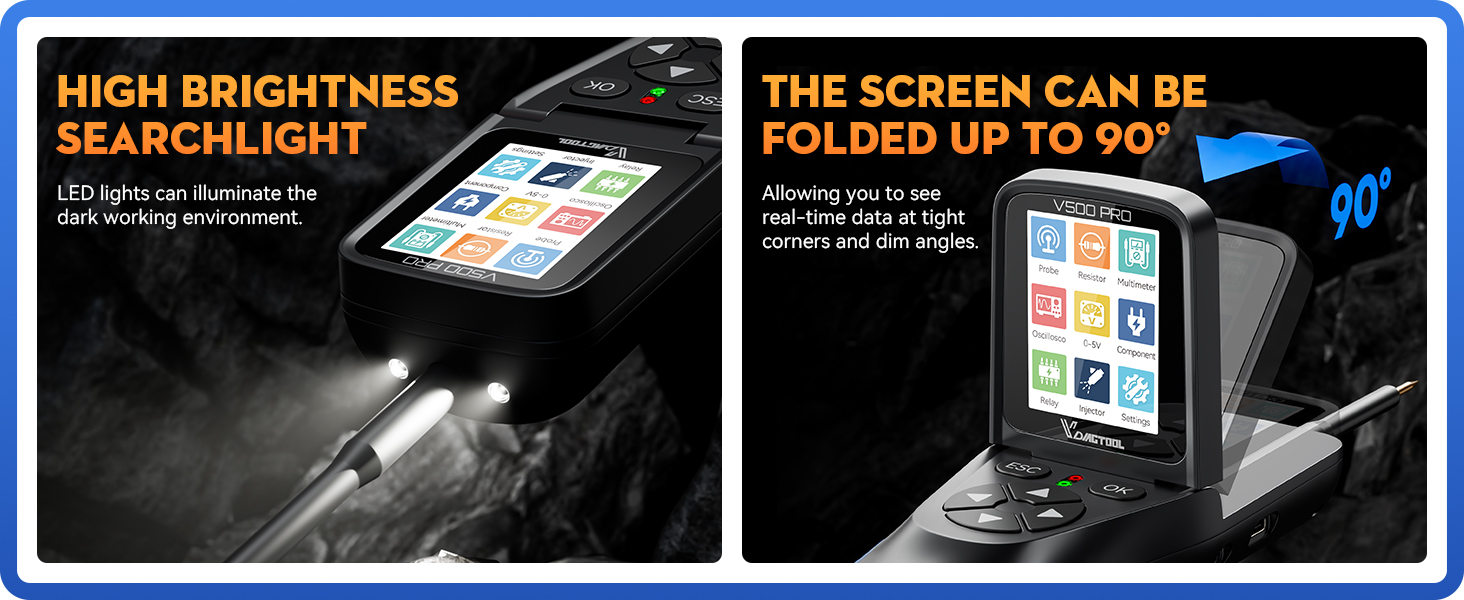
Figure 9: Examples of Component Activation
4.5 Injector Test
This feature uses the probe tip to output different pulse signals to the injector, allowing you to check the injector spraying status and diagnose injector conditions. This can help save on diagnostic costs.
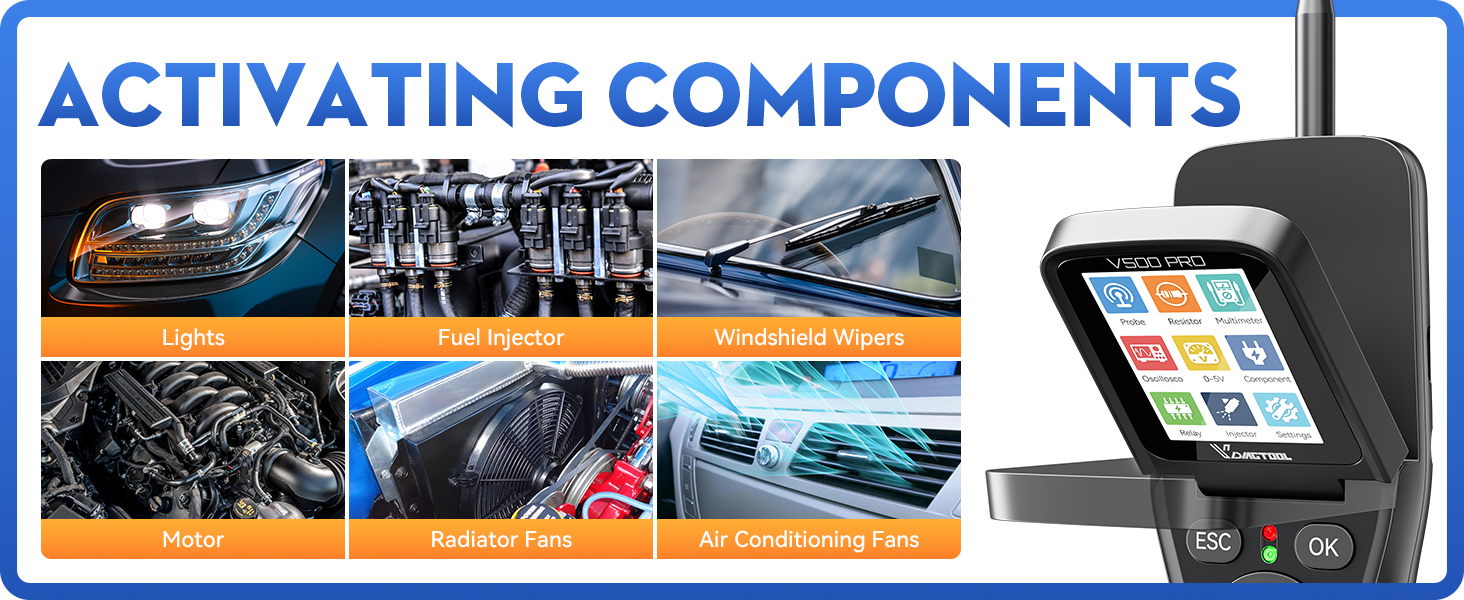
Figure 10: Injector Test Interface
4.6 Relay Test
The V500 Pro includes a dedicated relay test function that quickly checks if a relay is functioning properly. It provides diagrams for both 4-terminal and 5-terminal relays, guiding you through the connection process.

Figure 11: Relay Test Diagrams
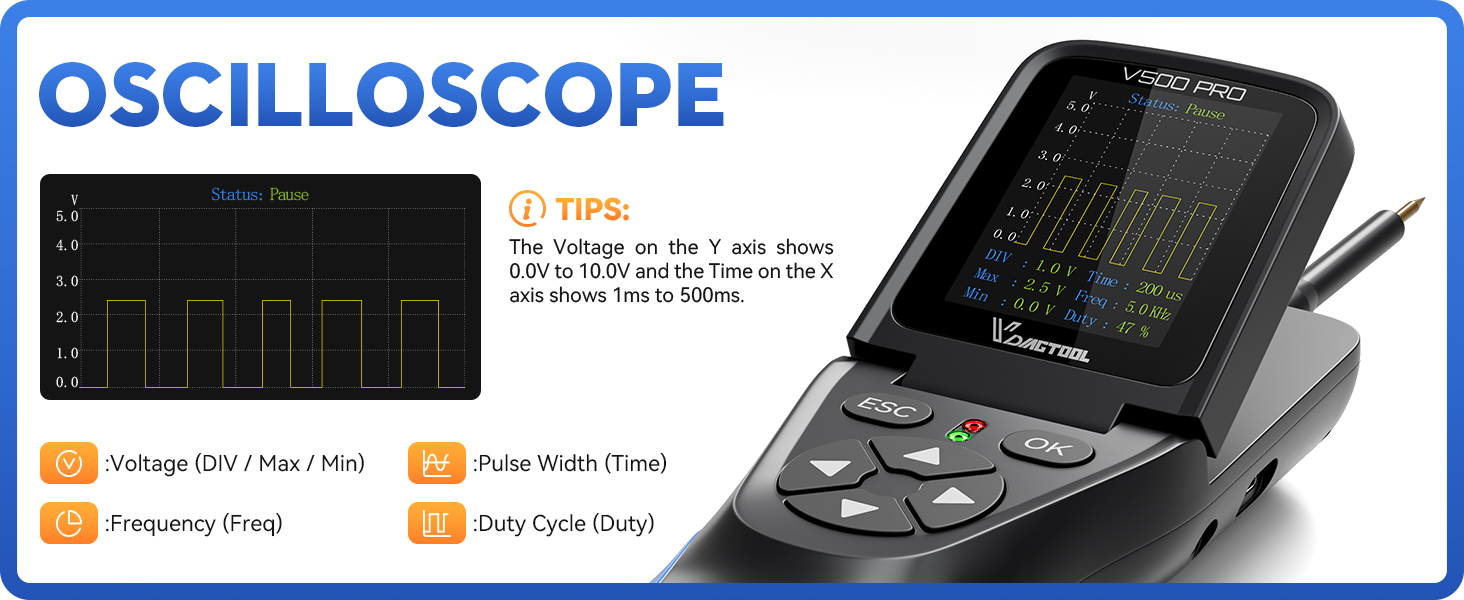
Figure 12: Relay Test Function in Use
Video 4: Demonstrates the built-in relay tester function.
4.7 Locating Open Circuit / Breaker Finder
Switch the V500 Pro to Mode II to use the breaker finder. This feature can easily locate circuit breaker points, open connections, broken wires, and current leaks with tone changes. It can also trace wires/cables without damaging insulation, making it suitable for various vehicle circuit issues.

Figure 13: Locating Open Circuit with V500 Pro
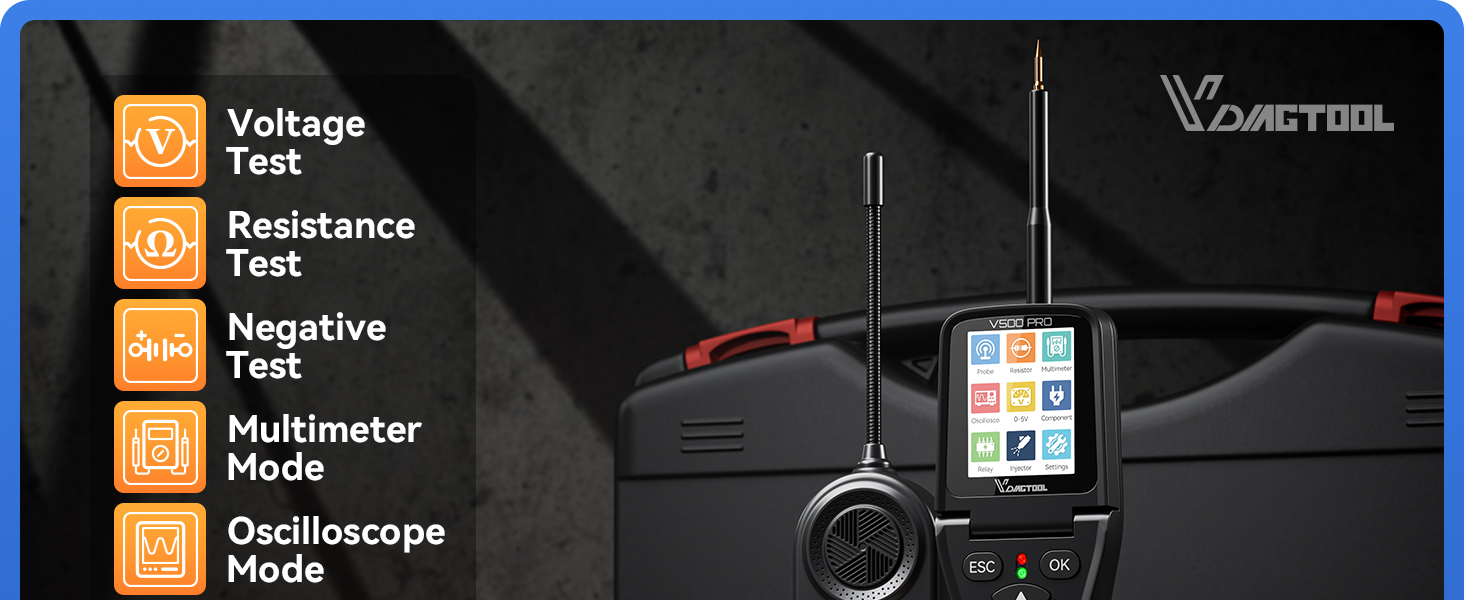
Figure 14: Wire Tracing and Circuit Locating Capabilities
4.8 0-5V Power Supply
The adjustable 0-5V power supply provides a stable, low-voltage output for circuit diagnosis. It can simulate input voltage, debug sensors, test circuit behavior, and calibrate systems, simplifying debugging and optimization processes while preventing component damage.
4.9 90° Rotating Screen
The main screen of the V500 Pro can be rotated 90°, allowing for 360° observation of circuit data without blind spots. This feature enhances focus on analyzing circuit faults from any angle.
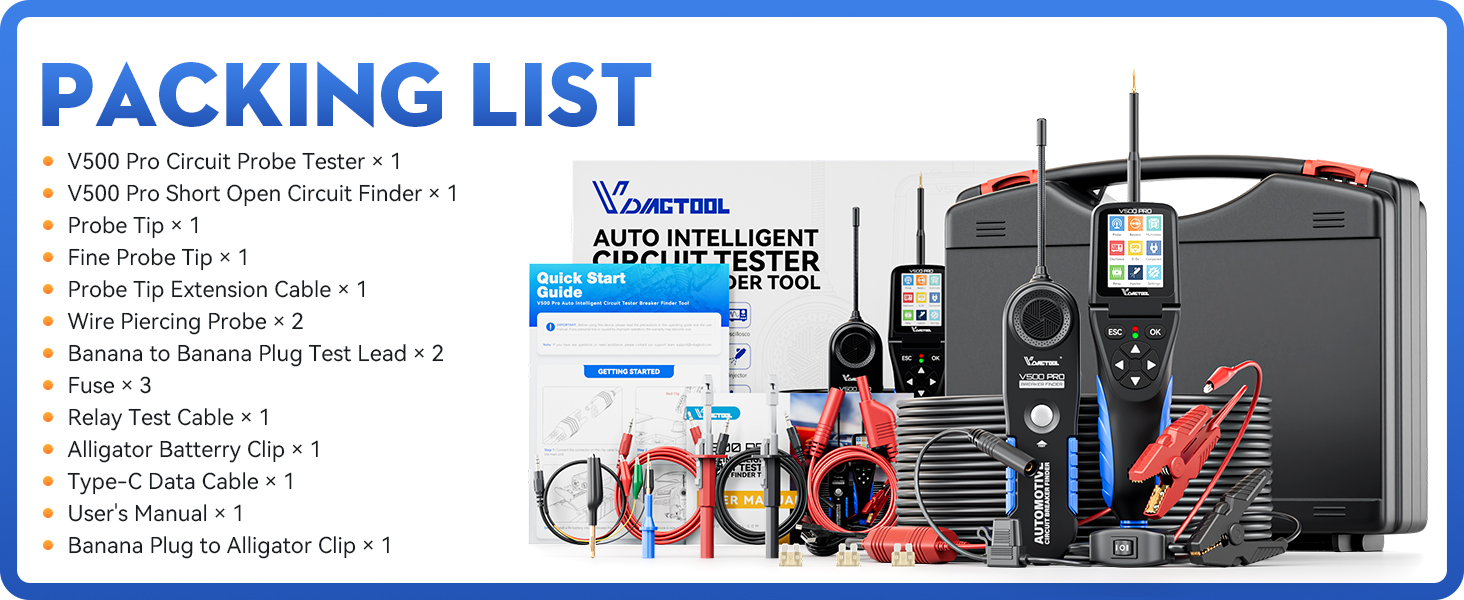
Figure 15: Screen Rotation and Built-in Light
5. Maintenance
To ensure the longevity and optimal performance of your VDIAGTOOL V500 Pro, follow these maintenance guidelines:
- Keep the device clean and free from dust and debris. Use a soft, dry cloth for cleaning.
- Store the device in its original carrying case when not in use to protect it from physical damage and environmental factors.
- Avoid exposing the device to extreme temperatures, humidity, or direct sunlight.
- Regularly check the cables and connectors for any signs of wear or damage. Replace them if necessary to prevent electrical hazards.
- Ensure the 9V battery in the breaker finder is replaced when low to maintain accurate readings.
6. Troubleshooting
If you encounter issues with your VDIAGTOOL V500 Pro, refer to the following common troubleshooting tips:
- Device Not Powering On: Ensure the battery clips are securely connected to the vehicle's battery terminals with correct polarity. Check the vehicle battery voltage. For the breaker finder, ensure the 9V battery is installed and has sufficient charge.
- Inaccurate Readings: Verify that the probe tip is making good contact with the circuit. Check for any corrosion on the probe or connectors. Ensure the correct operating mode is selected for the test being performed.
- No Signal Detection (Breaker Finder): Confirm the breaker finder's 9V battery is functional. Ensure the unit is in Mode II. Check for any breaks or shorts in the wire being traced.
- Screen Issues: If the screen is unresponsive or displaying incorrectly, try restarting the device by disconnecting and reconnecting the power.
- Component Activation Failure: Verify the component is properly connected and has a good ground. Check the current draw of the component to ensure it's within the tool's operating limits.
For more complex issues or if troubleshooting steps do not resolve the problem, please contact customer support.
7. Specifications
| Feature | Specification |
|---|---|
| Item Model Number | VDT-V500-PRO |
| Brand | VDIAGTOOL |
| Color | Black |
| Min. Operating Voltage | 9 Volts |
| Batteries | 1 9V batteries required (included) |
| Package Dimensions | 13.78 x 12.4 x 3.5 inches |
| Item Weight | 5.03 Pounds |
| Country of Origin | China |
8. Warranty and Support
VDIAGTOOL provides a 3-year free warranty for the V500 Pro Automotive Circuit Tester. Additionally, you are covered by a 60-day no-questions-asked new replacement or refund policy to ensure your complete satisfaction.
For any questions, concerns, or technical support, please reach out to our customer service team via email at vdiagtool2@outlook.com. We are committed to providing high-quality products and excellent support.