
Introduction
This manual provides comprehensive instructions for the operation, maintenance, and troubleshooting of your MURAUX 8K Camcorder. Please read this manual carefully before using the device to ensure proper functionality and to maximize your user experience.
The MURAUX 8K Camcorder is designed for high-resolution video recording and photography, featuring 8K video capture, 48MP/64MP photo capabilities, a 3.0-inch flip touchscreen, 18X digital zoom, infrared night vision, and Wi-Fi connectivity for easy sharing and control.
What's in the Box
Verify that all items are present in the package:
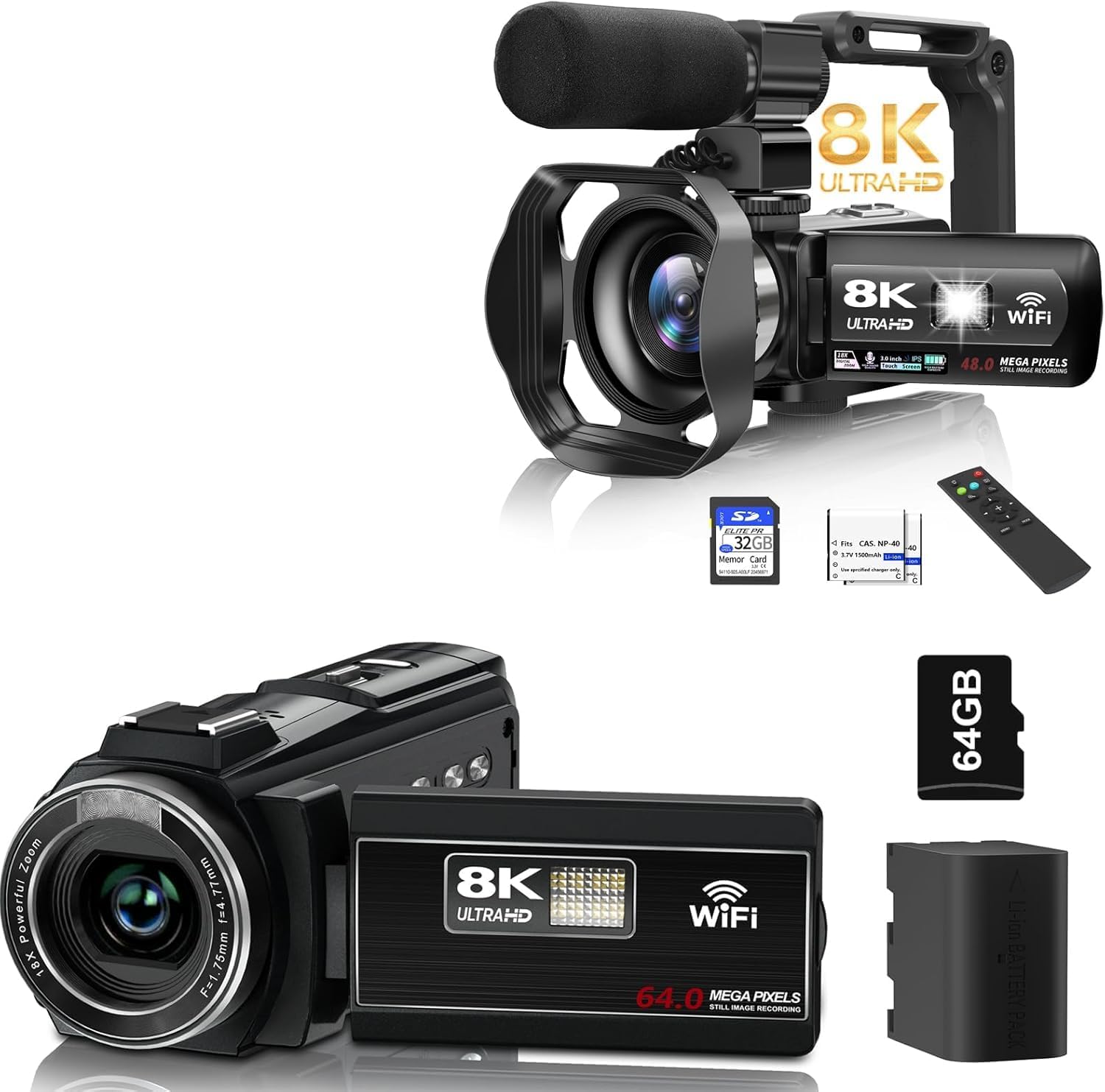
Image: The MURAUX 8K Camcorder shown with its included accessories, such as an external microphone, remote control, SD card, and battery, illustrating the complete package contents.
- MURAUX 8K Camcorder
- External Microphone
- Remote Control
- Rechargeable Battery (4500mAh)
- USB Cable
- HDMI Cable
- User Manual
- 64GB SD Card
Setup
1. Charging the Battery
Before first use, fully charge the camcorder's battery. Connect the camcorder to a power source using the provided USB cable. The charging indicator light will show the charging status.
2. Inserting the SD Card
The camcorder supports SD cards for storage. Insert the 64GB SD card (included) into the designated slot until it clicks into place. Ensure the card is inserted correctly to avoid damage.
3. Attaching Accessories
- Microphone: Attach the external microphone to the hot shoe mount on top of the camcorder and connect its cable to the microphone input port.
- Fill Light: If using an external fill light, attach it to the hot shoe mount. The camcorder also has a built-in fill light.

Image: The MURAUX 8K Camcorder demonstrating the three adjustable modes of its external fill light: White Light, White Glow, and Warm Light, with a 360° rotation adjustment.
Operating Instructions
Basic Operation
- Power On/Off: Press and hold the power button to turn the camcorder on or off.
- Recording: Press the Record button to start or stop video recording.
- Photo Capture: Switch to photo mode and press the shutter button to take a picture.
- Zoom: Use the zoom controls to adjust the 18X digital zoom.

Image: The camcorder's 18X digital zoom capability is illustrated with examples at 4X, 12X, and 18X magnification. Below, a comparison shows the effect of Infrared Night Vision being turned ON versus OFF, highlighting its ability to capture clear images in dark environments.
Advanced Features
- 3.0" IPS Touchscreen: The screen rotates 270° for flexible shooting angles. Use the touchscreen for menu navigation and settings adjustments.
- 8K Video Recording: Capture videos in stunning 8K resolution at 15 frames per second (FPS).
- Photo Resolution: Capture high-resolution photos up to 48MP or 64MP.
- Infrared Night Vision: Activate this feature by pressing the power button to capture clear images in dark environments.
- Built-in Fill Light: Provides illumination in low-light conditions.
- Time-lapse Photography: Set up the camcorder to capture a series of images over time, which can then be compiled into a time-lapse video.
- Motion Detection: The camcorder can be set to start recording automatically when motion is detected.
- Anti-shake: Reduces blur caused by camera movement during recording.
- Recording While Charging: The camcorder supports continuous recording even when connected to a power source.
- Filter Options: Apply various filters to personalize your photos and videos.
- Noise Reduction: Enhances audio clarity by reducing background noise.

Image: A visual comparison demonstrating the superior clarity of 8K video over 4K, and the enhanced detail provided by higher megapixel photo resolutions, from 24MP up to 64MP.
Connectivity
- Wi-Fi Connectivity:
Download the "Hello Cam" app on your smartphone. Connect your phone to the camcorder's Wi-Fi network. This allows you to manage the camera remotely and transfer media directly to your device for easy sharing.

Image: The MURAUX 8K Camcorder is shown wirelessly connected to a smartphone, illustrating the process of sharing photos and videos via the "Hello Cam" app to various social media platforms.
- Remote Control:
The included 2.4G wireless remote control offers a 360-degree range and a 30-foot sensing distance, providing convenient hands-free operation for recording and photo capture.

Image: The MURAUX 8K Camcorder is depicted functioning as a webcam, connected to a laptop. The image also highlights the 30-foot effective range of its wireless remote control.
- PC Camera Function: Connect the camcorder to your computer via USB to use it as a webcam for live streaming or video calls.
Maintenance
- Cleaning: Use a soft, dry cloth to clean the camcorder body. For the lens and screen, use a specialized lens cleaning cloth and solution. Avoid abrasive materials or harsh chemicals.
- Battery Care: Store the battery in a cool, dry place when not in use. Avoid extreme temperatures. If storing for extended periods, charge the battery to about 50% capacity.
- Storage: Store the camcorder in a dust-free environment, away from direct sunlight and moisture.
Troubleshooting
Common Issues and Solutions
- Fixed Focus Limitation: The camcorder features a fixed focus lens. Manual adjustment is not available. For optimal clarity, ensure your subject is beyond 4 meters (approximately 13 feet) from the lens.
- Camera Not Powering On:
- Ensure the battery is fully charged.
- Check that the battery is inserted correctly.
- Try connecting the camcorder to a power source directly.
- SD Card Error:
- Ensure the SD card is inserted correctly.
- Format the SD card (this will erase all data, back up important files first).
- Try a different compatible SD card.
- Wi-Fi Connection Issues:
- Ensure the "Hello Cam" app is installed and updated.
- Restart both the camcorder and your smartphone.
- Verify that you are connecting to the correct Wi-Fi network broadcast by the camcorder.
Specifications
| Feature | Detail |
|---|---|
| Brand | MURAUX |
| Model Name | 8K Camcorder |
| Item Model Number | f457fb70-cd76-4a13-b6e7-0bbb5ce3aa35 |
| Video Capture Resolution | 8K (15FPS) |
| Photo Sensor Technology | CMOS |
| Max Photo Resolution | 64MP (also 48MP option) |
| Display | 3.0" IPS Touchscreen (270° rotation) |
| Digital Zoom | 18X |
| Connectivity | USB, Wi-Fi |
| Flash Memory Type | SD Card |
| Video Capture Format | MP4 |
| Supported Audio Format | AAC |
| Special Features | IR Night Vision, Built-in Fill Light, Remote Control, Time-lapse, Motion Detection, PC Camera Function, Anti-shake, Recording while Charging, Noise Reduction |
Warranty and Support
MURAUX products are designed for reliability and performance. For specific warranty details, please refer to the warranty card included with your product or contact MURAUX customer support.
If you encounter any issues or have questions regarding your MURAUX 8K Camcorder, please reach out to our customer support team. The email address for support is listed in the physical manual included with your product. You can also visit the official MURAUX store on Amazon for more information and resources: