
SENTRY OSE-STEMBK
SENTRY OSE Wireless Stem Earbuds User Manual
Model: OSE-STEMBK
1. Introduction
Thank you for choosing the SENTRY OSE Wireless Stem Earbuds. These earbuds are designed to provide a high-quality audio experience with active noise cancellation, comfortable fit, and convenient touch controls. This manual will guide you through the setup, operation, and maintenance of your new earbuds to ensure optimal performance.
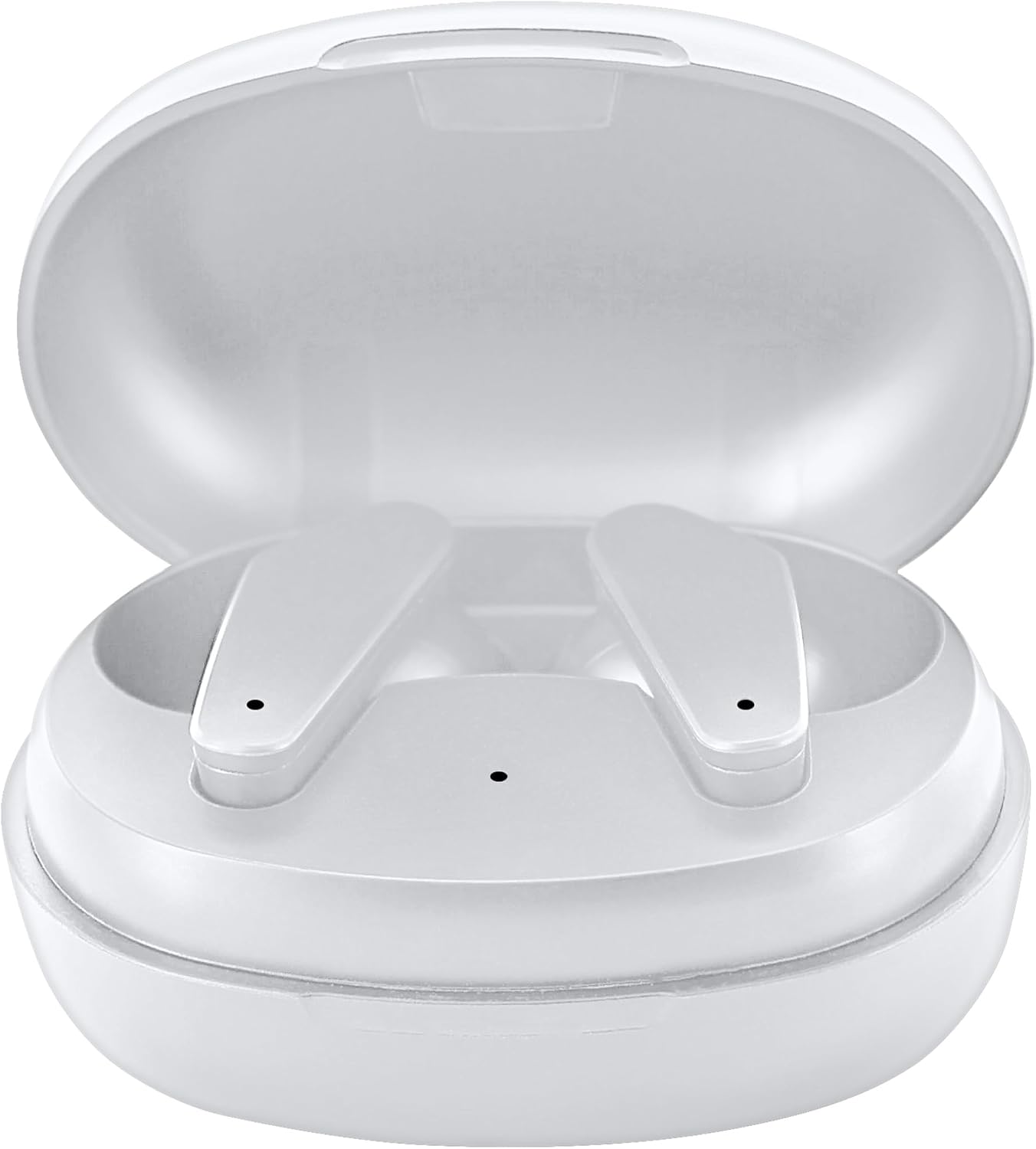
Image 1.1: SENTRY OSE Wireless Stem Earbuds in their open charging case.
2. What's in the Box
Please check the package contents to ensure all items are present:
- SENTRY OSE Wireless Stem Earbuds (Left and Right)
- Portable Charging Case
- USB-C Charging Cable
- Extra Eartips (various sizes)
- User Manual (this document)

Image 2.1: Package contents including earbuds, charging case, and USB-C cable.
3. Setup
3.1 Charging the Earbuds and Case
- Initial Charge: Before first use, fully charge both the earbuds and the charging case.
- Charging the Case: Connect the provided USB-C cable to the charging port on the case and the other end to a USB power adapter (not included). The indicator light on the case will show charging status. A full charge takes approximately 2 hours.
- Charging the Earbuds: Place the earbuds into their respective slots in the charging case. Ensure they are properly seated. The earbuds will automatically begin charging. The case can fully charge the earbuds approximately two times, providing up to 20 additional hours of listening time.
Battery Life: The earbuds provide up to 10 hours of playtime on a single charge. Total playtime with the charging case is up to 30 hours.

Image 3.1: Visual representation of the all-day battery life with the charging case.
3.2 Pairing with Your Device
- Power On: Open the charging case. The earbuds will automatically power on and enter pairing mode. You will hear an audio prompt.
- Activate Bluetooth: On your smartphone or other Bluetooth-enabled device, go to the Bluetooth settings and ensure Bluetooth is turned on.
- Select Device: Look for "SENTRY OSE" in the list of available devices and select it to connect.
- Confirmation: Once successfully paired, you will hear an audio confirmation, and the earbuds will be ready for use.
- Automatic Reconnection: After the initial pairing, the earbuds will automatically connect to the last paired device when removed from the case, provided Bluetooth is active on your device.

Image 3.2: Easy pairing process with a smartphone.
Video 3.1: Official product video demonstrating the features and usage of the SENTRY OSE Wireless Stem Earbuds, including design, charging, and controls.
4. Operating the Earbuds
4.1 Power On/Off
- Power On: The earbuds automatically power on when removed from the charging case.
- Power Off: The earbuds automatically power off and begin charging when placed back into the charging case and the lid is closed.
4.2 Touch Controls
The SENTRY OSE Earbuds feature intuitive touch controls on the stem of each earbud. The specific functions are as follows:
| Action | Function |
|---|---|
| Single Tap (Left/Right) | Play/Pause Music, Answer/End Call |
| Double Tap (Right) | Next Track |
| Double Tap (Left) | Previous Track |
| Triple Tap (Right) | Volume Up |
| Triple Tap (Left) | Volume Down |
| Long Press (2 seconds) | Activate Voice Assistant (Siri, Google Assistant) |
| Long Press (2 seconds during call) | Reject Call |

Image 4.1: Detailed diagram of earbud touch controls.
4.3 Active Noise Cancellation (ANC)
The SENTRY OSE Earbuds feature Active Noise Cancellation (ANC) technology, reducing ambient noise by up to -20dB for an immersive listening experience. ANC is automatically active when the earbuds are in use. There is no manual toggle for ANC on these earbuds.
4.4 Built-in Microphone
Each earbud is equipped with a built-in microphone, allowing for clear hands-free calls. The microphone automatically activates when you answer a call.
5. Maintenance
5.1 Cleaning
- Regularly clean the earbuds, especially the eartips and speaker mesh, with a soft, dry, lint-free cloth.
- Do not use abrasive cleaners, alcohol, or chemical solvents.
- Ensure the charging contacts on both the earbuds and the case are clean and free of debris to maintain proper charging.
5.2 Storage
- When not in use, always store the earbuds in their charging case to protect them and keep them charged.
- Store the device in a cool, dry place, away from extreme temperatures and direct sunlight.
6. Troubleshooting
If you encounter any issues with your SENTRY OSE Wireless Stem Earbuds, please refer to the following common solutions:
| Problem | Possible Solution |
|---|---|
| Earbuds not powering on | Ensure earbuds are charged. Place them in the charging case for 10-15 minutes, then remove. |
| Earbuds not pairing | 1. Ensure Bluetooth is enabled on your device. 2. Turn off Bluetooth on other nearby devices. 3. Forget "SENTRY OSE" from your device's Bluetooth list and try pairing again. 4. Ensure earbuds are fully charged. |
| No sound from one earbud | 1. Place both earbuds back into the charging case, close the lid, wait 5 seconds, then remove them. 2. Re-pair the earbuds with your device. 3. Ensure both earbuds are charged. |
| Charging issues | 1. Check the USB-C cable and power adapter. 2. Clean the charging contacts on both earbuds and the case with a dry cotton swab. 3. Ensure earbuds are correctly seated in the case. |
| Poor audio quality | 1. Ensure earbuds are fully charged. 2. Move closer to your device to avoid interference. 3. Try different eartip sizes for a better seal. |
If the problem persists, please contact customer support.
7. Specifications
| Feature | Detail |
|---|---|
| Brand | SENTRY |
| Model Number | OSE-STEMBK |
| Color | White |
| Ear Placement | In Ear |
| Connectivity Technology | Wireless (Bluetooth) |
| Bluetooth Version | 5.3 |
| Bluetooth Range | Up to 30 feet (10 meters) |
| Noise Control | Active Noise Cancellation (-20dB) |
| Earbud Playtime | Up to 10 hours |
| Total Playtime (with Case) | Up to 30 hours |
| Charging Case Capacity | 300 mAh |
| Charging Port | USB Type C |
| Control Type | Touch Control |
| Microphone | Built-in |
| Audio Driver Size | 10 mm |
| Frequency Response | 20 Hz - 20 KHz |
| Impedance | 32 ohm |
| Item Weight | 0.18 kg |
8. Warranty and Support
8.1 90-Day Guarantee
SENTRY Industries offers a 90-day guarantee on this product. This warranty covers manufacturing defects and malfunctions under normal use. For warranty claims, please retain your proof of purchase.
8.2 Customer Support
For technical assistance, warranty inquiries, or any other questions, please contact SENTRY customer support. SENTRY Industries is an American company with over 60 years in business, providing a customer support line operated out of their New York office.
Visit the official SENTRY store for more information: SENTRY Industries Store
Ask a question about this manual
Ask about setup, troubleshooting, compatibility, parts, safety, or missing instructions. Manuals+ will review the question and use this page’s manual context to help answer it.