
1. Introduction
This manual provides essential information for the safe and efficient use of your BESTHERM ILLO CONNECT 1000W Ceramic Dry Inertia Electric Radiator. This appliance combines thermal comfort with advanced technology, featuring a ceramic heating core for homogeneous heat distribution and Wi-Fi connectivity for remote management. Please read these instructions carefully before installation and operation, and retain them for future reference.

Figure 1: Overview of the ILLO CONNECT 1000W Radiator's key features.
2. Safety Instructions
Always observe the following safety precautions to reduce the risk of fire, electric shock, or injury:
- Ensure the power supply voltage matches the rating label on the radiator.
- Do not cover the radiator or obstruct its air vents. This can cause overheating.
- Keep flammable materials (curtains, furniture, etc.) at a safe distance from the appliance.
- Do not operate the radiator with a damaged cord or plug. Contact qualified service personnel for repairs.
- This appliance is for indoor use only. Do not use in bathrooms or other areas where it may come into contact with water, unless specifically rated for such environments (IP24 rating indicates protection against splashing water).
- Do not insert objects into any openings.
- Unplug the radiator before cleaning or performing any maintenance.
- The appliance features an Overheat Protection system, which automatically shuts off the unit if it becomes too hot. If this occurs, unplug the unit, allow it to cool, and check for obstructions before restarting.
- The Child Safety Lock feature prevents accidental changes to settings.
3. Package Contents
Verify that all components are present in the packaging:
- BESTHERM ILLO CONNECT 1000W Electric Radiator
- Wall mounting brackets and fixings
- User Manual (this document)
4. Installation
The ILLO CONNECT radiator is designed for wall mounting. Ensure the installation location is suitable and provides adequate clearance around the unit for proper heat circulation.
4.1 Mounting the Radiator
- Choose a suitable wall location, away from direct drafts and flammable materials.
- Use the provided mounting brackets as a template to mark drilling points on the wall.
- Drill holes and insert wall plugs (if necessary, depending on wall type).
- Securely attach the mounting brackets to the wall using the provided screws.
- Carefully hang the radiator onto the mounted brackets, ensuring it is level and securely seated.

Figure 2: Rear view with mounting brackets.
4.2 Electrical Connection
Connect the radiator to a suitable electrical outlet. Ensure the outlet is properly grounded and can handle the 1000W power consumption of the unit. If using a pilot wire system, consult a qualified electrician for proper connection.
4.3 Dimensions and Weight
Consider the following dimensions and weight for installation planning:
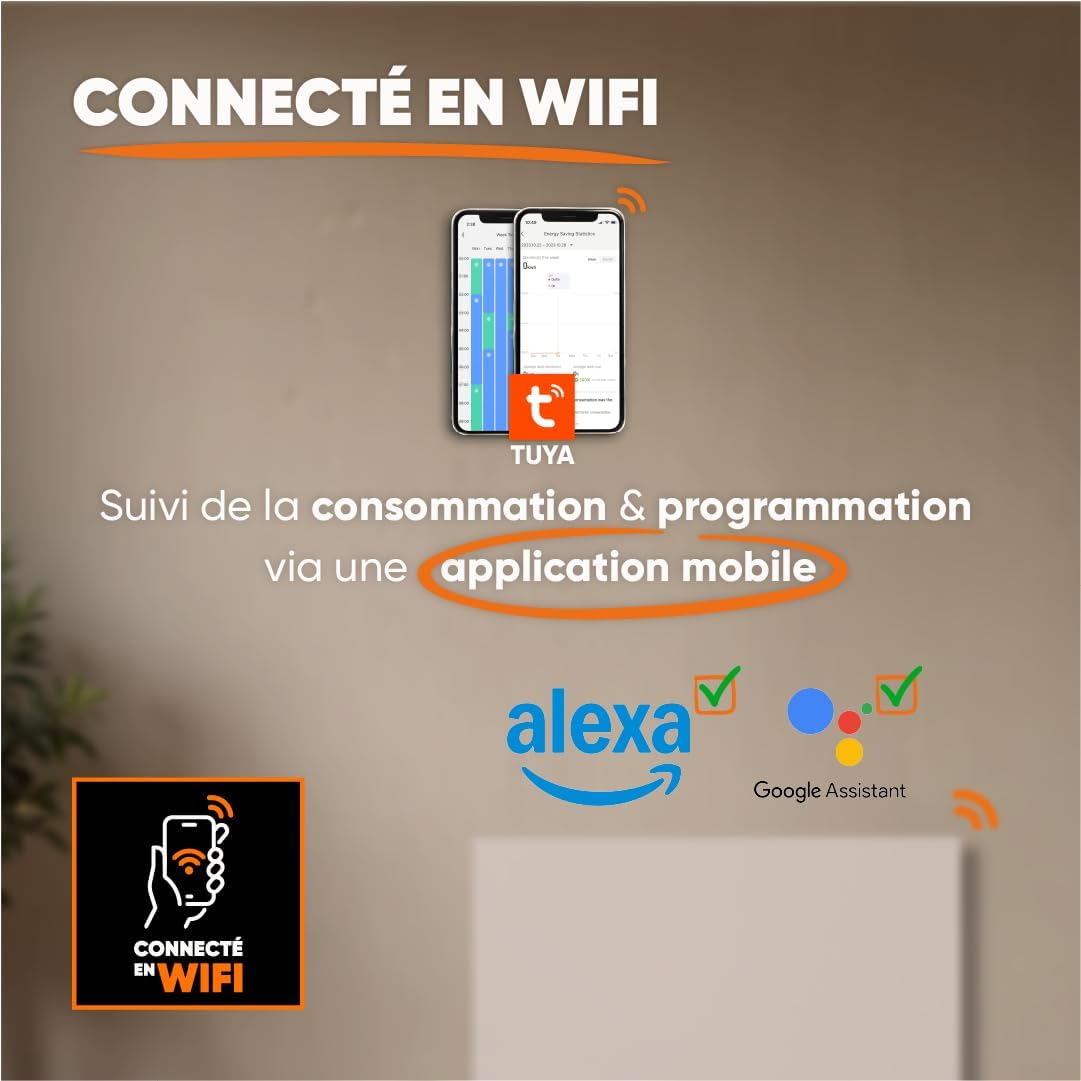
Figure 3: Radiator dimensions and weight.
For detailed visual instructions on installation, scan the QR code below or visit the official YouTube channel:

Figure 4: Scan for installation and programming videos.
Official YouTube Channel: youtube.com/channel/UC-sOfckFt_UyYxoDYUZ95Ew
5. Operating Instructions
The ILLO CONNECT radiator features an electronic control panel with touch buttons and an intuitive LCD display for easy management.
5.1 Initial Power-On
After connecting the radiator to the power supply, the LCD display will illuminate. You may need to set the current time and date before proceeding with other settings.
5.2 Control Panel Overview
The control panel typically includes buttons for mode selection, temperature adjustment, programming, and Wi-Fi pairing. Refer to the on-screen prompts for specific button functions.
5.3 Operating Modes
The radiator offers four primary operating modes:
- Comfort Mode: Maintains the desired set temperature.
- Economic Mode: Operates at a slightly reduced temperature compared to Comfort mode, saving energy.
- Anti-freeze Mode: Maintains a minimum temperature (e.g., 7°C) to prevent freezing.
- Standby Mode (Off): The radiator is off but remains connected to power.
5.4 Programming
Customize your heating schedule for optimal comfort and energy efficiency:
- Pre-recorded Weekly Programs (P1/P2/P3): Select from three factory-set weekly programs designed for common usage patterns.
- Custom Weekly Program: Create and save your own personalized heating schedule for each day of the week.
5.5 Pilot Wire Modes (if applicable)
If your electrical installation includes a 6-order pilot wire, the radiator can be controlled via these modes:
- Comfort
- Comfort -1°C
- Comfort -2°C
- Eco
- Anti-freeze
- Off
5.6 Wi-Fi Connectivity and App Control
The ILLO CONNECT radiator can be controlled remotely via Wi-Fi using the Tuya or Smart Life mobile application.
- Download the Tuya Smart or Smart Life app from your smartphone's app store.
- Register or log in to your account.
- Follow the in-app instructions to add your radiator. This typically involves putting the radiator into pairing mode (refer to the radiator's display or specific app instructions).
- Once connected, you can monitor energy consumption, adjust settings, change modes, and set schedules from anywhere.
Figure 5: Wi-Fi connectivity and app control.
6. Smart Features & Safety
The ILLO CONNECT radiator incorporates several intelligent features for enhanced safety and energy efficiency:
- Open Window Detector: The radiator automatically detects an open window and adjusts its operation to prevent energy waste.
- Child Lock: This function prevents children from accidentally changing the radiator settings. Activate/deactivate via the control panel or mobile app.
- Overheat Protection: The radiator automatically shuts down if it detects an internal temperature exceeding safe limits, ensuring user safety.
7. Maintenance
Regular maintenance ensures optimal performance and longevity of your radiator.
7.1 Cleaning
- Always unplug the radiator from the power supply before cleaning.
- Allow the radiator to cool completely.
- Wipe the exterior surfaces with a soft, damp cloth. Do not use abrasive cleaners, solvents, or harsh chemicals, as these can damage the finish.
- Ensure no water enters the internal components.
- Periodically clean the air vents to prevent dust accumulation, which can affect efficiency.
7.2 Storage
If storing the radiator for an extended period, ensure it is clean, dry, and stored in a cool, dry place, protected from dust and moisture.
8. Troubleshooting
If you encounter issues with your radiator, refer to the following common problems and solutions:
| Problem | Possible Cause | Solution |
|---|---|---|
| Radiator does not turn on. | No power supply; Power switch off; Overheat protection activated. | Check power outlet and plug; Ensure power switch is on; Unplug, allow to cool, and check for obstructions. |
| Radiator not heating effectively. | Incorrect mode selected; Temperature setting too low; Open window detected. | Select Comfort mode or increase temperature; Close windows/doors. |
| Wi-Fi connection fails. | Incorrect Wi-Fi password; Radiator too far from router; Router issues. | Verify Wi-Fi password; Move radiator closer to router or use a Wi-Fi extender; Restart router. |
| Control panel unresponsive. | Child lock activated; Temporary software glitch. | Deactivate child lock; Unplug the radiator for a few minutes, then plug it back in. |
If the problem persists after attempting these solutions, please contact customer support.
9. Technical Specifications
| Feature | Specification |
|---|---|
| Model | ILLO CONNECT 1000W |
| Power Output | 1000 Watts |
| Heating Method | Dry Inertia Ceramic |
| Heating Coverage | Up to 10 m² (recommended for 5-10 m²) |
| Dimensions (H x W x D) | 45 cm x 55 cm x 11 cm |
| Weight | 7.3 kg |
| Material | Steel |
| Control | Electronic with touch buttons, LCD display |
| Connectivity | Wi-Fi (Tuya/Smart Life app compatible) |
| Safety Features | Open Window Detector, Child Lock, Overheat Protection |
| Mounting Type | Wall Mount (fixings included) |
| IP Rating | IP24 |
| Certifications | CE |
10. Warranty
The BESTHERM ILLO CONNECT 1000W Electric Radiator comes with a 2-year warranty from the date of purchase. This warranty covers manufacturing defects under normal use. Please retain your proof of purchase for warranty claims. The warranty does not cover damage resulting from improper installation, misuse, neglect, or unauthorized repairs.
11. Support
For any questions, technical assistance, or warranty claims, please contact our customer support team:
- Online FAQ: Visit www.bestherm.fr/pages/faq
- Telephone Assistance: 03 20 47 05 37
- Email Support: sav@hom-y.fr
Our responsive after-sales service is based in France to ensure efficient support.