
1. Introduction
This manual provides detailed instructions for the installation, operation, and maintenance of your XORLINK 2K Wireless Outdoor Solar Security Camera. Please read this manual thoroughly before using the product to ensure proper function and safety.
2. Product Overview
2.1 Package Contents
Please verify that all components are present in the package:
- XORLINK 2K Wireless Outdoor Solar Security Camera
- Solar Panel
- Mounting Bracket and Screws
- USB Charging Cable
- User Manual (this document)
2.2 Key Features
- 2K QHD Video Resolution: Provides clear 2304 x 1296 resolution at 30 frames per second.
- Solar Powered: Integrated solar panel for continuous charging of the 9600mAh rechargeable battery.
- 100% Wire-Free: Flexible placement without power cables.
- IP66 Weatherproof: Designed to withstand outdoor conditions (-4°F to 140°F / -20°C to 60°C).
- Color Night Vision: Enhanced visibility in low-light conditions.
- PIR Motion Detection: Intelligent human body detection to reduce false alarms.
- Two-Way Audio: Built-in microphone and speaker for communication.
- Spotlight and Siren Alarm: Automatic or manual activation for deterrence.
- 2.4GHz Wi-Fi Connectivity: Stable wireless connection.
- Local and Cloud Storage: Supports SD card and cloud storage options.
2.3 Product Diagram

This image displays the main components of the security camera system, including the camera unit, the attached solar panel for power, and a smartphone screen showing the camera's live 2K video feed of a residential area.
3. Setup
3.1 Initial Battery Charge
Before installation, fully charge the camera's built-in 9600mAh battery using the provided USB cable. Connect the cable to the camera's charging port and a standard 5V/2A USB power adapter (not included). The charging indicator will show the battery status.
3.2 App Installation and Account Creation
- Download the companion mobile application from your device's app store (search for "XORLINK" or refer to the QR code on the packaging).
- Install the app and create a new user account.
- Follow the in-app instructions to add your new camera device.
3.3 Network Connection (2.4GHz Wi-Fi)
Ensure your Wi-Fi network is 2.4GHz. The camera does not support 5GHz Wi-Fi. During the app setup process, you will be prompted to connect the camera to your home Wi-Fi network. Position the camera within range of your Wi-Fi router for optimal signal strength.

This image illustrates the wire-free nature of the camera, mounted on an exterior wall, emphasizing its reliance on battery power and 2.4GHz Wi-Fi for connectivity.
3.4 Mounting the Camera and Solar Panel
- Choose a suitable outdoor location that provides a clear view of the monitoring area and receives ample direct sunlight for the solar panel.
- Use the provided mounting bracket and screws to securely attach the camera and solar panel to a wall or other stable surface.
- Adjust the angle of the camera and solar panel to optimize coverage and solar charging efficiency.
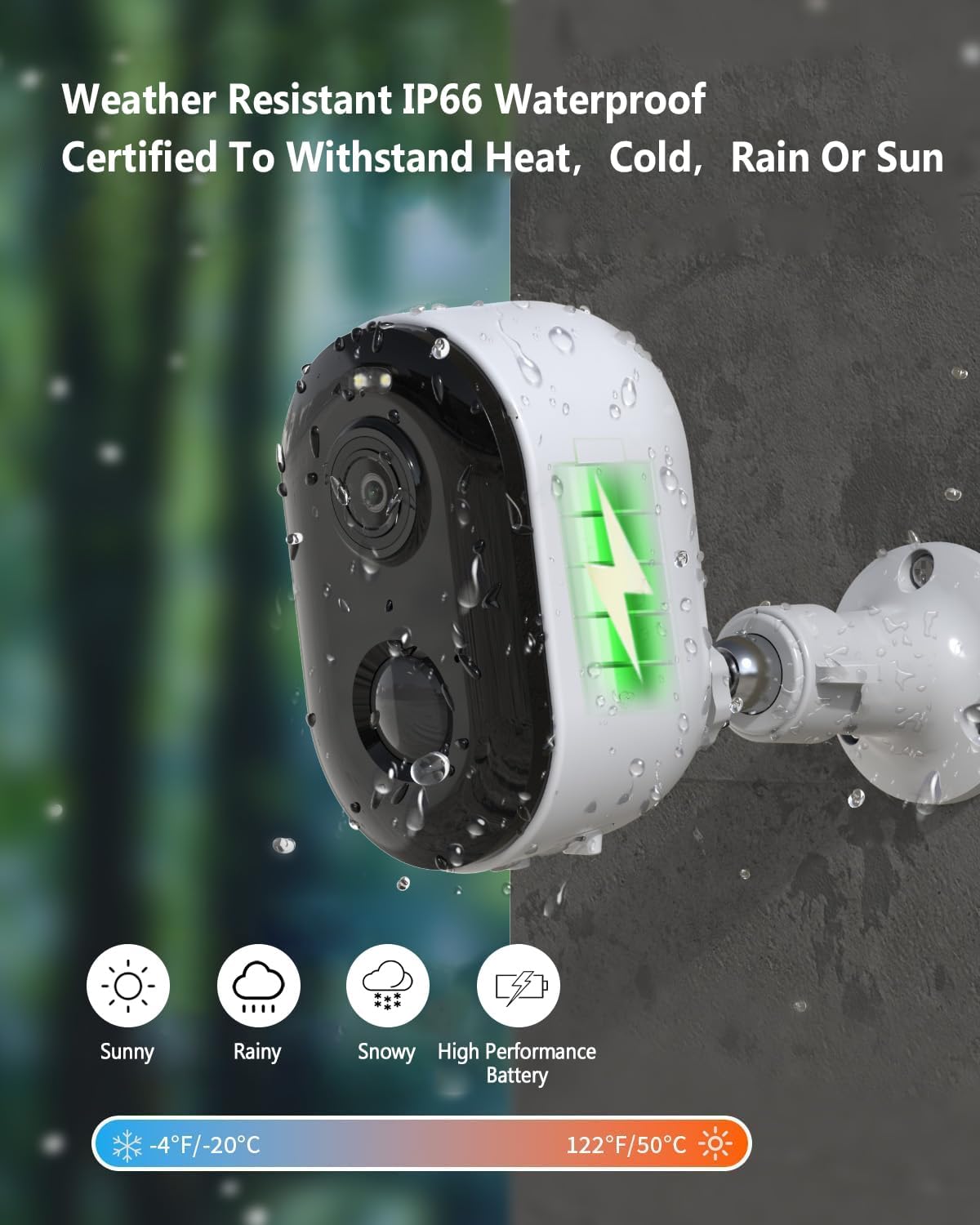
This image highlights the camera's robust, weatherproof construction and its solar charging capability, indicating its suitability for outdoor installation in diverse climates.
4. Operating Instructions
4.1 Live View and Recording
Open the XORLINK app on your smartphone to access the live video feed from your camera. You can initiate manual recordings or capture screenshots directly from the live view interface.
4.2 Two-Way Audio Communication
The camera features a built-in microphone and speaker. To use two-way audio, tap the microphone icon in the app's live view. You can speak through your phone, and your voice will be projected through the camera's speaker, allowing for real-time communication with visitors or deterring unwanted guests.

This image demonstrates the two-way audio functionality, where a user can communicate with a person at their door via the camera and smartphone app.
4.3 Motion Detection and Alerts
The camera utilizes PIR (Passive Infrared) intelligent human body detection to identify movement. When motion is detected, the camera will automatically record a 15-second video clip and send an alert notification to your smartphone. You can adjust motion detection sensitivity and zones within the app settings.

This image illustrates the camera's active deterrence features, including a spotlight and siren, which are activated upon motion detection to alert users and deter intruders.
4.4 Night Vision Modes
The camera supports multiple night vision modes, including full-color night vision and infrared mode, to provide clear surveillance even in complete darkness. The mode can be automatically or manually selected via the app.

This image demonstrates the camera's ability to capture clear video in various lighting conditions, including full-color night vision and traditional infrared night vision.
4.5 Storage Options
The camera supports both local storage via an SD card (not included, up to 128GB) and cloud storage (subscription may be required). You can manage recordings and playback through the XORLINK app.
5. Maintenance
5.1 Battery Management
The camera's 9600mAh battery is designed for long-term use, especially when paired with the solar panel. In PIR intelligent human body detection mode, a full charge can last up to 6 months. Monitor battery levels via the app and ensure the solar panel is clean and unobstructed for optimal charging.
5.2 Cleaning the Camera and Solar Panel
Periodically clean the camera lens and solar panel surface with a soft, damp cloth to remove dust, dirt, or debris. This ensures clear image quality and efficient solar charging. Do not use harsh chemicals or abrasive materials.
6. Troubleshooting
- Camera not connecting to Wi-Fi: Ensure your Wi-Fi is 2.4GHz, the camera is within range, and the Wi-Fi password is correct. Try restarting your router and the camera.
- Poor image quality: Check if the camera lens is clean and free from obstructions. Ensure adequate lighting for the desired night vision mode.
- Battery not charging: Verify the solar panel is receiving direct sunlight and is clean. Check the USB charging cable connection if charging manually.
- Motion alerts not received: Confirm motion detection is enabled in the app settings and notification permissions are granted for the app on your smartphone.
- Two-way audio issues: Check microphone and speaker permissions for the app. Ensure network connectivity is stable.
For further assistance, please refer to the support section within the XORLINK app or visit the official XORLINK website.
7. Specifications
| Feature | Detail |
|---|---|
| Model | B0DLH2W9JR |
| Video Resolution | 2K QHD (2304 x 1296) |
| Frame Rate | 30 frames per second |
| Battery Capacity | 9600mAh (Rechargeable) |
| Power Source | Solar Powered |
| Connectivity | 2.4GHz Wi-Fi |
| Weatherproof Rating | IP66 |
| Operating Temperature | -4°F to 140°F (-20°C to 60°C) |
| Detection Method | PIR Human Body Detection |
| Field of View | 135° Wide-angle |
| Audio | Two-Way Audio |
| Storage Options | SD Card (up to 128GB), Cloud Storage |
| Compatible Devices | Alexa |
| Material | Acrylonitrile Butadiene Styrene (ABS) |
| Item Weight | 1.2 Pounds |
| Color | White |
8. Warranty and Support
For warranty information and technical support, please refer to the XORLINK official website or contact their customer service directly. Details can typically be found within the mobile application or on the product packaging.
Protection plans are available for purchase separately. For more information, please visit the product page on Amazon or contact your retailer: