
1. Introduction
This manual provides essential instructions for the safe and effective operation of your LasGoo LG-4D 16 Green Beam 4x360° Laser Level. Please read this manual thoroughly before use and retain it for future reference.

Image: The LasGoo LG-4D 16 Green Beam 4x360° Laser Level with included accessories.
2. Included Components
The LasGoo LG-4D Laser Level package includes the following items:
- 1x LasGoo LG-4D Laser Level
- 1x Wall Mounting Plate
- 1x Magnetic Pivot Bracket
- 1x Window Clamp
- 1x Type-C Cable
- 1x Portable Bag
- 1x User Manual

Image: All components included in the LasGoo LG-4D package.
Video: This video demonstrates the unboxing and initial setup of a similar LasGoo laser level, showcasing the included components and their arrangement.
3. Setup
3.1 Battery Installation and Charging
The LG-4D laser level is powered by a rechargeable Lithium Ion battery. Ensure the battery is fully charged before first use.
- Install Battery: Open the battery compartment, insert the Lithium Ion battery, and close the compartment securely.
- Charge Battery: Connect the provided Type-C cable to the charging port on the battery or directly on the laser level. Connect the other end to a compatible USB power source (e.g., wall adapter, power bank). The control panel displays battery power in real-time.

Image: The LasGoo LG-4D laser level showing its battery compartment and Type-C charging port.

Image: The control panel of the LasGoo LG-4D displaying the battery charge level.
4. Operating Modes
4.1 Self-Leveling Mode
This mode is ideal for applications requiring precise horizontal and vertical alignment.
- Activation: Slide the pendulum lock to the unlocked position. The laser level will automatically self-level within 4 degrees.
- Out-of-Level Warning: If the tool is placed on a surface exceeding 4 degrees of inclination, the laser lines will flash rapidly to alert the user for adjustment.
4.2 Manual / Tilt Mode
Use this mode for projecting angled lines, such as for staircase installations or decorative patterns.
- Activation: Slide the pendulum lock to the locked position. Press and hold the power button for at least 2 seconds to activate manual mode. The laser lines will blink every 3-5 seconds to indicate manual mode.
- Note: In manual mode, the laser beams are not self-leveling and cannot be used as a horizontal or vertical reference.

Image: Visual representation of the self-leveling and manual mode switches on the LasGoo LG-4D.
Video: This video demonstrates how to switch between self-leveling and manual modes on a similar laser level.
5. Laser Line Control
The LG-4D features 4x360° green laser lines, providing comprehensive coverage for various tasks.
- Switching Lines: Use the 'H' button to cycle through horizontal lines and the 'V' button to cycle through vertical lines.
- Remote Control: The included remote control allows for convenient activation/deactivation of laser lines from a distance.
- Pulse Mode: Activate pulse mode for use with a laser receiver (not included) to extend the working range in bright conditions.

Image: Different laser line configurations achievable with the LasGoo LG-4D.

Image: The LasGoo LG-4D operating in pulse mode, extending its working range.
6. Mounting Options
The LG-4D offers versatile mounting solutions for various applications.
- Magnetic Pivot Bracket: Easily attaches to metal surfaces like steel beams or door frames for quick and stable setup.
- Wall Mounting Plate: Use this plate to securely attach the laser level to non-magnetic wall surfaces.
- Window Clamp: Securely holds the laser level at elevated positions, ideal for ceiling installations.
- Tripod Mounting: The unit features 1/4" and 5/8" screw holes for compatibility with standard tripods (tripod not included).
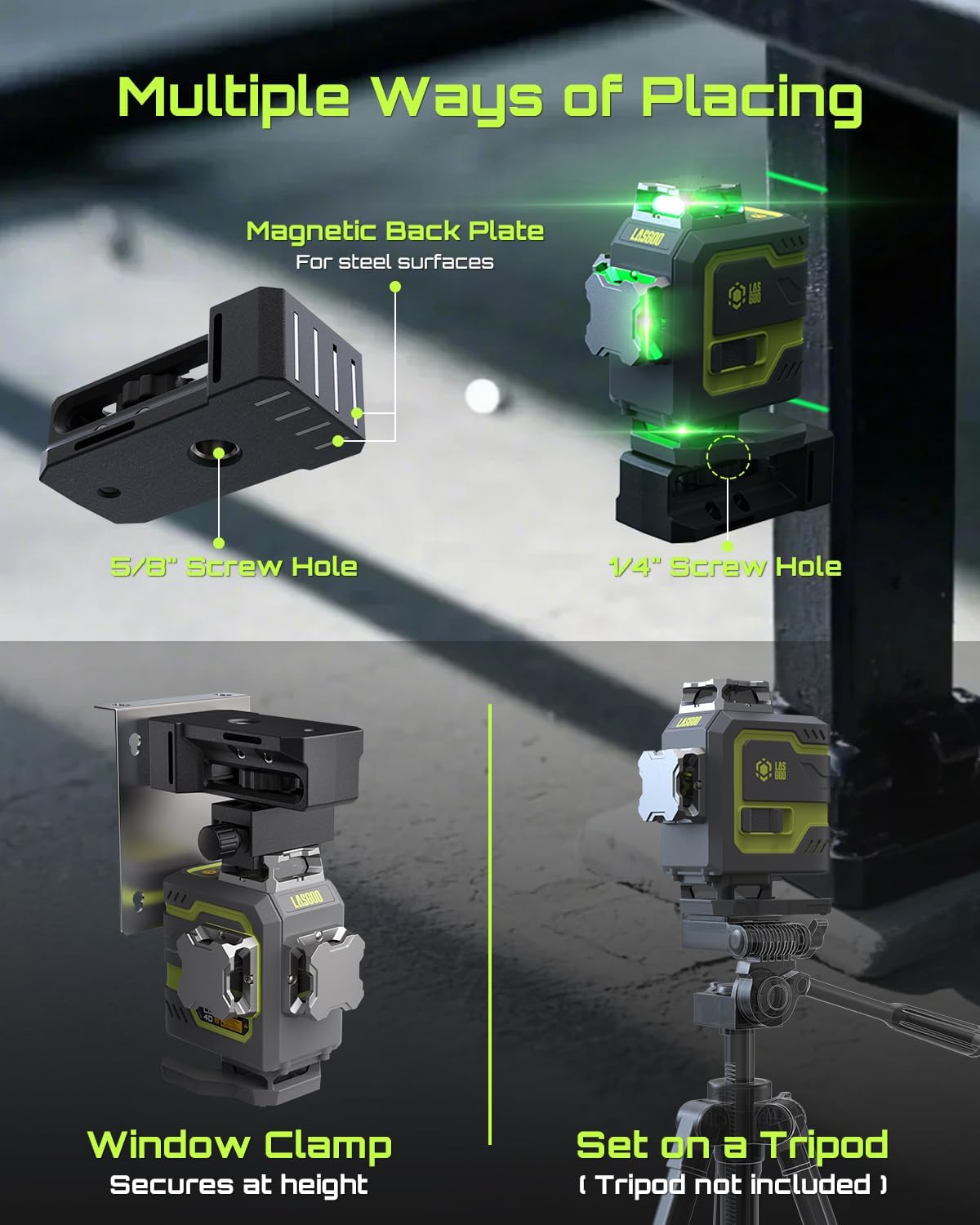
Image: Various mounting methods for the LasGoo LG-4D, including magnetic bracket, window clamp, and tripod.
Video: This video demonstrates practical applications of a 4D laser level, including mounting and usage scenarios.
7. Applications
The 4x360° full layout of the LasGoo LG-4D makes it suitable for a wide range of tasks:
- Ceiling Installation: The top 360° horizontal line provides precise reference.
- Floor Tile Laying: The bottom 360° horizontal line ensures accurate alignment.
- Wall Decoration: Ideal for picture hanging, shelf installation, and wallpaper alignment.
- Construction & Renovation: Useful for framing, plumbing, electrical work, and general layout.

Image: The LasGoo LG-4D projecting its 4x360° green laser lines for full layout coverage.
Video: This video illustrates the self-leveling capabilities and various applications of a 16-line laser level.
8. Maintenance
- Cleaning: Keep the laser level clean and free from dust and debris. Use a soft, dry cloth for cleaning. Do not use harsh chemicals or abrasive cleaners.
- Storage: Store the device in its portable bag in a cool, dry place when not in use. Ensure the pendulum lock is in the locked position during storage and transport to prevent damage.
- IP54 Rating: The LG-4D is rated IP54 for water and dust resistance, protecting it from splashes and dust ingress. However, it is not waterproof and should not be submerged.
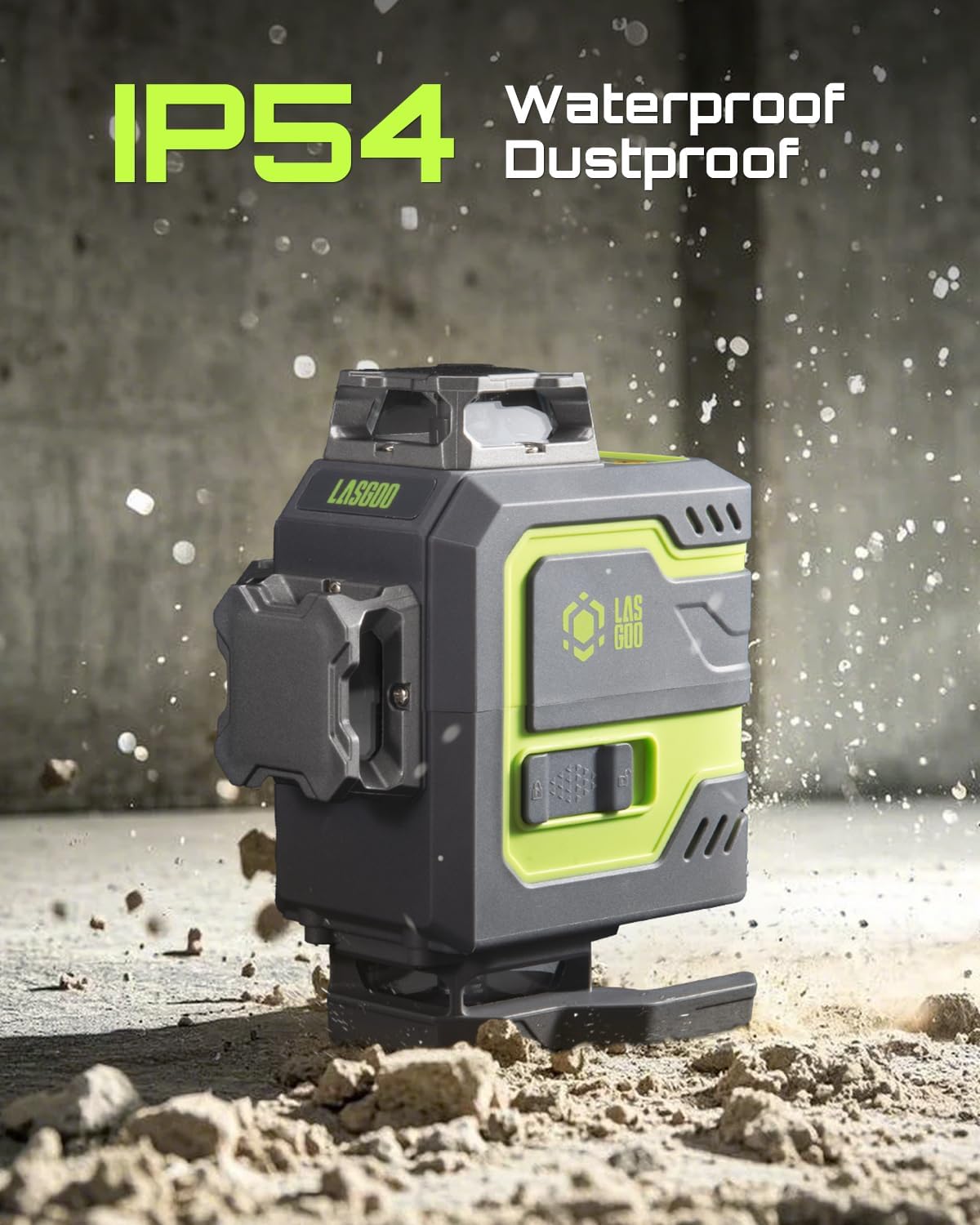
Image: The LasGoo LG-4D highlighting its IP54 rating for water and dust resistance.
9. Troubleshooting
If you encounter issues with your LasGoo LG-4D, refer to the following common solutions:
- Laser Lines Blinking Rapidly: This indicates the tool is out of its self-leveling range (exceeding 4 degrees). Adjust the position of the laser level until the lines become steady.
- Laser Lines Blinking Every 3-5 Seconds: This indicates the tool is in manual/tilt mode. If self-leveling is desired, ensure the pendulum is unlocked and the tool is within its self-leveling range.
- No Laser Lines: Check if the battery is charged and properly installed. Ensure the pendulum is unlocked or manual mode is activated correctly.
- Weak Laser Lines: Ensure the pulse mode is activated if using a laser receiver in bright conditions. Check battery level.
10. Specifications
| Brand | LASGOO |
| Model Number | LG-4D |
| Operation Mode | Self-Leveling and Manual |
| Laser Beam Color | Green |
| Laser Class | Class II (<1mW) |
| Self-Leveling Range | ±4° |
| Battery Type | Lithium Ion (included) |
| Charging Port | Type-C |
| Battery Capacity | 4000mAh |
| Material | Metal |
| Item Weight | 1.51 kg |
| Parcel Dimensions | 22.9 x 20.4 x 12.9 cm |
| Water/Dust Resistance | IP54 |
| Country of Origin | China |
11. Warranty and Support
For warranty information, technical support, or service inquiries, please refer to the contact details provided in the included user manual or visit the official LASGOO website.