
1. Introduction
Thank you for choosing the MOKKOM Coffee Grinder. This manual provides essential information for the safe and efficient operation of your new appliance. Please read it thoroughly before use and keep it for future reference.
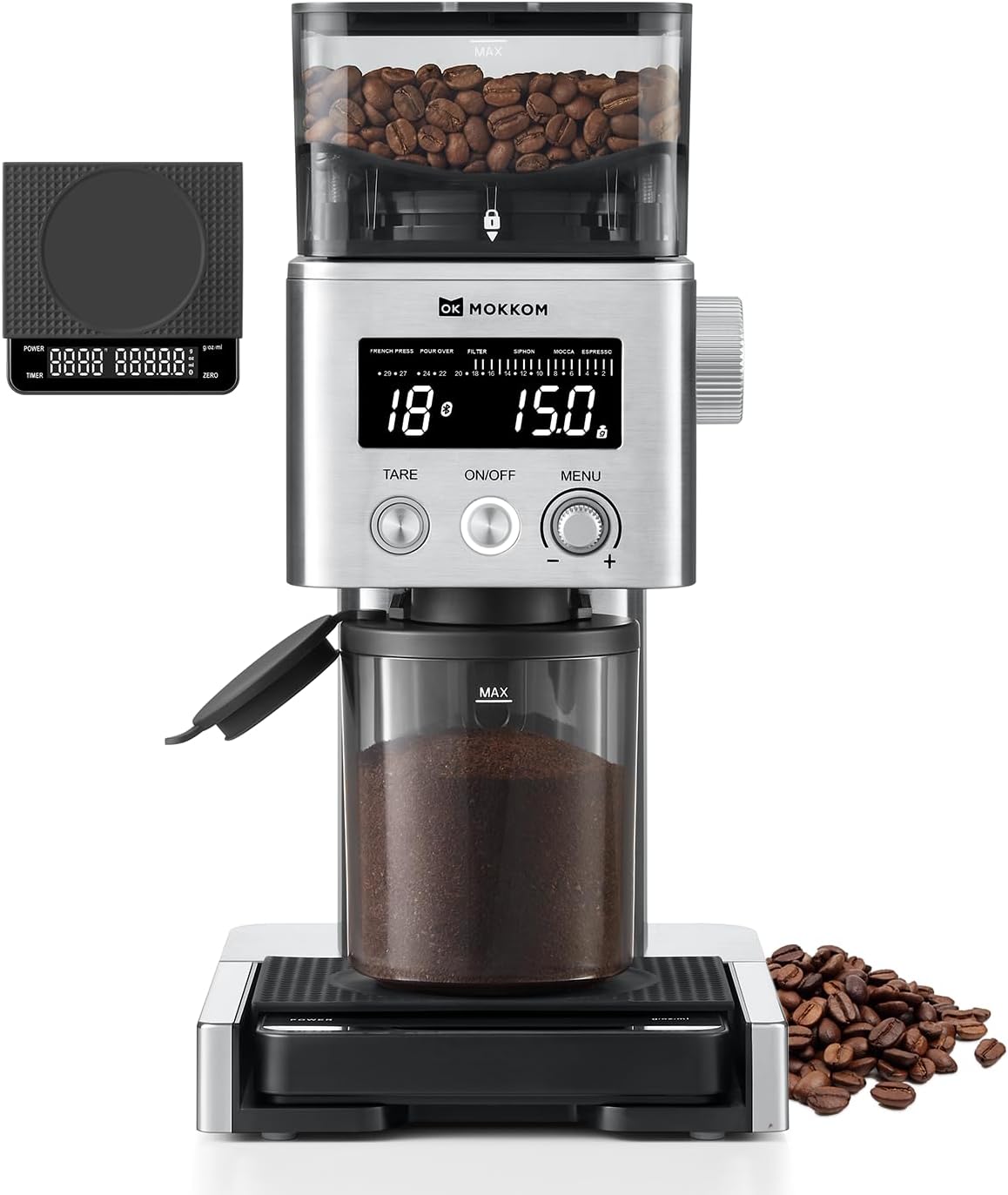
Figure 1: MOKKOM Coffee Grinder with Removable Scale
2. Important Safety Instructions
Always follow basic safety precautions when using electrical appliances to reduce the risk of fire, electric shock, and/or injury to persons. This includes:
- Read all instructions.
- Do not immerse the appliance, cord, or plug in water or other liquids.
- Close supervision is necessary when any appliance is used by or near children.
- Unplug from outlet when not in use, before putting on or taking off parts, and before cleaning.
- Avoid contact with moving parts.
- Do not operate any appliance with a damaged cord or plug, or after the appliance malfunctions or has been dropped or damaged in any manner.
- The use of attachments not recommended or sold by the appliance manufacturer may cause fire, electric shock, or injury.
- Do not use outdoors.
- Do not let cord hang over edge of table or counter, or touch hot surfaces.
- Do not place on or near a hot gas or electric burner, or in a heated oven.
- Do not use appliance for other than intended use.
3. Package Contents
Your MOKKOM Coffee Grinder package should include the following items:
- MOKKOM Coffee Grinder Unit
- Removable Coffee Scale
- Bean Hopper with Auto-locking System
- Grounds Cup
- Upper Conical Burr (pre-installed)
- Portafilter Cradles (2 sizes: 50-53mm and 58mm)
- Cleaning Brush
- User Manual
4. Setup
4.1 Assembling the Grinder
- Place the grinder unit on a stable, flat surface.
- Insert the grounds cup into its designated slot at the base of the grinder.
- Attach the desired portafilter cradle (small for 50-53mm, large for 58mm) to the grinder's dispensing chute if you plan to grind directly into a portafilter.

Figure 2: Portafilter Cradles for Espresso Grinding
4.2 Installing the Bean Hopper
- Ensure the upper conical burr is correctly seated in the grinder.
- Align the bean hopper with the top of the grinder. Push down and rotate clockwise until it locks securely into place. The auto-locking system prevents accidental removal during operation.
- Fill the bean hopper with your desired whole coffee beans (up to 5.3oz/150g capacity).

Figure 3: MOKKOM Coffee Grinder Dimensions and Capacity
4.3 Connecting the Removable Coffee Scale
- Place the removable coffee scale on a flat surface.
- Turn on the coffee scale. It will automatically pair with the grinder via Bluetooth, providing real-time weight measurements.

Figure 4: Removable Coffee Scale for Precise Measurement
5. Operating Instructions
5.1 Grind Settings
The MOKKOM Coffee Grinder offers 31 precise grind settings, ranging from extra fine for espresso to coarse for French Press. Adjust the grind setting by rotating the dial on the side of the grinder to match your brewing method.

Figure 5: 31 Precise Grind Settings
5.2 Grinding Modes (4-in-1)
Use the electronic display and control knob to select your preferred grinding mode:
- By Time: Adjust grind time up to 60 seconds in 0.1-second increments.
- By Cups: Select the number of cups from 1 to 12.
- By OZ: Adjust the weight from 1 to 5.3oz.
- By Grams: Adjust the weight from 1 to 150g.

Figure 6: 4-in-1 Grinding Modes
5.3 Anti-static Technology
The grinder features innovative anti-static technology to prevent coffee grounds from flying around, ensuring a clean workspace and consistent grind flow without clumps. This also contributes to a quieter grinding experience.

Figure 7: Anti-static Conical Burr Grinder Mechanism

Figure 8: Reduced Grind Retention with Anti-static Technology
5.4 Beeping On/Off
In standby mode, press and hold the