
Introduction
This user manual provides comprehensive instructions for the ZWP Replacement Remote Control, model IF-32FSB. This remote is designed to operate various electric fireplace models, including those from Intertek (IF-32FSB, IF1340, IF1350, IF1360), COSTWAY (EP24725US, EP24726US, EP24727US), DWVO, and BETELNUT (30", 36", 40", 50", 60", 68" Electric Fireplace models). Please read this manual thoroughly before use to ensure proper operation and longevity of your remote control.
Product Overview
The ZWP Replacement Remote Control is a durable and ergonomic device, crafted from high-quality ABS material for comfortable handling and wear resistance. It features a straightforward button layout for intuitive control of your electric fireplace functions.

Image: Front view of the ZWP Replacement Remote Control, showing its ergonomic design and button layout.

Image: Front and back views of the remote control, highlighting the battery compartment on the rear.
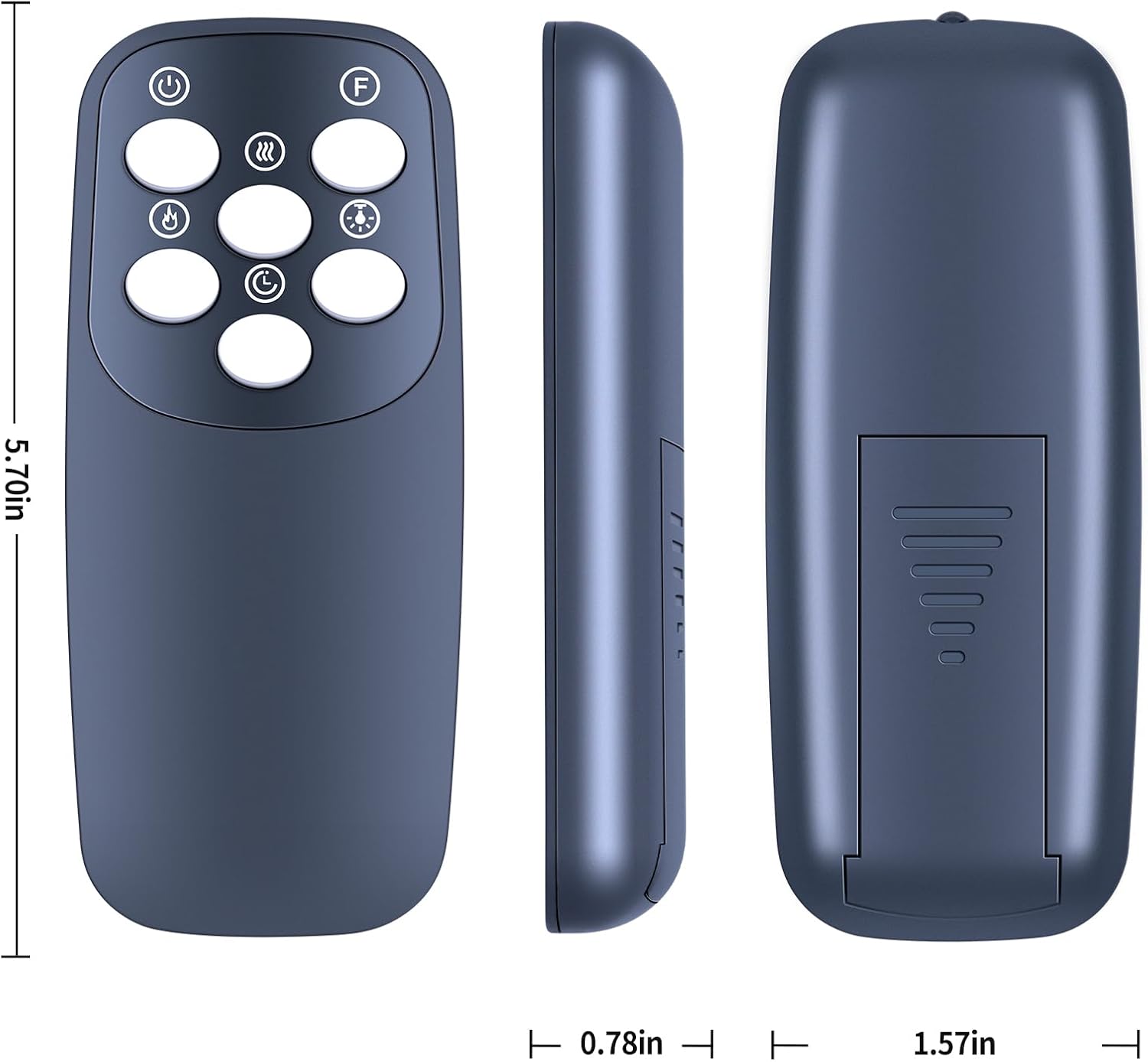
Image: Diagram showing the dimensions of the remote control: approximately 5.70 inches in length, 1.57 inches in width, and 0.78 inches in thickness.
Setup: Battery Installation
The remote control requires two 1.5V AAA batteries (not included). Follow these steps to install the batteries:
- Locate the battery compartment cover on the back of the remote control.
- Slide the cover downwards to open the compartment.
- Insert two AAA batteries, ensuring the positive (+) and negative (-) terminals align correctly with the markings inside the compartment.
- Slide the battery compartment cover back into place until it clicks securely.
No programming is required; the remote will function immediately after battery installation.

Image: Diagram illustrating the correct insertion of two AAA batteries into the remote control's battery compartment.
Operating Instructions
The remote control utilizes infrared technology for long-distance, precise control of your electric fireplace. Ensure a clear line of sight between the remote and the fireplace's receiver for optimal performance.

Image: A hand holding the remote control, demonstrating its use for long-distance operation of an electric fireplace, with a television screen in the background indicating a typical living room setting.
Button Functions:
| Button Symbol | Function |
|---|---|
| ⏸ (Power Symbol) | Turns the fireplace ON or OFF. |
| ≈≈≈ (Wavy Lines) | Controls the heat settings (e.g., low, high, off). |
| F (Flame Symbol) | Adjusts the flame brightness or effect. |
| 💡 (Light Bulb) | Controls the internal lighting or ember bed brightness. |
| ⏱ (Clock Symbol) | Activates or adjusts the timer function. |
| ♨ (Fan Symbol) | Controls the fan speed or operation. |
Note: Specific functions may vary slightly depending on your electric fireplace model. Refer to your fireplace's manual for detailed compatibility and operation.
Maintenance
- Cleaning: Wipe the remote control with a soft, dry cloth. Do not use abrasive cleaners or solvents.
- Battery Replacement: Replace batteries when the remote's range decreases or it becomes unresponsive. Always replace both batteries at the same time.
- Storage: If the remote will not be used for an extended period, remove the batteries to prevent leakage and damage. Store in a cool, dry place.
- Avoid Damage: Do not drop the remote, expose it to water, or place it near heat sources.
Troubleshooting
| Problem | Possible Cause / Solution |
|---|---|
| Remote not responding. |
|
| Intermittent response. |
|
| Certain buttons not working. |
|
Specifications
| Feature | Detail |
|---|---|
| Model Number | IF-32FSB |
| Brand | ZWP |
| Compatible Devices | Electric Fireplaces (Intertek, COSTWAY, DWVO, BETELNUT models) |
| Power Source | 2 x 1.5V AAA Batteries (not included) |
| Material | High-quality ABS |
| Color | Black |
| Item Weight | 2.4 ounces (approx. 68 grams) |
| Package Dimensions | 10 x 3 x 1 inches (approx. 25.4 x 7.6 x 2.5 cm) |
| Special Feature | Ergonomic design |
Support
For any questions or assistance regarding your ZWP Replacement Remote Control, please do not hesitate to contact the seller. We are committed to helping you resolve any issues you may encounter.
Please refer to your purchase documentation or the platform where you purchased the product for specific contact information.