
GEARit GI-HSET-BT-MONO-BK-1
GEARit Wireless Bluetooth Headset with Mic
Model: GI-HSET-BT-MONO-BK-1
Introduction
Thank you for choosing the GEARit Wireless Bluetooth Headset. This headset is designed for clear communication and comfortable all-day use, featuring advanced Environmental Noise Cancelling (ENC) technology and multipoint connectivity. This manual provides detailed instructions for setting up, operating, and maintaining your headset to ensure optimal performance.

The GEARit Wireless Bluetooth Headset, showcasing its sleek design and microphone.
Product Overview
Components and Controls
Familiarize yourself with the various parts and controls of your GEARit headset:
- Adjustable Headband: For a comfortable and secure fit.
- Soft Padded Earcup: Provides comfort during extended wear.
- Rotating Mic: A 270° rotatable microphone for flexible positioning and optimal voice capture.
- Power / MFB Button: Multi-function button for power, pairing, and call management.
- Volume +/- Buttons: To adjust audio volume.
- Mute Button: For instant microphone muting during calls.
- LED Indicator: Displays status such as power, pairing, and charging.
- Padded Pillow: Provides additional comfort on the opposite side of the earcup.
- USB Type-C Charging Port: For charging the headset.

Detailed view of the headset's components and controls.

Overview of key features including battery life, Bluetooth version, and comfort elements.
Setup
Charging the Headset
Before first use, fully charge your headset. Use the included USB Type-C cable to connect the headset to a power source (e.g., computer USB port or wall adapter). The LED indicator will show charging status and turn off when fully charged. A full charge takes approximately 2 hours.

The headset and its USB-C charging cable.
Powering On/Off
- To Power On: Press and hold the Power / MFB Button for 3 seconds until the LED indicator flashes blue.
- To Power Off: Press and hold the Power / MFB Button for 3 seconds until the LED indicator flashes red and then turns off.
Bluetooth Pairing
To connect your headset to a device:
- Ensure the headset is powered off.
- Press and hold the Power / MFB Button for 5-7 seconds until the LED indicator flashes red and blue alternately, indicating pairing mode.
- On your device (smartphone, tablet, laptop), enable Bluetooth and search for new devices.
- Select "GEARit Headset" from the list of available devices.
- Once connected, the LED indicator will slowly flash blue.
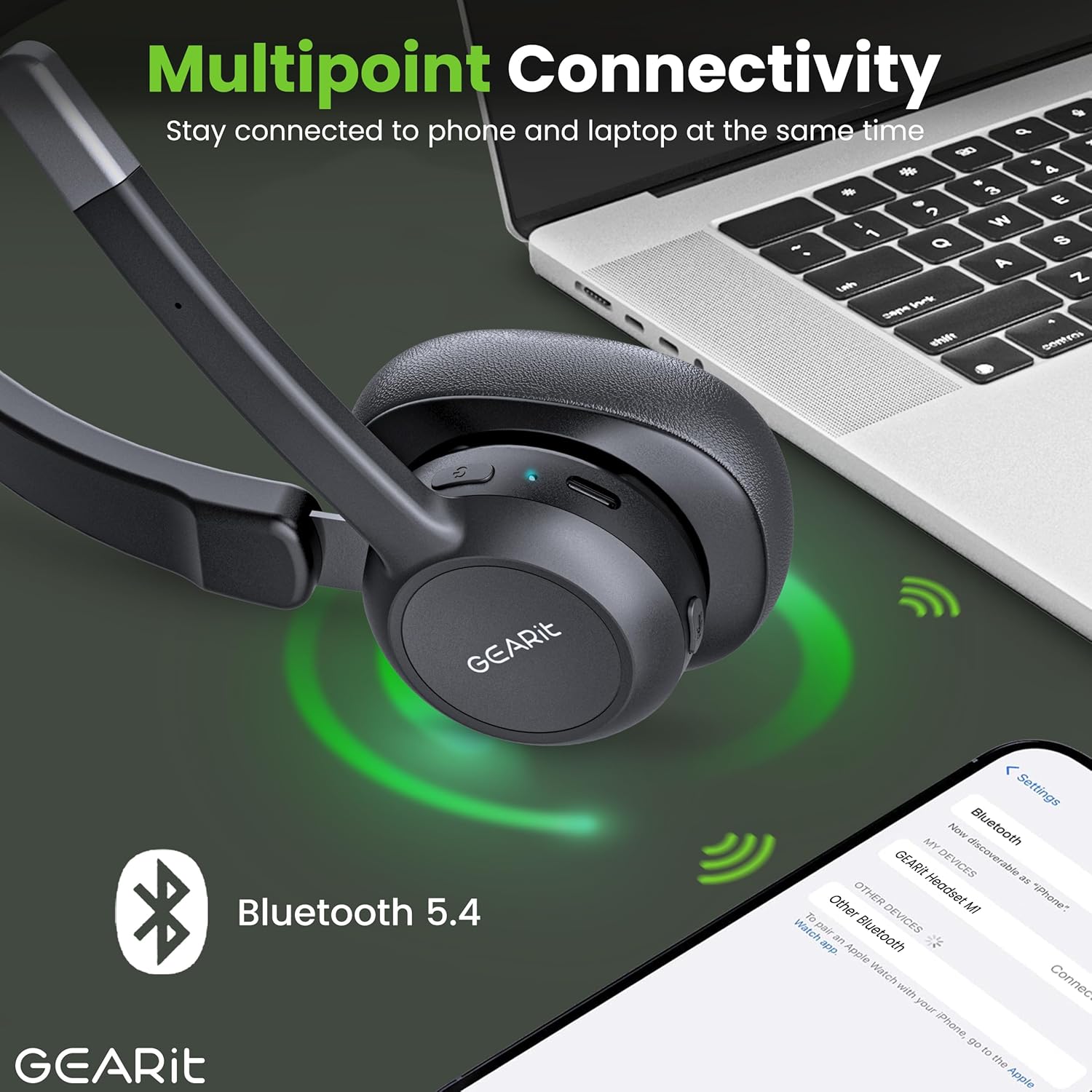
The headset connected to multiple devices via Bluetooth 5.2.
Operating the Headset
Making and Receiving Calls
- Answer Call: Press the Power / MFB Button once.
- End Call: Press the Power / MFB Button once during a call.
- Reject Call: Press and hold the Power / MFB Button for 2 seconds.
- Redial Last Number: Double-press the Power / MFB Button.
Volume Control
- Increase Volume: Press the Volume + button.
- Decrease Volume: Press the Volume - button.
Mute Function
To mute or unmute your microphone during a call, press the dedicated Mute Button located on the microphone boom. The LED indicator may change to indicate mute status.
Multipoint Connectivity
The GEARit headset supports multipoint connectivity, allowing it to connect to two Bluetooth devices simultaneously. This enables seamless switching between calls on your phone and audio from your laptop without needing to re-pair. To use this feature, pair the headset with the first device, then disconnect its Bluetooth. Pair with the second device. Finally, re-enable Bluetooth on the first device, and the headset should connect to both.
Maintenance
Cleaning
- Wipe the headset with a soft, dry, lint-free cloth.
- Do not use abrasive cleaners, solvents, or spray directly onto the headset.
Storage
- Store the headset in a cool, dry place away from extreme temperatures and direct sunlight.
- Avoid placing heavy objects on the headset.
Troubleshooting
Common Issues and Solutions
| Problem | Solution |
|---|---|
| Headset does not power on. | Ensure the headset is charged. Connect it to a power source using the USB-C cable. |
| Cannot pair the headset with a device. | Ensure the headset is in pairing mode (LED flashing red/blue). Make sure Bluetooth is enabled on your device and it's within range (33 feet). Try restarting both devices. |
| No audio or poor audio quality. | Check the volume levels on both the headset and your connected device. Ensure the headset is selected as the audio output device. Move closer to your device to improve signal. |
| Microphone not working. | Ensure the microphone is not muted. Check microphone settings on your connected device. |
| Headset disconnects frequently. | Ensure you are within the Bluetooth range (33 feet). Avoid obstacles between the headset and your device. Fully charge the headset. |
Specifications
Technical Details
| Feature | Detail |
|---|---|
| Brand | GEARit |
| Model Number | GI-HSET-BT-MONO-BK-1 |
| Wireless Communication Technology | Bluetooth 5.2 |
| Noise Control | Environmental Noise Cancelling (ENC) |
| Battery Life (Talk Time) | Up to 16 Hours |
| Battery Life (Music Time) | Up to 26 Hours |
| Battery Life (Standby Time) | Up to 100 Hours |
| Charging Time | Approx. 2 Hours (via USB Type-C) |
| Bluetooth Range | Up to 33 Feet (10 meters) |
| Compatible Devices | Smartphones, Tablets, Laptops, Desktops, PCs |
| Earpiece Shape | Over Ear (Mono) |
| Item Weight | 6.4 ounces |
| Color | Black |
| UPC | 810166801652 |
Warranty and Support
For detailed warranty information, please refer to the warranty card included with your product or visit the official GEARit website. If you encounter any issues not covered in this manual, please contact GEARit customer support.
You can also refer to the official User Manual (PDF) for additional details: Download User Manual (PDF)
Related documentsGI-HSET-BT-MONO-BK-1

Ask a question about this manual
Ask about setup, troubleshooting, compatibility, parts, safety, or missing instructions. Manuals+ will review the question and use this page’s manual context to help answer it.