
1. Important Safety Instructions
Please read all instructions carefully before using this appliance and retain for future reference. Failure to follow these instructions may result in electric shock, fire, or serious injury.
- Ensure the power supply voltage matches the rating label on the appliance.
- Do not immerse the appliance, cord, or plug in water or other liquids.
- Unplug from the outlet when not in use, before cleaning, or before moving.
- Keep hands, hair, and clothing away from the fan opening during operation.
- Do not operate any appliance with a damaged cord or plug, or after the appliance malfunctions or has been damaged in any manner.
- This appliance is for indoor household use only.
- Do not block air openings or operate near curtains or other materials that could block airflow.
- Children should be supervised to ensure they do not play with the appliance.
2. Product Overview
The Defy DBF400 is a bladeless fan and air purifier designed to provide both cooling and improved air quality. Its sleek design integrates seamlessly into various home environments.

Image 2.1: Front view of the Defy DBF400 Bladeless Fan and Purifier. This image shows the tall, black, bladeless design with the control panel and display located at the base.
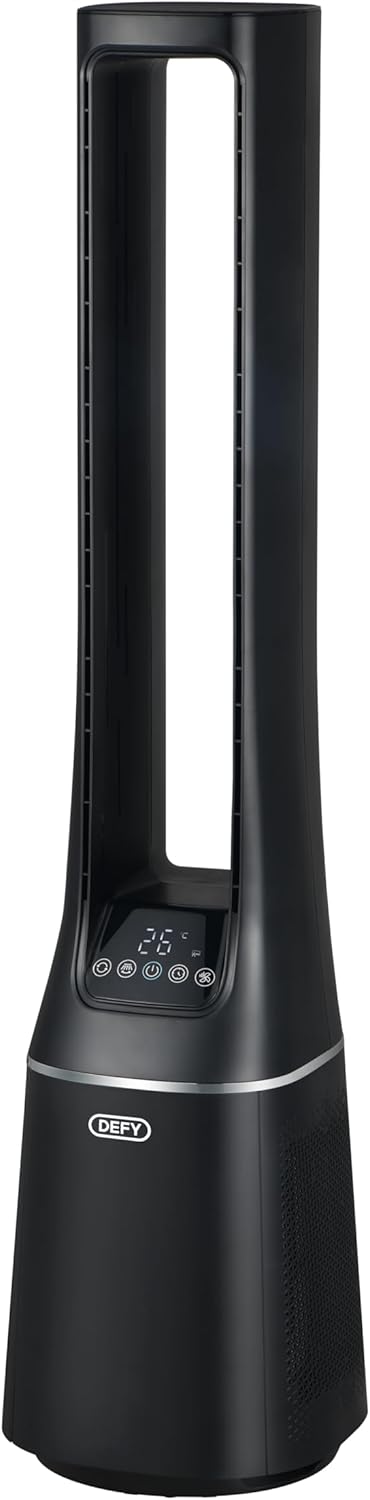
Image 2.2: Side view of the Defy DBF400, highlighting its slim profile and the air intake vents located at the lower section of the unit.

Image 2.3: Rear view of the Defy DBF400, showing the smooth, continuous surface and the location of the power cord connection point.
3. Setup
Follow these steps to set up your Defy DBF400 Bladeless Fan and Purifier:
- Unpacking: Carefully remove the appliance from its packaging. Retain all packaging materials for future storage or transport.
- Placement: Place the unit on a firm, level surface. Ensure there is at least 30 cm (12 inches) of clear space around the unit for optimal airflow. Avoid placing it near heat sources or in direct sunlight.
- Power Connection: Insert the power plug into a standard 220V AC electrical outlet. Ensure the cord is not pinched or placed under heavy objects.
4. Operating Instructions
The Defy DBF400 can be operated using the touch control panel on the unit or the included remote control.
4.1 Control Panel
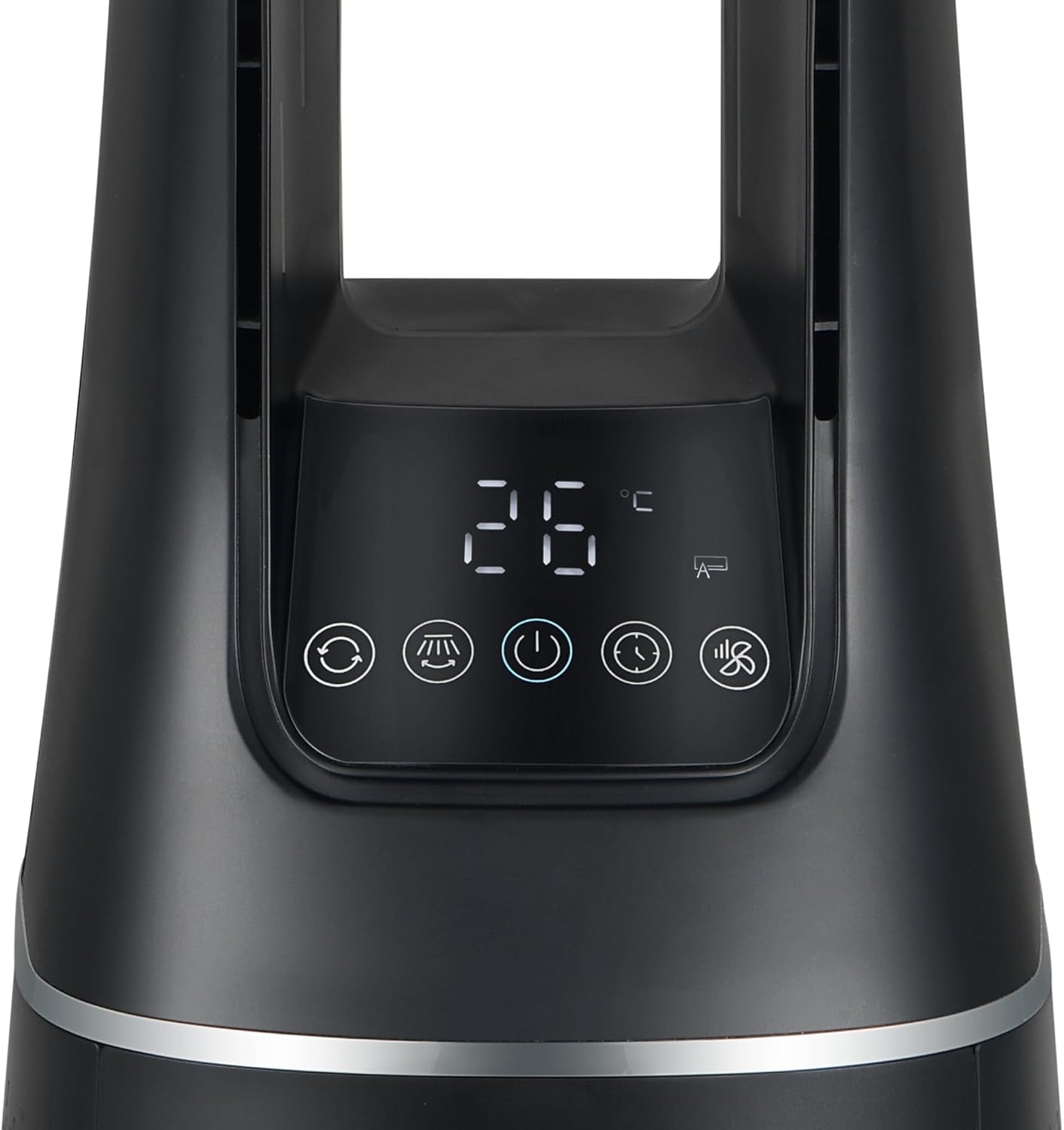
Image 4.1: Close-up of the control panel and digital display on the Defy DBF400. The display shows '26 °C' and various icons for modes and functions.
The control panel features a digital display and touch-sensitive buttons for various functions:
- Power Button (⏻): Turns the unit ON or OFF.
- Mode Button (M): Cycles through the 4 wind modes: Normal, Sleep, Smart, and Baby.
- Speed Adjustment (+ / -): Increases or decreases the fan speed (10 speed settings).
- Oscillation Button (⟳): Activates or deactivates the 60-degree oscillation function.
- Timer Button (🕒): Sets the auto-off timer.
4.2 Remote Control

Image 4.2: The multi-functional remote control for the Defy DBF400. It is black with white buttons, including power, mode, speed adjustment, and timer functions.
The remote control provides convenient access to all functions from a distance. Ensure the remote control is pointed towards the unit's control panel for proper operation.
- Power Button: Turns the unit ON or OFF.
- Mode Button (M): Selects desired wind mode.
- Speed Adjustment (+ / -): Adjusts fan speed.
- Oscillation Button: Toggles oscillation.
- Timer Button (L): Sets the auto-off timer.
4.3 Wind Modes
- Normal Wind Mode: Provides a continuous airflow at the selected speed.
- Sleep Mode: Gradually decreases fan speed over time to provide a quieter environment for sleep.
- Smart Mode: Adjusts fan speed automatically based on ambient room temperature.
- Baby Mode: Operates at a gentle, low speed for minimal disturbance.
5. Maintenance
Regular maintenance ensures optimal performance and longevity of your Defy DBF400.
5.1 Cleaning the Exterior
- Always unplug the unit before cleaning.
- Wipe the exterior surfaces with a soft, damp cloth. Do not use abrasive cleaners or solvents.
- Ensure no water enters the internal components.
5.2 Air Filter Cleaning/Replacement
The air purifier function relies on a clean filter. Refer to the product's specific filter access instructions for cleaning or replacement. Typically, filters should be checked every 3-6 months depending on usage and air quality.
- Unplug the unit.
- Locate the filter cover (usually at the back or bottom of the unit).
- Remove the filter. If washable, clean according to instructions. If not, replace with a genuine Defy replacement filter.
- Reinsert the filter and secure the cover.
6. Troubleshooting
If you encounter issues with your Defy DBF400, refer to the following common problems and solutions:
| Problem | Possible Cause | Solution |
|---|---|---|
| Unit does not turn on | No power supply; Power cord not properly plugged in | Check power outlet; Ensure power cord is securely plugged in |
| Weak airflow | Air intake/outlet blocked; Filter dirty; Low fan speed setting | Clear obstructions; Clean or replace filter; Increase fan speed |
| Remote control not working | Batteries depleted; Obstruction between remote and unit; Remote not pointed correctly | Replace batteries; Remove obstructions; Point remote directly at control panel |
| Unusual noise | Unit not on a level surface; Foreign object inside | Place on a stable, level surface; Unplug and carefully check for obstructions (do not disassemble) |
If the problem persists after attempting these solutions, please contact customer support.
7. Specifications
| Feature | Detail |
|---|---|
| Model Number | DBF400 |
| Brand | Defy |
| Power / Wattage | 36 watts |
| Voltage | 220 Volts |
| Number of Speeds | 10 |
| Wind Modes | Normal, Sleep, Smart, Baby |
| Oscillation | 60 Degrees |
| Control Type | Touch Panel, Remote Control |
| Material | Plastic |
| Dimensions (D x W x H) | 25.5 x 25.5 x 105.6 cm |
| Item Weight | 5.8 kg |
8. Warranty Information
This Defy appliance comes with a standard manufacturer's warranty. Please refer to the warranty card included with your purchase for specific terms, conditions, and duration. Keep your proof of purchase for any warranty claims.
The warranty typically covers defects in materials and workmanship under normal household use. It does not cover damage resulting from misuse, accident, unauthorized modification, or failure to follow the instructions in this manual.
9. Customer Support
For technical assistance, spare parts, or service inquiries, please contact Defy customer support. Have your model number (DBF400) and proof of purchase ready when contacting support.
Contact details can typically be found on the Defy official website or on the warranty card provided with your product.

