
1. Introduction
Thank you for choosing the YYKY Smartwatch E02. This device is designed to enhance your daily life with its advanced features, including Bluetooth calling, comprehensive health monitoring, and smart notifications. This manual provides detailed instructions to help you set up, operate, and maintain your smartwatch for optimal performance. Please read this manual thoroughly before using the product.
2. What's in the Box
Upon opening the package, please ensure all the following items are present:
- 1 × Smartwatch with Silicone Strap
- 1 × Charging Cable
- 1 × User Manual (this document)
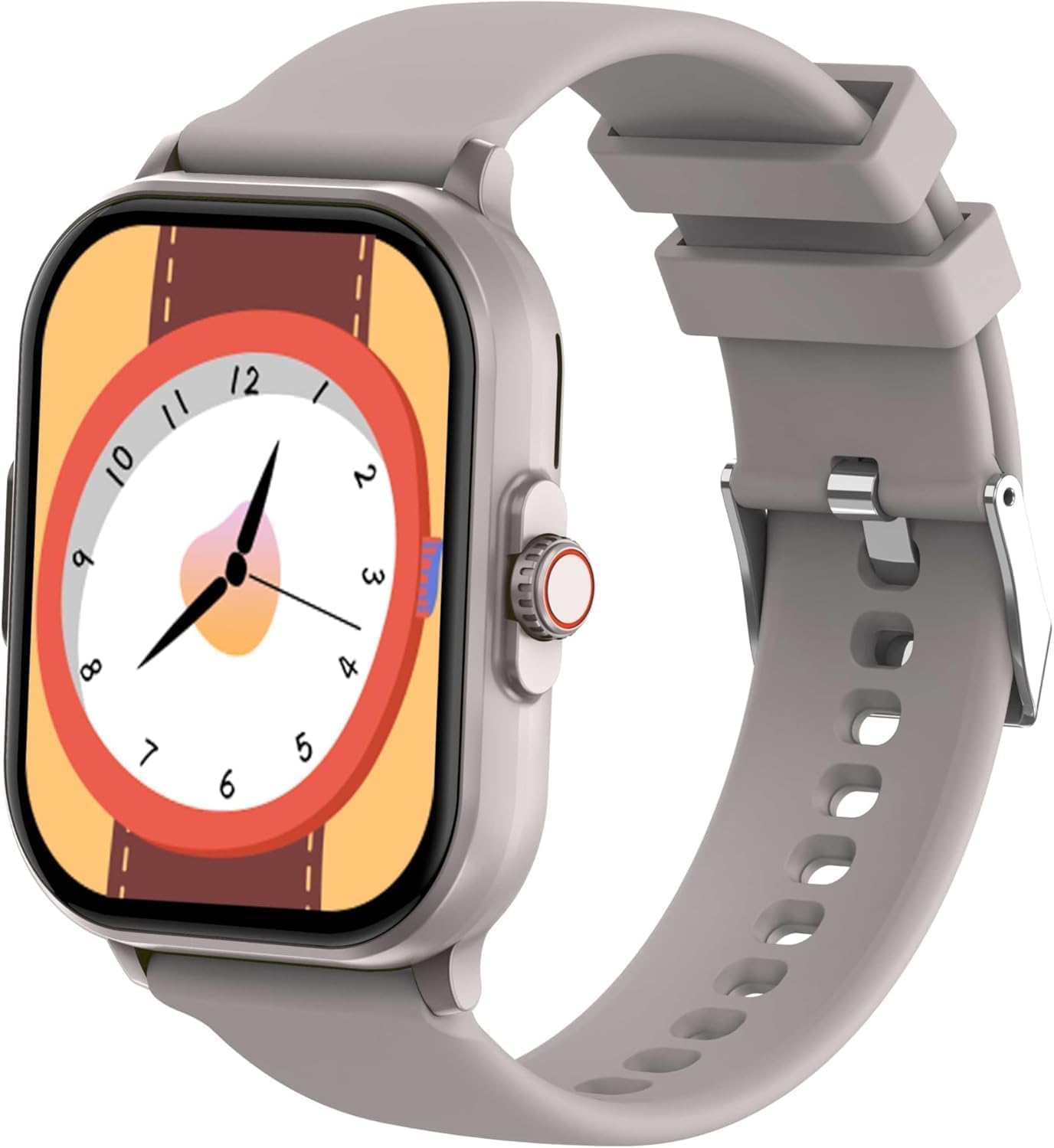
Figure 2.1: The YYKY Smartwatch E02. This image shows the smartwatch from an angled perspective, highlighting its rectangular screen with a classic analog clock face design. The watch features a light grey silicone strap and a silver-colored casing. A red-accented crown button is visible on the right side of the watch.
3. Setup Guide
3.1 Initial Charging
Before first use, fully charge your smartwatch. Connect the charging cable to the charging port on the back of the watch and plug the USB end into a standard USB power adapter (not included). A full charge typically takes approximately 2 hours. The battery indicator on the screen will show charging status.
3.2 App Download and Installation
To unlock the full potential of your smartwatch, download the companion application on your smartphone. Scan the QR code provided in the quick start guide (if applicable) or search for the app name (e.g., 'YYKY Fit' or similar, check packaging) in your device's app store (Google Play Store for Android, Apple App Store for iOS).
3.3 Pairing with Your Smartphone
- Ensure your smartphone's Bluetooth is enabled.
- Open the companion app on your smartphone.
- Follow the in-app instructions to add a new device. The app will search for your smartwatch.
- Select 'YYKY E02' or the corresponding device name from the list of found devices.
- Confirm the pairing request on both your smartwatch and smartphone.
- Once paired, the watch will synchronize data with your phone.
The smartwatch is compatible with Android 5.0+ and iOS 10.0+ devices.
4. Operating Instructions
4.1 Basic Navigation
- Touchscreen: Swipe left/right, up/down to navigate through menus and screens. Tap to select an option.
- Side Button/Crown: Press to wake up the screen, return to the home screen, or access the app menu. Rotate (if applicable) to scroll through lists.
4.2 Bluetooth Calling
After successful pairing, you can make and receive calls directly from your smartwatch. Ensure the Bluetooth call function is enabled in the app settings.
- Making a Call: Access the dial pad or contacts list on your watch to initiate a call.
- Receiving a Call: When a call comes in, you can answer or reject it directly from the watch screen.
4.3 Health Monitoring
The smartwatch offers various health tracking features:
- Heart Rate: Monitor your heart rate throughout the day.
- Blood Oxygen: Measure your blood oxygen saturation levels.
- Sleep Tracking: Automatically track your sleep patterns and quality.
- Activity Tracking: Records steps, distance, and calories burned.
Note: This device is not a medical device. Health data is for reference only and should not be used for medical diagnosis.
4.4 Sports Modes
Select from multiple sports modes to track specific activities. The watch will record relevant data such as duration, distance, and calories burned for your workout.
4.5 Notifications
Receive notifications for calls, messages, and social media apps directly on your wrist. Ensure notification permissions are granted in your phone's settings and the companion app.
5. Product Features
- Long-lasting Battery: Equipped with a 210mAh battery and an energy-saving chip, providing 2 to 5 days of normal use and over 15 days in standby mode. Fast charging allows for continuous activity tracking with only 2 hours to full charge.
- Extended Compatibility: Seamlessly connects with Android 5.0+ and iOS 10.0+ smartphones, making it an ideal companion for an active and connected lifestyle.
- 1.85" HD Display: Features a vibrant 1.85-inch HD screen for clear visuals and easy navigation.
- IP68 Waterproof: Designed to withstand dust and immersion in water up to 1.5 meters for 30 minutes, making it suitable for daily use and light water activities.
- Bluetooth Calling: Integrated microphone and speaker allow for direct calls from your wrist.
6. Specifications
| Feature | Specification |
|---|---|
| Brand | YYKY |
| Model Number | E02 |
| Screen Size | 1.85 inches |
| Display Type | OLED |
| Connectivity Technology | Bluetooth |
| Wireless Communication Standard | Bluetooth |
| Compatible Devices | Smartphone, Tablet |
| Battery Type | Lithium-polymer |
| Battery Capacity | 210 mAh |
| Rechargeable Battery | Yes |
| GPS | GPS via smartphone |
| Age Range Description | Adult |
7. Maintenance
7.1 Cleaning Your Smartwatch
To keep your smartwatch clean and functioning properly:
- Wipe the screen and strap regularly with a soft, damp, lint-free cloth.
- Avoid using harsh chemicals, abrasive cleaners, or solvents.
- Ensure the charging contacts are clean and dry before charging.
7.2 Water Resistance (IP68)
The YYKY Smartwatch E02 is IP68 waterproof, meaning it is protected against dust ingress and can withstand immersion in water up to 1.5 meters for up to 30 minutes. It is suitable for daily use, such as hand washing or light rain. However, it is not recommended for swimming, diving, or exposure to hot water/steam (e.g., showers, saunas) as this can compromise the seal.
7.3 Storage
When not in use for extended periods, store the smartwatch in a cool, dry place away from direct sunlight and extreme temperatures. It is advisable to charge the battery to about 50% before long-term storage to preserve battery health.
8. Troubleshooting
If you encounter issues with your smartwatch, please refer to the following common solutions:
- Watch not turning on: Ensure the watch is fully charged. Connect it to the charger for at least 10 minutes.
- Cannot pair with phone:
- Ensure Bluetooth is enabled on your phone and the watch.
- Make sure the watch is within the Bluetooth range of your phone.
- Restart both your phone and the smartwatch.
- Clear previous pairing records on your phone's Bluetooth settings.
- Notifications not received:
- Check if notification permissions are enabled for the companion app in your phone's settings.
- Ensure the app is running in the background.
- Verify that the watch is connected to the phone via Bluetooth.
- Inaccurate health data:
- Ensure the watch is worn snugly on your wrist, not too loose or too tight.
- Clean the sensor on the back of the watch.
- Avoid excessive movement during measurements.
- Short battery life:
- Reduce screen brightness.
- Disable unnecessary features like 'Always-On Display' or frequent heart rate monitoring if available.
- Limit the number of apps sending notifications to the watch.
If the problem persists, please contact customer support.
9. Warranty and Support
9.1 Manufacturer's Warranty
This YYKY Smartwatch E02 comes with a manufacturer's warranty of 180 days from the date of purchase. This warranty covers manufacturing defects and malfunctions under normal use. It does not cover damage caused by misuse, accidents, unauthorized repairs, or normal wear and tear.
9.2 Customer Support
For any questions, technical assistance, or warranty claims, please contact the seller or YYKY customer support through the platform where you purchased the product. Please have your purchase receipt and product model number (E02) ready when contacting support.