1. Introduction
The BOGASING G6 is a portable Bluetooth speaker designed to deliver powerful audio in a compact form factor. It features 30W sound output, up to 35 hours of playtime, IPX6 waterproof rating, and versatile connectivity options including Bluetooth 5.3, TF-Card, AUX, and USB stick input. This manual provides detailed instructions for setting up, operating, and maintaining your speaker.
2. What's in the Box
- 1 x BOGASING G6 Bluetooth Speaker
- 1 x 3.5mm Audio Cable
- 1 x USB-C Charging Cable
- 1 x User Manual
3. Product Overview & Controls
Familiarize yourself with the speaker's layout and control buttons.

Figure 3.1: Front view of the BOGASING G6 speaker, showcasing its compact design and beige finish.
Top Panel Controls
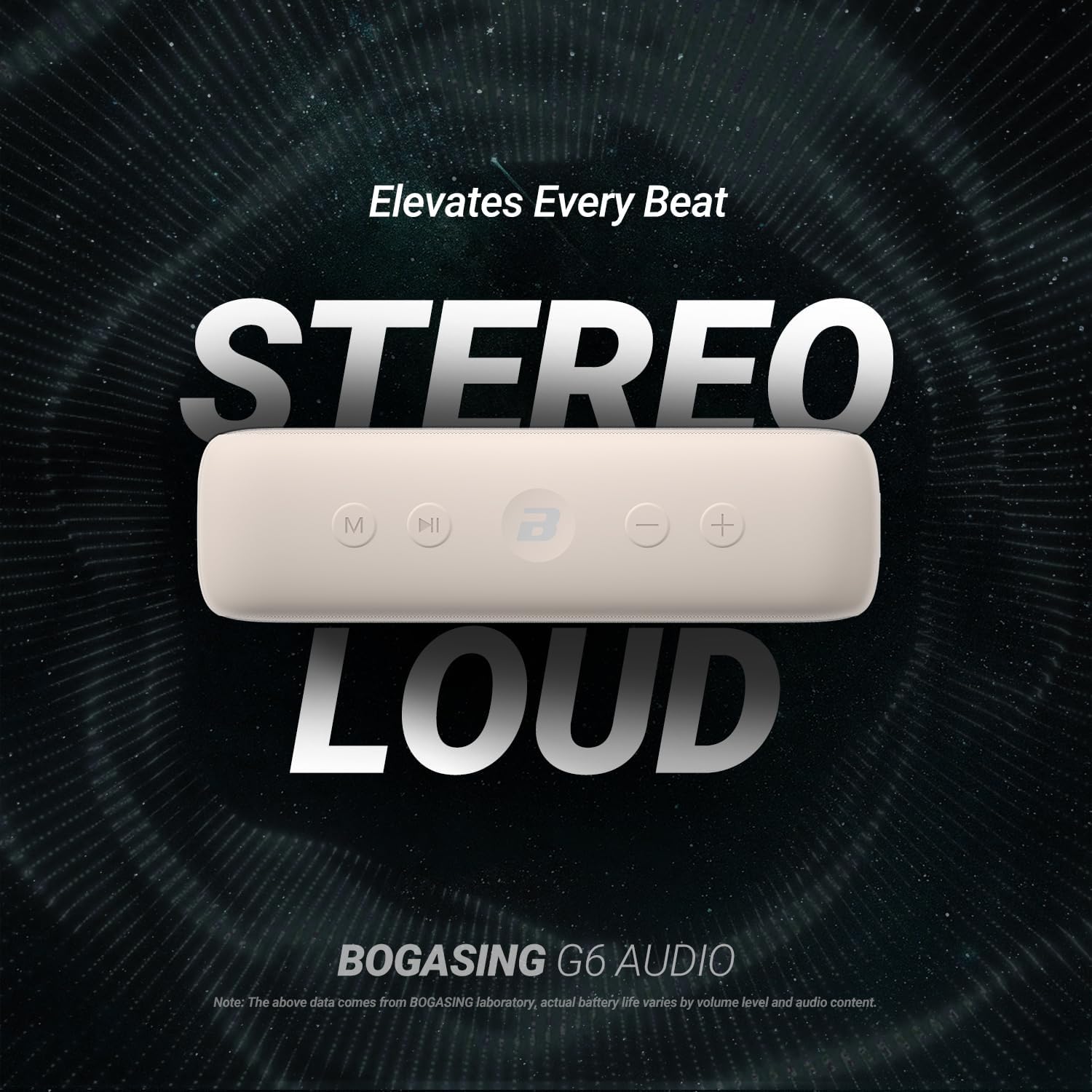
Figure 3.2: Close-up of the speaker's top panel, displaying the Mode (M), Play/Pause, B (EQ), Volume Down (-), and Volume Up (+) buttons.
- M Button: Short press to switch between input modes (Bluetooth, TF-Card, AUX, USB Stick). Long press to clear Bluetooth pairing.
- Play/Pause Button: Short press to play or pause audio.
- B Button (EQ): Short press to cycle through sound effect modes (3D Stereo, Vocal, Super Bass).
- Volume Down (-) Button: Short press to decrease volume. Long press for previous track.
- Volume Up (+) Button: Short press to increase volume. Long press for next track.
- Power Button: Long press to power on/off.
Side Panel Ports

Figure 3.3: The side of the speaker with the waterproof flap opened, showing the TF-Card slot, USB-A port, 3.5mm AUX input, and USB-C charging port.
- TF-Card Slot: Insert a TF (MicroSD) card for direct audio playback.
- USB-A Port: Insert a USB flash drive for direct audio playback.
- AUX Input (3.5mm): Connect external audio devices via the included 3.5mm audio cable.
- USB-C Charging Port: Connect the USB-C charging cable to recharge the speaker.
4. Setup
4.1 Charging the Speaker
- Open the protective rubber flap on the side of the speaker.
- Connect the provided USB-C charging cable to the speaker's USB-C port.
- Connect the other end of the cable to a USB power adapter (not included) or a computer's USB port.
- The LED indicator will show charging status. Once fully charged, the indicator will change or turn off.
4.2 Bluetooth Pairing
- Long press the Power button to turn on the speaker. The 'B' logo will light up and flash, indicating it's in Bluetooth pairing mode.
- On your device (smartphone, tablet, etc.), enable Bluetooth and search for available devices.
- Select 'BOGASING G6' from the list of devices.
- Once connected, the 'B' logo will remain steadily lit, and you will hear an audible confirmation.
4.3 True Wireless Stereo (TWS) Pairing
To achieve a stereo sound experience, you can pair two BOGASING G6 speakers together.
- Ensure both BOGASING G6 speakers are powered on and not connected to any other Bluetooth device.
- On one of the speakers (this will be the primary speaker), long press the 'M' button until you hear a prompt indicating TWS pairing mode.
- The two speakers will automatically search for and connect to each other. Once connected, you will hear an audible confirmation.
- Now, connect your device to the primary speaker via Bluetooth as described in section 4.2. Both speakers will play audio in stereo.
Video 4.1: Official BOGASING video demonstrating the key features and usage of the G6 Portable Bluetooth Speaker, including its design, sound quality, and connectivity options.
5. Operating Instructions
5.1 Power On/Off
- Power On: Long press the Power button until the 'B' logo lights up.
- Power Off: Long press the Power button until the 'B' logo turns off.
5.2 Volume Control
- Increase Volume: Short press the Volume Up (+) button.
- Decrease Volume: Short press the Volume Down (-) button.
5.3 Playback Control
- Play/Pause: Short press the Play/Pause button.
- Next Track: Long press the Volume Up (+) button.
- Previous Track: Long press the Volume Down (-) button.
5.4 Sound Effect (EQ) Modes
The BOGASING G6 offers three distinct sound profiles to enhance your listening experience.
- Short press the 'B' button to cycle through the following modes:
- 3D Stereo: Provides an immersive, spacious soundstage.
- Vocal: Enhances vocal clarity for podcasts and singing.
- Super Bass: Boosts low-frequency response for deeper bass.
5.5 Input Modes
The speaker supports multiple audio input sources.
- Short press the 'M' button to switch between:
- Bluetooth Mode: For wireless connection to Bluetooth-enabled devices.
- TF-Card Mode: Plays audio directly from an inserted TF (MicroSD) card.
- AUX Mode: Plays audio from devices connected via the 3.5mm audio cable.
- USB Stick Mode: Plays audio directly from an inserted USB flash drive.
5.6 Built-in Microphone
The integrated microphone allows for hands-free calling and voice assistant activation when connected via Bluetooth.
- Answer/End Call: Short press the Play/Pause button.
- Reject Call: Long press the Play/Pause button.
- Activate Voice Assistant: Double-press the Play/Pause button.
6. Maintenance
6.1 IPX6 Waterproof Care
The BOGASING G6 is IPX6 waterproof, meaning it can withstand powerful water jets. It is suitable for use in wet environments but should not be submerged.

Figure 6.1: The BOGASING G6 speaker covered in water droplets, highlighting its IPX6 waterproof design suitable for outdoor use.
- Ensure the rubber flap covering the charging and input ports is securely closed before exposing the speaker to water.
- After exposure to water, wipe the speaker dry with a soft cloth.
- Do not charge the speaker if the ports are wet. Allow them to dry completely to prevent damage.
6.2 General Cleaning
- Use a soft, damp cloth to clean the speaker's exterior.
- Avoid using harsh chemicals, solvents, or abrasive cleaners, as these may damage the surface.
6.3 Battery Care
- To prolong battery life, avoid fully discharging the speaker frequently.
- Store the speaker in a cool, dry place when not in use for extended periods.
- Charge the speaker at least once every three months to maintain battery health.
7. Troubleshooting
| Issue | Possible Cause | Solution |
|---|---|---|
| Speaker does not power on. | Low battery. | Charge the speaker using the provided USB-C cable. |
| Cannot pair via Bluetooth. | Speaker is not in pairing mode or too far from device. | Ensure speaker is in pairing mode (flashing 'B' logo). Move speaker closer to your device (within 60 feet). Clear previous pairings by long pressing the 'M' button. |
| No sound. | Volume too low, incorrect input mode, or device not playing. | Increase speaker and device volume. Check if the correct input mode is selected (Bluetooth, AUX, TF-Card, USB). Ensure audio is playing on your connected device. |
| Sound is distorted. | Volume too high or audio source quality is low. | Decrease the volume on the speaker or your connected device. Try a different audio source or file. |
| TWS pairing fails. | Speakers are too far apart or already connected to other devices. | Ensure both speakers are close to each other and not connected to any other Bluetooth devices. Try re-initiating TWS pairing. |
8. Specifications
| Feature | Detail |
|---|---|
| Model Name | G6 |
| Brand | BOGASING |
| Speaker Maximum Output Power | 30 Watts |
| Playtime | Up to 35 hours (varies with usage) |
| Water Resistance Level | IPX6 Waterproof |
| Wireless Communication Technology | Bluetooth 5.3 |
| Bluetooth Range | 60 Feet |
| Connectivity Technology | Auxiliary, Bluetooth, USB |
| Audio Output Mode | Stereo |
| Special Features | Built-in Microphone, Portable, Stereo Pairing, USB Port, TF-Card Slot |
| Product Dimensions | 7.64"D x 2.93"W x 2.13"H |
| Item Weight | 1.29 pounds (585 Grams) |
| Battery | 1 Lithium Ion battery (included) |
9. Warranty & Support
BOGASING provides a 12-month protection period for the G6 speaker. For any inquiries, technical support, or warranty claims, please contact BOGASING customer service.
How to Contact BOGASING Customer Service:
- Go to your order page on the retailer's website.
- Find the BOGASING order in the list.
- Select order questions and choose your topic from the displayed list.
- Select 'Contact Us' to reach support.


