
Introduction
This manual provides essential information for the safe and efficient operation of your NOBIS 10000mAh Dual-Foldable Wireless Magnetic Power Bank. Please read these instructions thoroughly before use and retain for future reference.
Package Contents
- 10000mAh/22.5W Magnetic Power Bank x 1
- Type-C to Type-C Cable x 1
- Magnetic Sticker x 1
- Instruction Manual x 1
Product Features
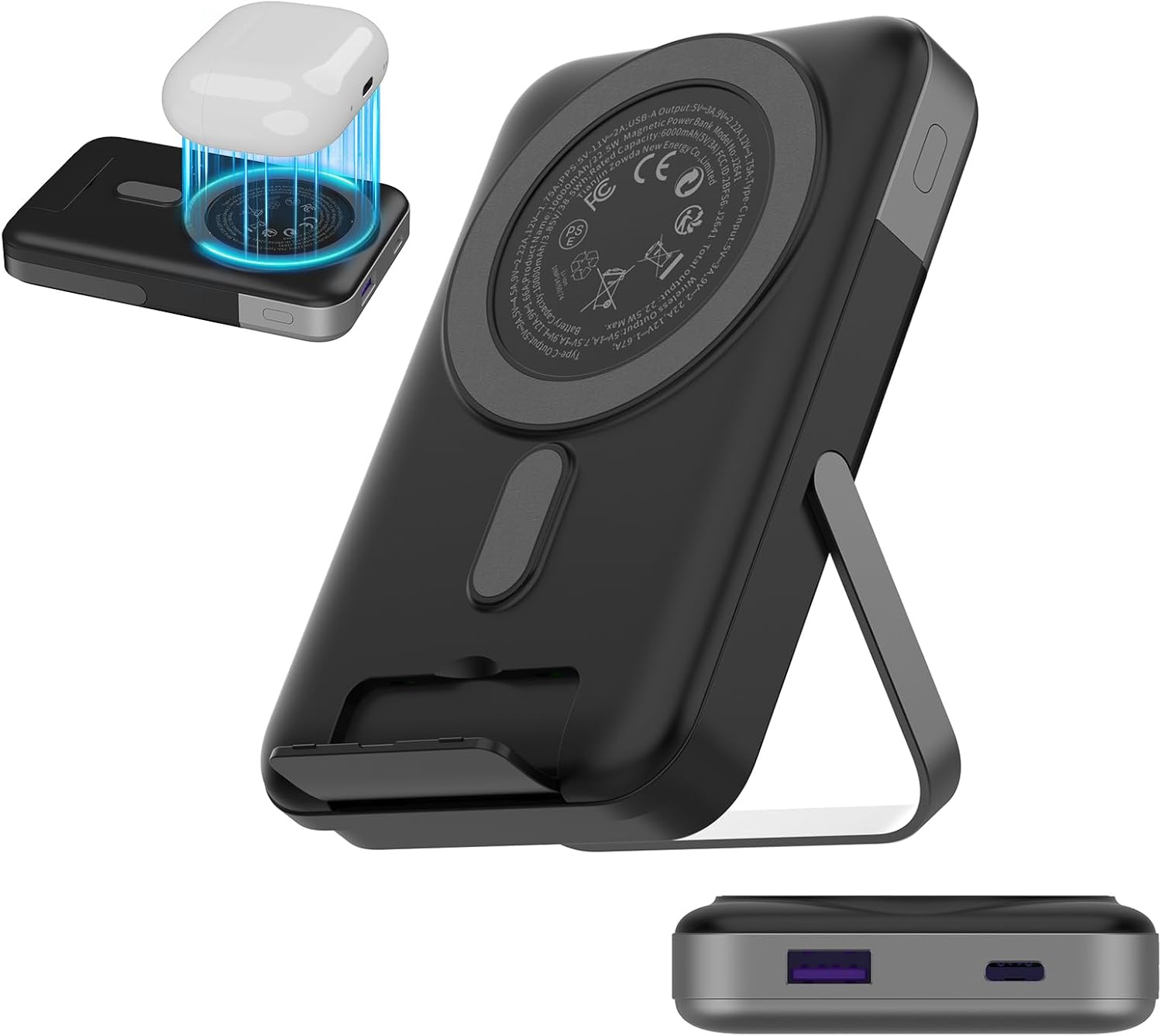
Figure 1: NOBIS 10000mAh Magnetic Power Bank with its foldable stand and integrated charging pad.
Fast Magnetic Charging
This power bank supports 5W/7.5W/10W/15W wireless charging output, offering charging speeds up to 2 times faster than other 7.5W magnetic power banks. To activate wireless charging, press the power button until the LED display illuminates, indicating the wireless charging function is ready.

Figure 2: Visual comparison of wireless charging speed, highlighting the 15W maximum output.
Ultra-Strong Magnetic Alignment
The built-in magnet provides a powerful 4400GS magnetic force, ensuring your phone snaps into place for seamless wireless charging. For optimal magnetic attachment, use a Magnetic-compatible phone case or charge without a case. A magnetic sticker is included for enhanced suction force.

Figure 3: Illustration of the strong magnetic connection and the optional magnetic sticker for non-MagSafe cases.
10000mAh Capacity for Daily Needs
Weighing 0.49 lbs and measuring 4.33 x 2.76 x 0.79 inches, this portable charger balances portability and performance. It can charge devices like an S24 or Phone 16 up to two times. Its compact design ensures it does not obstruct the camera.
Built-in Dual Stand
Equipped with dual foldable stands, this power bank allows for adjustable viewing angles, providing hands-free convenience. The soft silicone material prevents scratches, and the side stand is made of durable zinc alloy for greater stability.

Figure 4: The durable zinc alloy stand provides stable support for hands-free viewing.
Charge 3 Devices Simultaneously
This power bank supports 15W maximum wireless charging, 22.5W maximum Type-C fast charging, and 21W maximum USB-A output. It enables simultaneous charging for up to three devices.
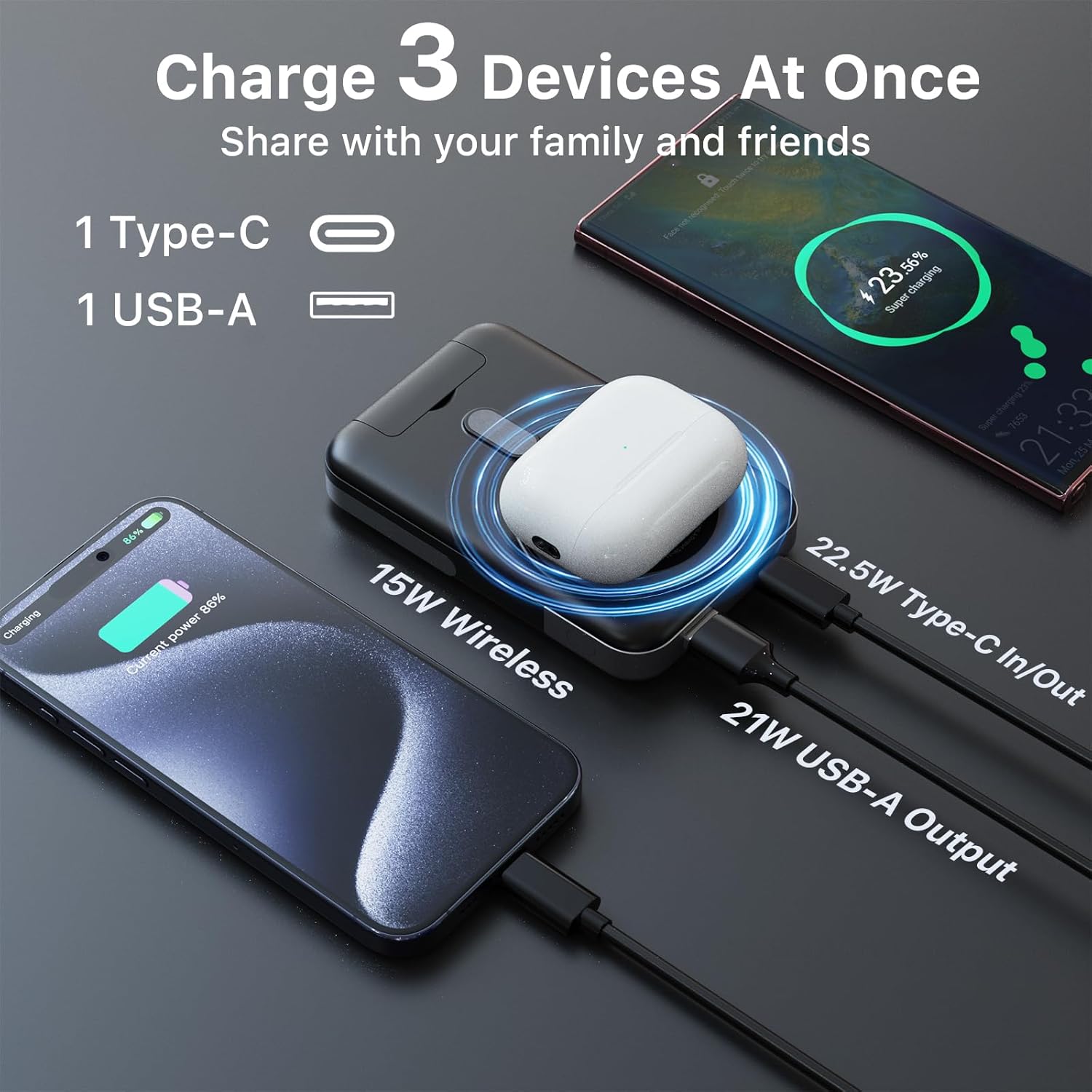
Figure 5: The power bank charging three devices concurrently: one wirelessly, one via Type-C, and one via USB-A.
Wide Wireless Compatibility
This wireless power bank is compatible with Phones (iPhone 12 series or later) and select Android devices that support magnetic charging. The built-in front stand assists certain phones in aligning with the wireless charging area for improved efficiency.
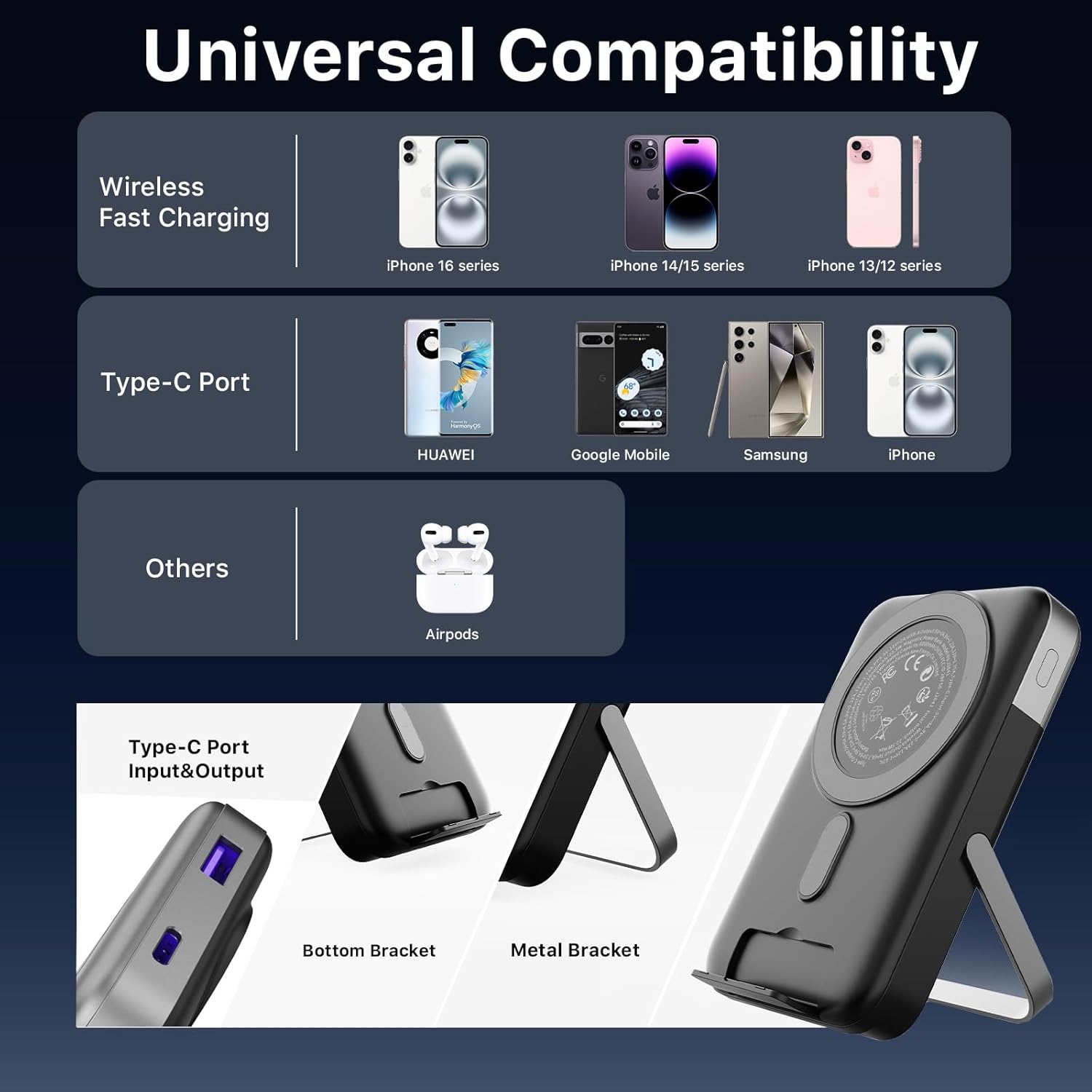
Figure 6: Compatibility chart showing various devices supported by the power bank, including iPhones, Android phones, and AirPods.
Superior Safety
This airline-approved battery pack prioritizes safety with built-in over-temperature, over-current, and multiple protection mechanisms to safeguard your devices.
Setup
Initial Charging of Power Bank
Before first use, fully charge the power bank using the provided Type-C to Type-C cable and a compatible power adapter. The LED display will show the charging progress.
Magnetic Attachment
For MagSafe-compatible phones (iPhone 12 series or later) or phones with a MagSafe-compatible case, simply align the back of your phone with the magnetic charging area on the power bank. It will snap into place.
Using Magnetic Sticker (for non-MagSafe compatible phones)
If your phone is not MagSafe-compatible or you use a non-MagSafe case, attach the included magnetic sticker to the back of your phone or case to enable magnetic attachment.
Wired Charging
Connect your device to the power bank using the Type-C port or the USB-A port with a compatible charging cable.
Activating Trickle Mode
For low-current devices like AirPods or smartwatches, press and hold the power button for 3 seconds to activate trickle mode. This protects and prolongs the life of low-current devices. Double-click the power button to exit trickle mode.

Figure 7: Activating trickle mode for charging low-current devices.
Operating Instructions
Power On/Off
Press the power button once to turn on the power bank. The LED display will show the current battery percentage. The power bank will automatically turn off after a period of inactivity or when charging is complete.
Checking Battery Level
The integrated LED display shows the remaining battery percentage of the power bank. Press the power button to view the current charge level.
Using the Dual Stand
Unfold the integrated dual stands from the back of the power bank to prop up your phone horizontally or vertically while charging. This allows for hands-free viewing or video calls.

Figure 8: Key features of the power bank, including the digital display and dual foldable stand.
Charging Multiple Devices
You can charge up to three devices simultaneously: one wirelessly via the magnetic pad, one via the Type-C port, and one via the USB-A port.
Video 1: Demonstrates the 3-in-1 charging capabilities of the power bank, including USB-C cable charging.
Video 2: Overview of the portable 10000mAh power bank with MagSafe wireless pad.
Video 3: Shows the MagSafe portable charger's ability to charge multiple devices simultaneously.
Maintenance
Keep the power bank clean and dry. Avoid exposure to extreme temperatures, direct sunlight, or liquids. Do not attempt to disassemble or repair the device yourself.
Troubleshooting
If the power bank is not charging, ensure it is properly connected to a power source and the cable is not damaged. If your device is not charging wirelessly, ensure it is MagSafe-compatible or has the magnetic sticker correctly applied, and that the power bank is turned on. For wired charging, verify the cable and port connections.
Specifications
| Feature | Detail |
|---|---|
| Model Number | A2641 |
| Battery Capacity | 10000 Milliamp Hours |
| Wireless Charging Output | 15W Max (5W/7.5W/10W/15W) |
| Type-C Fast Charging Output | 22.5W Max |
| USB-A Output | 21W Max |
| Product Dimensions | 4.33 x 2.76 x 0.79 inches |
| Item Weight | 7.8 ounces |
| Special Features | Digital Display, Fast Charging, Over Charging Protection, Short Circuit Protection, Wireless Charging |
| Color | Black |
Warranty and Support
Specific warranty and support information is not provided in the product details. Please refer to the manufacturer's official website or contact customer service for detailed warranty terms and support options.
