
1. Product Overview
This manual provides instructions for the Futanwei Screen Protector, designed to protect the display of your Onaneag P110 or TAEPOK P110 Smartwatch.
1.1 Package Contents
- 5 x Smartwatch Screen Protectors
1.2 Compatibility
This screen protector is specifically designed for the Onaneag P110 and TAEPOK P110 Smartwatches with a 2.06-inch screen. It is not compatible with FITVII H56 (1.7 Inches) Smart Watch or other devices.
2. Installation Guide
Follow these steps for a bubble-free installation. Ensure your smartwatch screen is clean and free of dust before application.
- Clean the Screen: Use a microfiber cloth to thoroughly clean the smartwatch screen. Remove any dust, smudges, or fingerprints.
- Align the Protector: Carefully peel off the first protective layer (usually marked "Step 1" or similar) from the screen protector. Align the protector with the edges of your smartwatch screen.
- Apply and Smooth: Once aligned, gently lay the protector onto the screen. Use a squeegee or a soft card wrapped in cloth to smooth out any air bubbles, working from the center outwards.
- Remove Top Layer: Peel off the second protective layer (usually marked "Step 2" or similar) from the top of the installed screen protector.
- Final Check: Inspect the screen for any remaining bubbles. Small bubbles may disappear naturally within a few hours due to the self-healing properties of the film.

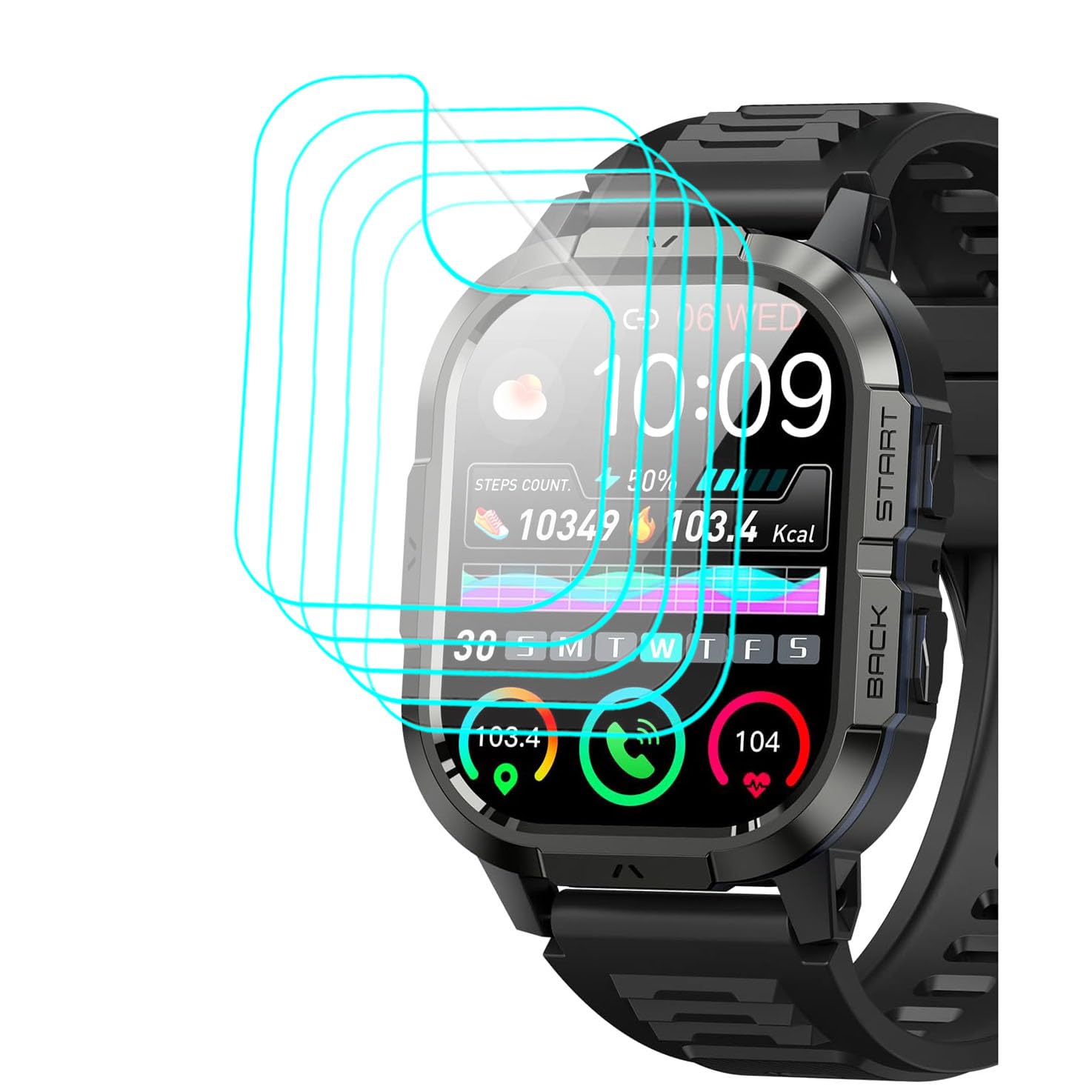
This image illustrates the screen protector placed on a smartwatch, highlighting its precise fit and coverage.
3. Product Features and Usage
The Futanwei Screen Protector offers advanced protection and maintains optimal screen functionality.
3.1 Key Features
- High Transparency: 99% high transparency ensures bright and colorful image quality, preserving the original visual experience.
- Touch Sensitivity: Designed for high responsiveness, allowing comfortable and sensitive touch interaction with your smartwatch screen.
- Oleophobic & Hydrophobic Coating: Protects against sweat, oil residue, and fingerprints, keeping your screen clean.
- Anti-Scratch: Provides robust protection against scratches and daily wear.
- Bubble Self-healing Film: Minor air bubbles that may appear immediately after application will naturally disappear within a few hours.
This diagram visually explains the benefits of the screen protector, such as its responsive touch, resistance to bubbles, and anti-fingerprint properties due to the oleophobic coating.
4. Care and Maintenance
To ensure the longevity and clarity of your screen protector:
- Cleaning: Gently wipe the screen protector with a soft, lint-free cloth. For stubborn smudges, slightly dampen the cloth with water or a screen cleaner designed for electronics.
- Avoid Harsh Chemicals: Do not use abrasive cleaners, solvents, or harsh chemicals, as these can damage the oleophobic coating and the film itself.
- Replacement: If the screen protector becomes heavily scratched or damaged, replace it with a new one from the 5-pack to maintain optimal screen protection and clarity.
5. Troubleshooting
5.1 Common Issues and Solutions
- Bubbles After Installation:
Solution: Small bubbles are common immediately after installation. Due to the self-healing nature of the film, these should disappear naturally within a few hours. For larger bubbles, gently lift the nearest edge of the protector and re-apply, smoothing out the bubble. - Dust Under the Protector:
Solution: This indicates the screen was not perfectly clean before application. Carefully lift the protector, use a dust-absorber sticker to remove the dust, and re-apply. - Reduced Touch Sensitivity:
Solution: Ensure the protector is applied smoothly without air gaps. If the issue persists, verify that the protector is correctly aligned and not interfering with the smartwatch's sensors.
6. Product Specifications
| Feature | Detail |
|---|---|
| Compatible Models | Onaneag P110, TAEPOK P110 Smartwatch (2.06 Inches) |
| Material | Thermoplastic Polyurethane (TPU) |
| Package Quantity | 5 Screen Protectors |
| Transparency | 99% High Transparency |
| Special Features | HD Clear, Soft PET Film, Case Friendly, Anti-Scratch, Bubble Free, Oleophobic & Hydrophobic Coating, Self-healing |
| Item Hardness | 9H |
| Product Dimensions (Package) | 3 x 2 x 0.5 inches |
| Item Weight | 0.32 ounces |
| Manufacturer | Futanwei |

This image provides a detailed look at the screen protector's fit on the smartwatch, demonstrating its edge-to-edge coverage and clarity.
7. Warranty and Customer Support
Futanwei products are designed for quality and performance.
- Warranty: Specific warranty details are not provided in this manual. Please refer to the product packaging or the retailer's website for warranty information.
- Customer Support: If you encounter any issues or have questions regarding your Futanwei Screen Protector, please contact the seller or manufacturer's customer support for assistance.