
1. Introduction
This manual provides essential instructions for the safe and effective use of your DFTIM YW-008 Li-ion Battery. This high-performance replacement battery is designed for the VEKEN Pax A920 Pro device. Please read this manual thoroughly before installation and use, and retain it for future reference.

Image 1.1: The DFTIM YW-008 Li-ion Battery. This image displays the front side of the black rectangular battery, showing its model number, voltage, capacity, and various certification marks.
2. Safety Information
To prevent damage to the battery, device, or personal injury, observe the following safety precautions:
- Do not disassemble, puncture, crush, or modify the battery.
- Do not expose the battery to extreme temperatures (above 60°C / 140°F or below -10°C / 14°F), direct sunlight, or fire.
- Avoid contact with water or other liquids. If the battery gets wet, do not use it.
- Keep the battery away from children and pets.
- Use only compatible chargers designed for Li-ion batteries.
- If the battery shows signs of swelling, leakage, or damage, discontinue use immediately and dispose of it properly.
- Dispose of used batteries according to local regulations. Do not dispose of in household waste.
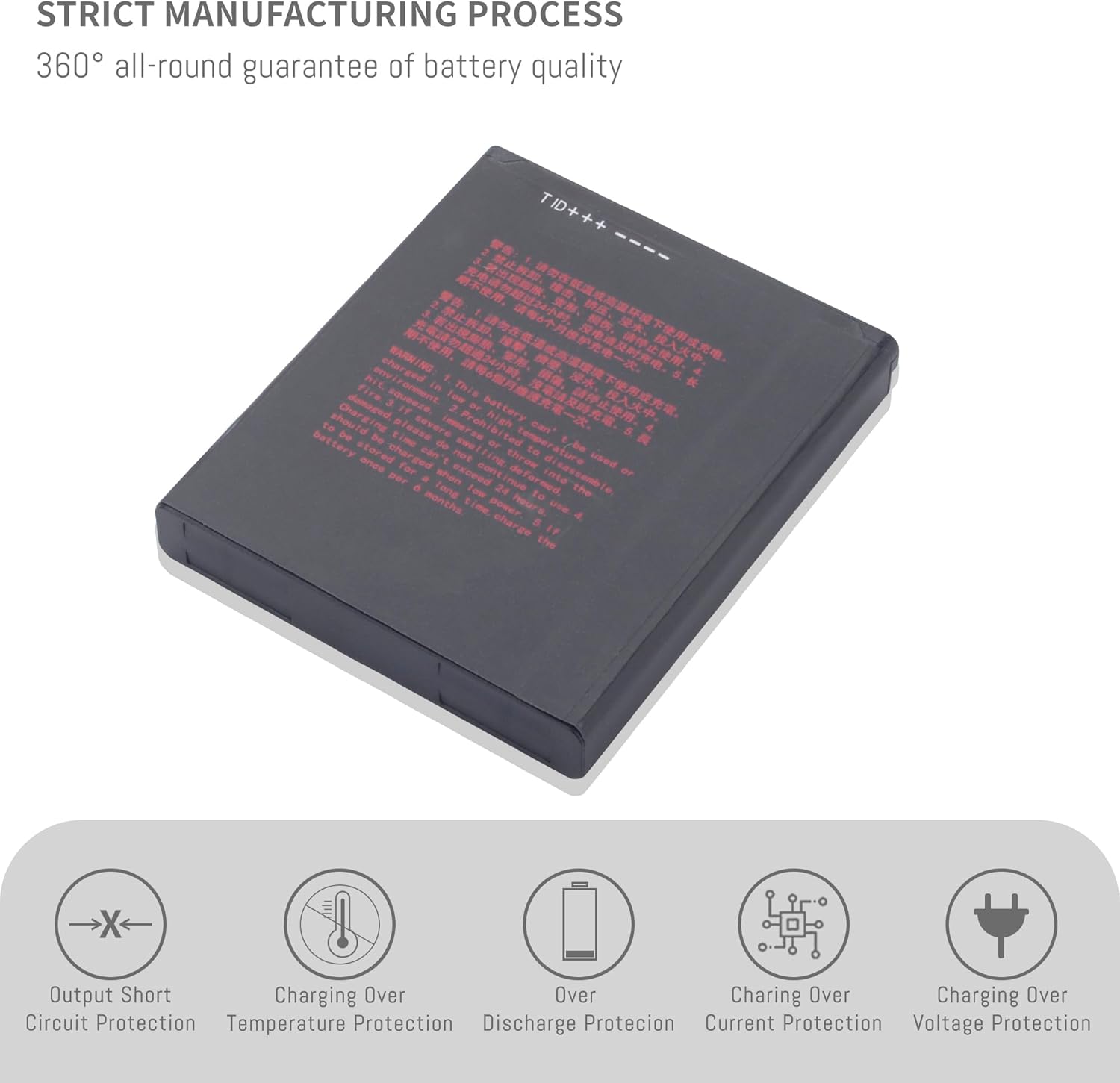
Image 2.1: Illustration of the battery's built-in safety features. This image shows the battery from a side angle, highlighting icons for Output Short Circuit Protection, Charging Over Temperature Protection, Over Discharge Protection, Charging Over Current Protection, and Charging Over Voltage Protection.
3. Specifications
The DFTIM YW-008 Li-ion Battery features the following technical specifications:
| Parameter | Value |
|---|---|
| Model Number | YW-008 |
| Battery Type | Lithium Ion (Li-ion) |
| Nominal Voltage | 3.7V |
| Capacity | 5150mAh / 19.05Wh |
| Limited Charge Voltage | 4.2V |
| Dimensions (L x W x H) | 2.76 x 2.36 x 0.39 inches |
| Item Weight | 2.82 ounces |

Image 3.1: Detailed diagram showing the battery's key parameters. This image presents a clear breakdown of the model, type, voltage, and capacity of the YW-008 battery.
4. Compatibility
The DFTIM YW-008 Li-ion Battery is specifically designed as a replacement for the following device:
- VEKEN Pax A920 Pro
Ensure your device model matches the listed compatibility to guarantee proper function and safety.

Image 4.1: The VEKEN Pax A920 Pro device, for which the YW-008 battery is compatible. This image shows the sleek, white and silver payment terminal with a screen displaying a user interface.
5. Setup and Installation
Follow these steps to safely install the DFTIM YW-008 battery into your VEKEN Pax A920 Pro device:
- Power Off Device: Before beginning, ensure your VEKEN Pax A920 Pro device is completely powered off and disconnected from any power source.
- Locate Battery Compartment: Refer to your device's original manual to locate and open the battery compartment. This is typically on the back or bottom of the device.
- Remove Old Battery: Carefully remove the old battery. If it is swollen or damaged, handle it with extreme caution.
- Insert New Battery: Align the DFTIM YW-008 battery with the connectors in the compartment. Gently press it into place, ensuring a secure fit. Do not force the battery.
- Close Compartment: Securely close the battery compartment cover.
- Initial Charge: It is recommended to fully charge the new battery before its first use.
If you are unsure about the installation process, consult a qualified technician or refer to the VEKEN Pax A920 Pro device's service manual.

Image 5.1: Close-up view of the battery's contact pins. This image highlights the gold-colored connectors on the battery, which must align with the device's terminals for proper installation.
6. Operating Instructions
Once installed, the DFTIM YW-008 battery operates similarly to your original battery. Follow these guidelines for optimal performance:
6.1 Charging
- Use the original charger or a certified compatible charger for your VEKEN Pax A920 Pro device.
- Connect the device to the charger and allow it to charge until the battery indicator shows a full charge.
- Avoid overcharging the battery by disconnecting the charger once fully charged, especially for prolonged periods.
6.2 Usage
- The battery provides a runtime of approximately 60 minutes or more per charge, depending on device usage and settings.
- For best battery life, avoid frequently draining the battery completely. Partial discharges and charges are generally better for Li-ion batteries.
- Operating the device in extremely hot or cold environments can affect battery performance and lifespan.

Image 6.1: The DFTIM YW-008 battery shown alongside a VEKEN Pax A920 Pro device in use. This image illustrates the battery's role in powering the portable payment terminal.
7. Maintenance
Proper maintenance can extend the lifespan of your DFTIM YW-008 battery:
- Storage: If storing the battery for an extended period, charge it to about 50-60% and store it in a cool, dry place away from direct sunlight. Recharge it every 3-6 months to prevent deep discharge.
- Cleaning: Keep the battery contacts clean and free of dust or debris. Use a dry, soft cloth to wipe them if necessary.
- Temperature: Avoid exposing the battery to extreme temperatures, as this can degrade its performance and capacity over time.

Image 7.1: Representation of the internal quality components of the battery. This image shows a conceptual diagram of an intelligent control chip and high-quality battery cells, emphasizing the internal construction.
8. Troubleshooting
If you encounter issues with your DFTIM YW-008 battery, consider the following common solutions:
| Problem | Possible Solution |
|---|---|
| Battery not charging |
|
| Device not powering on |
|
| Short battery life |
|
If problems persist after attempting these solutions, please contact customer support.
9. Warranty and Support
DFTIM provides the following support for your YW-008 battery:
- Refund Policy: 30 days refund period from the date of purchase.
- Warranty: 12 months warranty covering manufacturing defects.
For customer service inquiries, please contact the seller directly through the platform where the purchase was made. Look for the "ask a question" option on the seller's store page.