Introduction
This manual provides instructions for the Hot Wheels Track Creator Deluxe Pack, Model JDW42. This set is designed to allow users to construct original track layouts or expand existing Hot Wheels track systems. It includes a variety of track pieces and connectors to facilitate diverse track configurations. The two included 1:64 scale die-cast vehicles are ready for immediate use.
The Speed Snap Track system features durable, flexible track pieces and includes adapters for compatibility with legacy Hot Wheels e-track. This allows for seamless integration and expansion of your Hot Wheels world.
What's Included
The Hot Wheels Track Creator Deluxe Track Pack contains the following components:
- 2 Hot Wheels 1:64 scale die-cast cars
- 6 x 12-inch Flex Track pieces
- 4 x 3-inch Molded Track pieces
- 4 x 6-inch Molded Track pieces
- 16 x 12-inch Molded Track pieces
- 2 Speed Snap Track Adapters
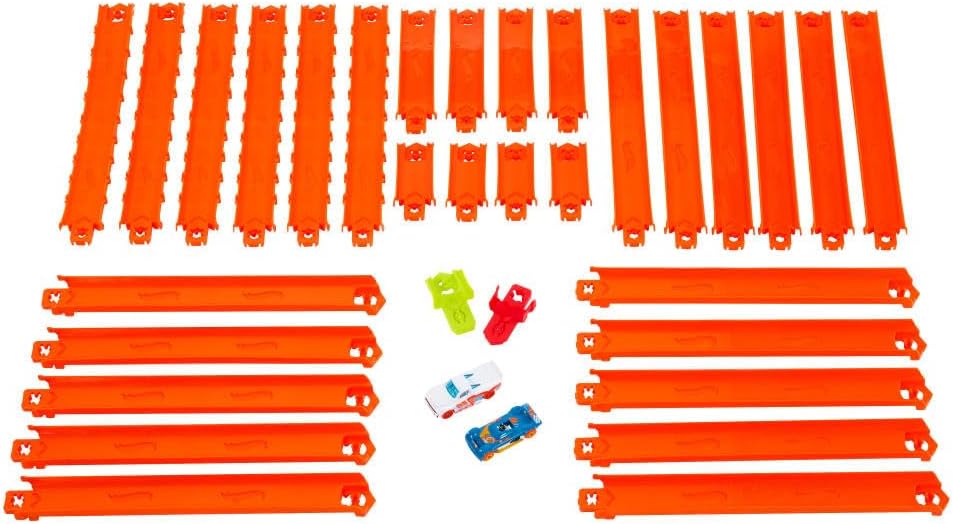
Image: All track pieces and cars included in the set.
Setup Instructions
- Unpack Components: Carefully remove all track pieces, connectors, and vehicles from the packaging.
- Connect Track Pieces:
The Speed Snap Track pieces are designed for easy assembly. Align the male end of one track piece with the female end of another. Push firmly until you hear a click, indicating a secure connection.
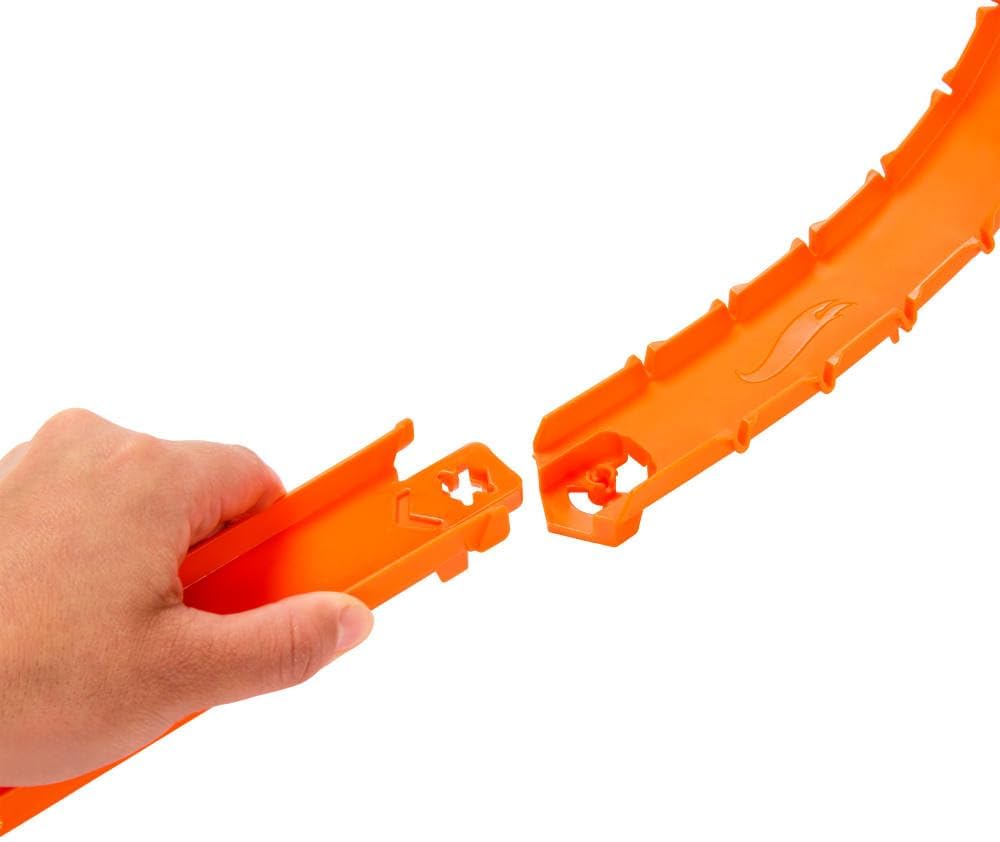
Image: Connecting two track pieces.
- Utilize Flex Track: The flex track pieces can be gently bent to create curves and turns in your track design. Avoid excessive bending to prevent damage.
- Use Adapters: If connecting to older Hot Wheels e-track systems, use the provided Speed Snap Track Adapters. These adapters bridge the connection between the new Speed Snap Track and legacy track types.
- Design Your Layout: Experiment with different track lengths and configurations to create unique racing experiences. Ensure all connections are secure to prevent cars from derailing.
Operating Instructions
- Place Cars on Track: Position a Hot Wheels die-cast car at the starting point of your track.
- Initiate Race: Gently push the car to start its journey along the track. For tracks with launchers or boosters (sold separately), follow their specific operating instructions.
- Observe and Adjust: Watch how the cars navigate your track design. If cars slow down or stop, consider adjusting the track's incline or adding more track pieces to maintain momentum.
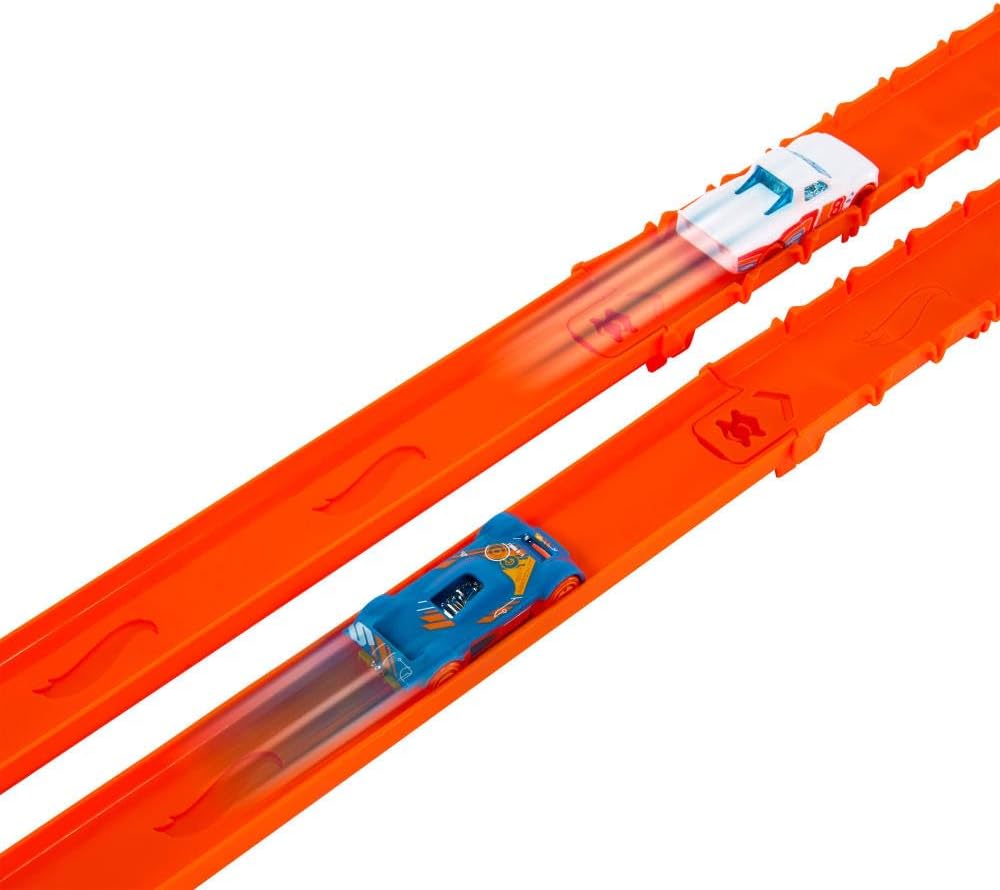
Image: Hot Wheels cars racing on the track.
Maintenance
- Cleaning: Wipe track pieces and cars with a soft, dry cloth to remove dust and debris. Avoid using harsh chemicals or abrasive cleaners.
- Storage: When not in use, disassemble the track and store components in a dry, cool place away from direct sunlight. This helps prevent warping or damage to the plastic.
- Inspection: Periodically inspect track pieces and connectors for any signs of wear, cracks, or damage. Replace damaged components to ensure safe and optimal performance.
Troubleshooting
- Cars Not Moving Smoothly:
- Check track connections for proper alignment and secure fit.
- Ensure the track surface is clean and free of obstructions.
- Verify that the track has sufficient incline for gravity-powered movement, or that any boosters (if used) are functioning correctly.
- Track Disconnecting:
- Ensure connectors are fully engaged.
- Avoid placing excessive stress or weight on connected track sections.
Specifications
| Product Dimensions | 300 x 1.5 x 0.75 inches |
| Item Weight | 1.93 pounds |
| Model Number | JDW42 |
| Manufacturer Recommended Age | 3 years and up |
| Manufacturer | Mattel |
| Total Track Length | 25 feet |
Warranty and Support
For information regarding product warranty, returns, or technical support, please refer to the official Hot Wheels website or contact Mattel customer service directly. Contact details are typically found on the product packaging or the manufacturer's official website.


