
1. Introduction
The JDIAG PB60 is a handheld intelligent electrical system circuit tester designed for automotive diagnostics. This versatile tool integrates multiple functions including digital multimeter, digital oscilloscope, automotive circuit testing, injector testing, component activation, and battery detection. It is suitable for use with 8-32V vehicle electrical systems.

Figure 1: Overview of JDIAG PB60 features and protection mechanisms.
2. Package Contents
Please verify that all items listed below are included in your package. If any items are missing or damaged, contact your vendor immediately.
- PB60 Probe Tester Unit
- Extension Cord (33ft/10m)
- Test Clamp (Alligator Clips)
- Probe Tip
- Type-C Data Cable
- Double-pass Test Extension Cable
- Special Terminal Wires for Fuel Injectors
- Packing List
- User Manual
- Circuit Toolbox (Storage Case)

Figure 2: Contents of the JDIAG PB60 package.
3. Setup and Connection
- Prepare the Vehicle: Ensure the vehicle's ignition is off before connecting the tester.
- Connect Power: Attach the red alligator clamp to the positive (+) terminal of the vehicle's battery and the black alligator clamp to the negative (-) terminal or a suitable chassis ground point.
- Power On: The PB60 unit will power on automatically once connected to a power source.
- Select Function: Use the navigation buttons on the device to select the desired testing mode from the main menu.
4. Operating Instructions
4.1 General Features and Navigation
The PB60 Circuit Tester is equipped with a 2.4-inch high-resolution TFT color screen, providing clear and intuitive display of test processes and results. Navigate through menus using the directional buttons and confirm selections with the 'OK' button. The screen can be rotated 180 degrees for improved viewing by holding the freeze key during multimeter interface use.

Figure 3: Multiple work modes and screen rotation feature.
Key functions include:
- Quick Self-test
- Voltage Test (Positive and Negative)
- Component Activation
- Continuity Test
- Ground Detection
- Test Trailer Lights and Connectors
- Jumper Function
- Trace and Locate Short Circuits
- Spark Plugs Test
- Diode Detection
- Reverse Connection and Overload Protection
4.2 Battery Test Function
The PB60 offers comprehensive battery testing capabilities compatible with various battery types, including Regular Flooded, AGM Flat Plate, AGM Spiral, GEL, and EFB. Available tests include:
- Waveform Monitor: Displays real-time voltage waveforms.
- Starting Test: Evaluates the battery's performance during engine cranking.
- Charging Test: Assesses the vehicle's charging system output.
- Load Test: Measures battery voltage under a simulated load.

Figure 4: Automotive Battery Test functions and display.
4.3 Injector Test Function
This function assists in diagnosing the operational status of fuel injectors. It helps determine if an injector is stuck, leaking, experiencing incomplete combustion, or has other injection-related issues. This test can be performed in conjunction with a fuel pressure tester for a complete diagnosis.
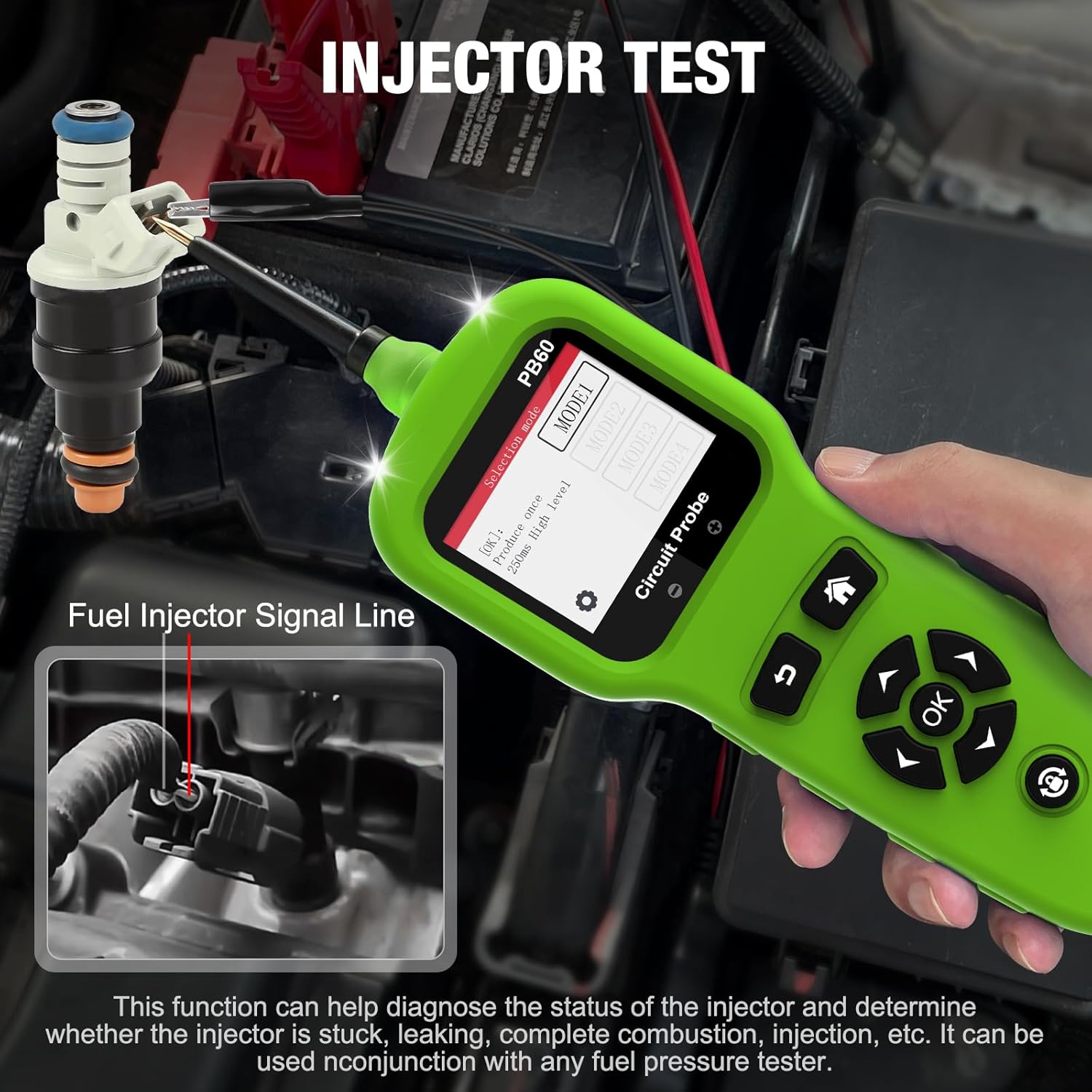
Figure 5: Fuel Injector Test in progress.
5. Maintenance
- Cleaning: Wipe the device with a soft, damp cloth. Do not use abrasive cleaners or solvents.
- Storage: Store the PB60 in its protective case in a dry, cool environment away from direct sunlight and extreme temperatures.
- Cable Care: Inspect cables and connectors regularly for any signs of wear or damage. Replace if necessary.
6. Troubleshooting
- Device Not Powering On: Ensure the alligator clamps are securely connected to a functional 8-32V power source (vehicle battery). Check for loose connections or damaged cables.
- Inaccurate Readings: Verify that the probe tip has good contact with the circuit being tested. Ensure the vehicle's battery is adequately charged for accurate battery tests.
- Screen Issues: If the screen is unresponsive or displays errors, try disconnecting and reconnecting the power. If issues persist, contact customer support.
7. Specifications
| Specification | Value |
|---|---|
| Brand | JDiag |
| Model Number | PB60 |
| Power Source | Battery Powered (via vehicle battery) |
| Operating Voltage Range | 8 - 32 Volts (DC) |
| Upper Temperature Rating | 50 Degrees Celsius |
| Item Weight | 2 Kilograms |
| Color | Green |
| Included Components | 4-in-1 Automotive Circuit Tester (main unit and accessories) |
8. Warranty and Support
For warranty information, technical support, or service inquiries, please refer to the warranty card included in your product packaging or contact the manufacturer directly through their official website or customer service channels. Keep your purchase receipt as proof of purchase for warranty claims.