
Introduction
Thank you for choosing the XIAOMI Portable Bluetooth Speaker. This manual provides essential information for setting up, operating, and maintaining your speaker. Please read it thoroughly before use to ensure optimal performance and safety. This speaker is designed to deliver high-quality audio with powerful 30W output, True Wireless Stereo (TWS) capabilities, and robust IP67 waterproof and dustproof protection, making it suitable for various environments.
Important Safety Information
- Do not expose the speaker to extreme temperatures or direct sunlight for prolonged periods.
- Avoid dropping or subjecting the speaker to strong impacts.
- Keep the speaker away from medical devices, as it may interfere with their operation.
- Use only the provided charging cable or a certified equivalent.
- Do not attempt to disassemble, repair, or modify the speaker yourself. Contact authorized service personnel.
- Ensure the charging port cover is securely closed when near water to maintain IP67 rating.
Package Contents
Please check that all items are present:
- XIAOMI Portable Bluetooth Speaker
- USB-C Charging Cable
- User Manual
Product Overview
The XIAOMI Portable Bluetooth Speaker features a robust design with intuitive controls and powerful audio components. Its compact size and integrated strap make it highly portable.
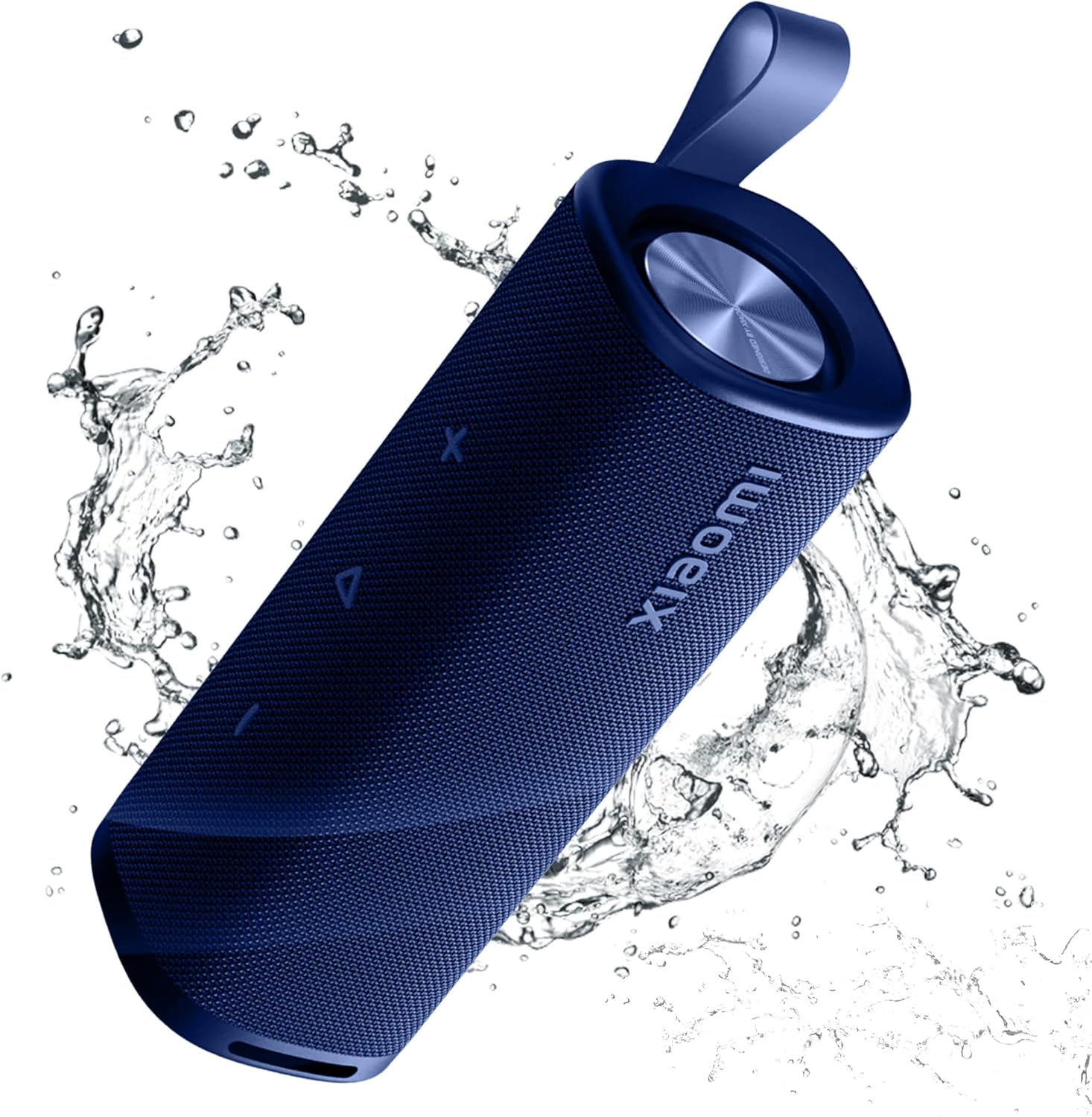
Figure 1: Front view of the XIAOMI Portable Bluetooth Speaker, highlighting its blue color and water-resistant design.

Figure 2: The speaker's compact and lightweight design, ideal for portability.

Figure 3: Detailed dimensions of the speaker, measuring 2.68"D x 2.6"W x 7.7"H.

Figure 4: Illustration of the dual large-size passive woofer radiators, contributing to the speaker's 30W output and rich bass.
Official Product Videos
Video 1: Demonstrates the Xiaomi Sound Outdoor 30W Bluetooth speaker in action, highlighting its features and design.
Video 2: A detailed look at the Xiaomi Sound Outdoor 30W speaker, showcasing its build and sound capabilities.
Video 3: Overview of the Xiaomi Portable Bluetooth Speaker 30W, emphasizing its portability and sound performance.
Video 4: Short demonstration of the Xiaomi Sound Outdoor speaker's features and design.
Setup Guide
1. Charging the Speaker
Before first use, fully charge the speaker. Connect the provided USB-C cable to the charging port on the speaker and the other end to a compatible USB power adapter (not included). The charging indicator light will show the charging status. A full charge takes approximately 2.5 hours, providing up to 12 hours of playback time at 50% volume.

Figure 5: Charging and battery life details for the speaker.
2. Powering On/Off
- To Power On: Press and hold the Power button (⏻) for 2-3 seconds until you hear an audible prompt and the indicator light illuminates.
- To Power Off: Press and hold the Power button (⏻) for 2-3 seconds until you hear an audible prompt and the indicator light turns off.
3. Bluetooth Pairing
- Ensure the speaker is powered on and the Bluetooth indicator (Ⓑ) is blinking, indicating it's in pairing mode. If not, press and hold the Bluetooth button (Ⓑ) for 2 seconds to enter pairing mode.
- On your device (smartphone, tablet, etc.), enable Bluetooth and search for available devices.
- Select "XIAOMI Sound Outdoor" from the list of devices.
- Once connected, the Bluetooth indicator will stop blinking and remain solid. You will hear a confirmation tone.

Figure 6: Bluetooth 5.4 connection for fast and reliable pairing.
4. True Wireless Stereo (TWS) Pairing
For an immersive stereo experience, you can connect two identical XIAOMI Portable Bluetooth Speakers:
- Ensure both speakers are powered on and not connected to any other Bluetooth device.
- On one speaker, short press the TWS button (∞). The indicator will blink.
- On the second speaker, short press the TWS button (∞).
- The speakers will automatically pair with each other. Once connected, the TWS indicators on both speakers will remain solid.
- Now, connect your device to one of the paired speakers via Bluetooth as described in step 3. Both speakers will play audio in stereo.

Figure 7: Two speakers paired for True Wireless Stereo sound.
Operating Instructions
1. Basic Controls
- Play/Pause: Press the Play/Pause button (▷) once.
- Volume Up: Press the Volume Up button (+).
- Volume Down: Press the Volume Down button (-).
- Next Track: Double-press the Play/Pause button (▷).
- Previous Track: Triple-press the Play/Pause button (▷).
2. Call Handling
The built-in microphone allows for hands-free calling:
- Answer Call: Press the Play/Pause button (▷) once when a call comes in.
- End Call: Press the Play/Pause button (▷) once during a call.
- Reject Call: Press and hold the Play/Pause button (▷) for 2 seconds when a call comes in.
3. Voice Assistant
Activate your device's voice assistant through the speaker:
- Activate Voice Assistant: Press and hold the Play/Pause button (▷) for 2 seconds.
Care and Maintenance
- Cleaning: Wipe the speaker with a soft, damp cloth. Do not use abrasive cleaners or solvents.
- Water and Dust Resistance (IP67): The speaker is rated IP67, meaning it is protected against dust ingress and can withstand immersion in water up to 1 meter for 30 minutes. Ensure the charging port cover is tightly sealed before exposing it to water. After exposure to water, dry the speaker thoroughly before charging.
- Storage: Store the speaker in a cool, dry place away from direct sunlight and extreme temperatures.
- Battery Care: To prolong battery life, avoid fully discharging the speaker frequently. Charge it regularly, even if not in use for extended periods.

Figure 8: The speaker's IP67 waterproof and dustproof rating ensures durability in various outdoor conditions.
Troubleshooting
| Problem | Possible Cause | Solution |
|---|---|---|
| Speaker does not power on. | Low battery. | Charge the speaker fully. |
| Cannot pair via Bluetooth. | Speaker not in pairing mode; device Bluetooth off; too far from device. | Ensure speaker is in pairing mode (blinking Bluetooth indicator). Turn on Bluetooth on your device. Move speaker closer to device (within 25 meters). |
| No sound or low volume. | Volume too low on speaker or device; speaker not connected. | Increase volume on both speaker and connected device. Re-pair the speaker with your device. |
| TWS pairing fails. | Speakers not identical or already paired to another device. | Ensure both speakers are the same model and not connected to other devices. Follow TWS pairing steps carefully. |
| Sound distortion. | Volume too high; low battery. | Reduce volume. Charge the speaker. |
Specifications
| Feature | Detail |
|---|---|
| Model Name | MDZ-38-DB |
| Brand | XIAOMI |
| Speaker Type | Portable Bluetooth Speaker |
| Connectivity Technology | Bluetooth 5.4 |
| Speaker Maximum Output Power | 30 Watts |
| Water Resistance Level | IP67 (Waterproof & Dustproof) |
| Playback Time | Up to 12 Hours |
| Charging Time | 2.5 Hours |
| Battery Capacity | 2.6 Amp Hours |
| Product Dimensions | 2.68"D x 2.6"W x 7.7"H |
| Item Weight | 1.54 pounds |
| Material | Metal, Plastic |
| Control Method | Touch |
| Special Features | Bass Boost, Dustproof, Waterproof, TWS Connection |
Warranty and Support
The XIAOMI Portable Bluetooth Speaker comes with a limited warranty. Please refer to the warranty card included in your package for specific terms and conditions. For technical support, troubleshooting assistance, or any inquiries regarding your product, please visit the official XIAOMI website or contact their customer service. Keep your purchase receipt as proof of purchase for warranty claims.


